
Kidzlane B01J6HW0DC
Kidzlane Kids MP3 Player Karaoke Machine User Manual
Model: B01J6HW0DC
Introduction
This manual provides comprehensive instructions for the Kidzlane Kids MP3 Player Karaoke Machine. Designed for children, this portable device allows for singing along to favorite songs with dual microphones, offers built-in music storage, and supports various connectivity options including Bluetooth, MP3, AUX, and FM radio. Please read this manual carefully to ensure proper use and maintenance of your device.

Image: Front view of the Kidzlane Kids MP3 Player Karaoke Machine, showcasing its compact design and two attached microphones.
Product Overview and Components
Familiarize yourself with the different parts and controls of your karaoke machine.

Image: Labeled diagram of the front panel, indicating the LED display, microphone on/off switches, main player volume, play/pause/radio scan button, next/skip forward, previous/skip backward, and mode selection button.
- Main Unit: The central player with controls and speaker.
- Microphones (x2): Wired microphones for singing.
- LED Display: Shows current mode and track information.
- Control Buttons:
- Mic On/Off
- Main Player Volume (+/-)
- Play/Pause/Radio Scan
- Next/Skip Forward
- Previous/Skip Backward
- Mode (M) Button: Cycles through Bluetooth, SD Music Storage, USB, and FM Radio.
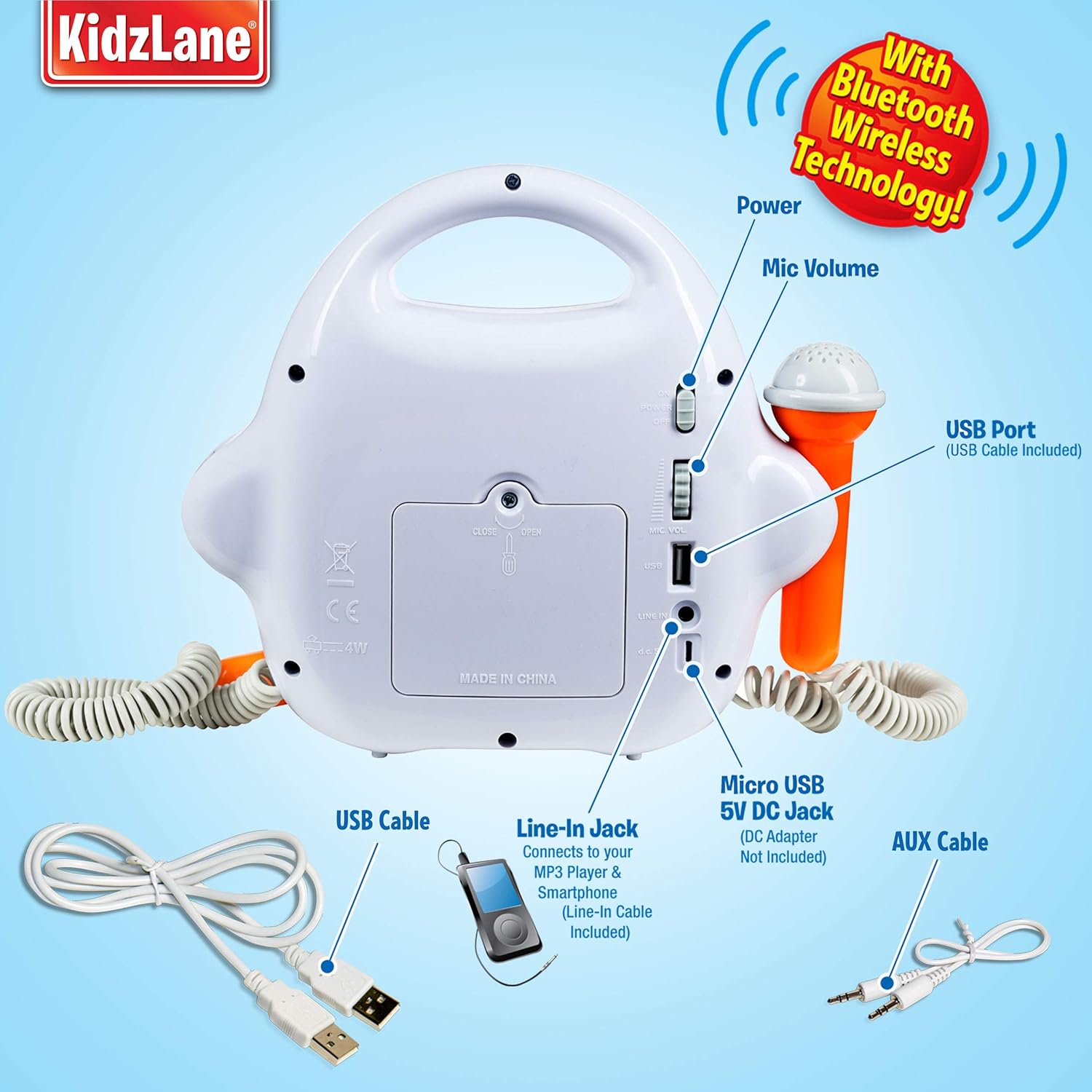
Image: Rear view of the karaoke machine, highlighting the power switch, microphone volume control, USB port, line-in jack, micro USB 5V DC jack, and AUX cable input.
- Power Switch: On/Off.
- Mic Volume Control: Adjusts microphone volume independently.
- USB Port: For connecting USB devices.
- Line-in Jack: For connecting external MP3 players or smartphones.
- Micro USB 5V DC Jack: For power input (DC adapter not included).
- AUX Cable Input: For auxiliary audio input.
- SD Card Slot: Located under a cover, for built-in music storage.
Setup
Powering the Device
The Kidzlane Karaoke Machine offers two power options:
- Battery Power: Insert 4 AA batteries (not included) into the battery compartment located on the underside of the unit. Ensure correct polarity.
- USB Power: Connect a 5V USB cable (not included) to the Micro USB 5V DC Jack on the back of the unit and plug the other end into a compatible USB power source (e.g., wall adapter, computer USB port).
Connecting Microphones
The two wired microphones are permanently attached to the unit. Ensure they are securely plugged into their respective ports on the side of the machine.
Operating Instructions
Power On/Off
Locate the power switch on the back of the unit and slide it to the "ON" position to turn on the device. Slide it to "OFF" to power down.
Adjusting Volume
- Main Player Volume: Use the '+' and '-' buttons on the front panel to adjust the volume of the music playback.
- Microphone Volume: Use the dedicated "Mic Volume" dial on the back of the unit to adjust the volume of the microphones independently.
Music Playback Modes
Press the "M" (Mode) button on the front panel to cycle through the available music playback modes:
- Bluetooth Mode:
When in Bluetooth mode, the device will be discoverable. Enable Bluetooth on your smartphone or other audio device and select "Kidzlane Karaoke" to pair. Once paired, you can stream music wirelessly.
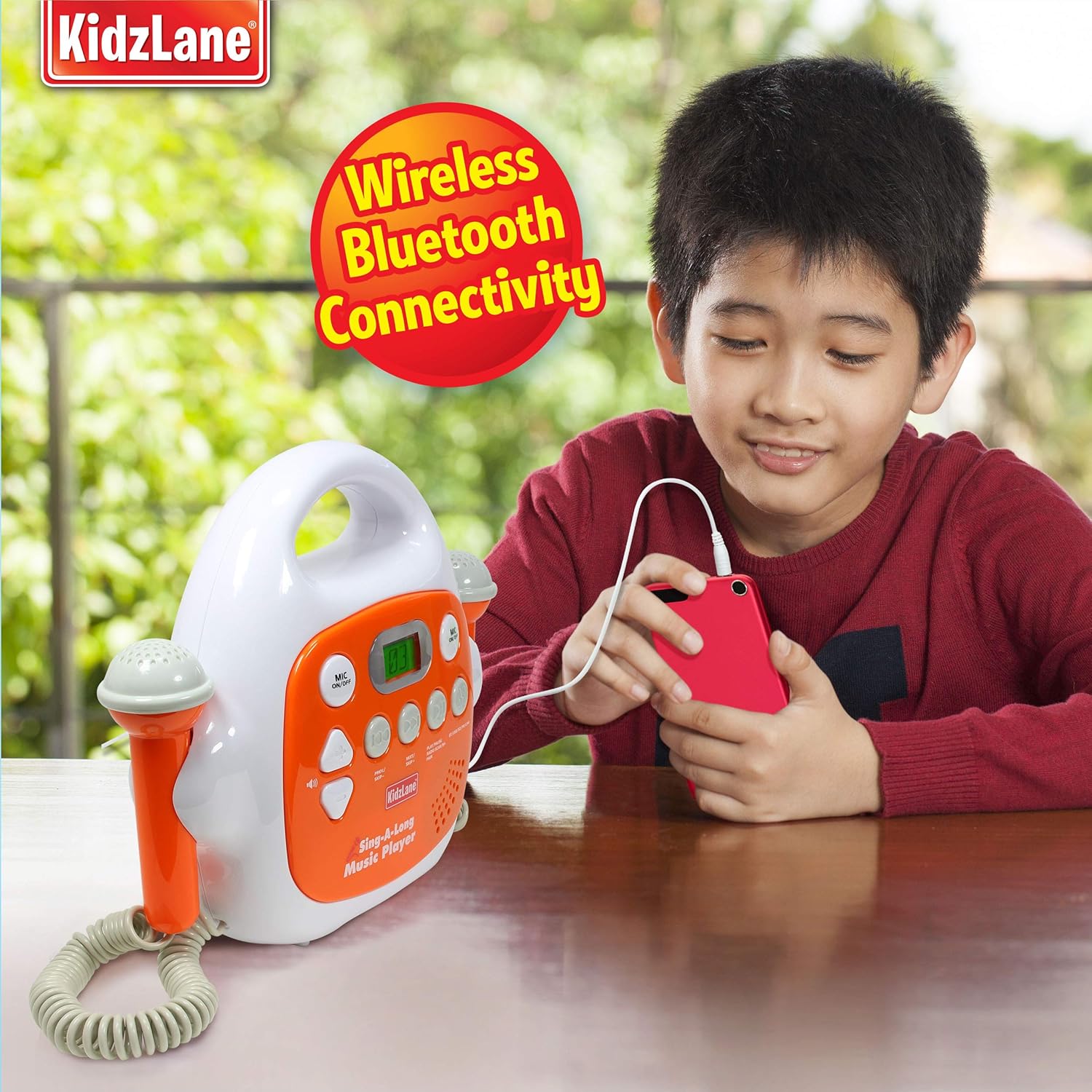
Image: A child demonstrating the wireless Bluetooth connectivity by pairing a smartphone with the karaoke machine.
- SD Music Storage:
The device features 512MB of built-in SD storage, capable of storing up to 100 songs. To add music, connect the device to a computer via the USB port and transfer MP3 files to the internal storage. The player will automatically play songs from this storage when in SD mode.
- USB Mode:
Connect a USB flash drive containing MP3 files to the USB port on the back of the unit. The player will automatically detect and play music from the USB drive.
- AUX Mode:
Connect an external audio device (e.g., MP3 player, smartphone) to the "Line-in Jack" or "AUX Cable Input" on the back of the unit using a standard 3.5mm audio cable. The karaoke machine will play audio from the connected device.
- FM Radio Mode:
In FM Radio mode, press the "Play/Pause/Radio Scan" button to automatically scan and save available FM radio stations. Use the "Next/Skip Forward" and "Previous/Skip Backward" buttons to navigate between saved stations.
Using the Microphones
Ensure the microphone volume is adjusted to a comfortable level using the dial on the back. Slide the "MIC ON/OFF" switch on the front panel for each microphone to activate or deactivate them.
Maintenance
- Cleaning: Wipe the unit with a soft, dry cloth. Do not use abrasive cleaners or immerse the unit in water.
- Battery Replacement: When using battery power, replace all 4 AA batteries simultaneously when the power indicator shows low battery or the unit's performance degrades.
- Storage: Store the karaoke machine in a cool, dry place away from direct sunlight and extreme temperatures when not in use.
- Microphone Cords: Handle microphone cords carefully to prevent tangling or damage.
Troubleshooting
| Problem | Possible Cause | Solution |
|---|---|---|
| Unit does not power on. | Batteries are dead or incorrectly inserted; USB cable not connected or faulty. | Replace batteries, ensuring correct polarity. Check USB cable connection and power source. |
| No sound from speaker. | Main player volume is too low; incorrect mode selected; external device not playing. | Increase main player volume. Press 'M' button to cycle to correct input mode. Ensure external device is playing and its volume is up. |
| Microphone not working. | Microphone switch is off; microphone volume is too low. | Slide the "MIC ON/OFF" switch to ON. Increase the "Mic Volume" dial on the back. |
| Bluetooth connection issues. | Device not in Bluetooth mode; too far from source; interference. | Ensure unit is in Bluetooth mode. Move closer to the audio source. Reduce interference from other wireless devices. |
| Cannot play songs from SD card/USB. | Incorrect file format; unit not in correct mode; corrupted files. | Ensure music files are in MP3 format. Press 'M' button to select SD or USB mode. Re-transfer files if corrupted. |
Specifications
- Product Dimensions: 11 x 9.8 x 3.4 inches
- Item Weight: 1.5 pounds
- Model Number (ASIN): B01J6HW0DC
- Manufacturer Recommended Age: 3 years and up
- Batteries: 4 AA batteries (not included)
- Power Input: Micro USB 5V DC (cable not included)
- Built-in Storage: 512MB SD (stores up to 100 songs)
- Connectivity: Bluetooth, USB, AUX, FM Radio
- Special Features: Dual Microphones, Independent Volume Control (Mic & Music), Lightweight
- Color: Orange
Warranty Information
The Kidzlane Kids MP3 Player Karaoke Machine comes with a 90-day warranty from the date of purchase. This warranty covers manufacturing defects and issues arising from normal use. Please retain your proof of purchase for warranty claims. For specific terms and conditions, refer to the product packaging or contact Kidzlane customer support.

Image: Product packaging highlighting the 90-day warranty.
Customer Support
For further assistance, technical support, or warranty inquiries, please contact Kidzlane customer service. Refer to the product packaging or the official Kidzlane website for contact details.
You can also visit the Kidzlane Store on Amazon for more information and product updates.
Ask a question about this manual
Ask about setup, troubleshooting, compatibility, parts, safety, or missing instructions. Manuals+ will review the question and use this page’s manual context to help answer it.