
Introduction
This manual provides essential information for the safe and effective use of your Superer AC Charger. Please read these instructions carefully before using the product and retain them for future reference. This charger is designed to provide power to compatible Asus Q301 series laptops.
Safety Information
To ensure safe operation, please observe the following precautions:
- Do not expose the charger to liquids, moisture, or extreme temperatures.
- Avoid dropping or subjecting the charger to strong impacts.
- Do not attempt to disassemble or modify the charger.
- Ensure the power outlet is easily accessible and properly grounded.
- Disconnect the charger from the power outlet when not in use for extended periods.
- Keep out of reach of children.
Certifications
This product meets nationally recognized standards for electronic safety.

Image showing UL, FCC, and CE certifications, indicating compliance with safety and environmental standards.
| Certification | Description |
|---|---|
| UL Listed | Passed UL safety tests for high-level electronic safety. |
| FCC Approved | Meets regulated limits for ionizing radiation. |
| CE Marking | Meets EU safety, health, and environmental protection requirements. |
Product Overview
The Superer AC Charger is a compact and efficient power supply designed for specific Asus laptop models. It features built-in protections to ensure stable and safe charging.
Package Contents
- 1 x Superer AC Adapter
Adapter Details

Power Lamp: Indicates when the adapter is receiving power and operating.
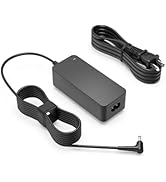
Fastener Tape: For convenient cable management and storage.
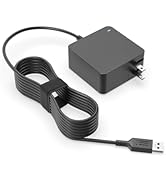
Longer Wire: Provides extended reach for flexible placement.
Setup Instructions
- Unpack the Charger: Carefully remove the AC adapter from its packaging.
- Connect to Power Outlet: Plug the AC adapter's power cord into a standard wall outlet (110V). Ensure the power lamp on the adapter illuminates, indicating it is receiving power.
- Connect to Laptop: Insert the round connector tip of the charger into the power input port on your Asus Q301 series laptop. Ensure the connection is firm.
- Verify Charging: Confirm that your laptop indicates it is charging. This is usually shown by a charging icon on the screen or an LED indicator on the laptop itself.

Image showing the AC charger connected to a laptop and a power strip, illustrating proper setup.
Operating Instructions
The Superer AC Charger is designed for straightforward operation:
- Once connected, the charger will automatically begin supplying power to your laptop and charging its battery.
- The charger provides a consistent and stable power supply, protecting your device from overcharge, short circuits, and voltage fluctuations.
- You can use your laptop while it is connected to the charger.
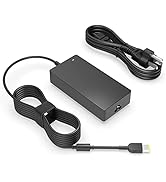
Image illustrating a laptop receiving 65W power from the charger, indicating active charging.
Compatibility
This Superer AC Charger is specifically designed for the following Asus laptop models:
- Asus Q301
- Asus Q301L
- Asus Q301LA
- Asus Q301LA-BSI5T17
- Asus Q301LA-BHI5TO2
It is crucial to verify your laptop's power requirements (voltage, amperage, and wattage) and connector type before use. This charger provides 19V, 3.42A, and 65W output with a round connector.
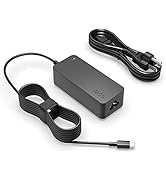
Image displaying a compatibility chart, indicating that 19V, 3.42A, 65W is compatible, while 19V, 2.37A, 45W is compatible, and 19V, 4.74A, 90W is not compatible. Also shows the round connector type.
Maintenance
Proper maintenance ensures the longevity and performance of your charger:
- Cleaning: Use a soft, dry cloth to clean the exterior of the charger. Do not use liquid cleaners or solvents.
- Storage: When not in use, store the charger in a cool, dry place. Use the fastener tape to neatly coil the cable to prevent tangling and damage.
- Cable Care: Avoid bending the cable sharply or placing heavy objects on it, as this can damage the internal wires.
- Inspection: Periodically inspect the charger and cable for any signs of damage, such as frayed wires, cracks, or loose connections. Discontinue use if damage is found.
Troubleshooting
If you encounter issues with your Superer AC Charger, refer to the following common solutions:
| Problem | Possible Cause | Solution |
|---|---|---|
| Charger not powering on (no indicator light) | No power from outlet; loose connection; faulty outlet. | Check wall outlet with another device; ensure all connections are secure; try a different outlet. |
| Laptop not charging | Incorrect charger for laptop; loose connection; laptop power port issue; charger fault. | Verify charger compatibility with your laptop model; ensure charger tip is fully inserted; test with another compatible charger if available; contact support if issue persists. |
| Charger gets excessively hot | Overload; poor ventilation; internal fault. | Ensure charger is in a well-ventilated area; avoid covering it; discontinue use if overheating is severe and contact support. |
| Intermittent charging | Loose connection; damaged cable/connector. | Check all connections for tightness; inspect cable and connector for damage. |
Specifications
| Feature | Detail |
|---|---|
| Brand | Superer |
| Model Number | ADP190342UGF |
| Input Voltage | 110 Volts |
| Output Amperage | 3.42 Amps |
| Output Wattage | 65 Watts (Calculated from 19V * 3.42A) |
| Connector Type | Round Connector |
| Compatible Devices | Asus Q301, Q301L, Q301LA, Q301LA-BSI5T17, Q301LA-BHI5TO2 |
| Special Features | Overcharge Protection, Robust and Drop-Proof, Short Circuit Protection |
| Color | Black |
| Item Weight | 10.4 ounces |
| Product Dimensions (LxWxH) | 2.64 x 2.64 x 1.13 inches |
Warranty and Support
Superer is committed to providing reliable products and customer satisfaction.
- Refund Policy: Eligible for a refund within 30 days of purchase.
- Replacement Service: A replacement service is available within 12 months of purchase.
For any issues or inquiries, please contact Superer customer support. Have your product model number (ADP190342UGF) and purchase details ready.

Image illustrating customer support benefits, including 12-month replacement service and 30-day refund.