
1. Introduction
Thank you for choosing the Superer 65W AC Adapter. This manual provides detailed instructions for the safe and effective use of your new power supply. Please read this manual thoroughly before using the product and retain it for future reference.
2. Safety Information
To ensure safe operation and prevent damage, please observe the following safety guidelines:
- This product meets nationally recognized standards for electronic safety.
- The adapter features built-in overcharge protection, short circuit protection, and is designed to be robust and drop-proof.
- Do not expose the adapter to liquids, excessive heat, or extreme cold.
- Ensure proper ventilation around the adapter during use to prevent overheating.
- Do not attempt to disassemble or modify the adapter. Refer all servicing to qualified personnel.
- Use only with compatible devices as specified in this manual.
3. Package Contents
The package includes:
- 1 x Superer 65W AC Power Adapter
4. Setup Instructions
Follow these steps to set up your AC adapter:
- Verify Compatibility: Ensure your laptop's charging port matches the round tip connector of this adapter. Refer to the compatibility section for a list of supported models.
- Connect to Laptop: Insert the round tip connector of the adapter firmly into your laptop's charging port.
- Connect to Power Outlet: Plug the AC adapter's two-prong plug into a standard 100-240V wall outlet.
- Power Indicator: A blue indicator light on the adapter will illuminate when it is properly connected and receiving power.

Image: The Superer 65W AC Adapter providing consistent power to a laptop, plugged into a wall outlet.
5. Operating Instructions
Once connected, the adapter will automatically begin charging your laptop. The blue indicator light on the adapter confirms it is operational. Your laptop's battery indicator will show the charging status.
The adapter provides a stable output of 19V and 3.42A, delivering 65W of power for efficient charging.

Image: The Superer 65W AC Adapter, showcasing its compact design and integrated cable.
6. Compatibility
This Superer 65W AC Adapter is designed for Asus Q Series laptops with a 4.0*1.35mm round tip charging port. It is compatible with the following models:
- Asus Q504, Q504U, Q504UA, Q504UAK, Q504UA-BBI5T12, Q504UA-BI5T26
- Asus X540 Series: X540S, X540L, X540SA, X540LA, X540NA, X540UA, X540UV, X540LJ, X540SC, X540YA, X540UP, X540MA, X540MB, X540BA, X540BP, X540NV, X540UB
- Asus X542 Series: X542UR, X542UA, X542UQ, X542BA, X542BP, X542UF, X542UN
- Asus X510 Series: X510UQ, X510UA, X510UF, X510UN, X510UR, X510QA, X510QR
- Asus X541 Series: X541UA, X541SA, X541SC, X541UV, X541UJ, X541NA
- Asus K556 Series: K556UQ, K556UR, K556UJ, K556UF, K556UB, K556UA, K556UV
- Asus X456 Series: X456UA, X456UB, X456UR, X456UQ
- Asus X441 Series: X441SC, X441UV, X441UA, X441SA, X441NA, X441UR, X441NC, X441BA, X441MA, X441MB, X441UB
- Asus X556 Series: X556UR, X556UA, X556UB, X556UJ, X556UF, X556UQ, X556UV
- Asus X512 Series: X512FB, X512FA, X512FL, X512FJ, X512DK, X512DA, X512JA, X512JP
- Asus X411 Series: X411UF, X411UA, X411UN, X411UQ, X411QA, X411QR
- Asus X412 Series: X412FA, X412UB, X412UA, X412UF, X412FL, X412FJ, X412DK, X412DA
- Asus F412 Series: F412DA, F412FL, F412UA
- Asus F512 Series: F512DA, F512FA, F512JA, F512UA, F512UB
- Asus F513 Series: F513EA, F513IA, F513FA
- Asus F515 Series: F515JA, F515EA, F515JF, F515MA, F515KA
- Asus K413 Series: K413EP, K413EQ, K413FA, K413FP, K413FQ, K413JA, K413JP, K413JQ
- Asus K510 Series: K510UA, K510UF, K510UN, K510UQ, K510UR
- Asus K513 Series: K513EQ, K513FA, K513FF, K513FP
- Asus K540 Series: K540BA, K540BP, K540LA, K540LJ, K540MB, K540NA, K540SC, K540UA, K540UB, K540UP, K540UV
- Asus X409 Series: X409FA, X409FB, X409FJ, X409FL, X409JA, X409JB, X409JP, X409MA, X409UA, X409UB, X409UJ
- Asus X413 Series: X413FA, X413FF, X413FP, X413JA, X413JP
- Asus X415 Series: X415JA, X415JF, X415JP, X415MA, X415EA, X415EP
- Asus X442 Series: X442UA, X442UF, X442UQ, X442UR, X442UN
- Asus X509 Series: X509FA, X509FB, X509FJ, X509FL, X509JA, X509JB, X509JP, X509MA, X509UA, X509UB, X509UJ
- Asus X513 Series: X513EA, X513FA, X513FF, X513FP
- Asus X515 Series: X515EA, X515JA, X515JP, X515MA
- Asus X543 Series: X543BA, X543BP, X543MA, X543MB, X543UA, X543UB
- Asus R541 Series: R541SA, R541NA, R541UA, R541UJ, R541UV, R541NC, R541SC

Image: The round tip connector of the Superer AC Adapter, indicating compatibility with specific Asus charging ports.

Image: A compatibility chart detailing supported voltage, amperage, and wattage configurations for the adapter.
7. Maintenance
Proper maintenance extends the life of your adapter:
- Cleaning: Disconnect the adapter from the power outlet and laptop before cleaning. Use a soft, dry cloth to wipe the surface. Do not use liquid cleaners or solvents.
- Storage: When not in use, store the adapter in a cool, dry place away from direct sunlight and moisture. Avoid tightly winding the cable to prevent damage.
- Inspection: Periodically inspect the cable and connector for any signs of wear, cuts, or damage. If damage is found, discontinue use and replace the adapter.
8. Troubleshooting
If you encounter issues with your adapter, try the following:
- No Power/Not Charging:
- Ensure the adapter is securely plugged into both the wall outlet and the laptop.
- Check if the wall outlet is functional by plugging in another device.
- Verify that the blue indicator light on the adapter is illuminated. If not, try a different outlet.
- Confirm your laptop model is listed in the compatibility section.
- Slow Charging:
- Ensure no other high-power devices are connected to the same power strip or circuit.
- Close unnecessary applications on your laptop that consume significant power.
- Check for any physical damage to the cable or connector that might impede power flow.
- Adapter Overheating:
- Ensure the adapter is in a well-ventilated area and not covered by objects.
- Disconnect the adapter and allow it to cool down before reconnecting.
If these steps do not resolve the issue, please contact customer support.
9. Specifications
| Feature | Specification |
|---|---|
| Model Number | ADP190342UGF (SP-00229) |
| Input Voltage | 100-240V |
| Output Voltage | 19V |
| Output Current | 3.42A |
| Wattage | 65W |
| Connector Type | Round Connector (4.0*1.35mm) |
| Cable Length | 7.5 feet |
| Color | Black |
| Material | Plastic |
| Weight | 0.24 Kilograms |
| Safety Features | Overcharge Protection, Robust and Drop-Proof, Short Circuit Protection |
| Certifications | FCC |
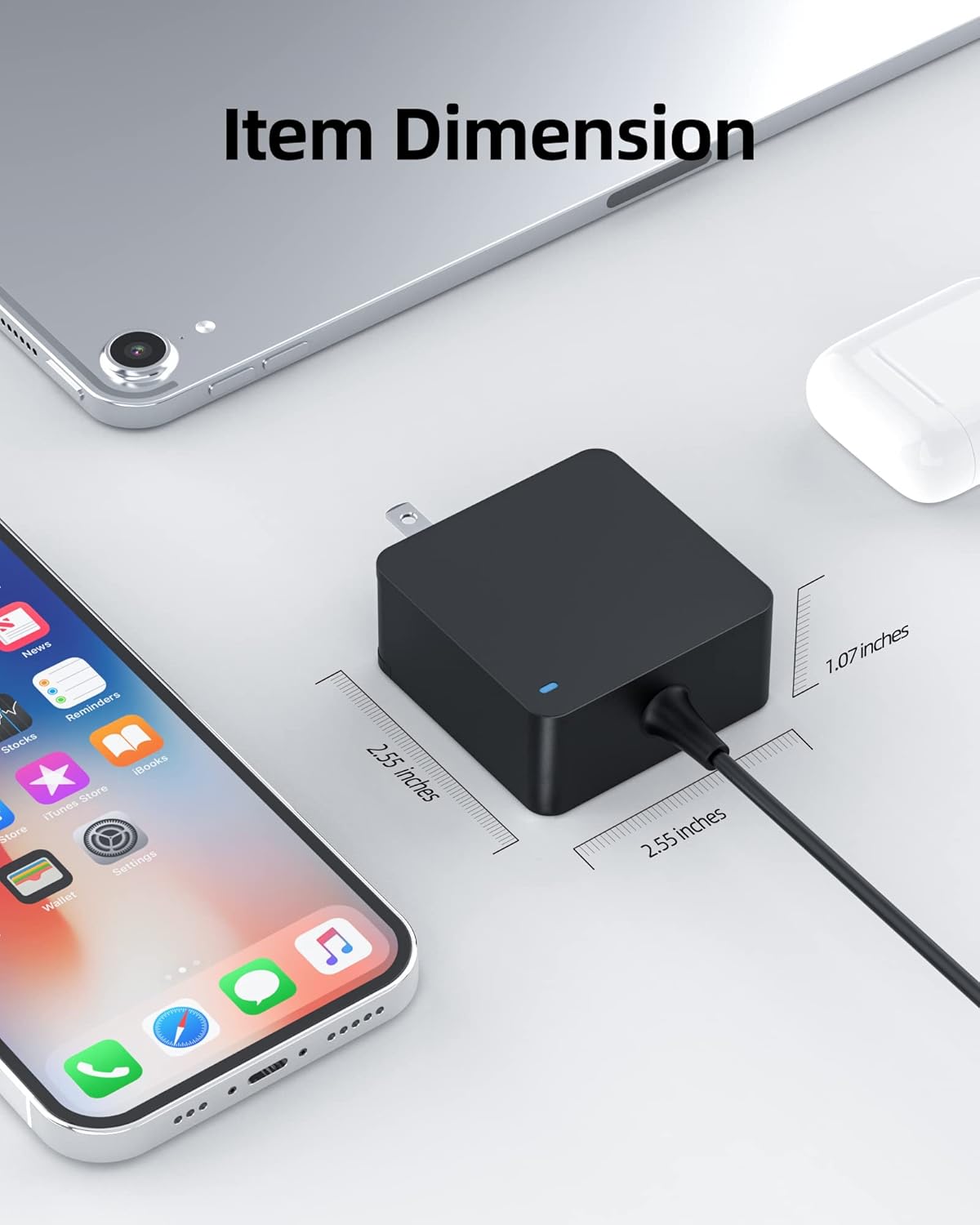
Image: The physical dimensions of the Superer 65W AC Adapter, measuring approximately 2.55 x 2.55 x 1.07 inches.
10. Warranty and Support
Superer provides the following coverage for this product:
- Refund Policy: Refund available within 30 days of purchase.
- Replacement Service: Replacement service available within 24 months of purchase.
For technical assistance, warranty claims, or any product-related inquiries, please contact Superer customer support through the retailer's platform or the official Superer website. Please have your purchase details and product model number ready when contacting support.

Image: An overview of Superer's customer support, highlighting the 24-month replacement service and 30-day refund policy.