
1. Introduction
The Mares QUAD Dive Computer is an advanced instrument designed to provide essential information for safe scuba diving. It monitors depth, dive time, decompression status, and other critical parameters, presenting them on a clear, large display. This manual provides instructions for the proper setup, operation, and maintenance of your Mares QUAD Dive Computer.
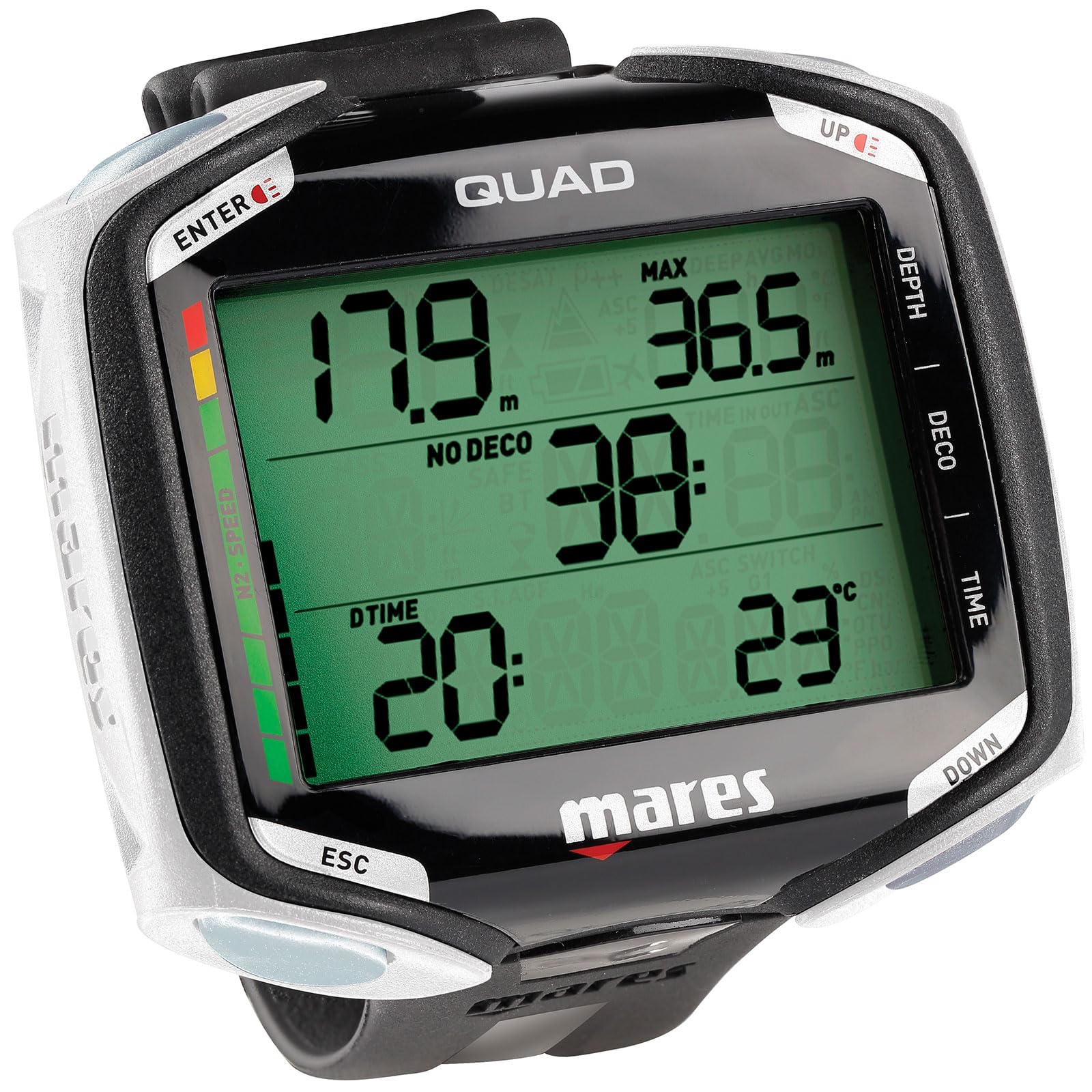
Figure 1: Mares QUAD Dive Computer worn on a diver's wrist.
2. Setup
2.1 Initial Inspection
Upon unpacking, inspect the dive computer for any visible damage. Ensure all components are present as per the packaging list. If any damage or missing parts are found, contact your retailer.
2.2 Battery Installation
The Mares QUAD features a user-replaceable battery with long life. Refer to the battery compartment on the back of the unit. Use the appropriate tool to open the compartment, insert the new battery with correct polarity, and securely close the cover to maintain water integrity. Always ensure the O-ring is clean and properly seated before closing.
2.3 Initial Settings
Upon first power-on or after a battery change, the computer will prompt you to set basic parameters. Use the four buttons to navigate and confirm selections.
- Time and Date: Set the current time and date.
- Units: Select preferred units for depth (meters/feet) and temperature (Celsius/Fahrenheit).
- Gas Settings: Configure primary and secondary gas mixtures (up to 99% oxygen) if using enriched air nitrox.
- Personalization: Adjust display brightness, alarm settings, and other preferences.
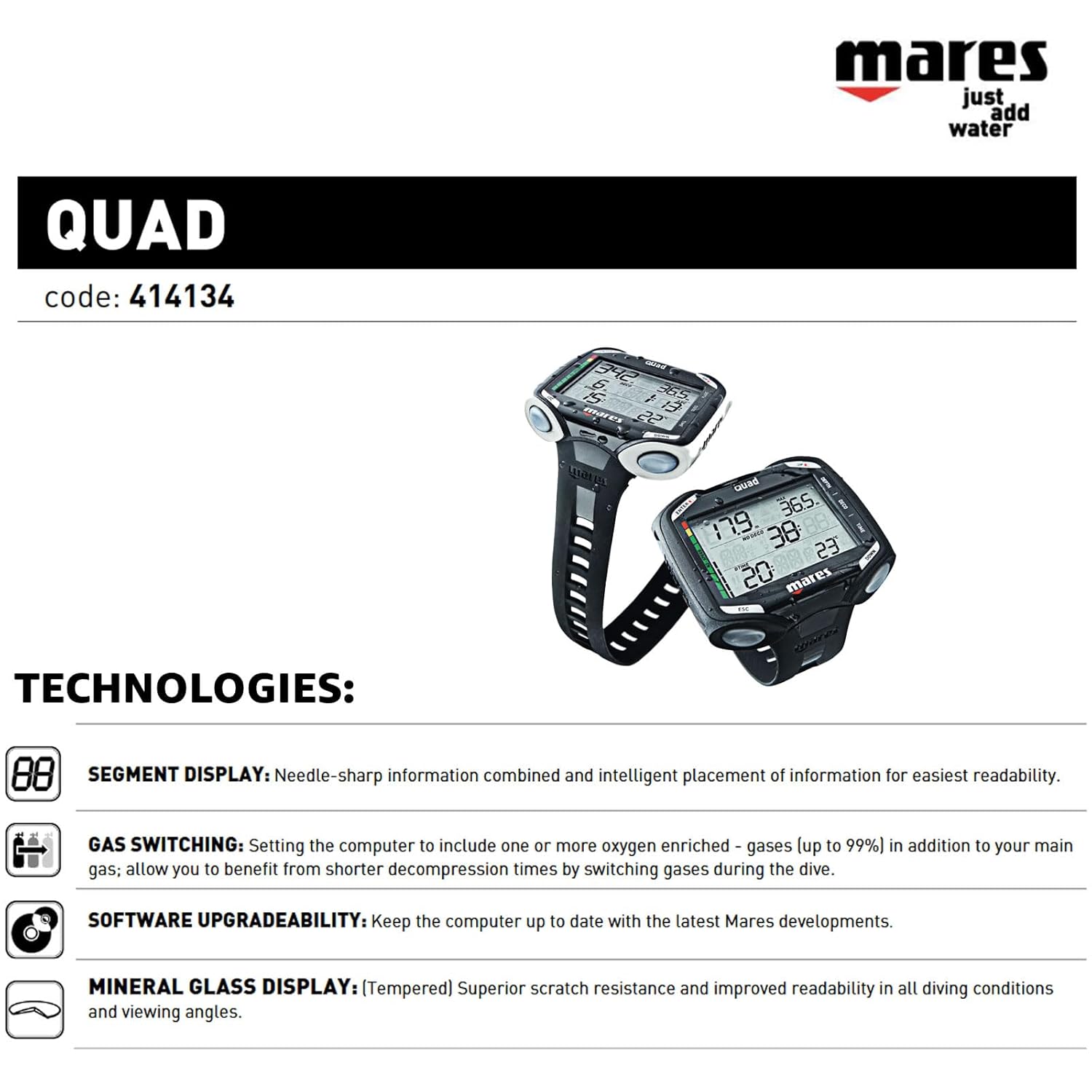
Figure 2: Diagram illustrating Mares QUAD technologies, including Segment Display, Gas Switching, Software Upgradeability, and Mineral Glass Display.
3. Operating
3.1 Basic Navigation
The Mares QUAD features a four-button interface for intuitive user interaction. Buttons are typically used for scrolling through menus, confirming selections, and activating specific functions. During a dive, a mirrored button function simplifies operation.
3.2 Pre-Dive Checks
- Verify battery level.
- Confirm correct gas settings for the planned dive.
- Check time, date, and unit settings.
- Ensure the display is clear and functional.
3.3 Dive Mode Operation
The computer automatically switches to dive mode upon reaching a certain depth. The clear display provides jumbo-sized information, including:
- Current depth
- Dive time (with option to view in seconds)
- No-decompression limit (NDL)
- Ascent rate indicator
- Temperature
- Two customizable fields for ancillary information
The Mares QUAD is multigas capable, allowing for gas switching during the dive to benefit from shorter decompression times. It also features a decompression dive planner with user-adjustable surface intervals.
3.4 Post-Dive Review
After a dive, the computer provides a summary of the dive profile, including maximum depth, average depth, dive time, and surface interval. This information can be reviewed directly on the device.

Figure 3: Key features of the Mares QUAD Dive Computer, including display clarity, customizable fields, button interface, and dive planning capabilities.
4. Maintenance
4.1 Cleaning and Care
- Rinse the computer thoroughly with fresh water after each dive.
- Do not use chemical cleaners or solvents.
- Dry the unit completely before storage.
- Protect the mineral glass display from scratches.
4.2 Storage
Store the Mares QUAD in a cool, dry place away from direct sunlight and extreme temperatures. Avoid storing it with other equipment that could scratch the display.
4.3 Software Updates
The Mares QUAD features software upgradeability. Periodically check the official Mares website for available firmware updates to ensure your computer has the latest features and performance enhancements. Follow the instructions provided with the update package for installation.
5. Troubleshooting
This section addresses common issues you might encounter with your Mares QUAD Dive Computer.
| Problem | Possible Cause | Solution |
|---|---|---|
| Display is blank or dim | Low battery or unit off | Replace battery; press any button to activate. |
| Inaccurate depth/time readings | Sensor obstruction or malfunction | Ensure sensors are clean. If issue persists, contact service. |
| Runaway Deco Alarm activates unexpectedly | Rapid ascent or violation of decompression limits | Follow alarm instructions immediately. Review dive profile post-dive. |
| Buttons unresponsive | Water ingress or debris | Rinse thoroughly. If issue persists, contact service. |
If you encounter a problem not listed here or if solutions do not resolve the issue, please contact Mares customer support or an authorized service center.
6. Specifications
| Feature | Detail |
|---|---|
| Brand | Mares |
| Model | QUAD 414134 |
| Dimensions (LxWxH) | 20.3 x 17.8 x 12.7 cm (8 x 7 x 5 inches) |
| Weight | 0.9 pounds (approx. 408 grams) |
| Display Type | Segment Display, Mineral Glass (Tempered) |
| Buttons | Four buttons with mirrored function during dive |
| Battery | Long battery life, user replaceable |
| Gas Capability | Multigas capable (up to 99% oxygen) |
| Decompression Planner | Yes, with user adjustable surface interval |
| Software | Upgradeability via PC interface |
| UPC / GTIN | 792460290458 |
7. Safety Information
Always prioritize safety when diving. The Mares QUAD Dive Computer is a tool to assist in dive planning and execution, but it is not a substitute for proper dive training, experience, and judgment.
- Training: Only use this device if you are a certified diver and have received proper training in dive computer operation.
- Pre-Dive Planning: Always plan your dive and dive your plan. Do not rely solely on the computer for all dive decisions.
- Ascent Rate: Adhere to safe ascent rates and safety stops as indicated by the computer and your training.
- Decompression Sickness: No dive computer can guarantee prevention of decompression sickness. Always follow safe diving practices.
- Malfunction: In case of computer malfunction during a dive, ascend slowly and safely, following established emergency procedures.
- Environmental Factors: Be aware that cold water, strenuous activity, and individual physiological factors can affect decompression limits.


