1. Introduction
This manual provides instructions for the Movo RC1 Clear Rain Cover, a protective accessory designed to shield your DSLR camera and lens from environmental elements such as rain, dust, and mud. This pack includes five individual covers for multiple uses or as backups.
2. Key Features
- Full Protection: Shields your gear against rain, dust, and mud.
- Clear Polyethylene Material: Made of completely see-through material for unrestricted access to your camera's buttons and viewfinder.
- Drawstring Closures: Easily seals your camera and tripod with secure drawstring closures.
- Compact and Portable: Compact design allows for easy storage when folded up.
- Five-Pack: Provides a convenient supply of covers for various situations.
3. Setup and Installation
- Unpack the Cover: Carefully remove one Movo RC1 Clear Rain Cover from its packaging.
- Prepare Your Camera: Ensure your DSLR camera and lens are assembled and ready for use. The cover accommodates lenses up to 18 inches (46cm) long and 7 inches (18cm) wide.
- Position the Cover: Slide the rain cover over your camera and lens, ensuring the clear panel aligns with your camera's LCD screen and controls. The wider opening is for the camera body, and the narrower opening is for the lens.
- Secure the Lens End: Use the integrated drawstring closure at the lens end to tighten the cover snugly around your lens. Ensure it is tight enough to prevent water ingress but does not obstruct lens operation (e.g., zooming, focusing).
- Secure the Camera End: The camera body section is designed to drape over the camera, allowing access to controls. For tripod use, the cover can extend down to protect the tripod head.

Figure 1: Movo RC1 Rain Cover installed on a DSLR camera and lens mounted on a tripod, demonstrating protection from rain.
Video 1: Demonstration of installing a camera rain cover, showing how to secure it around the lens and camera body.
4. Operating Your Camera with the Rain Cover
The Movo RC1 Clear Rain Cover is designed for ease of use while providing protection.
- Accessing Controls: The clear polyethylene material allows you to view and operate your camera's buttons, dials, and LCD screen directly through the cover.
- Viewfinder Use: The unique eyepiece opening adapts to most viewfinders, allowing you to compose shots without plastic obstruction.
- Handheld or Tripod Use: The cover is suitable for both handheld shooting and when the camera is mounted on a tripod.
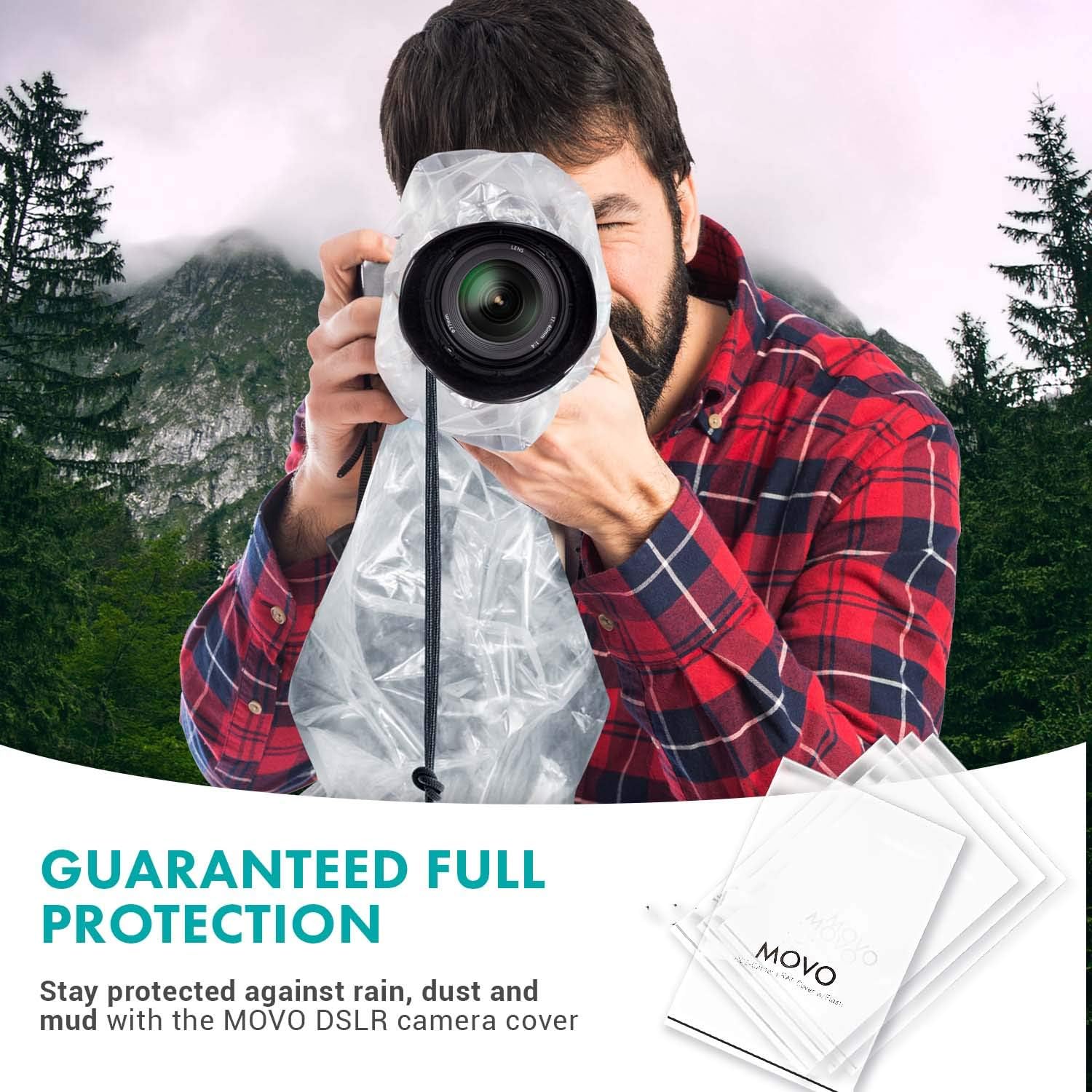
Figure 2: A photographer using a DSLR camera protected by the Movo RC1 Rain Cover in a handheld position.
Video 2: A demonstration of using a DSLR camera with a rain sleeve, highlighting access to controls and the viewfinder.
5. Maintenance and Storage
- Cleaning: After use, if the cover is wet or dirty, gently wipe it clean with a soft, damp cloth. Allow it to air dry completely before folding.
- Storage: Fold the dry cover neatly and store it in a cool, dry place away from direct sunlight. The compact design makes it easy to store in your camera bag or pocket.
- Reuse: The durable polyethylene allows for multiple uses. However, inspect the cover for any tears or damage before each use to ensure optimal protection.
6. Troubleshooting
- Visibility Issues: If the clear panel becomes foggy, ensure the camera and cover are dry before use. Condensation can occur in humid conditions; try to equalize temperatures if possible.
- Lens Obstruction: If the drawstring interferes with lens operation, loosen it slightly and reposition it. Ensure the lens hood is properly attached to provide some space.
- Inadequate Seal: Double-check that the drawstrings are pulled tight around the lens and that the camera body is adequately covered to prevent water or dust entry.
7. Specifications
| Feature | Detail |
|---|---|
| Model | RC1-5 |
| Material | Clear Polyethylene |
| Quantity | 5 Covers per Pack |
| Compatibility | DSLR Cameras and Lenses up to 18" (46cm) Long x 7" (18cm) Wide |
| Dimensions (Package) | 9.88 x 6.54 x 0.91 inches |
| Item Weight | 5 ounces |
8. Warranty and Support
For warranty information or technical support, please refer to the official Movo website or contact Movo customer service directly. Keep your purchase receipt for warranty claims.


