
Introduction
This manual provides instructions for the Pet Control HQ Dog Collar Replacement, designed to integrate with your existing Pet Control HQ Dual Wireless Electric Fence system and Remote Dog Training Collar. This collar offers both boundary containment and remote training functionalities, providing a safe and effective solution for managing your dog's behavior.
Please read this manual thoroughly before use to ensure proper setup and operation.

Image: The Pet Control HQ Dog Collar Replacement, showing the black collar unit, two metal contact points, and the product packaging in the background.

Image: An overview of the Pet Control HQ system components, including the transmitter, remote, collar, and boundary wire, providing context for the replacement collar.
Product Features
- Dual Functionality: Works with Pet Control HQ Dog Boundary Fence systems and Remote Dog Training Collars.
- Safe Correction: Features 3 levels of automatic progressive correction for boundary containment and an 8-second auto-shut off to prevent overcorrection. Remote training offers 10 intensity levels for vibration and shock.
- Long Battery Life: Equipped with a rechargeable 3.7V Li-ion battery, providing up to 7 days of battery life in fence-only mode.
- Waterproof Design: IPX7 rated, allowing the collar to be submerged up to 3.3 feet for 30 minutes without damage.
- Adjustable Fit: Designed for dogs with an 8-27 inch neck circumference, suitable for small to large breeds.
Setup and Pairing
1. Initial Charging
Before first use, fully charge the collar. The collar does not come with a USB Dual splitter charging cable; this must be purchased separately if you do not already have one from your main system.
2. Pairing with Remote
If the green LED light on the collar is flashing continuously, it indicates the collar is in unpaired mode. To pair the collar with your Pet Control HQ remote control:
- Ensure both the collar and the remote are powered on.
- Refer to your main Pet Control HQ system user manual for specific pairing instructions. Generally, this involves holding a button on the collar while activating a pairing function on the remote.
- Important Note: Some users have found it helpful to point the remote antenna directly towards and touch the round light on the side of the collar during the pairing process for successful connection.
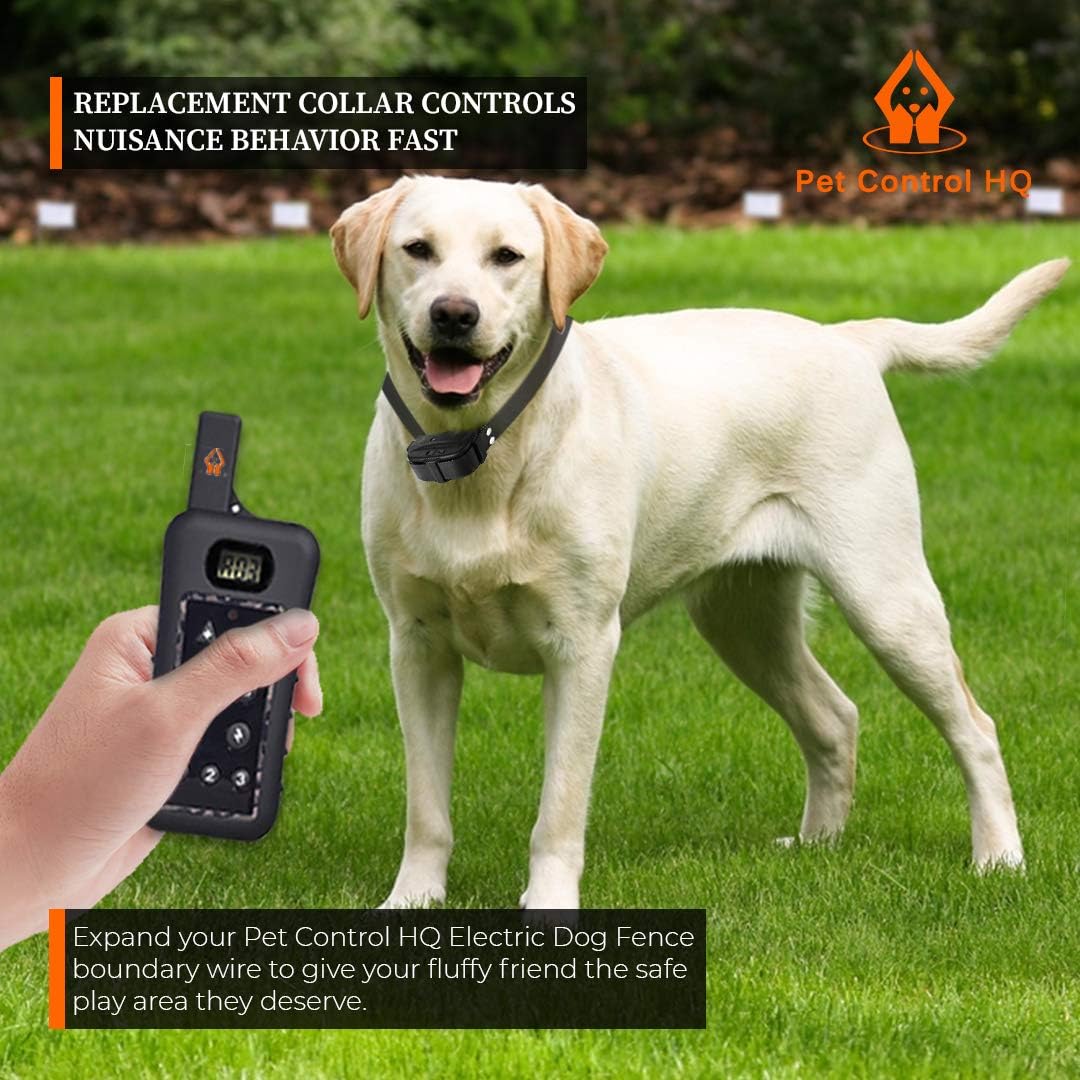
Image: A yellow Labrador dog wearing the Pet Control HQ collar, standing in a grassy yard. A hand holds the remote control, illustrating the remote training function.
3. Fitting the Collar
The collar strap is adjustable for dogs with an 8-27 inch neck circumference. Ensure a snug fit that allows two fingers to comfortably slide between the collar and your dog's neck. The contact points should make consistent contact with the dog's skin.

Image: Two dogs, one large and fluffy, the other small and black and tan, both wearing the Pet Control HQ collar, demonstrating the adjustable fit for various dog sizes.
Operating Instructions
1. Powering On/Off
To turn the collar unit on or off, press and hold the power button for approximately 5 seconds.
2. Operating Modes
The collar typically operates in two modes, indicated by the LED flash pattern:
- Mode 1 (Two flashes every few seconds): Wireless fence only. Battery lasts approximately 9 days.
- Mode 2 (One flash every few seconds): Both remote training and wireless fence. Battery lasts approximately 3 days.
To change modes, hold the button for 3-4 seconds. As soon as the charge LED turns red, release the button, and the mode will change.

Image: A Border Collie dog running outdoors, illustrating the collar's battery life in dog fence mode.
3. Boundary Containment
When your dog approaches the boundary wire of your Pet Control HQ fence system, the collar will activate with 3 levels of automatic progressive correction. The system includes an 8-second auto-shut off to prevent overcorrection.
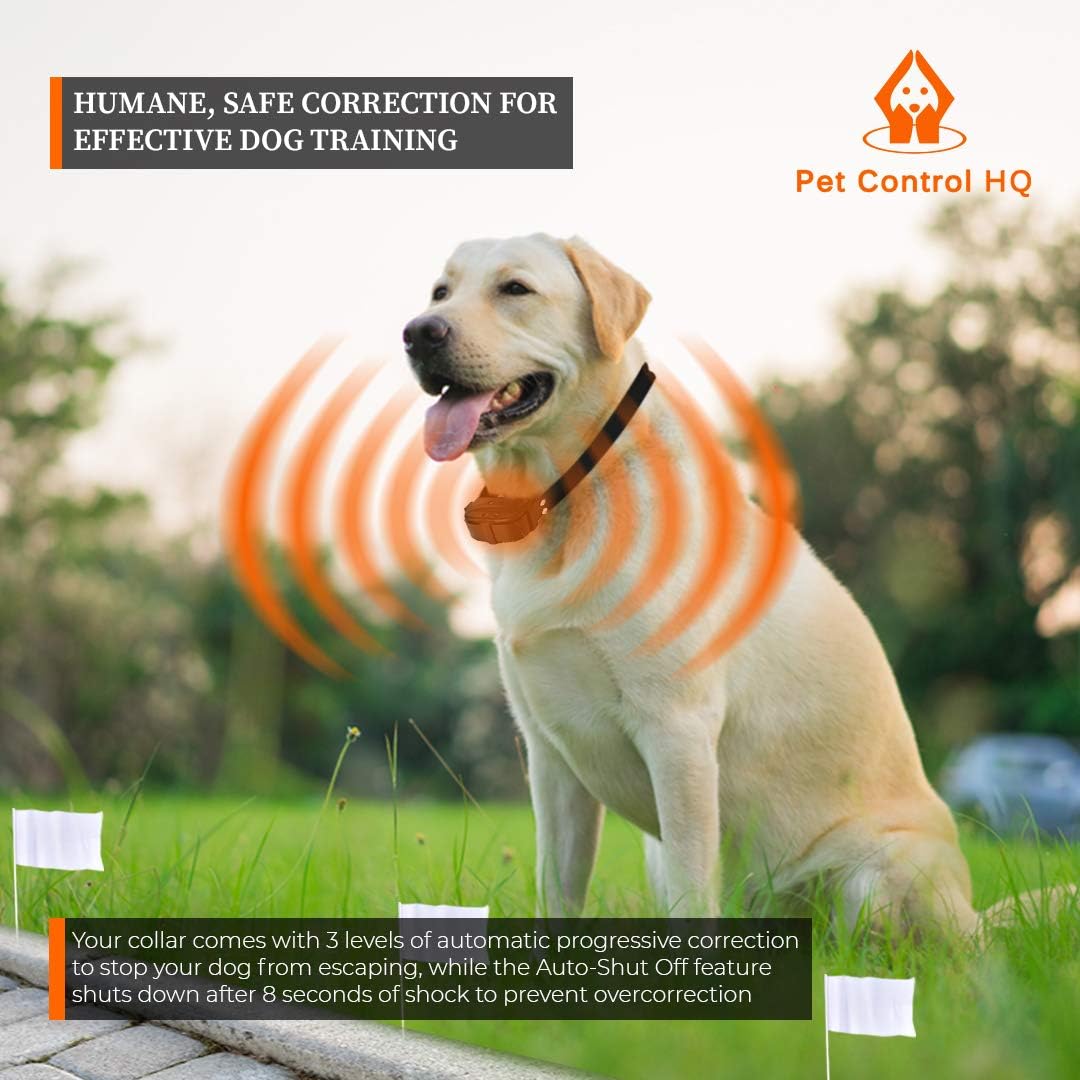
Image: A yellow Labrador dog wearing the Pet Control HQ collar, with visual effects showing correction signals emanating from the collar as it approaches a marked boundary.
4. Remote Training
When used with the Pet Control HQ remote, you can apply 10 intensity levels of vibration and shock correction for training purposes. Refer to your remote's manual for detailed operation.

Image: A child and a dog playing in a yard, with an inset showing the Pet Control HQ remote control, highlighting its long range and training functions.
Maintenance
1. Cleaning
Clean the collar with water as needed. Ensure the contact points and the area around them are kept clean to maintain proper function and prevent skin irritation for your dog.
2. Charging
Recharge the battery when the LED power-gauge indicator light shows low battery. Always turn off the unit before charging.
3. Waterproof Care
The collar is IPX7 waterproof. While it can withstand submersion, it is recommended to dry the collar and your dog's neck after swimming to prevent skin issues.

Image: A Golden Retriever dog splashing in water, wearing the Pet Control HQ collar, demonstrating its waterproof capability.
Troubleshooting
- Collar not pairing: If the green LED flashes continuously, the collar is unpaired. Refer to the "Setup and Pairing" section and your main system's manual. Ensure the remote antenna is pointed towards the collar's light during pairing.
- Collar not functioning (no correction):
- Check battery level and recharge if necessary.
- Ensure the collar is properly paired with the remote or the fence transmitter.
- Verify the collar is in the correct operating mode (Mode 2 for remote training and fence, Mode 1 for fence only).
- Ensure contact points are making proper contact with your dog's skin.
- Inconsistent fence operation: This replacement collar relies on your existing Pet Control HQ fence system. If the issue persists, check the main fence transmitter and boundary wire for any breaks or inconsistencies.
Specifications
| Brand | Pet Control HQ |
| Model Number | wireless dog fence |
| ASIN | B01IER0VVI |
| Item Weight | 6.4 ounces (0.4 Pounds) |
| Product Dimensions | 7 x 1 x 0.01 inches |
| Material | Nylon |
| Color | Black |
| Battery Type | 1 Lithium Ion battery (required) |
| Neck Circumference | 8-27 inches |
| Waterproof Rating | IPX7 (submersible up to 3.3ft for 30 minutes) |
Support
For further assistance, troubleshooting, or inquiries regarding your Pet Control HQ Dog Collar Replacement, please refer to the comprehensive user manual that came with your complete Pet Control HQ system. You may also visit the official Pet Control HQ store on Amazon for additional resources or to purchase accessories like the USB Dual splitter charging cable.
Online Resources: Pet Control HQ Amazon Store
