Introduction
The HyperGear Rave Wireless Stereo Speaker delivers high-fidelity sound with an interactive multi-colored LED light show. It features Bluetooth connectivity, a built-in speakerphone, and an FM radio, making it suitable for various audio needs.
Package Contents
- Rave Wireless Speaker
- 3.5mm Stereo Auxiliary Cable
- Micro USB Charging Cable
- User Manual (this document)

Product Overview
Familiarize yourself with the speaker's controls and ports.

Control Buttons
- Power Button: Press and hold to turn the speaker on or off.
- Mode Button (M): Press to switch between Bluetooth, FM Radio, and AUX modes.
- Play/Pause Button (►/∕): Press to play or pause audio. In call mode, press to answer/end calls.
- Volume Down / Previous Track (-/◀◀): Press to decrease volume. Press and hold to go to the previous track.
- Volume Up / Next Track (+/►►): Press to increase volume. Press and hold to go to the next track.
- Light Mode Button (*): Press to cycle through different LED light patterns or turn off the light show.
Ports
- Micro USB Charging Port: For charging the speaker's internal battery.
- 3.5mm AUX Input: For connecting external audio devices via the auxiliary cable.
Setup
Charging the Speaker
Before first use, fully charge the speaker. Connect the Micro USB charging cable to the speaker's charging port and the other end to a USB power adapter (not included) or a computer's USB port. The charging indicator light will illuminate during charging and turn off when fully charged. A full charge takes approximately 3-4 hours and provides up to 8 hours of playback.
Powering On/Off
Press and hold the Power Button for approximately 3 seconds to turn the speaker on or off. A voice prompt will indicate the power status.
Operating Instructions
Bluetooth Pairing
- Ensure the speaker is powered on and in Bluetooth mode. If not, press the Mode Button (M) until you hear the Bluetooth pairing prompt. The LED indicator will flash, indicating it is ready to pair.
- On your mobile device, enable Bluetooth and search for available devices.
- Select "HyperGear Rave" from the list of devices.
- Once paired, the speaker will emit a confirmation tone, and the LED indicator will stop flashing.

Playing Music
Bluetooth Mode
After successful pairing, you can play music from your connected device. Use the speaker's Play/Pause, Volume Up/Next Track, and Volume Down/Previous Track buttons to control playback, or control directly from your device.
AUX Mode
Connect one end of the 3.5mm auxiliary cable to the speaker's AUX input and the other end to the audio output of your external device. Press the Mode Button (M) to switch to AUX mode. Audio will play directly from your connected device.
Hands-Free Calling
When connected via Bluetooth, the speaker can be used as a speakerphone. When a call comes in, the music will pause. Press the Play/Pause Button to answer an incoming call. Press it again to end the call. Press and hold the Play/Pause Button to reject an incoming call.
FM Radio Operation
Press the Mode Button (M) to switch to FM Radio mode. The speaker will automatically scan and save available stations. Use the Volume Up/Next Track and Volume Down/Previous Track buttons to navigate between saved stations. Press and hold these buttons to fine-tune the frequency.
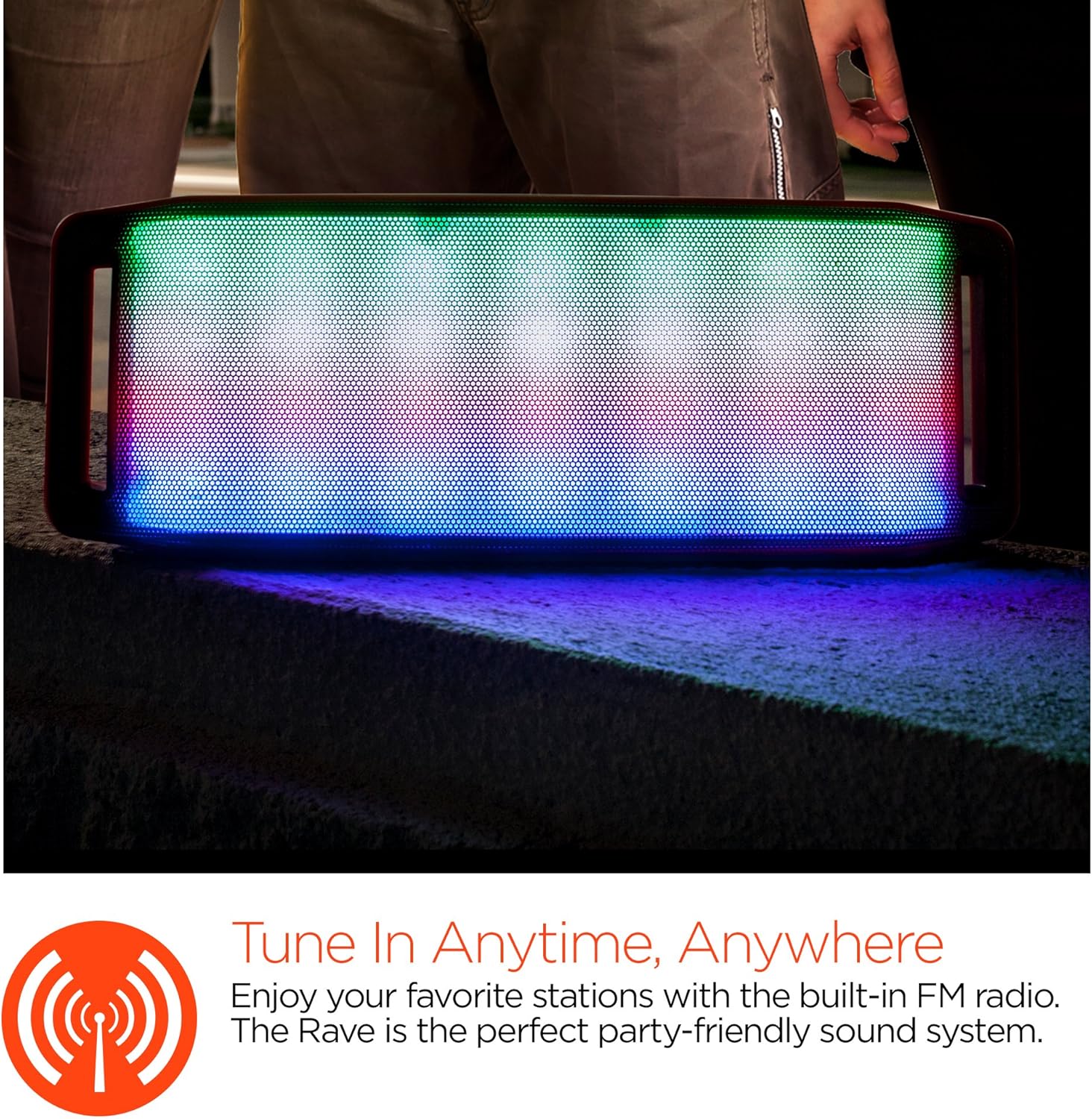
LED Light Show
The speaker features an interactive multi-colored LED light show. Press the Light Mode Button (*) to cycle through different light patterns or to turn the light show off.

Maintenance
Cleaning
Wipe the speaker with a soft, dry cloth. Do not use abrasive cleaners or solvents. Avoid exposing the speaker to excessive moisture.
Storage
Store the speaker in a cool, dry place away from direct sunlight and extreme temperatures. If storing for an extended period, charge the battery periodically to maintain its lifespan.
Battery Care
To prolong battery life, avoid fully discharging the speaker frequently. Charge the speaker regularly, even if not in use, to prevent deep discharge.
Troubleshooting
| Problem | Possible Cause | Solution |
|---|---|---|
| Speaker does not turn on. | Battery is depleted. | Charge the speaker using the Micro USB cable. |
| Cannot pair via Bluetooth. | Speaker is not in pairing mode; Bluetooth is off on device; device is too far. | Ensure speaker is in Bluetooth pairing mode (flashing LED). Turn on Bluetooth on your device. Move device closer to speaker (within 10 meters). |
| No sound. | Volume is too low; incorrect mode selected; device not playing. | Increase volume on both speaker and connected device. Ensure correct mode (Bluetooth/AUX/FM) is selected. Verify audio is playing on the source device. |
| Sound distortion. | Volume too high; low battery; interference. | Reduce volume. Charge the speaker. Move speaker away from other electronic devices. |
| FM radio reception is poor. | Weak signal; environmental interference. | Relocate the speaker to an area with better reception. Extend the charging cable (if connected) as it can act as an antenna. |
Specifications
| Feature | Detail |
|---|---|
| Model Number | 13604 |
| Bluetooth Version | 3.0 ± EDR |
| Speaker Output Power | 2 x 5W (Total 10W) |
| Signal-to-Noise Ratio (S/N) | 80dB |
| Battery Capacity | 1500mAh |
| Play Time | Up to 8 Hours |
| Bluetooth Range | Up to 33ft / 10m |
| Connectivity Technology | Bluetooth, Wireless |
| Audio Output Mode | Stereo |
| Control Method | Touch |
| Weight | 2.25 Pounds |
| Special Features | Bass Boost, Display, Multi-colored LED Light Show, Built-in Speakerphone, FM Radio |
Warranty and Support
For warranty information or technical support, please refer to the contact details provided on the product packaging or visit the official HYPERGEAR website. Keep your purchase receipt as proof of purchase.


