
Timex T499909J
Timex Expedition Rugged Metal Watch User Manual
Model: T499909J
Introduction
This manual provides instructions for the Timex Expedition Rugged Metal Watch, Model T499909J. This watch is designed for durability and functionality, featuring a robust metal case, a clear analog display, and the Indiglo night-light for low-light visibility. It is water-resistant up to 50 meters, making it suitable for recreational swimming.
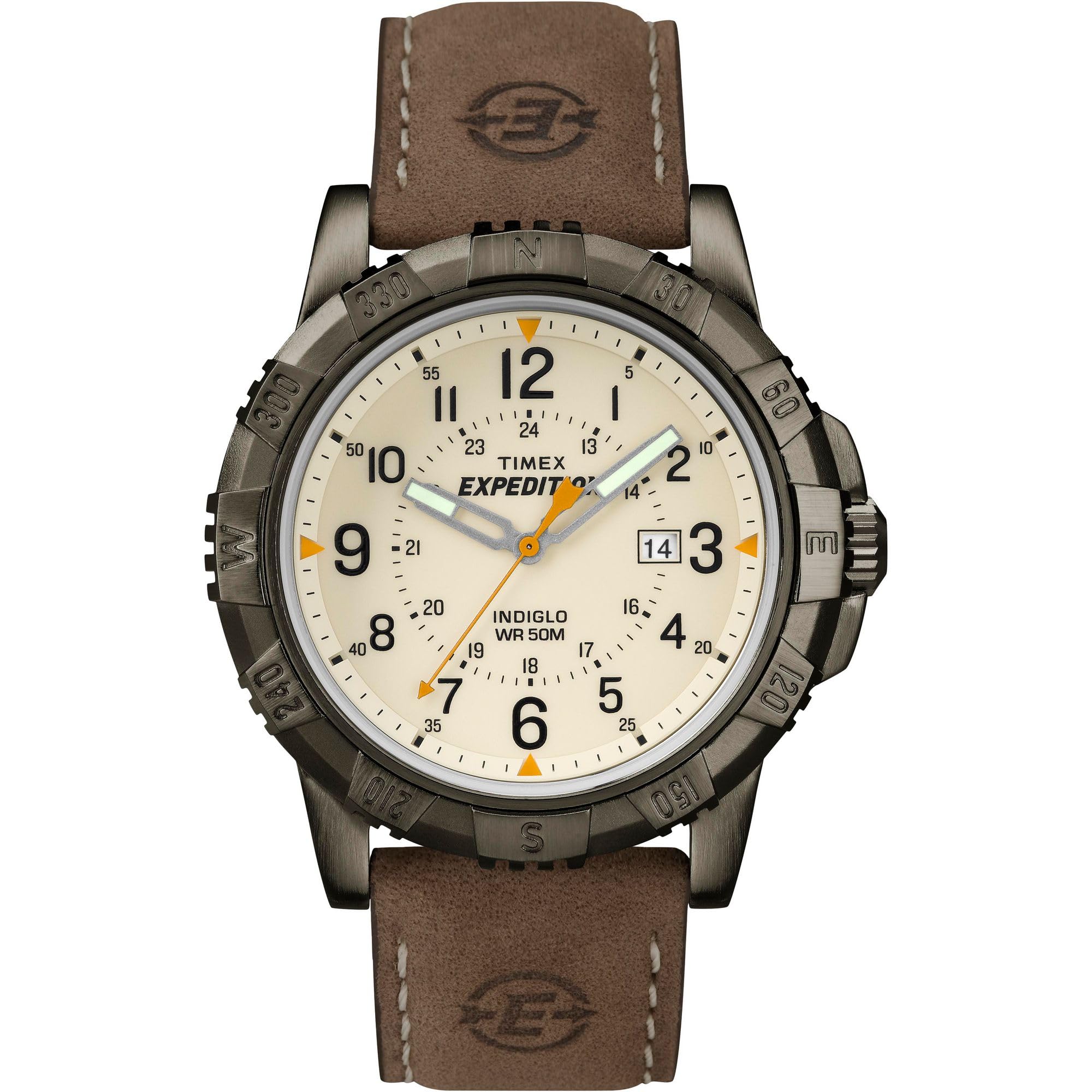
Front view of the Timex Expedition Rugged Metal Watch with a brown leather strap and cream dial.
Setup
Setting Time and Date
- Pull the Crown: Gently pull the crown (the knob on the side of the watch) out to position 2 for setting the date, or position 3 for setting the time.
- Set the Date: In position 2, turn the crown clockwise or counter-clockwise to adjust the date. Push the crown back to position 1 when finished.
- Set the Time: In position 3, turn the crown to move the hands clockwise. Continue turning past 12 o'clock to ensure the AM/PM is correctly set for the date change. Push the crown back to position 1 to start the watch.

Side view of the watch, highlighting the crown used for setting time and date.
For detailed instructions, please refer to the official User Manual (PDF).
Operating the Watch
Indiglo Night-Light
The Indiglo night-light illuminates the watch dial for easy reading in low-light conditions. To activate, simply press and hold the crown (in position 1).
Water Resistance
This watch is water-resistant to 50 meters (165 feet). This rating means it is suitable for short periods of recreational swimming. It is not suitable for diving or snorkeling. Ensure the crown is fully pushed in before exposing the watch to water.
Video demonstrating the Timex Expedition Rugged Metal Watch features and design.
Maintenance
Battery Replacement
The watch uses 1 Lithium Metal battery (included). When the watch stops or the Indiglo light dims significantly, the battery may need replacement. It is recommended to have battery replacement performed by a qualified watch technician to ensure water resistance is maintained.
Strap Care
The watch features a genuine leather strap. To prolong its life, avoid prolonged exposure to water, direct sunlight, and harsh chemicals. Clean with a soft, dry cloth. Leather straps may show wear over time, which is normal.

Rear view of the watch, showing the brown leather strap and buckle.
Troubleshooting
- Watch Not Running: Ensure the crown is fully pushed in. If it still does not run, the battery may need replacement.
- Incorrect Time/Date: Follow the "Setting Time and Date" instructions in the Setup section.
- Indiglo Not Working: Check if the battery is low. If the battery is new and the Indiglo still doesn't work, contact customer support.
For further assistance, consult the official User Manual (PDF) or contact Timex customer support.
Specifications
| Model Name | Expedition Rugged Metal Field |
| Model Number | T499909J |
| Case Material | Brass |
| Case Diameter | 45 millimeters |
| Case Thickness | 10 millimeters |
| Band Material | Leather |
| Band Width | 22 millimeters |
| Band Length | 8 inches |
| Movement Type | Quartz |
| Display Type | Analog |
| Water Resistance Depth | 50 meters (165 feet) |
| Power Source | Battery Powered (1 Lithium Metal battery included) |
| Special Features | Indiglo night-light, Luminous hands, Date window |
| Item Weight | 2.88 ounces |
Video demonstrating Timex watch sizing for different wrist sizes.
Warranty Information
This Timex watch is covered by a manufacturer's warranty. For specific details regarding warranty coverage, duration, and claims, please refer to the documentation included with your purchase or visit the official Timex website.
Customer Support
If you require further assistance, have questions about your watch, or need to arrange for service, please contact Timex customer support. You can find contact information and additional resources on the official Timex website or through their Amazon Brand Store.
Related documentsT499909J

Ask a question about this manual
Ask about setup, troubleshooting, compatibility, parts, safety, or missing instructions. Manuals+ will review the question and use this page’s manual context to help answer it.