
Introduction
Thank you for choosing the ALONEFIRE SKU2156 Magnetic Clip-On LED Flashlight. This versatile and portable light is designed for hands-free illumination in various situations, including night shifts, outdoor activities, and emergencies. This manual provides essential information for safe and effective use, including setup, operation, maintenance, and troubleshooting.

Image: The ALONEFIRE SKU2156 Magnetic Clip-On LED Flashlight, a compact and portable lighting device.
Important Safety Information
- Eye Safety: The light is very bright. Avoid direct eye exposure to prevent discomfort or temporary vision impairment.
- Water Resistance: The device is water-resistant, but it is not designed to be submerged in water. Avoid prolonged exposure to heavy rain or submersion.
- Attachment: Do not attach the clip to excessively thick materials, as this may damage the clip or affect magnetic hold.
- Battery Handling: Use only the specified battery type (CR2032). Ensure correct polarity during installation. Keep batteries out of reach of children.
Package Contents
Verify that all items are present in your package:
- 1 x Magnetic Clip-On LED Flashlight
- 1 x Keychain Flashlight
- 1 x Mini Screwdriver (for battery replacement)
- 1 x Instruction Manual (this document)
Product Features
- Magnetic Attachment: Features two strong magnetic ends for secure attachment to clothing (belt, collar, pocket, shirt, etc.) or metallic surfaces.
- Hands-Free Operation: Designed for convenience, allowing users to illuminate their path or workspace without holding the device.
- Multiple Light Modes: Easy one-handed push-button operation to cycle through three modes: white light, red light, and flashing red light.
- Durable Design: Soft silicone strap outer shell provides protection and flexibility.
- Water-Resistant: Suitable for use in various weather conditions, though not for submersion.
- Replaceable Battery: Uses common CR2032 button batteries, easily replaceable with the included mini screwdriver.
Specifications
| Feature | Detail |
|---|---|
| Brand | ALONEFIRE |
| Model Name | SKU2156 (PL200) |
| Material | ABS and Silicone Gel |
| Light Source Type | LED SMD (1 piece) |
| Illumination | 25 Lumens (White Light) |
| Light Modes | White, Red, Flashing Red |
| Power Source | Battery Powered |
| Battery Type | 2 x Built-in 3.0V 210mAh Button Battery (CR2032, non-rechargeable) |
| Dimensions (LxWxH) | 16.2cm x 3.4cm x 1.8cm (approx. 3.15"D x 1.3"W x 0.75"H) |
| Net Weight | 38.6g (approx. 0.09 Pounds) |
| Water Resistance Level | Water Resistant |
Setup
Battery Installation/Replacement
The ALONEFIRE Magnetic Clip-On LED Flashlight comes with pre-installed batteries. When replacement is needed:
- Locate the small screw on the back of the light unit.
- Use the included mini screwdriver to carefully remove the screw.
- Gently open the silicone outer shell to access the battery compartment.
- Remove the old CR2032 button batteries and insert two new 3.0V CR2032 batteries, ensuring correct polarity (+/-).
- Close the silicone shell and secure it with the screw.

Image: The magnetic clip-on flashlight shown with the included mini screwdriver, illustrating the battery replacement process.
Operating Instructions
Attaching the Flashlight
The flashlight features a powerful magnetic closure for easy and secure attachment:
- Separate the two magnetic ends of the flashlight.
- Place one magnetic end on the inside of your clothing (e.g., shirt, pocket, collar, belt).
- Align the other magnetic end on the outside of your clothing, allowing the magnets to snap together, securing the flashlight in place.
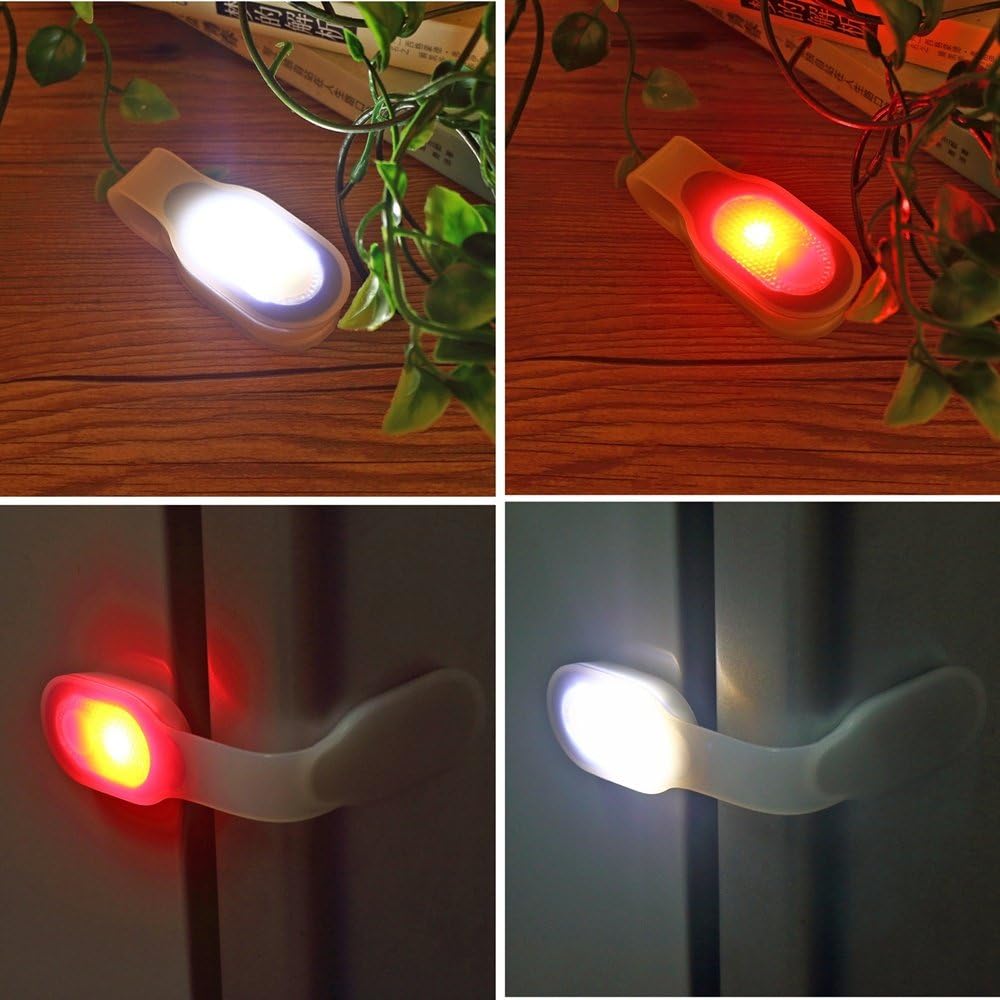
Image: The magnetic clip-on flashlight securely attached to the lapel of a denim jacket, demonstrating its hands-free use.
Changing Light Modes
The flashlight offers three distinct light modes, easily cycled through with a single push button:
- First Press: Activates the bright white light mode.
- Second Press: Switches to the steady red light mode.
- Third Press: Activates the flashing red light mode (ideal for emergency signaling or increased visibility).
- Fourth Press: Turns the flashlight off.

Image: A hand pressing the button on the magnetic clip-on flashlight, with insets showing the white and red light modes.
Product Demonstration Video
Video: Demonstrates the hands-free functionality and various light modes of the ALONEFIRE Magnetic Clip-On LED Flashlight, highlighting its use for visibility and convenience.
Maintenance
Cleaning
Wipe the flashlight with a soft, damp cloth. Do not use harsh chemicals or abrasive cleaners, as these may damage the silicone or electronic components.
Battery Care
Ensure batteries are replaced promptly when the light dims or malfunctions. Always dispose of used batteries responsibly according to local regulations.
Troubleshooting
Light Not Turning On or Changing Modes
If the flashlight cannot be turned off or fails to activate the red light mode, this typically indicates low battery power. Replace the two CR2032 button batteries as described in the "Battery Installation/Replacement" section.
Weak Magnetic Hold
Ensure the material you are attaching the flashlight to is not excessively thick. The magnetic hold is strongest on thinner fabrics. Check that both magnetic ends are properly aligned.
Warranty Information
The ALONEFIRE SKU2156 Magnetic Clip-On LED Flashlight comes with a 1-year warranty from the date of purchase. This warranty covers manufacturing defects under normal use. Please retain your proof of purchase for warranty claims. For service or support, refer to the contact information provided by your retailer or the manufacturer's official channels.
Customer Support
For further assistance, technical support, or inquiries regarding your ALONEFIRE product, please contact your point of purchase or visit the official ALONEFIRE website for contact details.


