
Exquisit LTO 1207-15
Exquisit LTO 1207-15 Top-Loading Washing Machine User Manual
Model: LTO 1207-15
1. Introduction
Thank you for choosing the Exquisit LTO 1207-15 Top-Loading Washing Machine. This appliance is designed for efficient and convenient laundry care. This manual provides essential information for the safe installation, correct operation, and proper maintenance of your washing machine. Please read it thoroughly before using the appliance and keep it for future reference.
Product Overview
The Exquisit LTO 1207-15 is a white, top-loading washing machine with a 7 kg dry laundry capacity. Its freestanding design allows for flexible placement. Key features include:
- Energy efficiency class A+++ for reduced energy consumption.
- Maximum spin speed of 1200 revolutions per minute (rpm) for effective water extraction.
- Integrated display with remaining time indicator for convenience.
- Equipped with a movable frame for easier positioning.
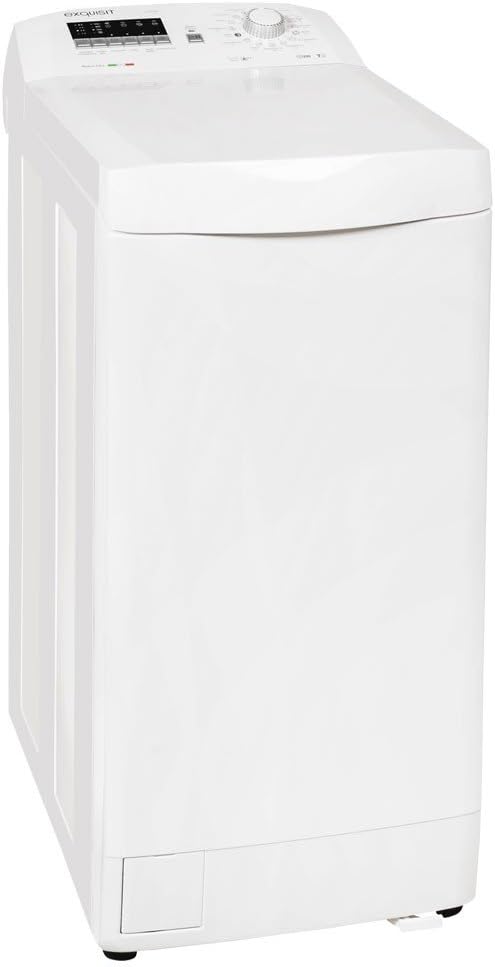
Figure 1: Front view of the Exquisit LTO 1207-15 Top-Loading Washing Machine. This image shows the appliance in its upright position, highlighting the top-loading lid and the control panel at the top.
2. Safety Information
Always observe the following safety precautions to prevent damage to the appliance or injury to yourself and others.
- Ensure the appliance is properly grounded.
- Do not allow children to play with or operate the washing machine.
- Never force the door open during operation.
- Unplug the appliance before cleaning or performing any maintenance.
- Do not install the appliance in areas exposed to direct sunlight or extreme temperatures.
- Keep flammable materials away from the appliance.
3. Setup and Installation
Unpacking
Carefully remove all packaging materials. Inspect the appliance for any damage incurred during transit. Retain packaging materials for potential future transport.
Placement
Place the washing machine on a firm, level surface. The appliance features adjustable leveling feet to ensure stability. Use a spirit level to verify the machine is perfectly balanced. The movable frame facilitates easier positioning.
Connecting Water and Power
- Connect the water inlet hose to a cold water tap with a 3/4-inch thread. Ensure connections are tight to prevent leaks.
- Position the drain hose into a standpipe or over the edge of a sink, ensuring it is securely fastened to prevent dislodgement during operation.
- Plug the power cord into a grounded 240V electrical outlet. Do not use extension cords or adapters.
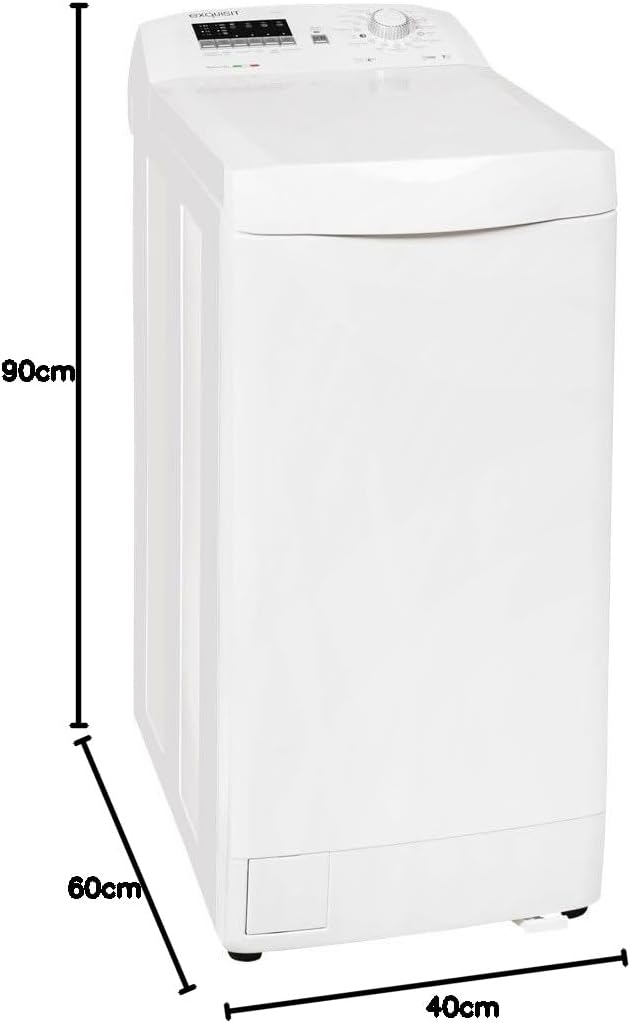
Figure 2: Dimensional diagram of the Exquisit LTO 1207-15 Washing Machine. This image illustrates the height (90 cm), width (40 cm), and depth (60 cm) of the appliance, crucial for installation planning.
4. Control Panel Overview
The control panel allows you to select wash programs and adjust settings.

Figure 3: Close-up view of the Exquisit LTO 1207-15 control panel. This image displays the program selector knob, the digital display, and various function buttons for setting wash parameters.
Key Elements:
- Program Selector Knob: Used to choose from 14 available wash programs.
- Digital Display: Shows remaining time, selected options, and error codes.
- Start/Pause Button: Initiates or temporarily stops a wash cycle.
- Delay Start Button: Allows setting a delayed start time (1, 2, 4, or 8 hours).
- Temperature Button: Adjusts wash water temperature.
- Spin Speed Button: Modifies the spin speed.
5. Operating Instructions
Loading Laundry
Open the top lid and the drum door. Load laundry loosely into the drum, ensuring not to exceed the 7 kg capacity. Close the drum door and the top lid securely.
Adding Detergent
Add the appropriate amount of detergent and fabric softener to the dispenser compartments. Refer to your detergent packaging for recommended dosages.
Program Selection
Turn the Program Selector Knob to choose the desired wash program. The display will show the default settings for the selected program.
Adjusting Settings
Use the dedicated buttons to adjust temperature, spin speed, or activate the delay start function if needed. The delay start function allows you to postpone the wash cycle by 1, 2, 4, or 8 hours.
Starting the Wash Cycle
Press the Start/Pause button to begin the wash cycle. The display will show the remaining time.
Ending the Wash Cycle
Once the cycle is complete, the machine will signal with an audible alert. The display will indicate the end of the cycle. Open the lid and remove your laundry.
6. Wash Programs
The Exquisit LTO 1207-15 offers 14 different wash programs to suit various fabric types and soil levels. Refer to the program chart below for a general overview. Specific program details can be found in the full manual included with your appliance.
| Program | Description | Typical Use |
|---|---|---|
| Cotton | For durable cotton items. | Towels, bed linen, underwear. |
| Synthetics | For synthetic or mixed fabrics. | Shirts, blouses, synthetic blends. |
| Delicates | Gentle wash for delicate items. | Lingerie, silk, lace. |
| Wool | Special program for woolens. | Wool sweaters, scarves. |
| Quick Wash | Short cycle for lightly soiled items. | Lightly worn clothes. |
| Rinse & Spin | Additional rinse and spin cycle. | Hand-washed items, extra rinsing. |
| Spin Only | Drains water and spins laundry. | Removing excess water. |
7. Maintenance and Cleaning
Regular maintenance ensures optimal performance and extends the lifespan of your washing machine.
Cleaning the Exterior
Wipe the exterior surfaces with a soft, damp cloth. Do not use abrasive cleaners or solvents.
Cleaning the Detergent Dispenser
Remove the detergent dispenser drawer and rinse it under running water to remove any residue. Clean the dispenser housing with a brush if necessary.
Cleaning the Drain Filter
Locate the drain filter, usually at the bottom front of the machine. Place a shallow container underneath to catch any water. Unscrew the filter slowly, allow water to drain, and remove any lint or debris. Clean the filter and screw it back in securely.
Drum Cleaning
Periodically run a maintenance wash cycle (e.g., a hot cotton cycle without laundry and with a descaling agent or washing machine cleaner) to prevent odor and residue buildup.
8. Troubleshooting
Before contacting customer service, please refer to the following common issues and their solutions:
| Problem | Possible Cause | Solution |
|---|---|---|
| Machine does not start | No power, door not closed, program not selected. | Check power supply, ensure door is latched, select a program. |
| Water not filling | Water tap closed, inlet hose kinked, water pressure low. | Open water tap, straighten hose, check water supply. |
| Water not draining | Drain hose kinked, drain filter blocked, pump fault. | Straighten drain hose, clean drain filter. |
| Excessive vibration/noise | Machine not level, transport bolts not removed, uneven load. | Adjust leveling feet, remove transport bolts, redistribute laundry. |
| Detergent residue | Too much detergent, dispenser blocked. | Reduce detergent, clean dispenser. |
9. Specifications
Technical data for the Exquisit LTO 1207-15 Washing Machine:
- Model: LTO 1207-15
- Brand: Exquisit
- Type: Top-Loading Washing Machine
- Capacity: 7 Kilograms
- Energy Efficiency Class: A+++ (Scale A+++ to D)
- Annual Energy Consumption: 158 kWh/year (based on 220 standard wash cycles)
- Annual Water Consumption: 10340 Liters/year (based on 220 standard wash cycles)
- Maximum Spin Speed: 1200 rpm
- Noise Level (Wash): 60 dB
- Noise Level (Spin): 78 dB
- Dimensions (H x W x D): 90 cm x 40 cm x 60 cm
- Weight: 66 Kilograms
- Voltage: 240 Volts
- Power: 2100 W
- Number of Standard Cycles: 15
- Special Features: Programmable, Adjustable Leveling Feet

Figure 4: Energy label for the Exquisit LTO 1207-15, indicating its A+++ energy efficiency rating, annual energy and water consumption, capacity, and noise levels.
10. Warranty and Support
This Exquisit LTO 1207-15 washing machine comes with a standard manufacturer's warranty. Please refer to the warranty card included with your purchase for specific terms and conditions, including the warranty period and coverage details.
For technical support, spare parts, or service inquiries, please contact your retailer or the authorized Exquisit service center. Ensure you have your model number (LTO 1207-15) and purchase date available when contacting support.
Manufacturer: Exquisit
Related documentsLTO 1207-15


Ask a question about this manual
Ask about setup, troubleshooting, compatibility, parts, safety, or missing instructions. Manuals+ will review the question and use this page’s manual context to help answer it.