
1. Introduction
The Fujifilm X-T2 is a high-performance mirrorless digital camera designed for advanced photographers. It features a 24.3MP X-Trans CMOS III APS-C sensor, 4K video recording capabilities, and a robust, weather-resistant body. This manual will guide you through its features and functions.
2. Getting Started
2.1 Unboxing and Initial Inspection
Carefully unpack all components from the box. Verify that all items listed in the packing contents are present and undamaged.
- Fujifilm X-T2 Camera Body
- Battery
- Battery Charger
- Camera Strap
- Body Cap
- Documentation
2.2 Attaching the Lens
To attach a lens, align the white dot on the lens with the white dot on the camera body. Rotate the lens clockwise until it clicks into place. To remove, press the lens release button and rotate counter-clockwise.

Image: Front view of the Fujifilm X-T2 camera body, showing the lens mount and body cap.
2.3 Battery and Memory Card Installation
The Fujifilm X-T2 uses NP-W126S batteries and supports UHS-II standard SD cards.
- Open the battery/memory card compartment cover located at the bottom of the camera.
- Insert the battery with the contacts facing the correct direction until it locks into place.
- Insert the SD card into the slot with the label facing the rear of the camera until it clicks.
- Close the compartment cover securely.
Video: An overview of the Fujifilm X-T2, demonstrating physical features and basic handling, including battery and memory card access.
3. Operating the Camera
3.1 Power On/Off and Basic Controls
To power on the camera, rotate the ON/OFF switch located on the top plate. The X-T2 features dedicated dials for ISO, Shutter Speed, and Exposure Compensation, allowing for quick adjustments.

Image: Top view of the Fujifilm X-T2, highlighting the ISO, Shutter Speed, and Exposure Compensation dials for manual control.
3.2 Viewfinder and LCD Monitor
The camera features a high-precision 0.48-inch, 2.36 million dot OLED electronic viewfinder (EVF) and a 3-inch tilting LCD monitor. The LCD can be tilted in three directions for flexible shooting angles.
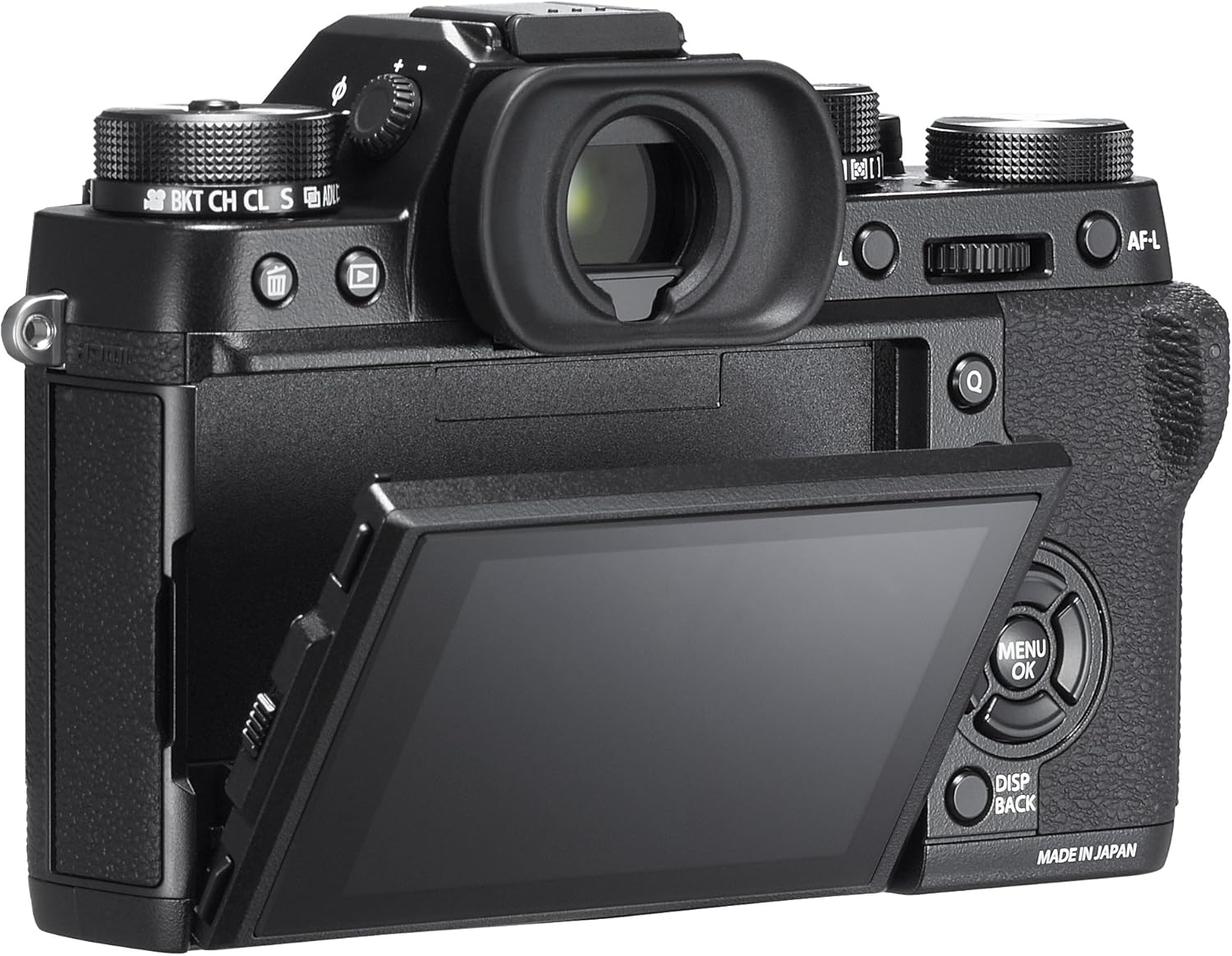
Image: Rear view of the Fujifilm X-T2, showing the LCD monitor tilted outwards for versatile viewing.
3.3 Image Quality Settings
Access the menu system to adjust image quality settings such as:
- Image Size: Select desired resolution.
- Image Quality: Choose between JPEG (Fine, Normal, Basic) and RAW.
- Film Simulation: Apply classic Fujifilm film looks (e.g., PROVIA, Velvia, ASTIA, ACROS).
- Dynamic Range: Expand the dynamic range (DR100, DR200, DR400) for challenging lighting.
Video: A detailed overview of the Fujifilm X-T2's features, including menu navigation for image quality and film simulation settings.
3.4 Autofocus System
The X-T2 features an advanced autofocus system with various modes and custom settings.
- AF Mode: Single AF (AF-S), Continuous AF (AF-C), Manual Focus (MF).
- AF-C Custom Settings: Tailor AF-C behavior for different moving subjects.
- Focus Area: Select single point, zone, or wide/tracking.
The autofocus joystick allows for quick and precise selection of focus points.
Video: A hands-on demonstration of the Fujifilm X-T2, showcasing its physical controls and menu options, including autofocus settings.
3.5 Video Recording
The X-T2 supports 4K (3840x2160) video recording at 30P/25P/24P and Full HD (1920x1080) at various frame rates.
- 4K Movie Output: Record to SD card or external recorder via HDMI.
- F-Log: Utilize the F-Log profile for maximum dynamic range in video, ideal for color grading in post-production.
- Audio: Adjust microphone levels and monitor audio via the headphone jack (requires optional battery grip).
Video: An overview of the Fujifilm X-T2's video capabilities, including 4K recording options and F-Log profile.
3.6 Wireless Connectivity
The camera features built-in Wi-Fi for connecting to a smartphone or tablet using the Fujifilm Camera Remote app. This allows for remote control, image transfer, and geotagging.
4. Maintenance and Care
4.1 Cleaning the Camera
Regularly clean the camera body with a soft, dry cloth. Use a blower brush to remove dust from the lens and sensor. For stubborn marks, use a lens cleaning solution and microfiber cloth.
4.2 Battery Care
To prolong battery life, avoid extreme temperatures. Store batteries in a cool, dry place when not in use. Fully charge batteries before important shoots.
4.3 Storage
When storing the camera for extended periods, remove the battery and memory card. Store the camera in a dry, dust-free environment, preferably with a desiccant to prevent moisture buildup.
5. Troubleshooting
5.1 Common Issues
- Camera not powering on: Ensure the battery is charged and correctly inserted.
- Memory card error: Reformat the card (this will erase all data) or try a different card.
- Autofocus issues: Check AF mode settings, ensure sufficient light, and clean lens contacts.
5.2 Further Assistance
If you encounter issues not covered in this manual, please refer to the full user manual available on the Fujifilm website or contact Fujifilm customer support.
6. Specifications
| Feature | Detail |
|---|---|
| Model Name | X-T2 Body |
| Sensor Type | 24.3MP APS-C X-Trans CMOS III |
| Video Resolution | 4K (3840x2160) at 30P/25P/24P |
| Viewfinder | 0.48-inch, 2.36M-dot OLED EVF |
| LCD Monitor | 3-inch, 1.04M-dot Tilting LCD |
| Connectivity | Wi-Fi, HDMI, USB |
| Weather Resistance | Dust and moisture-resistant |
| Storage | Dual SD card slots (UHS-II compatible) |
| Weight | 3.5 Ounces (body only) |
7. Warranty and Support
7.1 Warranty Information
Your Fujifilm X-T2 camera is covered by a limited warranty. Please refer to the warranty card included in your product packaging for specific terms and conditions.
7.2 Customer Support
For technical assistance, service, or additional product information, please visit the official Fujifilm Store or their official website.


