Important Safety Information
- For accurate measurements, remove shoes and socks before weighing.
- Place the scale on a flat, hard surface before use. Avoid carpets or uneven floors.
- Stand in the center of the scale with dry feet to ensure proper contact with the sensors.
- Do not use this device if you have a pacemaker or other internal medical device.
- Keep the scale dry. Do not immerse in water or use abrasive cleaners.
Product Overview
The Excelvan Body Analysis Scale is designed to provide comprehensive body composition analysis. It features a tempered glass platform and an easy-to-read LED display.
Key Features:
- Measures 7 body analysis parameters: Weight, Body Fat, Body Water, Calories, BMI, Muscle Mass, and Bone Mass.
- Supports up to 10 user profiles with automatic identification.
- Maximum load capacity of 180kg (400lb).
- Equipped with 3 touch-sensitive buttons for easy operation.
- Step-on activation and automatic power-off function.
- Clear green LCD display for easy reading.
- Switchable units: kilograms (kg), pounds (lb), and stones (st).
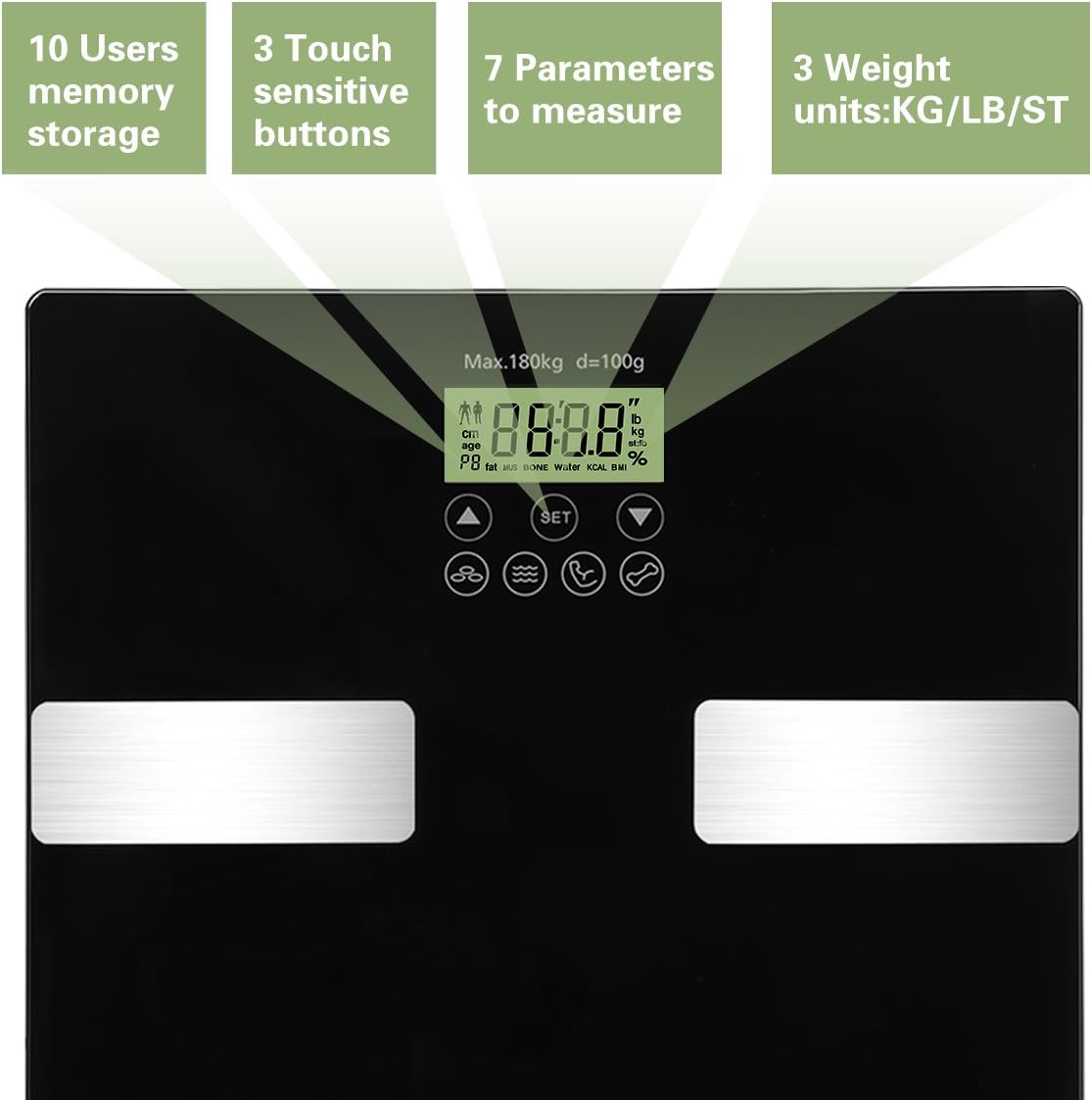
Image: The scale's display highlighting its key features: 10 user memory, 3 touch-sensitive buttons, 7 parameters measured, and 3 weight units (KG/LB/ST).

Image: Visual representation of the seven body analysis parameters measured by the scale: Weight, Fat, Water, BMI, Calorie, Bone, and Muscle.
Specifications
| Max Load Capacity | 180 kg / 400 lb |
| Weight Division | 0.1 kg / 0.2 lb |
| Body Fat Division | 0.1% |
| Units | kg / lb / st |
| User Memory | 10 profiles |
| Power Supply | 1 x CR2032 Lithium battery (not included) |
| Product Dimensions | 300 x 300 x 26 mm (11.8 x 11.8 x 1.02 inches) |
| LCD Display Size | 64 x 29 mm (2.5 x 1.1 inches) |
| Product Weight | 1.51 kg / 3.3 lb |
| Material | Tempered Glass |
| Display Type | LCD, LED |
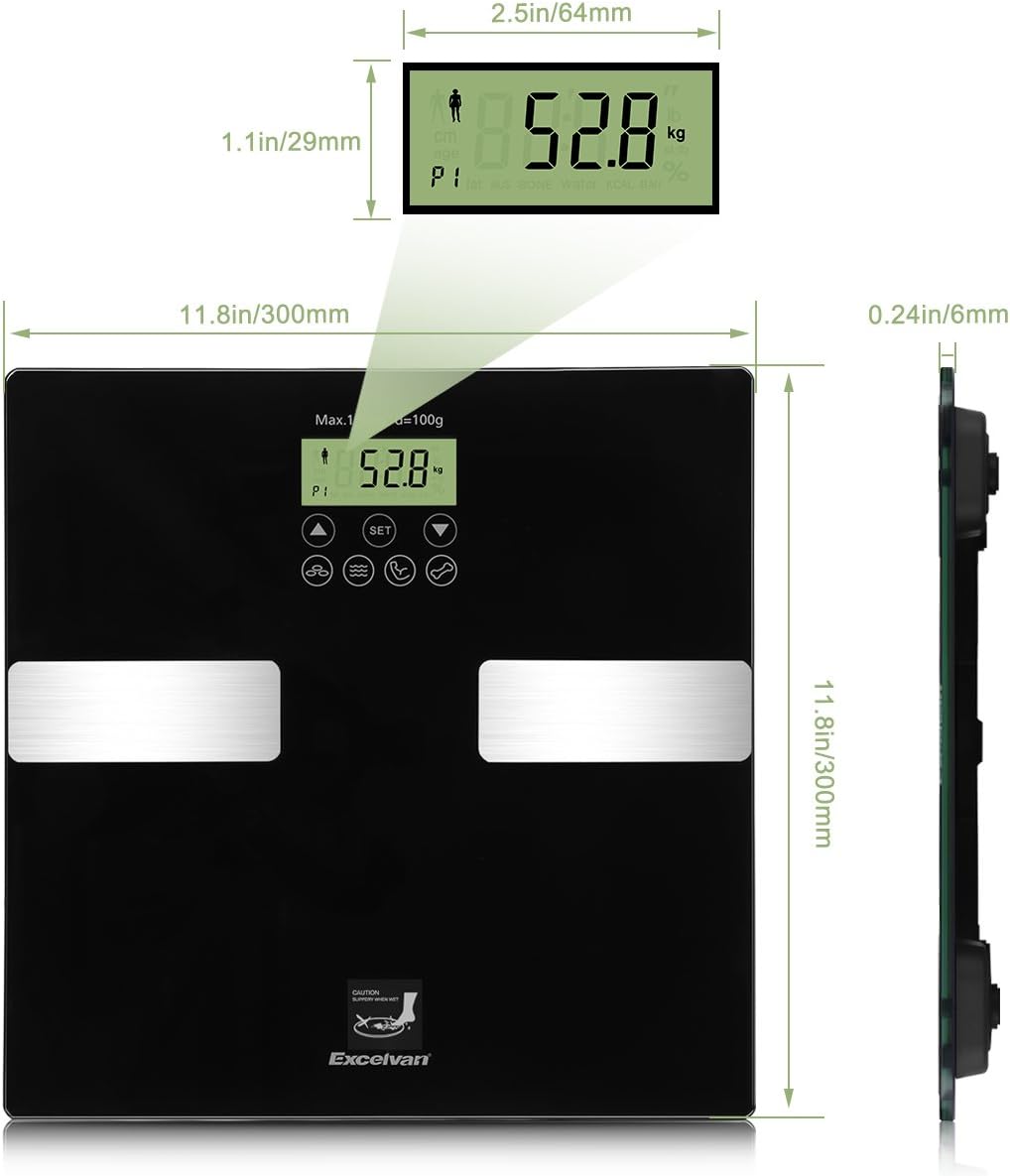
Image: Detailed dimensions of the scale, including its length, width, thickness, and the size of the LCD display.
Setup
1. Battery Installation
- Locate the battery compartment on the underside of the scale.
- Open the battery cover.
- Insert one CR2032 Lithium battery, ensuring the correct polarity (+/-).
- Close the battery cover securely.
2. Initial Placement
- Place the scale on a hard, flat, and stable surface. Avoid soft surfaces like carpets, which can affect accuracy.
- Ensure the scale is not near any heat sources or in direct sunlight.
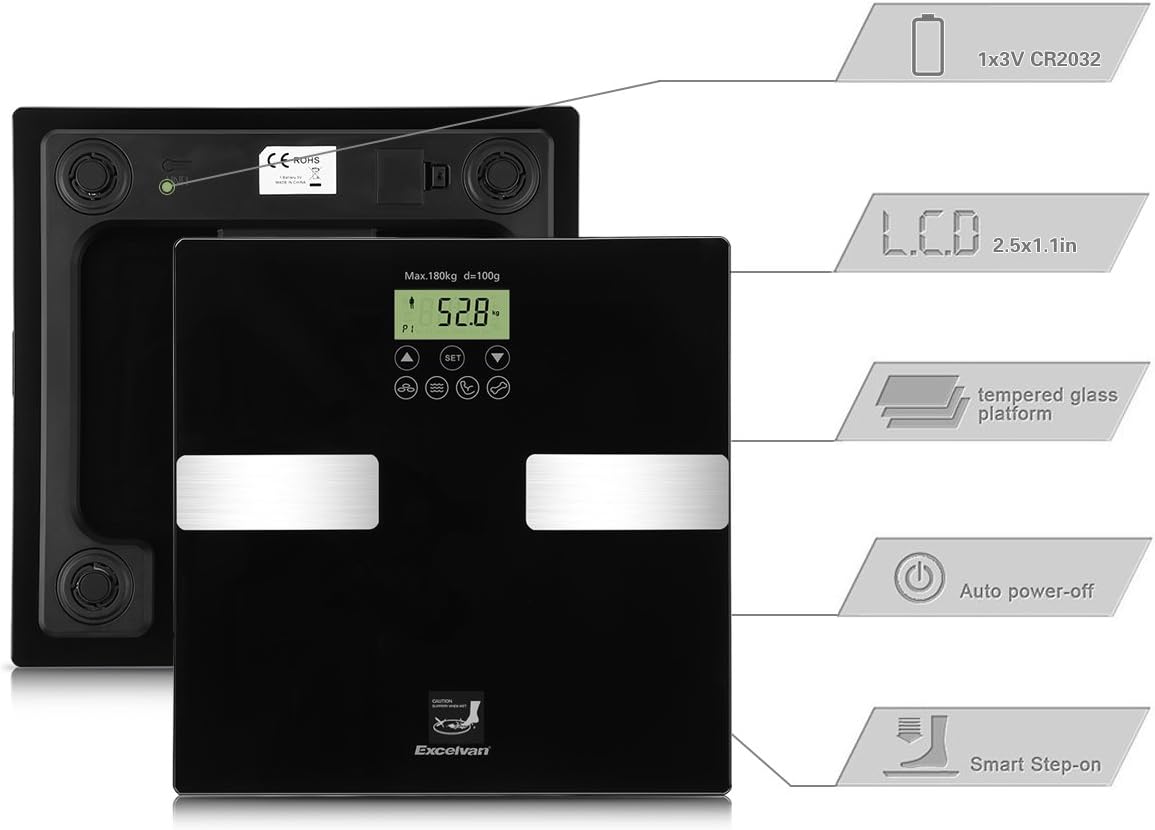
Image: An exploded view of the scale highlighting key components and features such as the CR2032 battery, LCD display, tempered glass platform, auto power-off, and smart step-on functionality.
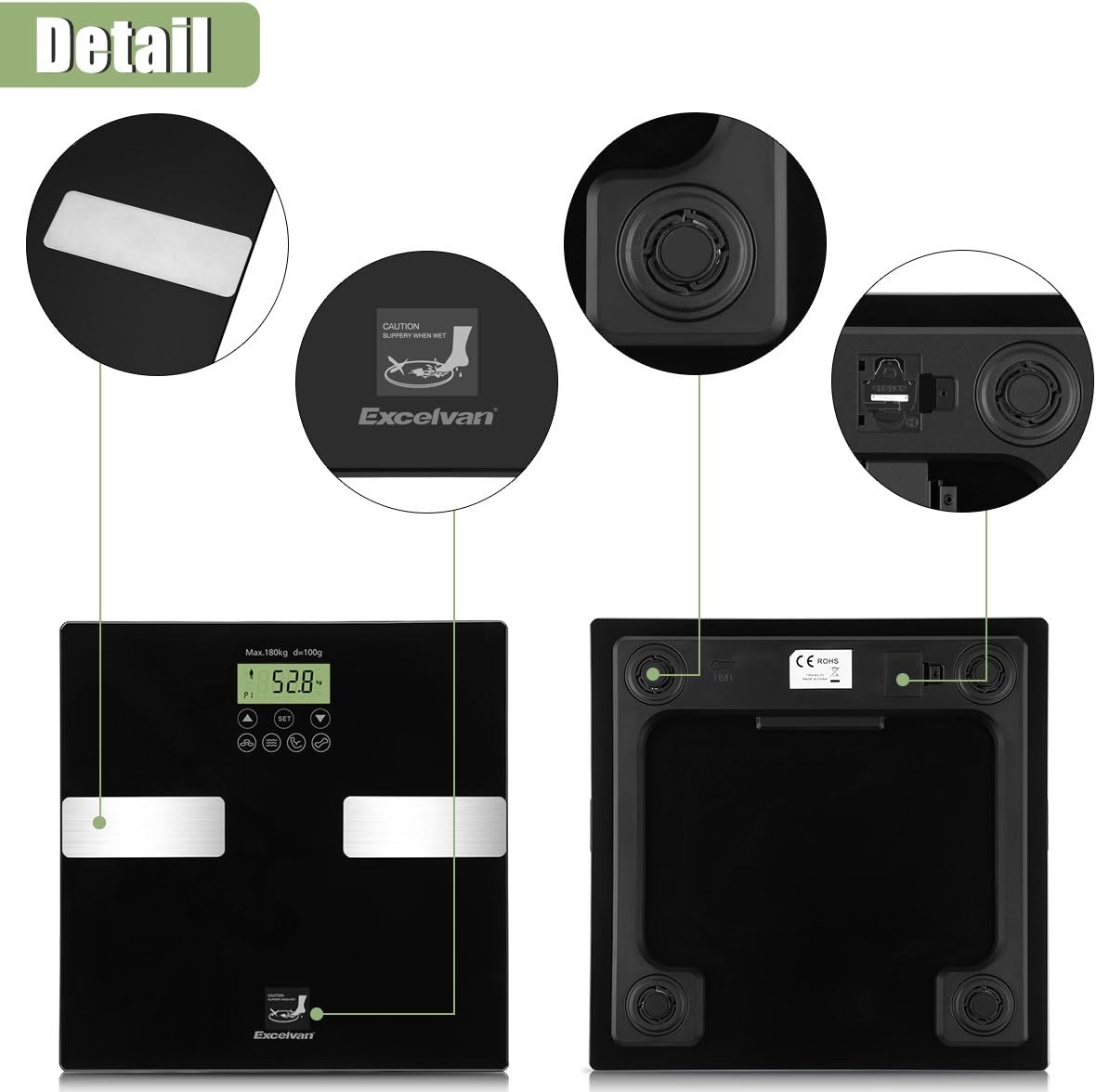
Image: Close-up view of the scale's underside, detailing the battery compartment and the unit switch for changing between kilograms, pounds, and stones.
Operating Instructions
1. Power On and Unit Selection
- To turn on the scale, simply step onto it. The display will light up.
- On the underside of the scale, locate the unit switch to select your preferred unit of measurement (kg, lb, or st).
2. Setting Up User Profiles (P1-P10)
The scale can store data for up to 10 users. Follow these steps to set up a profile:
- With the scale off, press the 'SET' button. The user number (P1) will flash.
- Use the 'UP' or 'DOWN' buttons to select a user number (P1-P10). Press 'SET' to confirm.
- The age setting will flash. Use 'UP' or 'DOWN' to adjust your age (e.g., 25). Press 'SET' to confirm.
- The gender icon will flash. Use 'UP' or 'DOWN' to select male or female. Press 'SET' to confirm.
- The height setting will flash. Use 'UP' or 'DOWN' to adjust your height (e.g., 170cm). Press 'SET' to confirm.
- The scale will display '0.0', indicating it is ready for measurement.
3. Taking a Measurement
- Ensure the scale is on a flat, hard surface.
- Step onto the scale barefoot and with dry feet, standing still in the center.
- The scale will first display your weight.
- It will then cycle through and display your body fat percentage, body water percentage, muscle mass, bone mass, BMI, and calorie recommendations.
- The scale will automatically identify your user profile if your current weight is within a certain range of your last recorded weight. If multiple users have similar weights, you may need to manually select your profile using the 'UP' or 'DOWN' buttons after the initial weight reading.
- The scale will automatically turn off after a few seconds of inactivity.
Maintenance
- Cleaning: Wipe the scale's surface with a soft, damp cloth. Do not use abrasive cleaners or immerse the scale in water.
- Storage: Store the scale in a cool, dry place. Avoid extreme temperatures and direct sunlight.
- Battery: If the scale will not be used for an extended period, remove the battery to prevent leakage.
Troubleshooting
| Problem | Solution |
| Display shows "Lo" | Low battery. Replace the CR2032 battery. |
| Display shows "Err" | Overload. The weight exceeds the maximum capacity (180kg/400lb). Step off the scale immediately. |
| Inaccurate readings | Ensure the scale is on a hard, flat surface. Make sure your feet are dry and you are standing still in the center. Remove shoes and socks for body composition analysis. |
| No display when stepping on | Check if the battery is installed correctly or needs replacement. |
Warranty and Support
This Excelvan Body Analysis Scale comes with a 2-year warranty from the date of purchase, covering manufacturing defects.
For technical support, warranty claims, or any questions regarding your product, please contact your retailer or the Excelvan customer service department.


