
1. Introduction
The LATNEX HF-B8G is a professional triple-axis RF/high-frequency meter designed to measure electromagnetic radiation across a wide frequency range of 10MHz to 8GHz. This device is engineered for detecting radiation from various sources including microwave leakage, smart meters, cell towers, Wi-Fi, cordless phones, cell phones, and 3G, 4G, LTE, and 5G networks. Its advanced features provide accurate and reliable measurements for environmental assessment.
2. Safety Information
- Always handle the device with care. Avoid dropping or subjecting it to strong impacts.
- Do not expose the meter to extreme temperatures, direct sunlight, or high humidity.
- Do not attempt to open, disassemble, or modify the device. This may void the warranty and pose a safety risk.
- Keep the device out of reach of children.
- Ensure the battery compartment is securely closed during operation.
- Dispose of batteries according to local regulations.
3. Package Contents
Verify that all items are present in the package:
- LATNEX HF-B8G RF EMF Meter Unit
- Spherical Isotropic Probe
- User Manual
- Calibration Certificate
- 9V Battery (included)
- Protective Carrying Case
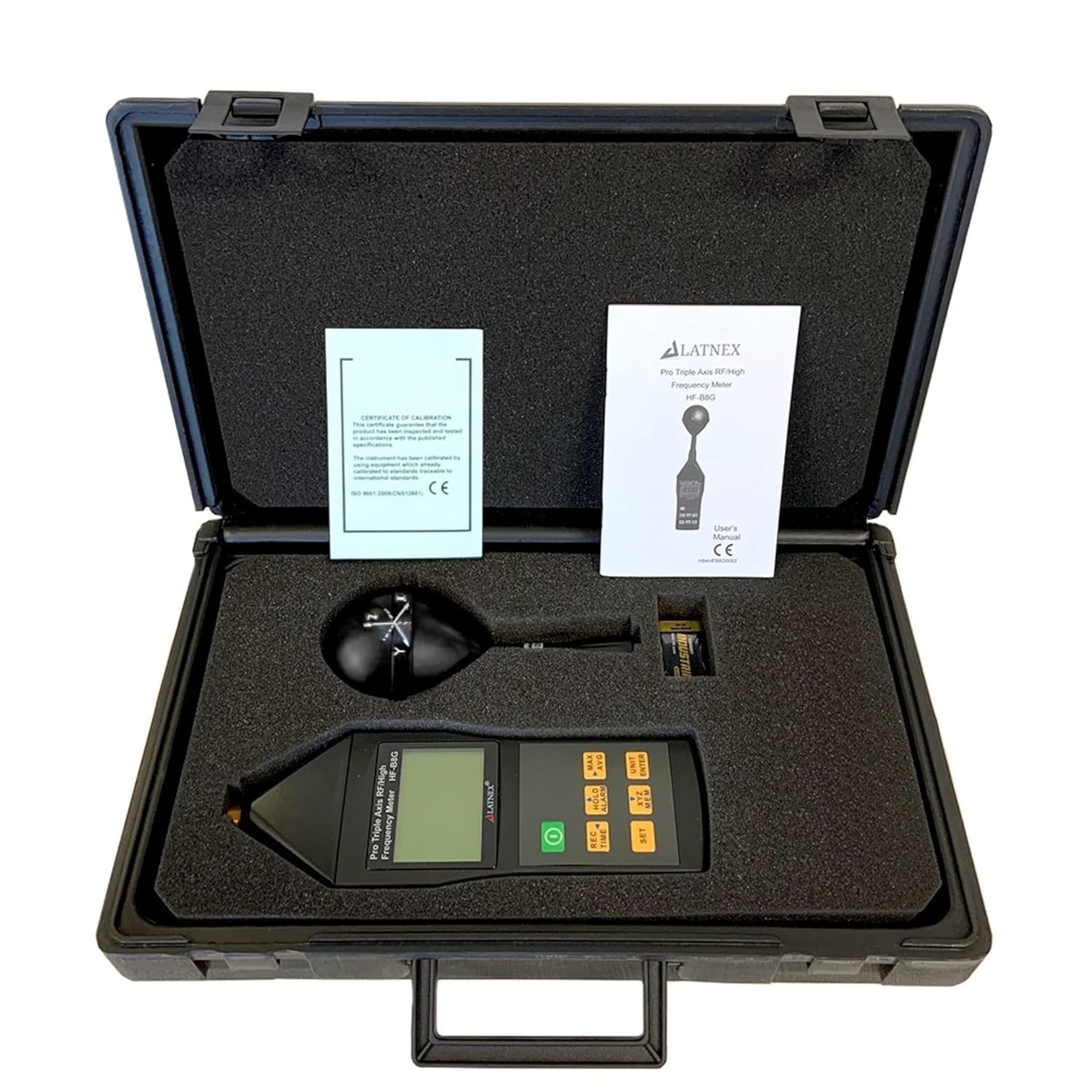
The LATNEX HF-B8G RF EMF Meter, user manual, and calibration certificate neatly organized within its protective carrying case.

Components of the HF-B8G kit laid out: the meter unit, detachable spherical probe, user manual, and carrying case.
4. Product Overview
The HF-B8G meter consists of a main handheld unit with a digital LCD display and control buttons, and an integrated spherical isotropic probe for comprehensive RF field detection.

Front view of the LATNEX HF-B8G RF EMF Meter, showing the spherical probe, digital display, and control buttons.
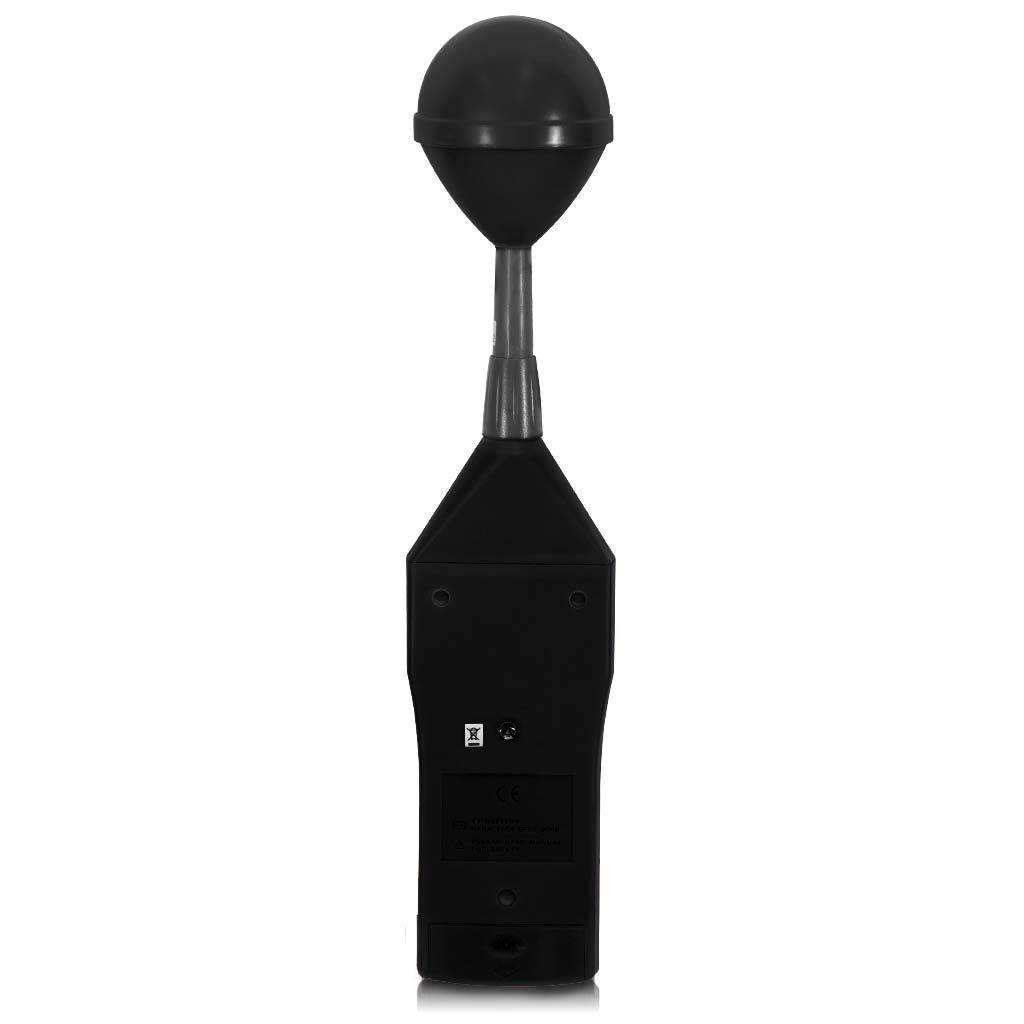
Rear view of the LATNEX HF-B8G RF EMF Meter, showing the battery compartment and other markings.
Key Features:
- Triple Axis EMF Radiation measurement
- Wide Frequency Range: 10MHz to 8GHz
- Measurement Units: mV/m, V/m, µA/m, mA/m, µW/m², mW/m², µW/cm²
- Manual Data Memory (Max & AVG) records up to 200 data sets
- Adjustable Alarm Function with ON/OFF
- Digital Clock/Calendar Function

Diagram highlighting key features of the HF-B8G meter, including datalogging, 3-channel sensor, frequency range, digital clock, and alarm function.

Illustration demonstrating the triple-axis (X, Y, Z) measurement capability for vertical and horizontal polarization.
5. Setup
5.1 Battery Installation
- Locate the battery compartment cover on the rear of the meter unit.
- Slide or unclip the cover to open it.
- Insert the included 9V battery, ensuring correct polarity (+/-).
- Replace the battery compartment cover and secure it.
5.2 Powering On/Off
- To power on the device, press the green power button located below the display.
- To power off the device, press and hold the green power button until the display turns off.
- The device features an auto power-off function, with a default time of 15 minutes, adjustable from 0 to 99 minutes.
6. Operating Instructions
6.1 Basic Measurement
- Power on the meter. The display will show the instantaneous RF field strength.
- Hold the meter by the handle, keeping the spherical probe away from your body to avoid interference.
- Move the meter slowly in the area you wish to measure. The display will update in real-time.
6.2 Unit Selection
- Press the 'UNIT/ENTER' button to cycle through available measurement units: mV/m, V/m, µA/m, mA/m, µW/m², mW/m², µW/cm².
- Select the desired unit for your measurement.
6.3 Max/Avg Measurement and Data Hold
- MAX/AVG: Press the 'MAX/AVG' button to switch between instantaneous, maximum, average, or maximum average value display modes. This allows you to observe peak readings or average exposure over time.
- HOLD: Press the 'HOLD/ALARM' button briefly to freeze the current reading on the display. Press again to release.
6.4 Alarm Function
- The HF-B8G features an adjustable alarm threshold. When the measured value exceeds this threshold, an audible buzzer will sound.
- To adjust the alarm threshold or turn the alarm ON/OFF, refer to the detailed instructions in the full user manual (PDF document).
6.5 Data Memory
- The meter can manually store up to 200 data sets, including maximum and average readings.
- Use the 'SET' and 'MEM' buttons to access and manage stored data. Consult the full user manual for detailed data logging and recall procedures.
7. Maintenance
7.1 Battery Replacement
When the battery indicator on the display shows low power, replace the 9V battery as described in the 'Battery Installation' section (5.1). A low battery can affect measurement accuracy.
7.2 Cleaning
- Wipe the meter's exterior with a soft, dry cloth.
- Do not use abrasive cleaners, solvents, or harsh chemicals.
- Ensure no moisture enters the device.
7.3 Storage
- When not in use for extended periods, remove the battery to prevent leakage.
- Store the meter in its protective carrying case in a cool, dry place, away from direct sunlight and extreme temperatures.
- Storage temperature range: -10°C to +60°C.
- Storage humidity range: 0% to 80% RH.
8. Troubleshooting
| Problem | Possible Cause | Solution |
|---|---|---|
| Device does not power on | Battery incorrectly installed or depleted | Check battery polarity; replace with a fresh 9V battery. |
| Inconsistent or fluctuating readings | Low battery charge; nearby interference; rapid environmental changes | Ensure battery is fully charged. Move away from other electronic devices. Allow meter to stabilize in new environment. |
| Display is blank or unreadable | Extreme temperature exposure; display malfunction | Move to an environment within operating temperature range. If problem persists, contact support. |
| Buttons are unresponsive | Temporary software glitch; physical damage | Remove and reinsert battery to reset. If problem persists, contact support. |
9. Specifications
General Specifications:
- Display Type: Liquid-crystal (LCD), 4-1/2 digits, maximum reading 19999
- Measurement Method: Digital, Tri-axis measurement
- Directional Characteristic: Isotropic, Tri-axis
- Measurement Range Selection: One continuous range
- Display Resolution: 0.1mV/m, 0.01V/m, 0.1µA/m, 0.1mA/m, 0.001µW/m², 0.01mW/m², 0.001µW/cm²
- Setting Time: Typically 1.5s (0 to 90% measurement value)
- Sample Rate: 1.5 times per second (display), 3 times per second (internal)
- Audible Alarm: Buzzer
- Units: mV/m, V/m, µA/m, mA/m, µW/m², mW/m², µW/cm²
- Display Value: Instantaneous measured value, maximum value, average value, or maximum average value
- Frequency Range: 10MHz to 8GHz
- Calibration Factor (CAL): Adjustable
- Manual Data Memory: 200 data sets
- Batteries: 9V NEDA 1604, IEC 6F22 or JIS 006P (included)
- Battery Life: Approximately 3 hours
- Auto Power Off: Default 15 minutes, adjustable 0-99 minutes
- Operating Temperature Range: 0°C to +50°C
- Operating Humidity Range: 25% to 75% RH
- Dimensions: 370 (L) x 80 (W) x 80 (H) mm
- Weight (including battery): Approx. 400g (1 Pound)

Detailed specifications of the LATNEX HF-B8G, including alarm function, calibration factor, data memory, battery life, auto power off, operating conditions, dimensions, weight, and accessories.

Further technical specifications of the LATNEX HF-B8G, covering display type, measurement method, directional characteristics, measurement range, display resolution, setting time, sample rate, audible alarm, units, and display value types.
10. Warranty and Support
For warranty information, technical support, and service inquiries, please refer to the official LATNEX website or contact their customer service department. Keep your purchase receipt as proof of purchase.
You can find more information and contact details on the LATNEX Brand Store.