
1. Introduction
This manual provides instructions for the proper setup, operation, and maintenance of your HCDZ replacement remote control. This remote is designed to function as a direct replacement for specific Onkyo A/V AV receiver models without requiring any programming.
2. Product Overview
The HCDZ replacement remote control is an infrared (IR) device compatible with Onkyo TX-SA605, TX-SA8560, and HT-R340 A/V AV receivers. It is designed for immediate use upon battery installation, requiring no additional setup or code entry.

Figure 1: Back view of the HCDZ replacement remote control with the battery cover securely in place.
3. Setup
3.1 Battery Installation
To begin using your remote control, install two AA batteries (not included) into the battery compartment.
- Locate the battery compartment on the back of the remote control.
- Slide the battery compartment cover downwards and lift it off.
- Insert two new AA batteries, ensuring the positive (+) and negative (-) terminals align correctly with the markings inside the compartment.
- Replace the battery compartment cover by sliding it back into position until it clicks securely.
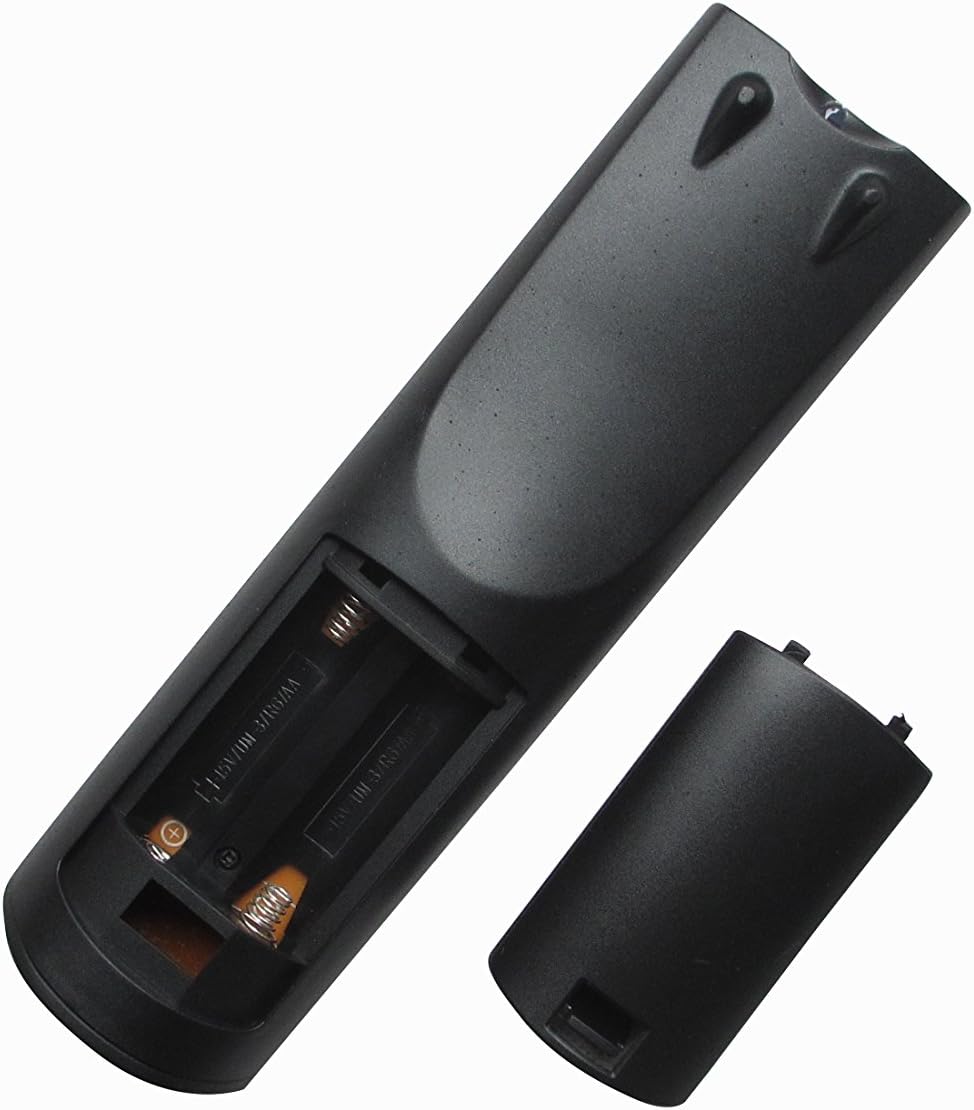
Figure 2: Back view of the remote control with the battery compartment open for battery installation.
Once batteries are installed, the remote control is ready for use with your compatible Onkyo A/V AV receiver. No programming is required.
4. Operating Instructions
To operate your Onkyo A/V AV receiver with the HCDZ replacement remote control:
- Point the remote control directly towards the infrared sensor on your Onkyo A/V AV receiver.
- Press the desired function button (e.g., Power, Volume Up/Down, Input Select).
- Ensure there are no obstructions between the remote control and the receiver.
The maximum effective range for operation is approximately 10 meters (33 feet).
5. Maintenance
5.1 Cleaning
Wipe the remote control with a soft, dry cloth. Do not use liquid cleaners or abrasive materials, as they may damage the surface or internal components.
5.2 Battery Replacement
Replace batteries when the remote control's response becomes inconsistent or stops working. Always replace both batteries simultaneously with new AA batteries. Do not mix old and new batteries or different types of batteries.
5.3 Storage
If the remote control will not be used for an extended period, remove the batteries to prevent leakage and potential damage.
6. Troubleshooting
6.1 Remote Control Not Responding
- Check Batteries: Ensure batteries are inserted correctly with the correct polarity (+/-) and are not depleted. Replace with fresh AA batteries if necessary.
- Line of Sight: Verify that there is a clear, unobstructed path between the remote control's IR emitter and the receiver's IR sensor.
- Distance: Ensure you are within the effective operating range (up to 10 meters).
- Receiver Power: Confirm that your Onkyo A/V AV receiver is powered on.
7. Specifications
| Brand | HCDZ |
| Model Number | HCDZ-9560 |
| Connectivity Technology | Infrared (IR) |
| Controller Type | Remote Control |
| Max Number of Supported Devices | 1 (Onkyo A/V AV Receiver) |
| Maximum Range | 10 Meters |
| Number of Batteries Required | 2 AA batteries |
| Special Feature | Ergonomic |
8. Support
For any questions or further assistance regarding your HCDZ replacement remote control, please contact the seller or manufacturer directly. Specific warranty information is not provided in this manual; please refer to your purchase documentation for details.