
1. Introduction
The TEKCOPLUS PHTK-34 2-in-1 Digital Soil pH & Moisture Meter is designed to accurately measure both the pH level and moisture content of soil. This device is an essential tool for gardeners, farmers, and plant enthusiasts to ensure optimal growing conditions for various plants, both indoors and outdoors.
Understanding soil pH and moisture is crucial for plant health. This meter helps prevent issues such as overwatering, underwatering, and nutrient deficiencies caused by incorrect pH levels. By providing precise readings, it supports water conservation, improves plant vitality, and can lead to increased plant yield.

Figure 1: The TEKCOPLUS PHTK-34 meter accurately checks both pH level (acidity and alkalinity) and soil moisture.
2. Product Overview
The TEKCOPLUS PHTK-34 meter features a durable design with a long electrode for deep soil penetration. It is a self-powered device, requiring no batteries for operation, making it convenient and environmentally friendly.
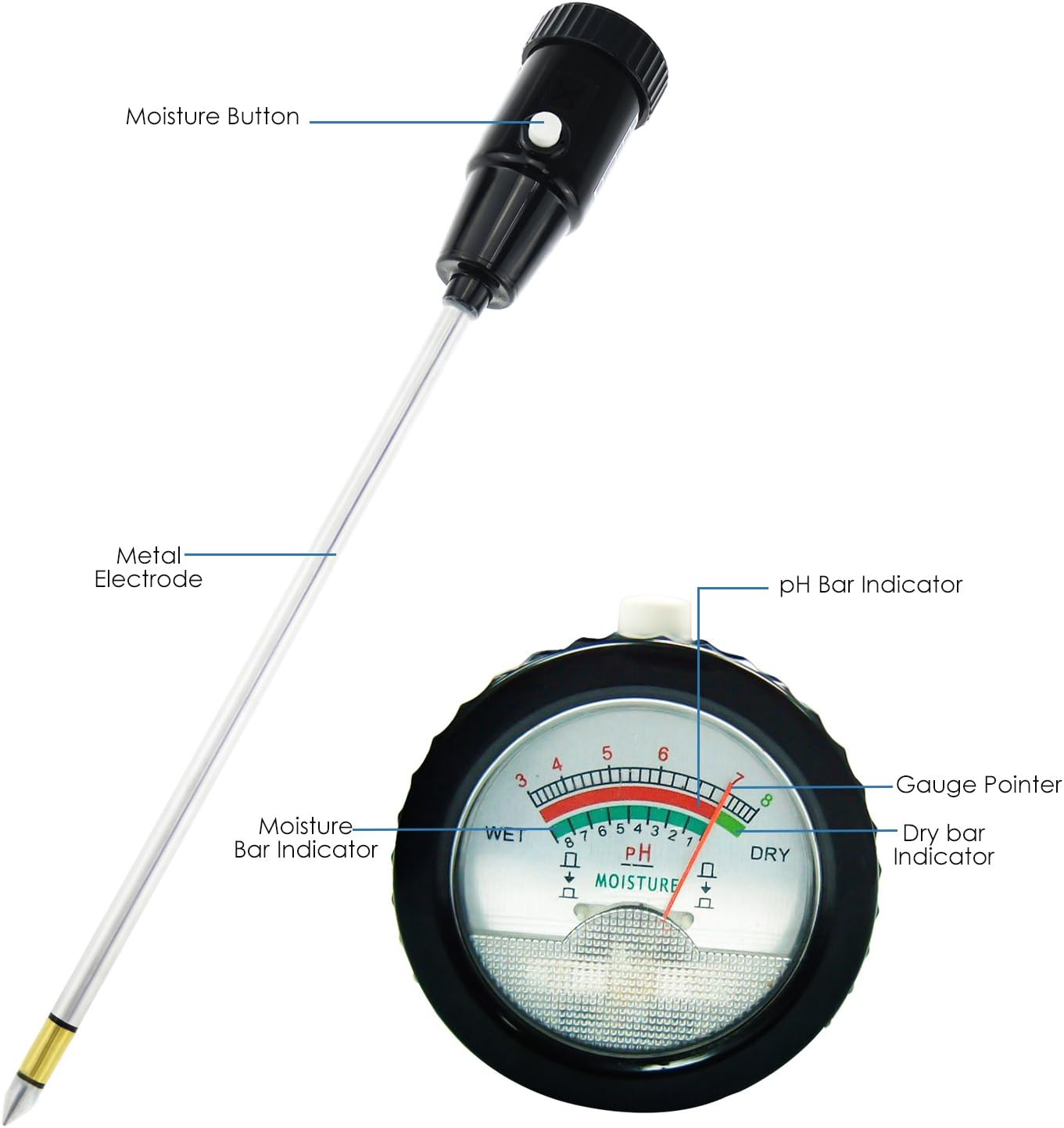
Figure 2: Key components of the TEKCOPLUS PHTK-34 meter, including the moisture button, metal electrode, pH bar indicator, gauge pointer, moisture bar indicator, and dry bar indicator.
Key Features:
- 2-in-1 Functionality: Measures both soil pH (3-8 pH range) and moisture (1-8 moisture range).
- Long Electrode: 295mm (approximately 11.6 inches) long electrode for testing deeper soil levels.
- Battery-Free Operation: No batteries are required, ensuring continuous use without power concerns.
- Easy-to-Read Display: Clear analog dial with distinct indicators for pH and moisture.
- Durable Construction: Made with robust materials for long-lasting performance.
- Versatile Use: Suitable for indoor potted plants, outdoor gardens, lawns, farms, and orchards.
3. Specifications
| Feature | Specification |
|---|---|
| Model Number | PHTK-34 |
| pH Range | 3.0 - 8.0 pH |
| Moisture Range | 1 - 8 (Dry to Wet) |
| Electrode Length | 295mm (approx. 11.6 inches) |
| Power Source | No batteries required (Self-powered) |
| Item Weight | 0.18 Kilograms (approx. 6.3 ounces) |
| Operating Temperature | 5°C - 50°C (41°F - 122°F) |
| Material | Soil Meter (Durable construction) |
4. Setup
The TEKCOPLUS PHTK-34 meter is ready for use directly out of the packaging. No assembly or batteries are required.
Initial Preparation:
- Gently remove the protective cap from the metal electrode.
- Ensure the electrode is clean before first use. Wipe with a clean, damp cloth if necessary.
- Identify the area of soil you wish to test. For accurate readings, the soil should be moist. If the soil is very dry, water it thoroughly and wait 20-30 minutes before testing.
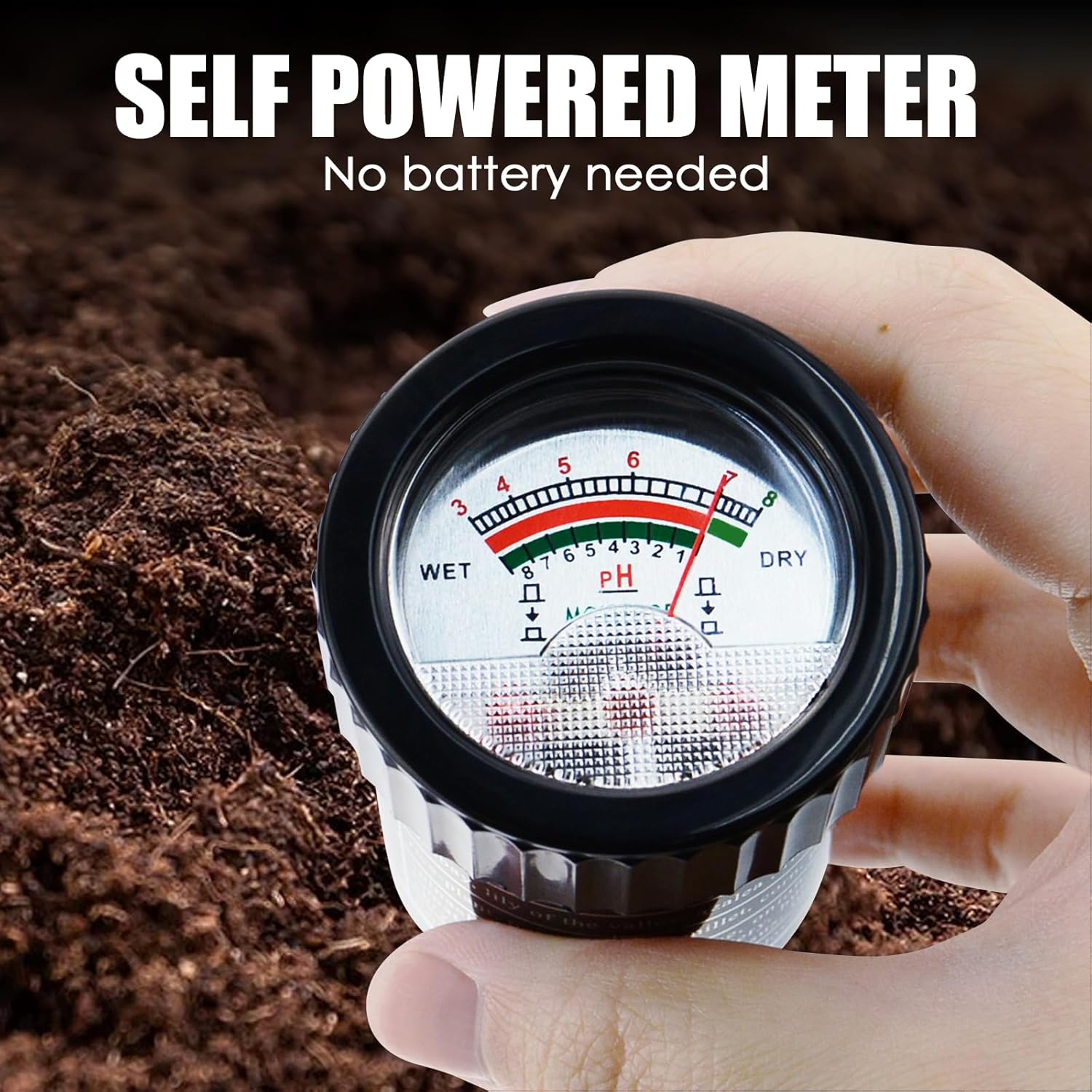
Figure 3: The meter operates without batteries, drawing power from the soil itself.
5. Operating Instructions
Follow these steps for accurate pH and moisture measurements:
Measuring Soil pH:
- Prepare the Soil: Ensure the soil is moist. If it's dry, water it and wait about 20-30 minutes for the water to distribute evenly. Remove any debris or large stones from the testing area.
- Insert the Probe: Insert the metal electrode into the soil vertically, pushing it down to the desired depth (typically 2/3 to 3/4 of the probe length). Avoid forcing the probe, as this can damage it.
- Wait for Reading: Allow the meter to stabilize for approximately 25-30 minutes. The needle on the dial will indicate the soil pH level.
- Record Reading: Note the pH value displayed on the dial.
- Remove and Clean: Carefully pull the probe out of the soil. Wipe the electrode clean with a soft, damp cloth after each use to prevent corrosion and ensure accuracy for future readings.
Measuring Soil Moisture:
- Prepare the Soil: As with pH measurement, ensure the soil is moist.
- Insert the Probe: Insert the metal electrode into the soil to the desired depth.
- Press Moisture Button: Press and hold the white button located on the side of the meter.
- Read Moisture Level: The needle will move to indicate the moisture level on the 'MOISTURE' scale (1-8).
- Release Button and Clean: Release the moisture button. Carefully remove the probe and clean the electrode thoroughly with a soft, damp cloth.
Important Notes:
- Do not use the meter in very dry soil, as this can damage the probe and yield inaccurate results.
- Avoid touching the metal electrode with bare hands, as skin oils can affect readings.
- Do not leave the meter in the soil for extended periods.
- Always clean the probe after each use.
6. Interpreting Results
The meter's dial provides clear indications for both pH and moisture levels.
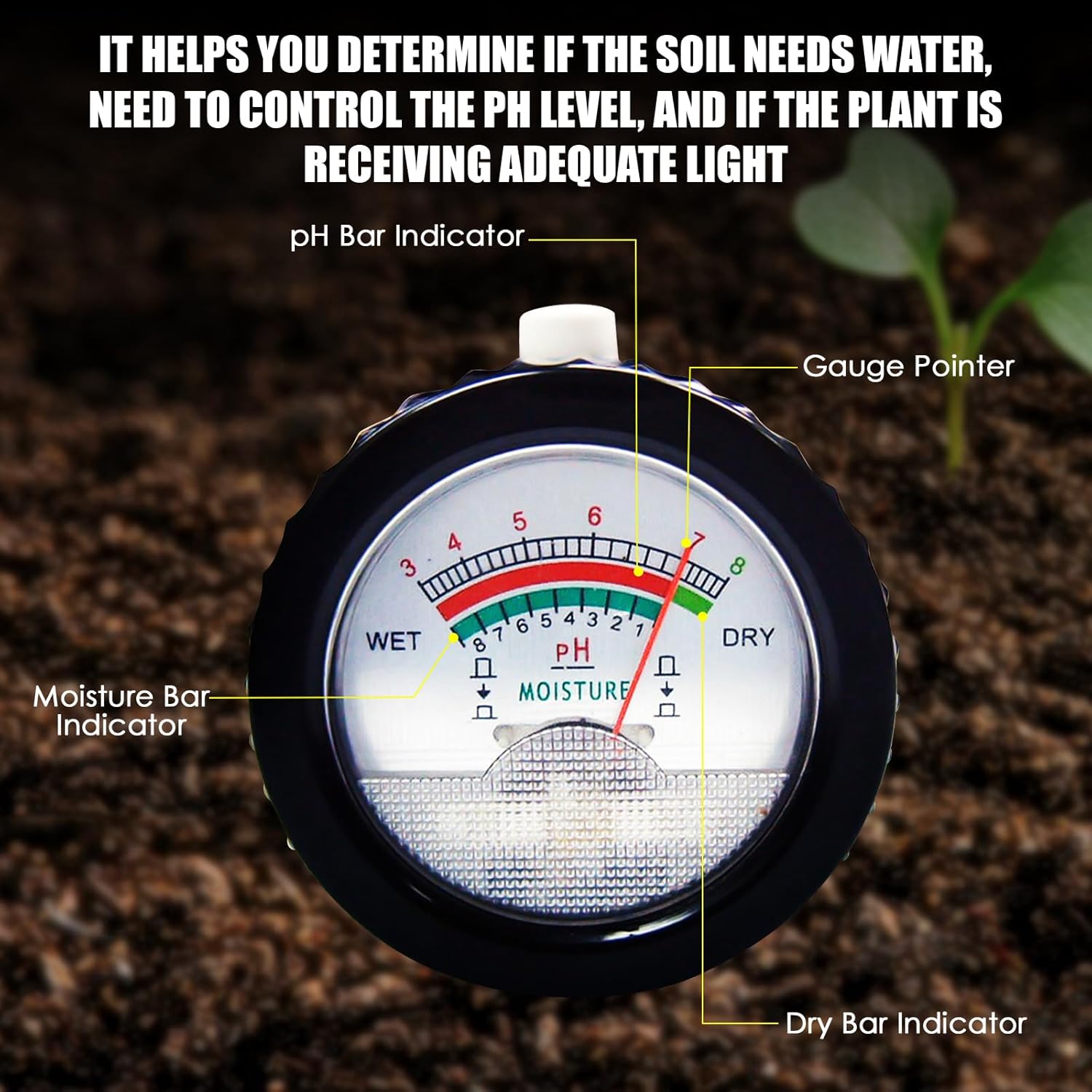
Figure 4: The meter's dial with pH bar indicator, gauge pointer, moisture bar indicator, and dry bar indicator.
pH Readings:
- The pH scale ranges from 3 (very acidic) to 8 (alkaline).
- A pH of 7 is neutral. Below 7 is acidic, above 7 is alkaline.
- Most plants thrive in a slightly acidic to neutral pH range (6.0-7.0). Refer to specific plant requirements for optimal growth.
Moisture Readings:
- The moisture scale ranges from 1 (DRY) to 8 (WET).
- 1-3 (DRY): Indicates very dry soil, requiring immediate watering.
- 4-7 (NORMAL): Indicates adequately moist soil.
- 8 (WET): Indicates very wet soil, potentially overwatered.

Figure 5: Example of optimum pH ranges for common plants and crops.
7. Maintenance
Proper maintenance ensures the longevity and accuracy of your TEKCOPLUS PHTK-34 meter.
Cleaning:
- Always clean the metal electrode immediately after each use.
- Use a soft, damp cloth to gently wipe off any soil residue.
- Do not use abrasive materials or harsh chemicals, as these can damage the electrode.
- Ensure the electrode is completely dry before storing.
Storage:
- Replace the protective cap on the electrode before storage.
- Store the meter in a cool, dry place, away from direct sunlight and extreme temperatures.
- Keep out of reach of children and pets.
8. Troubleshooting
If you encounter issues with your meter, refer to the following common problems and solutions:
| Problem | Possible Cause | Solution |
|---|---|---|
| No reading or unstable reading | Soil is too dry; Electrode is dirty; Insufficient insertion depth; Not enough waiting time. | Moisten soil and wait 20-30 minutes; Clean electrode thoroughly; Insert probe deeper into the soil; Wait 25-30 minutes for pH reading. |
| Inaccurate pH reading | Electrode not clean; Soil not properly prepared (too dry/wet); Contaminants on electrode. | Clean electrode; Ensure soil is moist but not waterlogged; Avoid touching electrode with bare hands. |
| Inaccurate moisture reading | Moisture button not held down; Electrode not clean; Soil too dry. | Press and hold the moisture button firmly; Clean electrode; Moisten soil. |
| Meter appears broken after some use | Improper cleaning/storage; Forced insertion into hard soil. | Always clean and dry after use; Do not force into hard soil; Ensure proper storage. |
9. Warranty and Support
For warranty information or technical support regarding your TEKCOPLUS PHTK-34 2-in-1 Digital Soil pH & Moisture Meter, please refer to the product packaging or contact TEKCOPLUS customer service directly through their official website or the retailer where the product was purchased.
Please retain your proof of purchase for any warranty claims.