
Introduction
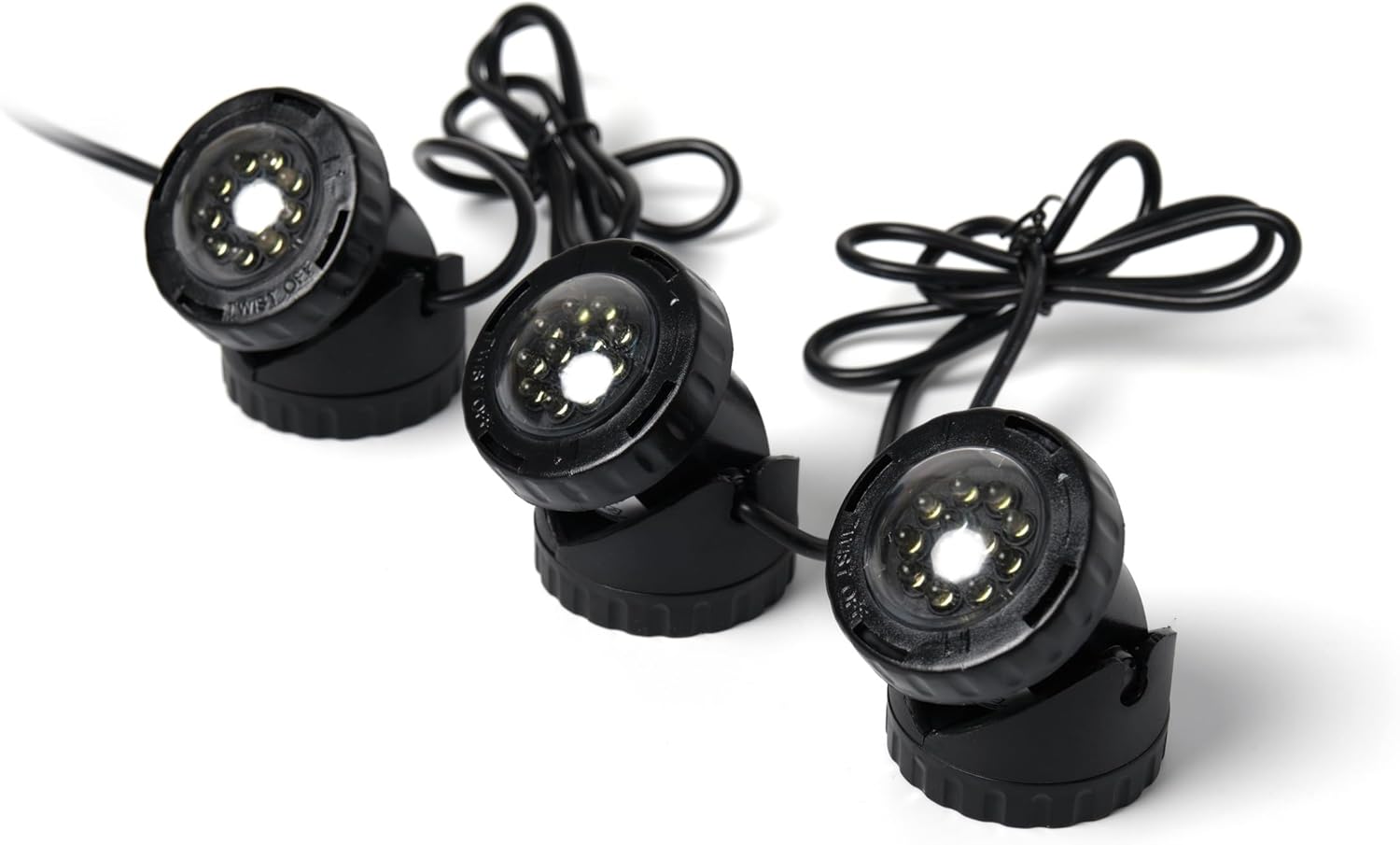
The Jebao PL1LED-3PS Submersible LED Pond Light system includes three LED lights, each equipped with multiple bright LED bulbs. These versatile lights come with four color lenses (red, blue, green, and yellow) to create various lighting effects. Designed for both submerged and dry land use, they are ideal for illuminating gardens, ponds, and water features. A built-in photocell sensor automatically activates the lights at night. The unit features an adjustable bracket, allowing precise light direction, and a 16-foot cable for flexible placement. This low-voltage system offers significant energy savings compared to traditional pond lighting.
Package Contents
- 3 x LED Lights
- 4 x Color Lenses (Red, Blue, Green, Yellow)
- 1 x Photocell Sensor
- 1 x Low Voltage Transformer/Power Supply

Setup
Follow these steps to properly set up your Jebao PL1LED-3PS pond lights:
- Prepare the Lights: Unpack all components. Each LED light has an adjustable bracket. Loosen the screw on the side of the bracket to adjust the angle of the light, then tighten to secure.
- Attach Color Lenses (Optional): Select your desired color lens (red, blue, green, or yellow) and carefully place it over the LED light head.
- Position the Lights: Place the LED lights in your desired location. They can be submerged in water (ponds, fountains) or placed in your garden. Ensure the 16-foot cable from the plug to the light reaches the power source comfortably.
- Connect to Power Supply: The lights are designed for a low voltage system. Connect the light cables to the low voltage transformer/power supply. Ensure all connections are secure and waterproof if used outdoors.
- Connect Photocell Sensor: Integrate the photocell sensor into the circuit as per the transformer's instructions. This sensor will automatically turn the lights on at dusk and off at dawn.
- Power On: Plug the low voltage transformer into a standard 110V-120V 60Hz outdoor-rated power outlet.

Operating Instructions
The Jebao PL1LED-3PS lights are designed for simple, automatic operation:
- Automatic Activation: The integrated photocell sensor detects ambient light levels. When it gets dark, the lights will automatically turn on. They will turn off automatically when daylight returns.
- Adjusting Light Direction: Each light features a swivel unit with an adjustable bracket. You can easily tilt the light to direct illumination precisely where needed, whether highlighting a specific plant, a waterfall, or a section of your pond.
- Color Effects: Utilize the included red, blue, green, and yellow color lenses to create different atmospheric effects. Simply swap the lenses to change the light color.

Maintenance
To ensure optimal performance and longevity of your Jebao PL1LED-3PS pond lights, consider the following maintenance tips:
- Regular Cleaning: Periodically clean the light lenses to remove any algae, dirt, or debris that may accumulate, especially if submerged. Use a soft cloth and mild soap if necessary.
- Inspect Cables: Regularly check the power cables for any signs of wear, damage, or fraying. Ensure all connections remain secure and watertight.
- Photocell Sensor: Keep the photocell sensor clean and free from obstructions (e.g., leaves, dirt) to ensure accurate automatic operation.
- Winterization: In colder climates, consider removing submerged lights from the pond during winter to prevent damage from freezing water. Store them in a dry, protected area.
Troubleshooting
If your Jebao PL1LED-3PS lights are not functioning as expected, try these troubleshooting steps:
- Lights Not Turning On:
- Check if the power supply is securely plugged into a working outlet.
- Ensure all cable connections to the transformer and lights are tight.
- Verify the photocell sensor is clean and not obstructed by debris or excessive light during nighttime hours.
- Confirm the power outlet is receiving electricity (test with another appliance).
- Lights Flickering or Dim:
- Inspect cables for any damage or loose connections.
- Clean the light lenses to ensure maximum light output.
- Ensure the power supply is adequate and not overloaded.
- Incorrect Color Output:
- Check if the color lenses are correctly seated on the light heads.
- Ensure the lenses are clean and free from discoloration.
Specifications
| Model | PL1LED-3PS |
| Brand | Jebao |
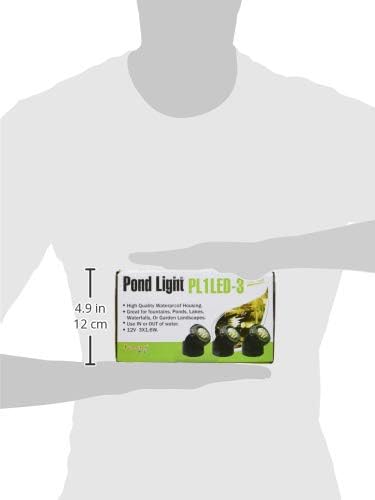
| Light Dimensions (each) | 2.25" diameter x 3" high |
| Number of Lights | 3 |
| LED Bulbs per Light | 9 (approximate, based on images) |
| Light Colors | Red, Blue, Green, Yellow (via included lenses) |
| Brightness | 2000 Lumens |
| Power Source | Corded Electric, Low Voltage Transformer |
| Input Voltage | 110V-120V 60Hz |
| Cable Length | 16 ft (from plug to light) |
| Features | Photocell Sensor, Adjustable Swivel Unit, Waterproof |
| Material | Plastic |
| Item Weight | 2.3 pounds |
Warranty & Support
The Jebao PL1LED-3PS Submersible LED Pond Light comes with a 6-month limited warranty. For warranty claims, technical support, or any product-related inquiries, please contact Jebao customer service directly. Keep your purchase receipt as proof of purchase for warranty validation.
For further assistance, please visit the official Jebao website or contact their customer support line. Contact information can typically be found on the product packaging or the manufacturer's website.