
1. Introduction
The VIPARSPECTRA PAR600 LED Grow Light is engineered to provide an optimal full spectrum light for indoor plants throughout their vegetative and flowering stages. This 12-band LED system is designed for efficient energy consumption and balanced PAR/Lumen output, promoting healthy plant growth.
2. Safety Information
- This product is intended for indoor use only. Do not expose to water or high humidity environments.
- Ensure proper ventilation around the light fixture to prevent overheating.
- Do not look directly at the LED lights when they are operating, as this may cause eye strain or damage.
- Always disconnect the power supply before cleaning, maintenance, or moving the light.
- Keep out of reach of children and pets.
- Do not attempt to modify or disassemble the unit. This will void the warranty and may pose a safety risk.
3. Package Contents
Verify that all items listed below are included in your package:
- 1 x PAR600 LED Lighting Unit
- 1 x 6ft Power Cord
- 1 x Hanging Kit
- 2 x 1/8" Adjustable Rope Hanger
- 1 x User Instructions Manual

4. Product Features
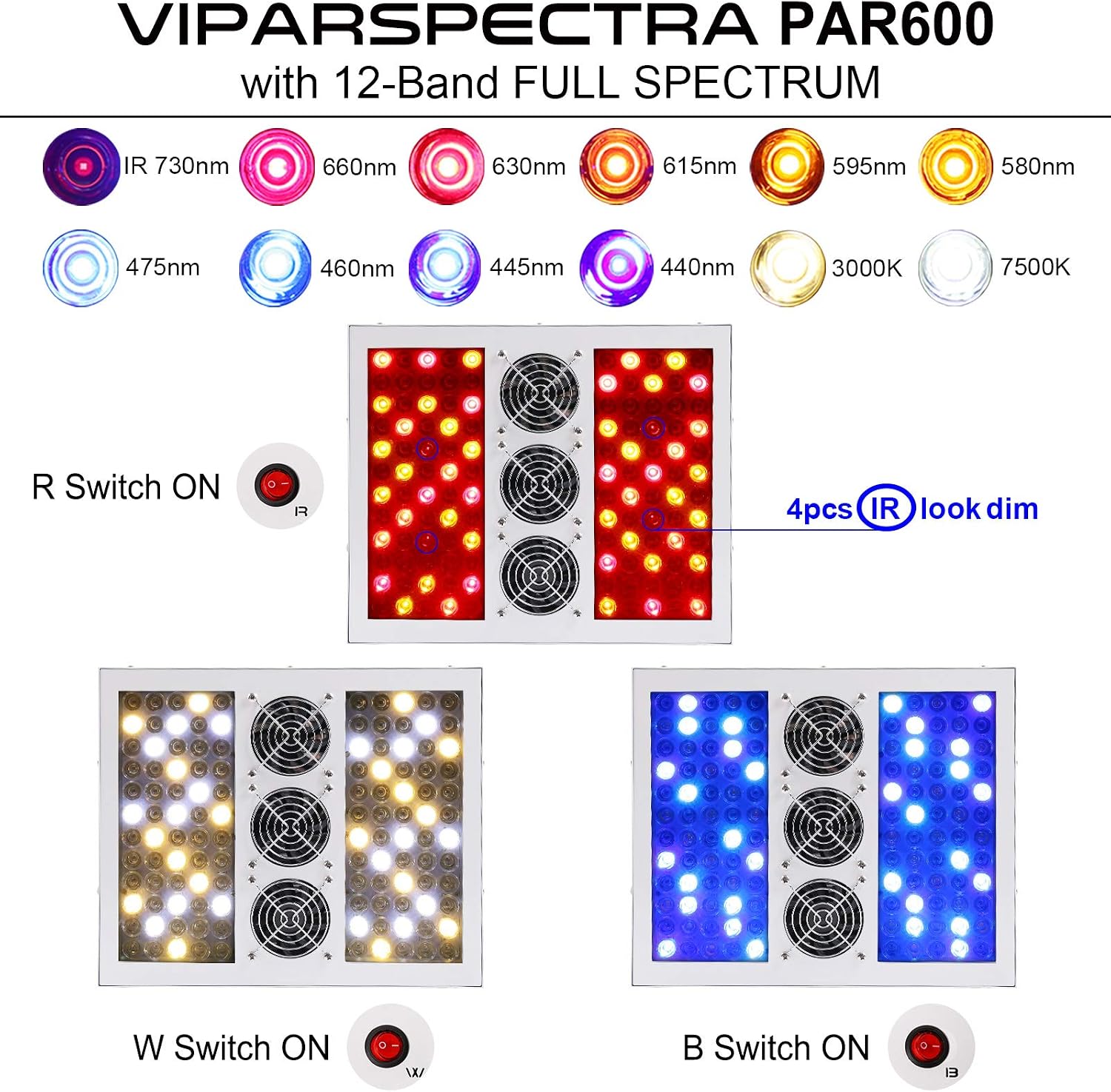
- Full Spectrum Design: Provides a 12-band spectrum mimicking natural sunlight, suitable for all plant growth stages.
- Three Independent Switches: Separate switches for Red (R), White (W), and Blue (B) light bands allow for customized spectrum control.
- Efficient Cooling System: Features upgraded 3.2-inch front fans and large aluminum cooling heat sinks (0.8-inch height) for quiet and effective heat dissipation.
- High PAR/Lumen Output: Scientifically engineered to deliver balanced PAR/Lumen output for optimal plant development.

5. Specifications
| Feature | Specification |
|---|---|
| Model Number | PAR600 |
| Wattage (Actual Consumption) | 274 Watts (Compares to traditional 400W HPS/MH) |
| Light Source Type | LED (12-Band Full Spectrum) |
| Product Dimensions (D x W x H) | 14.1" x 11.8" x 3.5" |
| Material Type | Aluminum |
| Input Voltage | AC100-240V |
| Frequency | 50/60Hz |
| Mounting Type | Ceiling Mount (Hanging) |
| Recommended Coverage (Vegetative) | 3x3 ft at 34" height |
| Recommended Coverage (Flowering) | 2.5x2.5 ft at 26" height |
| Indoor/Outdoor Usage | Indoor Only |
6. Setup
6.1 Unpacking
Carefully remove all components from the packaging. Inspect the light unit and accessories for any signs of damage. If any damage is found, do not proceed with installation and contact customer support.
6.2 Mounting the Grow Light
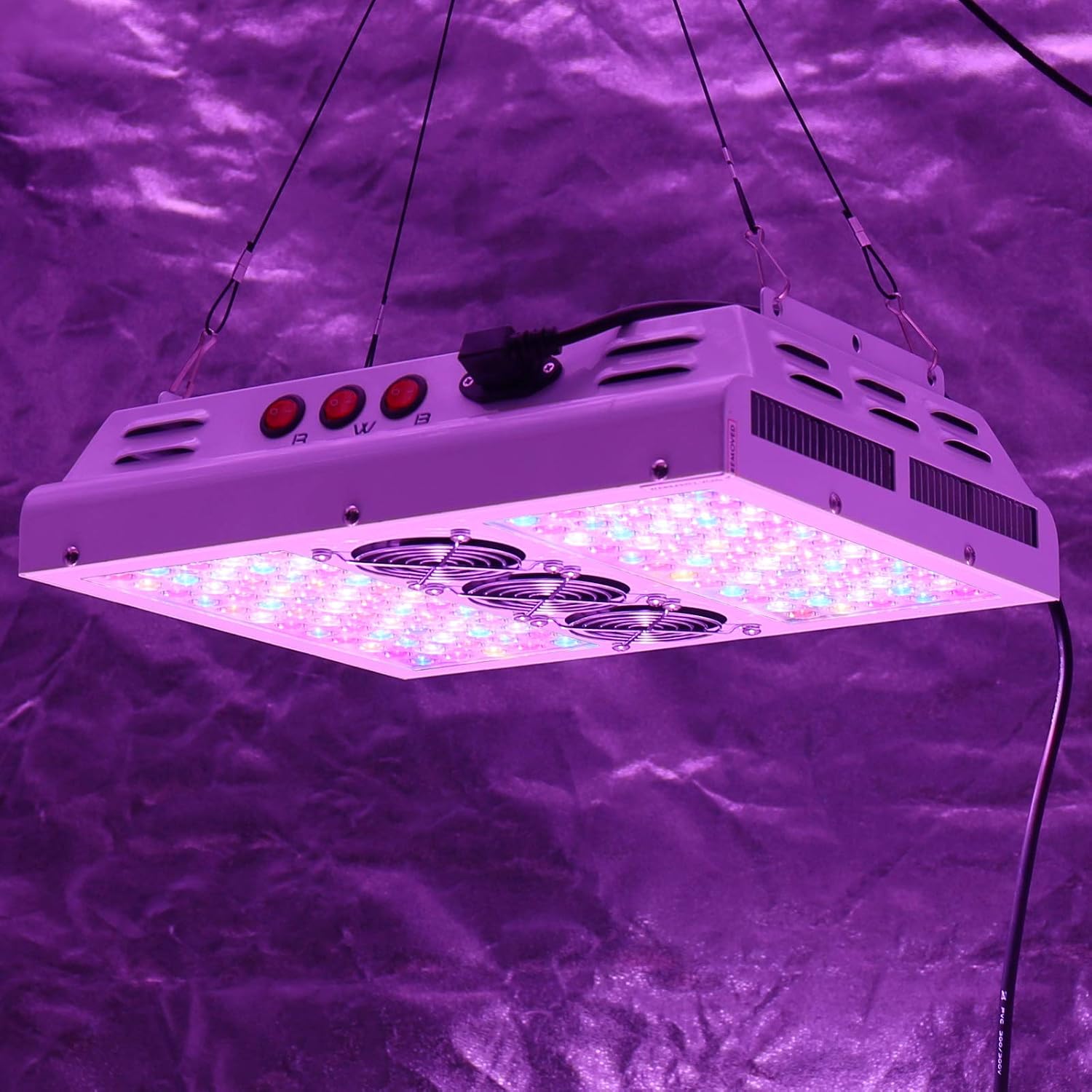
The PAR600 is designed for hanging installation. Use the provided hanging kit and adjustable rope hangers to suspend the light securely above your plants.
- Attach the hanging wires to the four mounting points on the top of the light fixture.
- Connect the adjustable rope hangers to the hanging wires.
- Securely hang the light from a sturdy support structure (e.g., ceiling, grow tent frame) using the adjustable rope hangers. Ensure the light is level and stable.
- Adjust the height of the light using the rope hangers to achieve the desired distance from the plant canopy. Refer to the Operating Instructions section for recommended hanging heights.

6.3 Power Connection
Once the light is securely mounted, connect the provided power cord to the power inlet on the light fixture and then plug it into a standard electrical outlet. Ensure the outlet meets the voltage requirements (AC100-240V).
7. Operating Instructions
7.1 Using the Switches
The PAR600 features three independent switches to control different light spectrums:
- R Switch (Red): Activates the red and infrared (IR) diodes, crucial for flowering and fruiting stages.
- W Switch (White): Activates the white diodes, providing a broad spectrum for overall plant health and growth.
- B Switch (Blue): Activates the blue diodes, essential for vegetative growth and promoting strong stems and leaves.
You can use these switches individually or in combination to tailor the light spectrum to your plants' specific needs at different growth stages.
7.2 Recommended Hanging Heights and Spectrum Settings
Optimal hanging height and spectrum settings vary depending on the plant's growth stage:
- Vegetative Stage: For a 3x3 ft coverage, hang the light approximately 34 inches above the plant canopy. Typically, the W and B switches are used during this stage to promote robust leafy growth.
- Flowering Stage: For a 2.5x2.5 ft coverage, lower the light to approximately 26 inches above the plant canopy. All R, W, and B switches are generally engaged during flowering to provide the full spectrum necessary for bloom development.
Monitor your plants for any signs of stress (e.g., leaf burn, stretching) and adjust the hanging height accordingly. The PAR value charts below provide guidance on light intensity at various distances.


8. Maintenance
8.1 Cleaning
To maintain optimal performance, periodically clean the light fixture. Ensure the unit is unplugged and completely cool before cleaning.
- Gently wipe the exterior of the light and the LED lenses with a soft, dry cloth.
- Do not use abrasive cleaners, solvents, or excessive moisture, as these can damage the unit.
8.2 Fan Inspection
Regularly check the cooling fans for any dust buildup or obstructions. Clean the fan blades gently with a soft brush or compressed air if necessary. Ensure the fans can spin freely to maintain proper airflow and prevent overheating.
9. Troubleshooting
If you encounter issues with your VIPARSPECTRA PAR600 LED Grow Light, refer to the following common troubleshooting steps:
- Light Not Turning On:
- Check if the power cord is securely plugged into both the light fixture and the electrical outlet.
- Verify that the electrical outlet is functional by plugging in another device.
- Ensure all R, W, and B switches on the light fixture are in the 'ON' position.
- Some LEDs Are Dim or Not Lit:
- Infrared (IR) diodes (e.g., 730nm) often appear dim or unlit to the naked eye. This is normal operation and not a defect.
- If visible LEDs are not functioning, ensure the corresponding R, W, or B switch is activated.
- Excessive Heat:
- Ensure the cooling fans are operating correctly and are not obstructed.
- Verify there is adequate airflow and ventilation in your grow space.
- Ensure the ambient temperature of the grow environment is within acceptable limits.
- Unusual Noise:
- Check the cooling fans for any obstructions or loose components.
- If the noise persists and is unusual, discontinue use and contact customer support.
If these steps do not resolve the issue, please contact VIPARSPECTRA customer support for further assistance.
10. Warranty and Support
10.1 Warranty Information
The VIPARSPECTRA PAR600 LED Grow Light comes with a 3-year warranty from the date of purchase. This warranty covers defects in materials and workmanship under normal use. Please retain your proof of purchase for warranty claims.
10.2 Customer Support
For technical assistance, warranty claims, or any other inquiries, please contact VIPARSPECTRA customer support through their official website or the retailer where the product was purchased. Provide your model number (PAR600) and purchase details when contacting support to expedite the process.

