
1. Introduction
Thank you for choosing the 2BOOM Mixx Professional Studio Headphones, Model HPM380B. This manual provides essential information for the proper setup, operation, maintenance, and troubleshooting of your new headphones. Please read this manual thoroughly before use to ensure optimal performance and longevity of your product.
2. Product Overview
The 2BOOM Mixx Professional Studio Headphones are designed for a clear audio experience with a focus on comfort and portability. They feature an over-ear design, a foldable headband for easy storage, and a detachable cable with an inline microphone for hands-free communication.
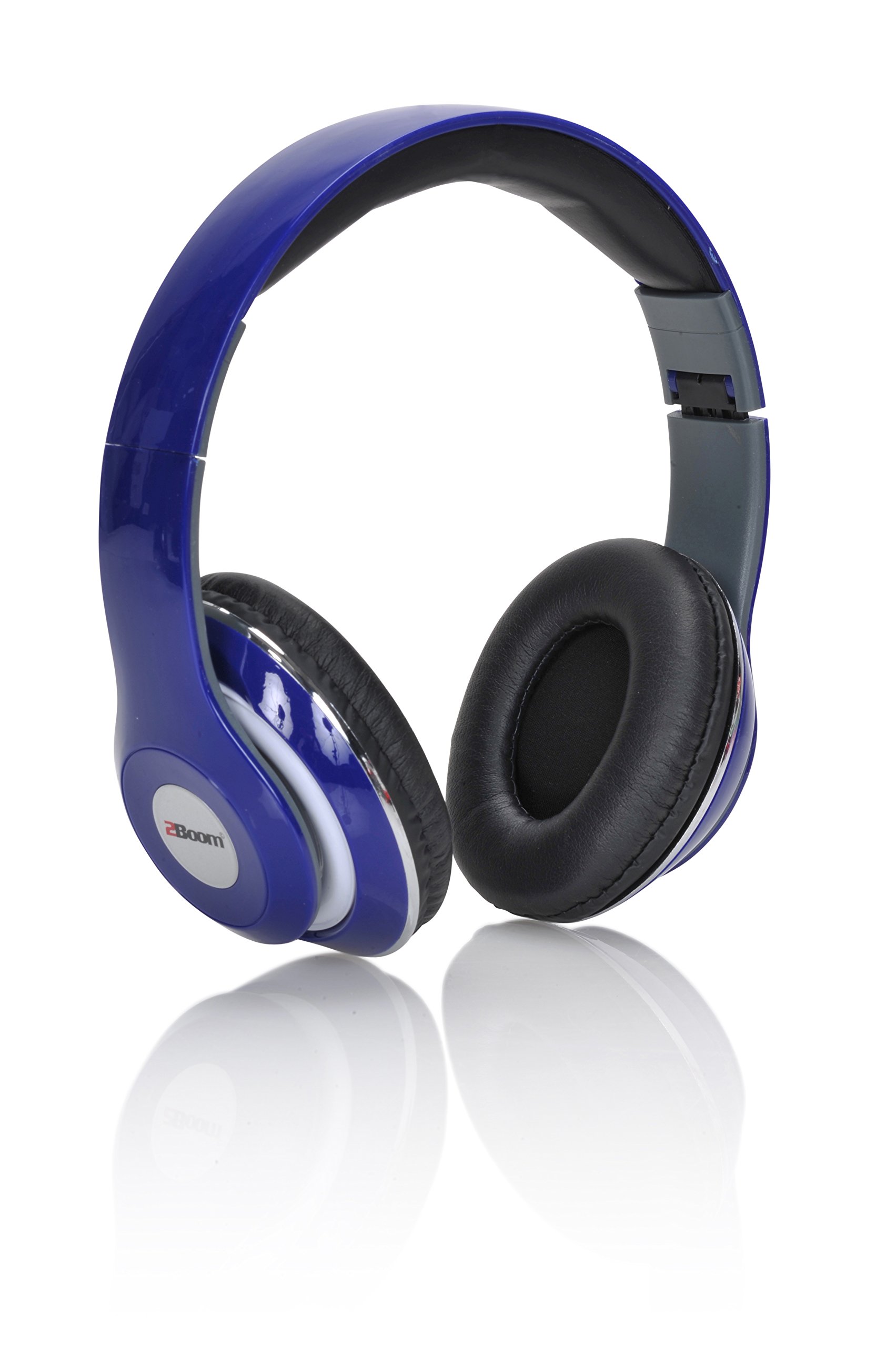
Figure 2.1: 2BOOM Mixx Professional Studio Headphones (out of box)

Figure 2.2: Front view of headphones in retail packaging
Key Features:
- Over-Ear Design: Provides comfort and sound isolation.
- Foldable Headband: Allows for compact storage and portability.
- Detachable 1.5M Cable: Offers flexibility and easy replacement.
- Inline Microphone: Enables hands-free calls.
- Full Range Drivers: Delivers balanced audio with clear lows, mids, and highs.
3. Setup
- Unpack: Carefully remove the headphones and the detachable cable from the packaging.
- Connect the Cable: Insert the 3.5mm jack end of the detachable cable into the audio input port located on the left earcup of the headphones. Ensure it is securely connected.
- Connect to Device: Plug the other 3.5mm jack end of the cable into the audio output port of your device (e.g., smartphone, tablet, computer, audio interface).
- Adjust Headband: Extend or retract the headband slides to achieve a comfortable and secure fit over your ears. The earcups should fully cover your ears for optimal sound and comfort.
4. Operating Instructions
Audio Playback:
- Once connected to your audio source, begin playing audio from your device.
- Adjust the volume directly on your connected device.
Using the Inline Microphone:
- The inline microphone allows for hands-free communication during calls.
- When a call comes in, press the button on the inline microphone to answer.
- To end a call, press the button again.
- For music playback, the button may function as play/pause depending on your device.
5. Maintenance and Care
- Cleaning: Use a soft, dry cloth to clean the headphone surfaces. Do not use liquid cleaners or solvents.
- Storage: When not in use, fold the headphones to their compact size and store them in a dry, cool place away from direct sunlight and extreme temperatures.
- Cable Care: Avoid sharp bends or excessive pulling on the cable. Disconnect the cable by gripping the plug, not the cable itself.
- Avoid Moisture: Do not expose the headphones to water or excessive moisture.
6. Troubleshooting
- No Sound:
- Ensure the audio cable is securely plugged into both the headphones and the audio source.
- Check the volume level on your connected device.
- Test with a different audio source or cable to rule out device or cable issues.
- Microphone Not Working:
- Ensure the cable is fully inserted into the headphone jack.
- Verify that your device's microphone input settings are correctly configured.
- Test the microphone with another device if possible.
- Uncomfortable Fit:
- Adjust the headband slides to find the most comfortable position.
- Ensure earcups are properly positioned over your ears.
7. Specifications
| Feature | Detail |
|---|---|
| Model Number | HPM380B |
| Ear Placement | Over Ear |
| Connectivity Technology | Wired |
| Headphone Jack | 3.5 mm Jack |
| Cable Feature | Detachable, 1.5M length |
| Microphone Format | Hands-Free (Inline) |
| Noise Control | Sound Isolation |
| Frequency Response | 20 Hz - 20 kHz |
| Material | Plastic |
| Special Features | Foldable |
| Product Dimensions | 21.84 x 20.07 x 8.64 cm |
| Item Weight | 181.43 g |
8. Warranty and Support
This product is covered by a limited warranty. Please refer to the warranty information provided with your purchase documentation or contact your retailer for details regarding warranty terms and conditions. For technical support or further assistance, please contact the customer service department of your retailer or the manufacturer.
UPC: 0724500658904
