
1. Introduction
This manual provides essential instructions for the safe and efficient operation, installation, and maintenance of your Alera 3.4 Cu. Ft. Beverage Cooler, Model JC-90VEL-F. Please read this manual thoroughly before using the appliance and retain it for future reference.
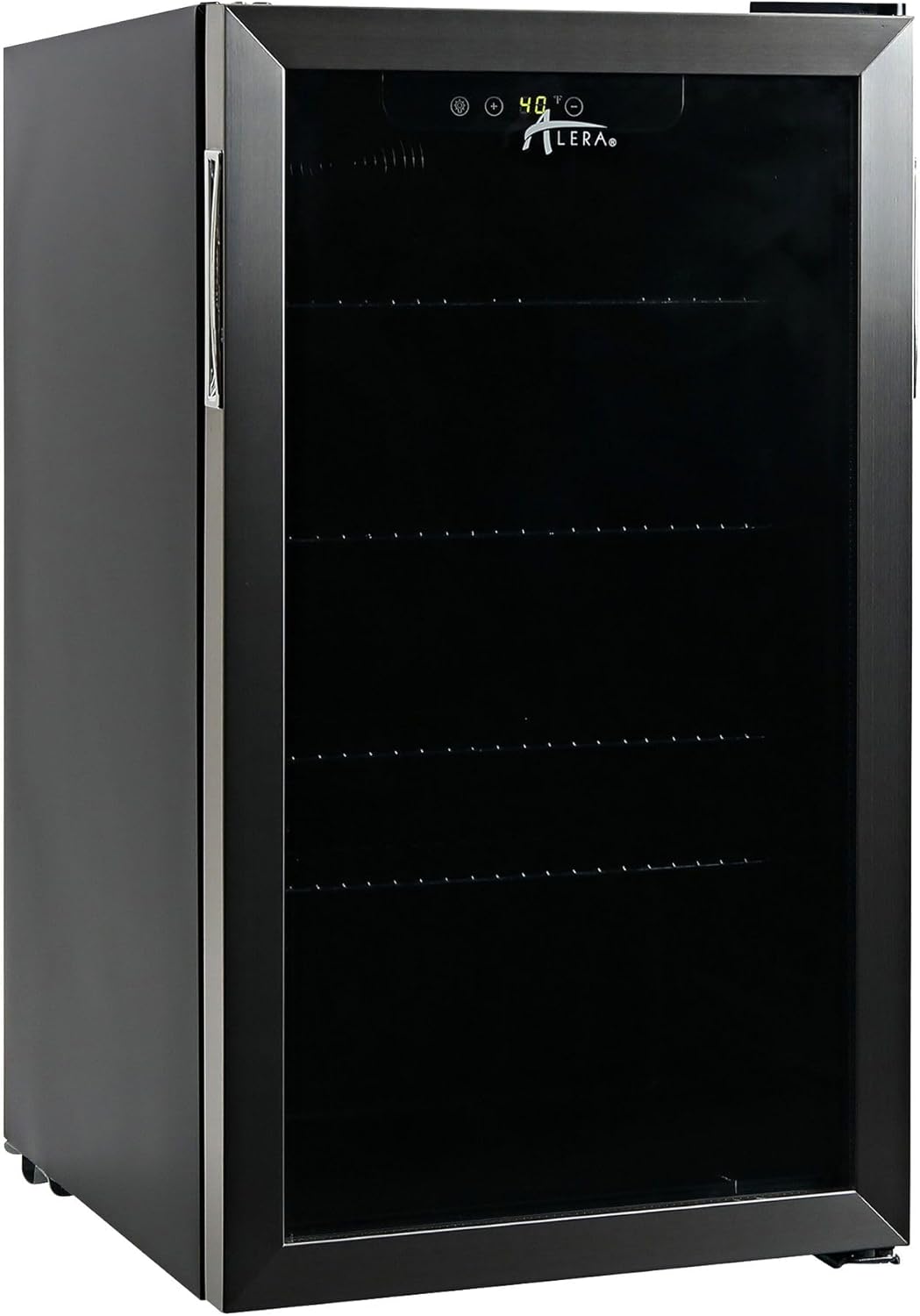
Image 1.1: Front view of the Alera 3.4 Cu. Ft. Beverage Cooler. This image displays the sleek stainless steel and black design, featuring a glass door and a digital temperature display at the top.
2. Safety Information
To reduce the risk of fire, electric shock, or injury when using your appliance, follow these basic precautions:
- Read all instructions before using the appliance.
- Connect to a properly grounded outlet only.
- Do not attempt to repair or replace any part of your appliance unless specifically recommended in this manual. All other servicing should be referred to a qualified technician.
- Keep ventilation openings, in the appliance enclosure or in the built-in structure, clear of obstruction.
- Do not use mechanical devices or other means to accelerate the defrosting process, other than those recommended by the manufacturer.
- Do not damage the refrigerant circuit.
- Do not use electrical appliances inside the food storage compartments of the appliance, unless they are of the type recommended by the manufacturer.
- This appliance is not intended for use by persons (including children) with reduced physical, sensory or mental capabilities, or lack of experience and knowledge, unless they have been given supervision or instruction concerning use of the appliance by a person responsible for their safety.
- Children should be supervised to ensure that they do not play with the appliance.
Proposition 65 Warning: This product can expose you to chemicals including Di(2-ethylhexyl)phthalate (DEHP), which is known to the State of California to cause cancer and birth defects or other reproductive harm. For more information go to www.P65Warnings.ca.gov.
3. Product Components
Your Alera Beverage Cooler includes the following main components:
- Main Cooler Unit
- Triple Layer, Frost-Free Glass Front Door
- Adjustable Shelves (3 included)
- Power Cord
- Key for Door Lock
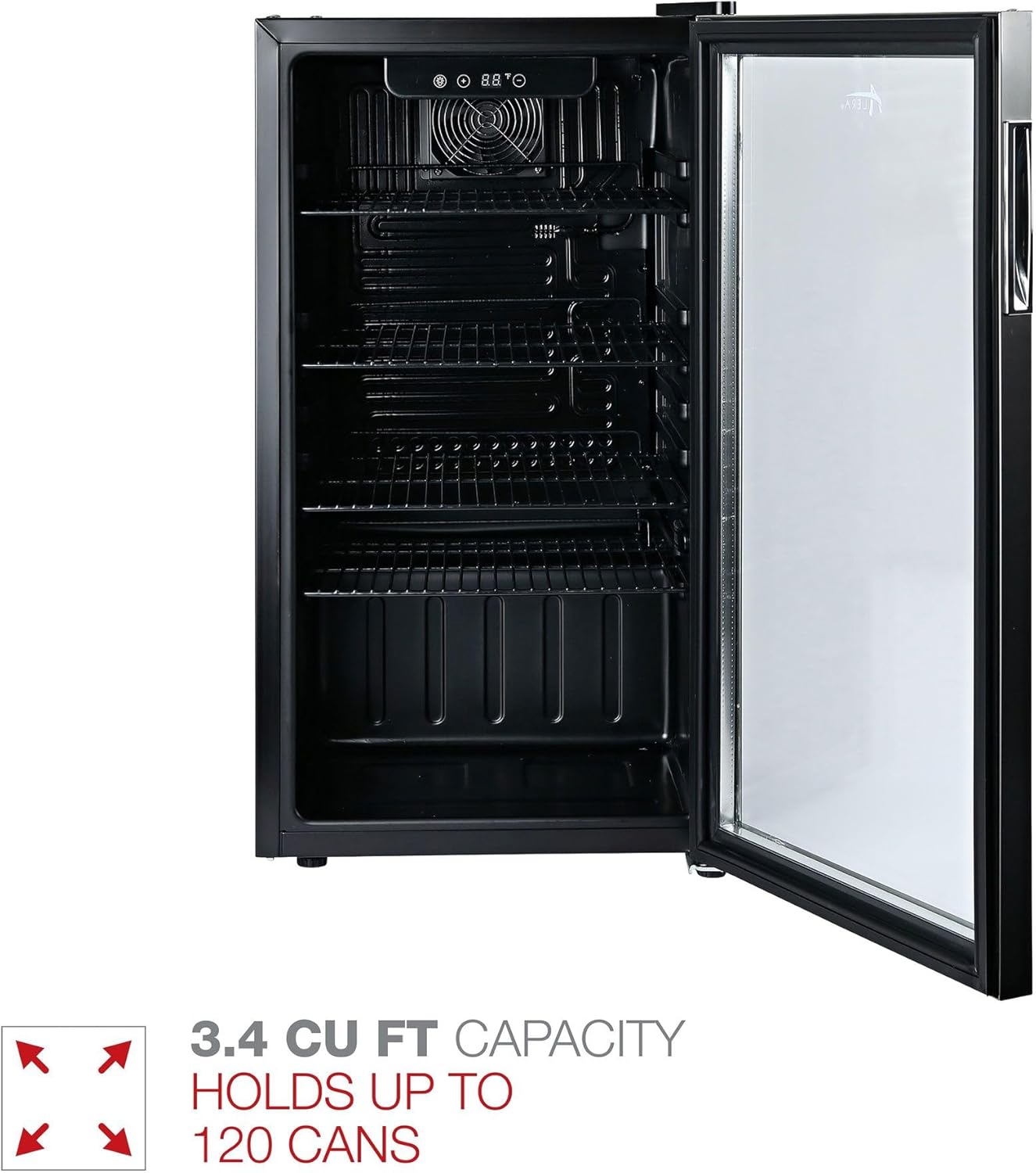
Image 3.1: Interior view of the Alera Beverage Cooler. This image highlights the three adjustable wire shelves and the internal fan for circulation, demonstrating the 3.4 cubic feet capacity which can hold up to 120 cans.
4. Setup and Installation
4.1 Unpacking
- Remove all packaging materials, including the foam base and adhesive tape.
- Inspect the cooler for any damage during transit. Report any damage to your retailer immediately.
- Clean the interior and exterior of the unit with a soft cloth and mild detergent before use.
4.2 Placement
- Place the cooler on a flat, level, and sturdy surface capable of supporting its weight when fully loaded.
- Ensure adequate ventilation around the unit. Allow at least 5 inches (12.7 cm) of space at the back and sides for proper air circulation.
- Avoid placing the cooler in direct sunlight or near heat sources (e.g., oven, radiator).
- This unit is designed for freestanding installation.

Image 4.1: Alera Beverage Cooler with approximate dimensions. The image shows the cooler's height as 30.75 inches, width as 17.5 inches, and depth as 18.9 inches, providing a visual reference for placement.
4.3 Door Reversal
The cooler features a reversible door, allowing it to open from either the left or right side. Refer to the detailed instructions in the separate door reversal guide (if provided) or contact customer support for assistance with this procedure. This process typically involves relocating hinges and the door handle.
4.4 Electrical Connection
- Ensure the voltage indicated on the rating label matches your household power supply.
- Plug the appliance into a dedicated, grounded 3-prong outlet. Do not use extension cords or adapters.
- Allow the unit to stand upright for at least 2-4 hours before plugging it in to allow refrigerants to settle.
5. Operating Instructions
5.1 Initial Operation
After plugging in the unit, allow it to cool for approximately 2-3 hours before loading beverages. The digital display will show the current internal temperature.
5.2 Temperature Control
The cooler is equipped with electronic temperature controls. Use the control panel located above the door to adjust the desired temperature. Refer to the icons on the panel for specific functions (e.g., temperature up/down, light control).
5.3 Loading Beverages
- Arrange beverages to allow for proper air circulation. Do not block the internal fan or vents.
- The cooler can hold up to 120 standard 12-oz cans.

Image 5.1: Alera Beverage Cooler interior filled with various beverages. This image demonstrates the practical storage capacity of the cooler, showing multiple rows of cans and bottles on the adjustable shelves.
5.4 Adjusting Shelves
The three wire shelves are adjustable to accommodate different beverage sizes. To adjust, carefully lift the shelf and slide it out. Reinsert into the desired slots, ensuring it is securely seated.
5.5 Door Lock
The cooler is equipped with a key lock for security. Insert the provided key into the lock mechanism on the door and turn to lock or unlock.
6. Maintenance and Cleaning
6.1 Defrosting
This unit features manual defrost. Over time, frost may accumulate on the interior cooling surfaces. To defrost:
- Unplug the cooler from the power outlet.
- Remove all beverages and shelves.
- Leave the door open to allow frost to melt naturally. Place towels at the bottom to absorb water.
- Once defrosted, clean and dry the interior thoroughly before plugging it back in.
6.2 Cleaning the Interior
Clean the interior regularly with a solution of mild detergent and warm water. Avoid abrasive cleaners or harsh chemicals. Dry thoroughly after cleaning.
6.3 Cleaning the Exterior
Wipe the exterior surfaces with a soft cloth and mild detergent. For stainless steel surfaces, use a stainless steel cleaner and polish in the direction of the grain. Do not use abrasive pads or cleaners that could scratch the finish.
7. Troubleshooting
Before contacting customer service, review the following common issues and solutions:
| Problem | Possible Cause | Solution |
|---|---|---|
| Cooler does not operate. | No power to the unit. | Check if the power cord is securely plugged into a live outlet. Check the circuit breaker. |
| Temperature is not cold enough. | Door not closed properly; excessive door opening; poor ventilation; ambient temperature too high. | Ensure door is fully closed. Reduce frequency of door openings. Ensure adequate space around the unit for ventilation. Move cooler to a cooler location. |
| Excessive noise. | Unit not level; objects vibrating against the unit. | Adjust leveling feet to ensure the unit is stable. Ensure nothing is touching the back or sides of the cooler. |
| Water on floor. | Drainage issue during defrost. | Ensure the drain pan (if applicable) is correctly positioned. During manual defrost, ensure towels are used to absorb melting ice. |
8. Specifications
| Feature | Detail |
|---|---|
| Model Number | JC-90VEL-F |
| Brand | Alera |
| Capacity | 3.4 Cubic Feet (holds up to 120 cans) |
| Product Dimensions (D x W x H) | 17.1" x 19.38" x 33.13" |
| Item Weight | 56 pounds |
| Material Type | Stainless Steel |
| Color | Stainless Steel/Black |
| Number of Shelves | 3 (Adjustable) |
| Door Type | Triple Layer, Frost-Free Glass Front Door, Reversible |
| Locking Mechanism | Key Lock |
| Defrost System | Manual |
| Installation Type | Freestanding |
| UPC | 0042167200367 |
9. Warranty and Support
For warranty information or technical support, please contact Alera customer service. Details regarding your product's warranty period and terms can typically be found on the product packaging or the official Alera website. When contacting support, please have your model number (JC-90VEL-F) and purchase date available.
You can visit the Alera store for more information: Alera Official Store