
Arctic Wind AP8018
Arctic Wind AP8018 Portable Air Conditioner User Manual
Model: AP8018
1. Introduction
Thank you for purchasing the Arctic Wind AP8018 Portable Air Conditioner. This 3-in-1 unit is designed to provide efficient cooling, dehumidification, and fan operation for rooms up to 150 square feet. Its portable design with multi-directional wheels and included window venting kit ensures easy setup and mobility. Please read this manual thoroughly before operation to ensure proper use, maintenance, and safety.
2. Important Safety Information
Always follow basic safety precautions when using electrical appliances to reduce the risk of fire, electric shock, and injury to persons.
- Read all instructions before using the appliance.
- Connect to a properly rated, grounded power outlet only.
- Do not operate the unit with a damaged cord or plug.
- Do not block air inlets or outlets.
- Keep the unit on a flat, stable surface.
- Unplug the unit before cleaning or servicing.
- This appliance is not intended for use by persons (including children) with reduced physical, sensory or mental capabilities, or lack of experience and knowledge, unless they have been given supervision or instruction concerning use of the appliance by a person responsible for their safety.
Proposition 65 Warning: This product may contain chemicals known to the State of California to cause cancer and birth defects or other reproductive harm.
3. Product Overview
The Arctic Wind AP8018 is a versatile portable air conditioner designed for ease of use and effective climate control.
3.1 Key Features
- 3-in-1 Functionality: Air Conditioner, Fan, and Dehumidifier.
- Cooling Capacity: 8000 BTU (ASHRAE-128 Standard) / 5000 BTU (DOE 2017 Standard).
- Coverage Area: Up to 150 square feet.
- Dehumidification: Up to 45 pints/day.
- Mobility: Multi-directional wheels for easy movement.
- Convenience: Remote control included, auto evaporation system (no-bucket design).
3.2 Unit Components
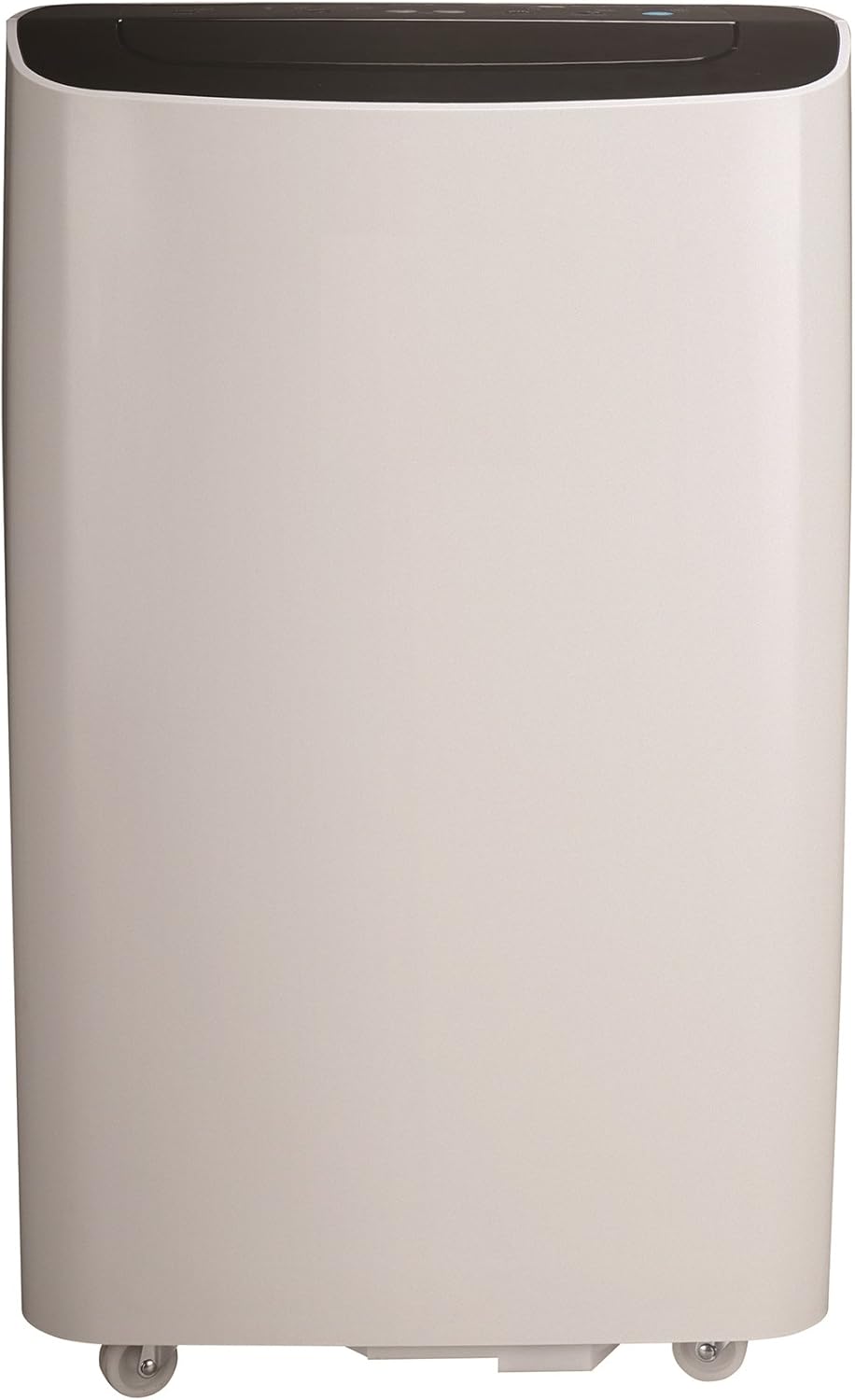
Figure 3.2.1: Front View. Shows the sleek white exterior and top control panel.

Figure 3.2.2: Side View. Highlights the compact design and side handle for portability.

Figure 3.2.3: Opposite Side View. Shows the air intake vents on the side.
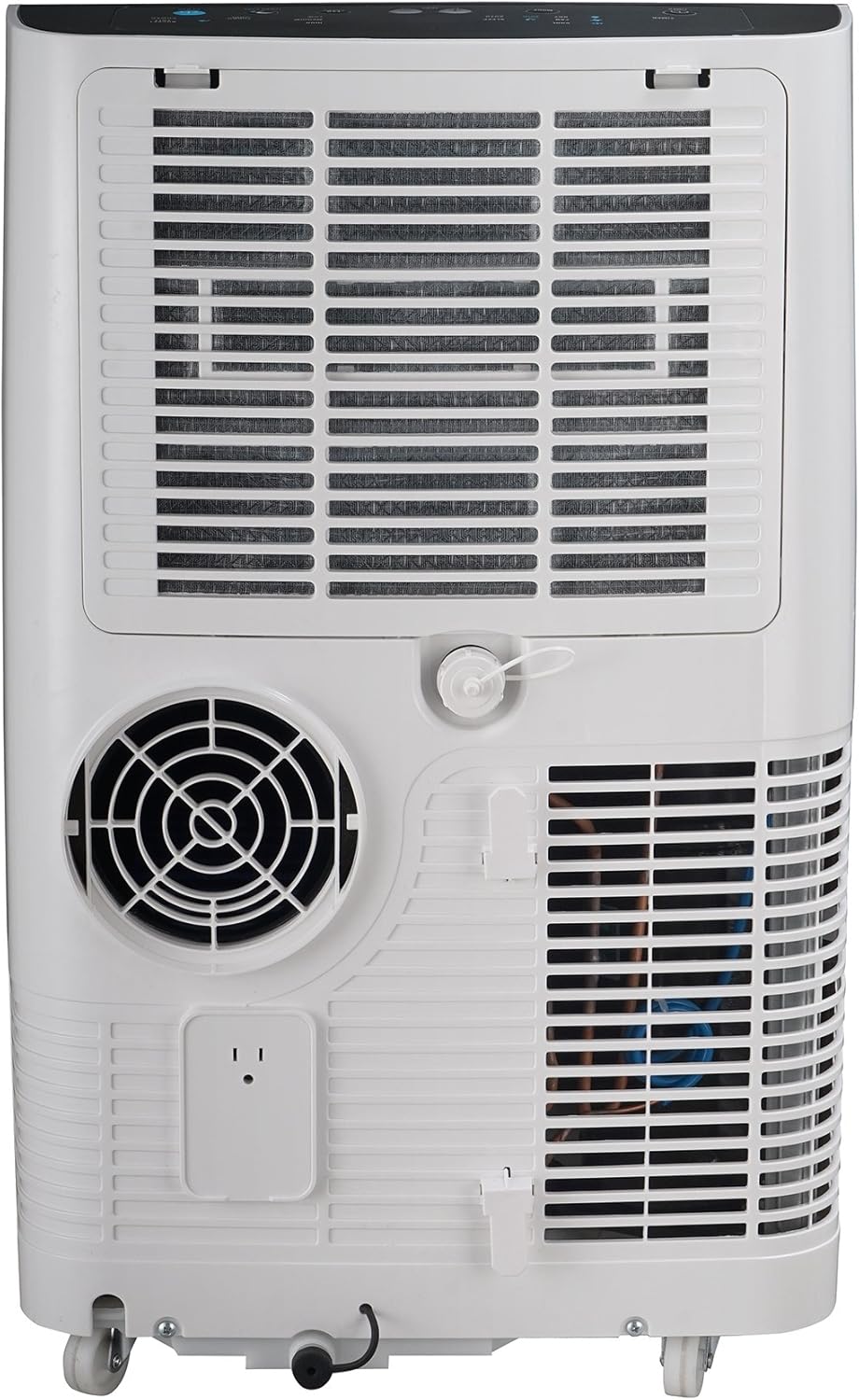
Figure 3.2.4: Rear View. Displays the exhaust outlet, power cord connection, and drainage port.
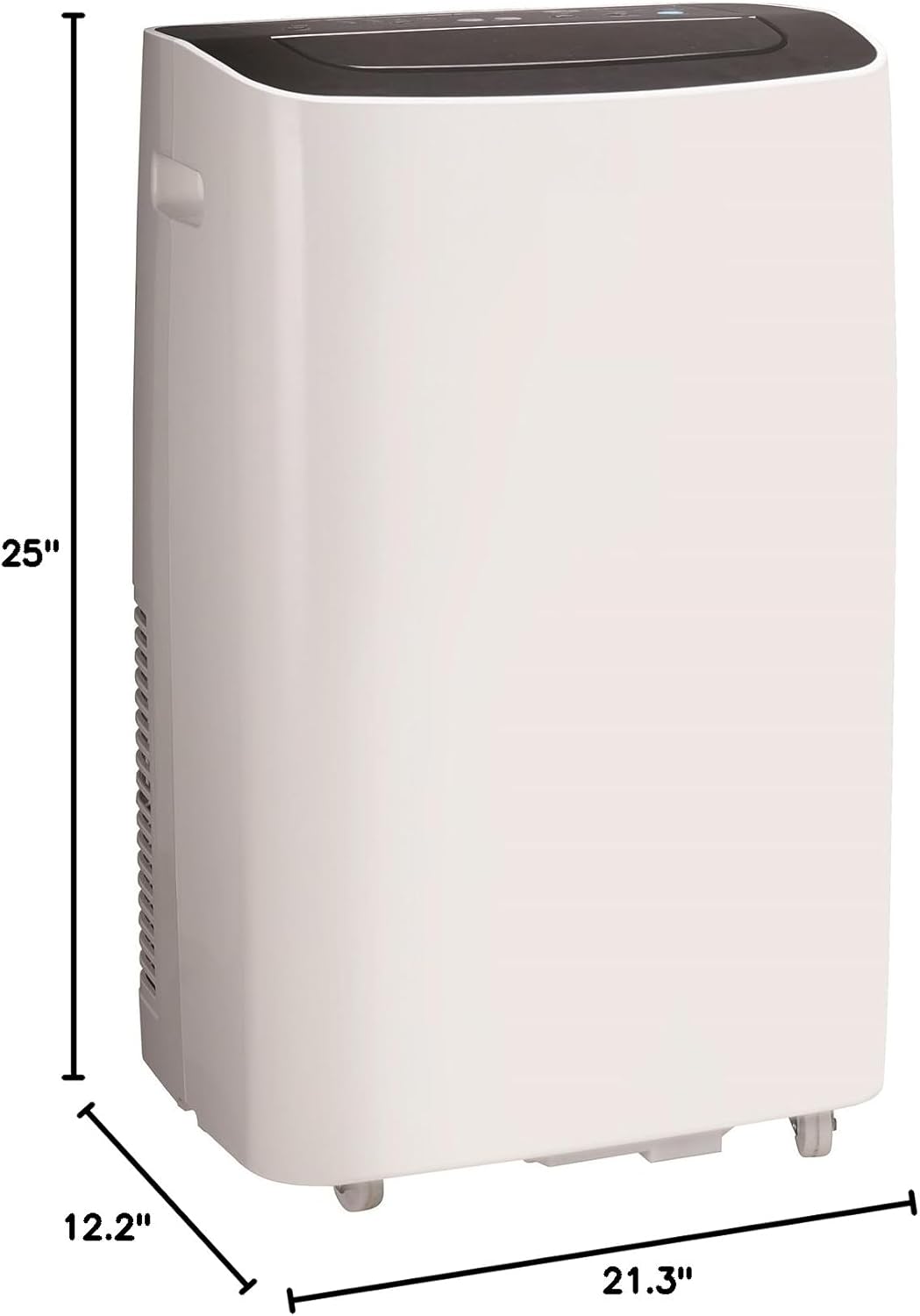
Figure 3.2.5: Dimensions. Illustrates the unit's height (25"), depth (12.2"), and width (21.3").
4. Setup and Installation
Proper installation is crucial for the efficient operation of your portable air conditioner.
4.1 Unpacking
- Carefully remove the unit from its packaging.
- Check for any shipping damage. If damaged, contact your retailer immediately.
- Ensure all accessories are present: exhaust hose, window sealing plate kit, remote control, and user manual.
4.2 Placement
- Place the unit on a firm, level surface in the desired room.
- Maintain at least 20 inches (50 cm) of space from walls or other objects to ensure proper airflow.
- Position the unit near a window for exhaust hose installation.
4.3 Window Kit Installation
- Assemble the window sealing plate kit according to your window type (sliding or casement).
- Connect one end of the exhaust hose to the air outlet on the back of the unit.
- Connect the other end of the exhaust hose to the adapter on the window sealing plate.
- Securely install the window sealing plate in the open window, ensuring a tight seal to prevent air leakage.
- Extend the exhaust hose as straight as possible to the window, avoiding sharp bends.
5. Operating Instructions
The AP8018 can be operated via the control panel on the unit or the included remote control.
5.1 Control Panel and Remote Control
Familiarize yourself with the buttons and indicators on both the unit's control panel and the remote control. (Refer to diagram in physical manual for detailed button layout.)
5.2 Operating Modes
- Cool Mode: Press the "Mode" button until the cool indicator light illuminates. Adjust the desired temperature using the Up/Down arrows.
- Fan Mode: Press the "Mode" button until the fan indicator light illuminates. Select fan speed (Low, Medium, High) using the "Fan Speed" button.
- Dehumidify Mode: Press the "Mode" button until the dehumidify indicator light illuminates. The unit will automatically remove moisture from the air. No temperature setting is available in this mode.
5.3 Timer Function
The timer allows you to set the unit to turn on or off automatically after a set period (1-24 hours).
- To set Auto-OFF: With the unit running, press the "Timer" button. Use Up/Down arrows to set the desired off time.
- To set Auto-ON: With the unit off, press the "Timer" button. Use Up/Down arrows to set the desired on time. The unit will turn on in the last selected mode.
5.4 Sleep Mode
In Cool mode, press the "Sleep" button. The set temperature will increase by 1°F (or 1°C) after 30 minutes, and by another 1°F (or 1°C) after another 30 minutes. This temperature will be maintained for 7 hours before returning to the original setting.
6. Maintenance and Care
Regular maintenance ensures optimal performance and extends the lifespan of your unit.
6.1 Air Filter Cleaning
The air filter should be cleaned every two weeks or more frequently depending on usage and air quality.
- Unplug the unit from the power outlet.
- Remove the air filter from the back of the unit.
- Wash the filter with lukewarm water and mild detergent. Rinse thoroughly.
- Allow the filter to air dry completely before reinserting. Do not expose to direct sunlight.
6.2 Unit Cleaning
- Wipe the exterior of the unit with a soft, damp cloth.
- Do not use harsh chemicals, abrasives, or solvents.
- Ensure no water enters the electrical components.
6.3 Drainage
The AP8018 features an auto evaporation system, minimizing the need for manual drainage. However, in high humidity conditions, the internal water tank may fill up. The unit will stop operating and display an "FL" (Full) error code when the tank is full.
- Unplug the unit.
- Place a shallow pan or tray under the drainage port at the back of the unit.
- Remove the drain plug to allow water to flow out.
- Once drained, replace the drain plug securely.
7. Troubleshooting Guide
Before contacting customer support, please refer to the following common issues and solutions.
| Problem | Possible Cause | Solution |
|---|---|---|
| Unit does not turn on. | No power; Power cord not plugged in; Circuit breaker tripped. | Ensure unit is plugged in; Check circuit breaker; Try a different outlet. |
| Unit is running but not cooling. | Air filter clogged; Room too large; Exhaust hose not properly installed; Doors/windows open. | Clean air filter; Ensure room size is within specifications; Check exhaust hose connection and window seal; Close all doors and windows. |
| "FL" error code displayed. | Internal water tank is full. | Drain the unit as described in Section 6.3. |
| Unit is noisy. | Unit not on a level surface; Air filter clogged. | Place unit on a level surface; Clean air filter. |
8. Product Specifications
| Feature | Specification |
|---|---|
| Model Number | AP8018 |
| Cooling Capacity (ASHRAE-128) | 8000 BTU |
| Cooling Capacity (DOE 2017) | 5000 BTU |
| Recommended Room Size | Up to 150 sq. ft. |
| Dehumidification Capacity | 45 Pints/day |
| Product Dimensions (D x W x H) | 12.2" x 21.3" x 25" |
| Item Weight | 55 pounds |
| Voltage | 115 Volts |
| Noise Level | 58 dB |
| Special Features | Portable, Dehumidifier, Remote Control |
9. Warranty Information
This Arctic Wind AP8018 Portable Air Conditioner comes with a 1-year limited warranty. This warranty covers defects in materials and workmanship under normal use. It does not cover damage resulting from misuse, accident, alteration, or unauthorized repair. Please retain your proof of purchase for warranty claims.
10. Customer Support
For technical assistance, troubleshooting beyond this guide, or warranty inquiries, please contact Arctic Wind customer support. (Specific contact information not provided in source data. Please refer to product packaging or manufacturer's website for current contact details.)
You can also visit the Arctic Tumblers Store on Amazon for more product information, though note that the brand name on Amazon is "Arctic Tumblers" while the manufacturer is "Arctic Wind".
Related documentsAP8018


Ask a question about this manual
Ask about setup, troubleshooting, compatibility, parts, safety, or missing instructions. Manuals+ will review the question and use this page’s manual context to help answer it.