
1. Introduction and Product Overview
The Oreck WK15500B Air Refresh is a versatile 2-in-1 appliance designed to improve indoor air quality and comfort. It combines a HEPA air purifier with an ultrasonic humidifier, suitable for small rooms up to 115 square feet, such as bedrooms, dens, or nurseries.
Key Features:
- Dual Functionality: Operates as both an air purifier and an ultrasonic humidifier, or as an air purifier independently.
- 2-Stage Filtration: Features a HEPA media filter to capture 99% of dust and allergens, and a charcoal filter to reduce odors.
- Ultrasonic Humidification: Releases a cool mist to add moisture to dry air without using hot steam.
- Quiet Operation: Designed with silence technology for minimal noise during use.
- Room Size: Effective for rooms up to 115 sq. ft.
2. Important Safety Instructions
Please read all instructions carefully before operating this appliance to reduce the risk of fire, electric shock, or injury.
- Always unplug the appliance before cleaning, performing maintenance, or when not in use.
- Do not operate any appliance with a damaged cord or plug.
- Keep the power cord away from heated surfaces.
- Do not use outdoors or on wet surfaces.
- Do not allow children to operate the appliance without supervision.
- Only use clean, cool tap water in the humidifier tank. Do not add essential oils or other additives.
- Ensure the water tank is securely placed before operating the humidifier function.
- Do not block air openings.
- Use only Oreck recommended replacement filters.
3. Package Contents
Verify that all items are present in the package:
- Oreck WK15500B Air Refresh Unit
- HEPA Media Filter (pre-installed or separate)
- Charcoal Filter (pre-installed or separate)
- User Manual (this document)
4. Product Components

Figure 4.1: Front view of the Oreck WK15500B Air Refresh unit, showcasing its sleek grey design and top control panel.

Figure 4.2: Angled view of the Oreck WK15500B Air Refresh unit, highlighting its modern profile.

Figure 4.3: Side view of the Oreck WK15500B Air Refresh unit, showing its slim design.
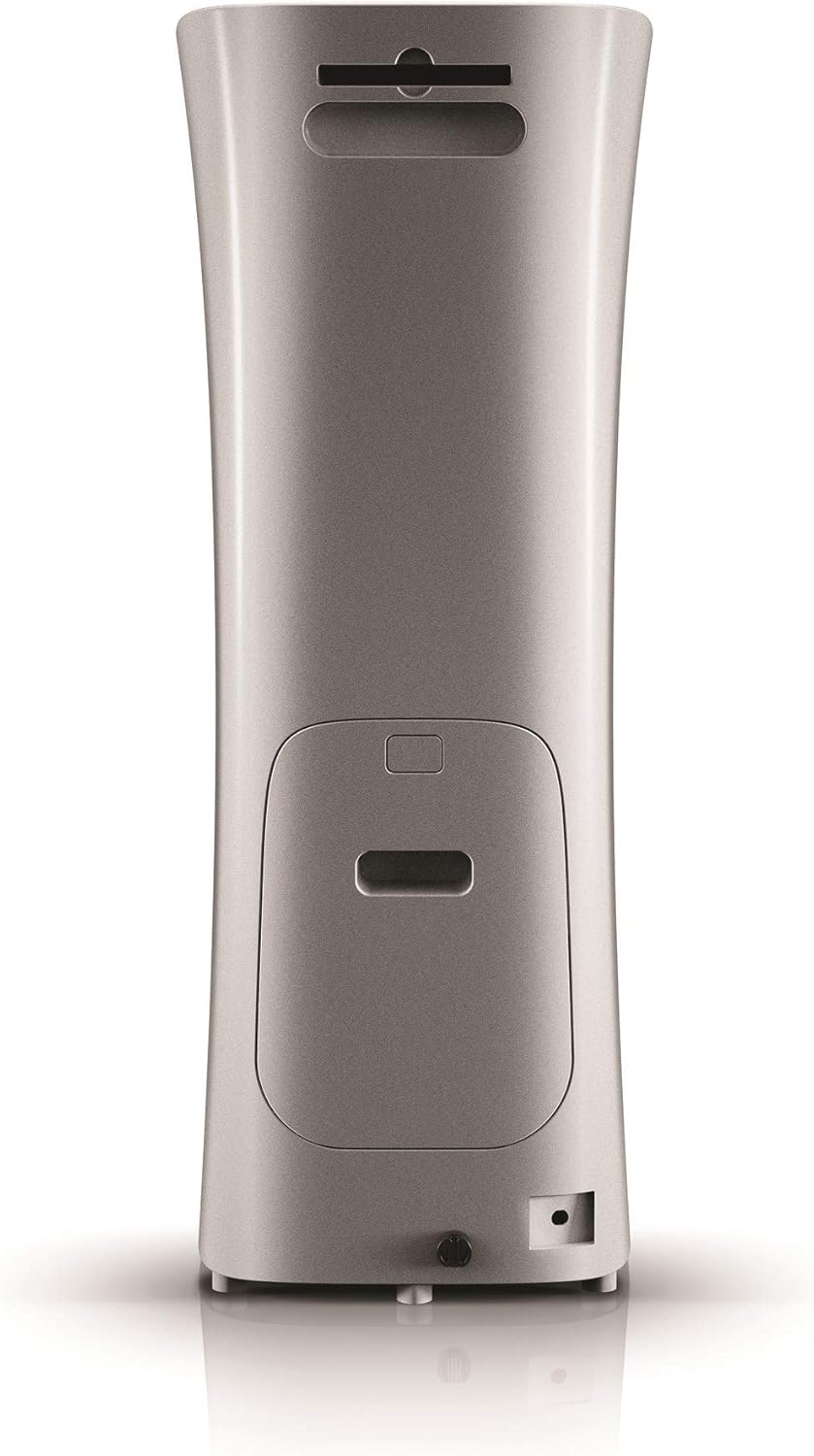
Figure 4.4: Back view of the Oreck WK15500B Air Refresh unit, indicating the filter access panel and power input.

Figure 4.5: Close-up of the top control panel with digital display and buttons for Sleep, Humidity, Timer, Speed, and On/Off, along with a 'Reset filter' indicator.

Figure 4.6: Diagram illustrating the internal filter system, showing the outer casing removed to reveal the charcoal filter and HEPA media filter, designed to capture dust, allergens, and odors.

Figure 4.7: The Oreck WK15500B Air Refresh unit positioned in a nursery, demonstrating its suitability for small rooms and quiet operation.

Figure 4.8: The Oreck WK15500B Air Refresh unit actively emitting cool mist, illustrating its ultrasonic humidification function.

Figure 4.9: The Oreck WK15500B Air Refresh unit integrated into a living room environment, showcasing its compact and aesthetic design.
5. Setup Instructions
- Unpack the Unit: Carefully remove the Oreck WK15500B from its packaging. Retain packaging for future storage or transport.
- Filter Installation:
- Locate the filter access panel on the back of the unit (refer to Figure 4.4).
- Open the panel and ensure the HEPA and charcoal filters are correctly seated. Remove any protective plastic packaging from the filters if present.
- Close the filter access panel securely.
- Positioning: Place the unit on a firm, level surface, ensuring there is at least 6 inches of clearance from walls or furniture for optimal airflow.
- Fill Water Tank (for Humidifier function):
- Remove the water tank from the unit.
- Unscrew the cap at the bottom of the tank.
- Fill the tank with clean, cool tap water. Do not exceed the maximum fill line.
- Securely screw the cap back on and place the water tank firmly into the unit.
- Power Connection: Plug the power cord into a standard electrical outlet.
6. Operating Instructions
6.1. Control Panel Overview (Refer to Figure 4.5)
- On/Off Button: Powers the unit on or off.
- Speed Button: Adjusts the fan speed for air purification (Low, Medium, High).
- Timer Button: Sets the operating time (e.g., 2, 4, 8 hours) after which the unit will automatically turn off.
- Humidity Button: Activates or deactivates the humidifier function and adjusts mist output levels.
- Sleep Button: Reduces fan speed and dims display lights for quiet operation during sleep.
- Reset Filter Indicator: Illuminates when it's time to check or replace filters.
6.2. Basic Operation
- Power On/Off: Press the On/Off button to turn the unit on. Press again to turn off.
- Adjust Fan Speed: While the unit is on, press the Speed button repeatedly to cycle through fan speeds (Low, Medium, High).
- Activate Humidifier:
- Ensure the water tank is filled.
- Press the Humidity button to turn on the humidifier.
- Press the Humidity button again to adjust mist output levels if available, or to turn off the humidifier function while air purification continues.
- Set Timer: Press the Timer button to select a desired operating duration. The unit will automatically shut off after the set time.
- Sleep Mode: Press the Sleep button for quiet operation. The fan speed will decrease, and display lights will dim. Press any button to exit Sleep Mode.
7. Maintenance
Regular maintenance ensures optimal performance and extends the lifespan of your Oreck WK15500B.
7.1. Filter Replacement
The 'Reset filter' indicator light will illuminate when it's time to check or replace the filters. Filter lifespan varies based on usage and air quality.
- Unplug the unit from the power outlet.
- Open the filter access panel on the back of the unit.
- Remove the old HEPA and charcoal filters. Dispose of them properly.
- Insert new Oreck genuine replacement filters, ensuring they are correctly oriented.
- Close the filter access panel securely.
- Plug the unit back in. With the unit powered on, press and hold the 'Reset filter' button (if available, otherwise refer to manual for specific reset procedure) for 3-5 seconds until the indicator light turns off.
7.2. Water Tank Cleaning
Clean the water tank regularly to prevent mineral buildup and bacterial growth.
- Unplug the unit.
- Remove the water tank and empty any remaining water.
- Rinse the tank thoroughly with clean water. For mineral buildup, use a solution of white vinegar and water, let it soak, then rinse well.
- Wipe the inside of the tank and cap dry before refilling.
7.3. Exterior Cleaning
Wipe the exterior of the unit with a soft, damp cloth. Do not use abrasive cleaners or solvents.
8. Troubleshooting
| Problem | Possible Cause | Solution |
|---|---|---|
| Unit does not power on. | Not plugged in; power outlet malfunction; unit malfunction. | Ensure power cord is securely plugged into a working outlet. Try a different outlet. If problem persists, contact customer support. |
| No mist from humidifier. | Water tank empty; tank not seated correctly; humidifier function not activated. | Refill water tank. Ensure tank is securely placed. Press the Humidity button to activate. |
| Air purification seems ineffective. | Filters are dirty or clogged; unit is too small for the room; air inlets/outlets blocked. | Check and replace filters if necessary. Ensure unit is placed in a room within its recommended size. Clear any obstructions around the unit. |
| Unusual noise during operation. | Loose filter; foreign object inside; unit not on a level surface. | Check that filters are securely installed. Unplug and inspect for foreign objects. Place unit on a stable, level surface. |
9. Specifications
| Model Name | Air Refresh |
| Model Number | WK15500B |
| Brand | Oreck |
| Product Dimensions | 26.7D x 27.9W x 73.7H Centimetres |
| Item Weight | 6.8 kg |
| Floor Area Coverage | 115 Square Feet |
| Special Feature | Ultrasonic Technology |
| Material | Plastic |
| Color | Grey |
| Included Components | Air Purifier Unit |
10. Warranty and Customer Support
For information regarding warranty coverage, technical support, or to purchase replacement parts and filters, please contact Oreck customer service. Refer to the official Oreck website or your purchase documentation for contact details.
Website: www.oreck.com