
Introduction
This manual provides detailed instructions for the setup, operation, and maintenance of your Mobility Lab ML308227 Wireless Keyboard and Mouse Combo. This combo utilizes 2.4 GHz wireless technology, offering a reliable connection for your computing needs. The keyboard features a compact, ergonomic design with an AZERTY layout and a numeric keypad, while the mouse is designed for comfort with a scroll wheel and optical tracking.
Package Contents
Please verify that all items are present in your package:
- Wireless Keyboard
- Wireless Mouse
- USB Receiver (2.4 GHz)
- User Manual (this document)
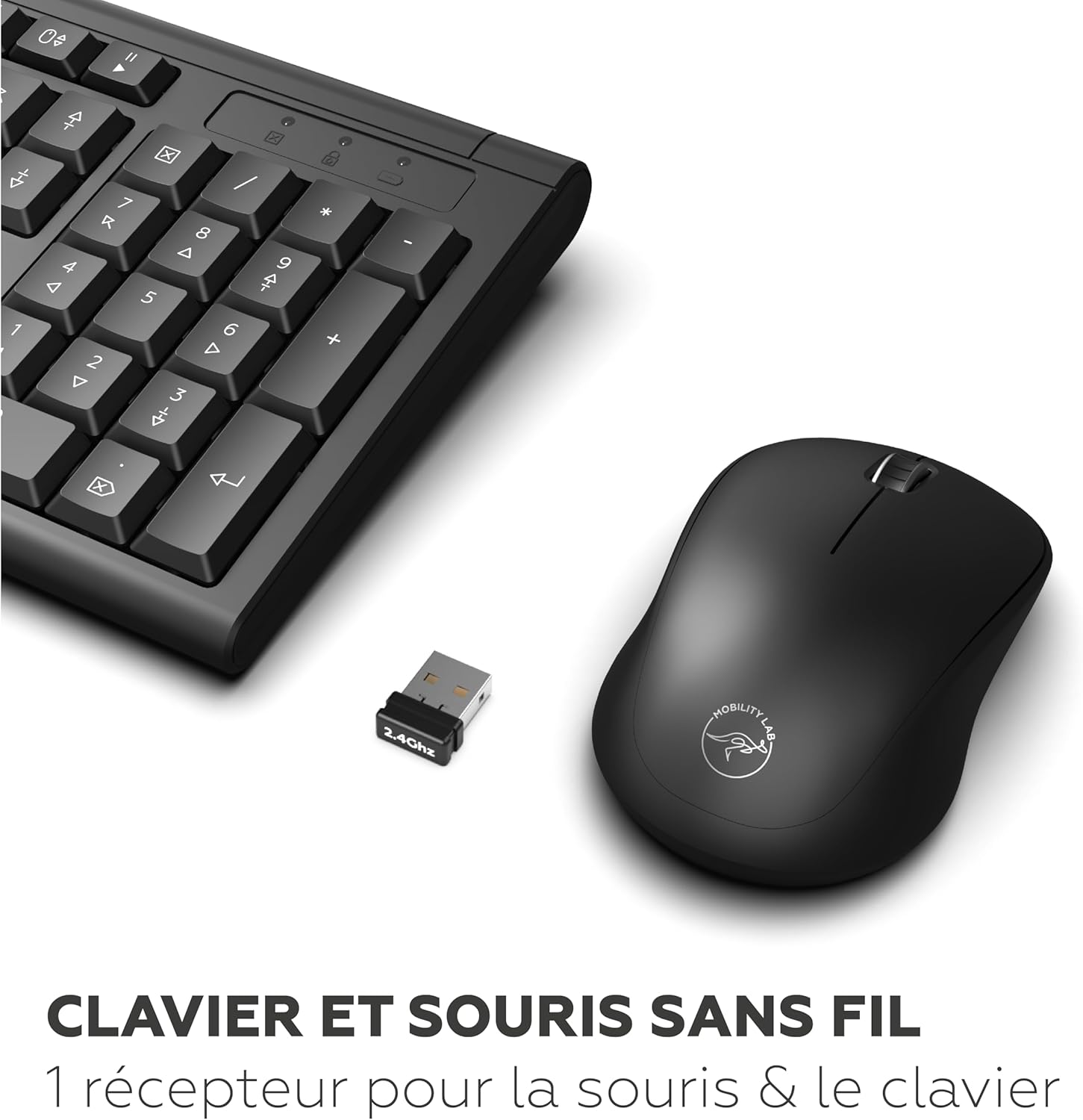
Image: The wireless keyboard, mouse, and the small USB receiver, illustrating the main components of the combo.
Setup Instructions
- Insert Batteries:
Locate the battery compartments on the underside of both the keyboard and the mouse. Insert the required batteries (typically AA or AAA, not included) according to the polarity indicators (+/-). Close the battery covers securely.
- Connect USB Receiver:
Plug the 2.4 GHz USB receiver into an available USB port on your computer. The system should automatically detect and install the necessary drivers. This process may take a few moments.
Image: A close-up of the USB receiver, which connects both the keyboard and mouse wirelessly to your computer.
- Power On Devices:
Ensure the power switches on both the keyboard and mouse are in the "ON" position. The devices should now be ready for use.
Operating Instructions
Keyboard Usage
- Layout: The keyboard features an AZERTY layout, standard for French-speaking regions.
- Numeric Keypad: A full numeric keypad is integrated for efficient data entry.
- Function Keys: Utilize the function keys (F1-F12) for various shortcuts, often in combination with the 'Fn' key if present.
- Adjustable Tilt: The keyboard includes foldable feet on the underside, allowing you to adjust the typing angle for improved comfort.

Image: A close-up view highlighting the AZERTY key layout of the keyboard.

Image: The keyboard shown with its foldable feet extended, demonstrating the two available inclination modes for ergonomic typing.
Mouse Usage
- Optical Tracking: The mouse uses optical technology for precise cursor movement.
- Scroll Wheel: Use the scroll wheel for easy navigation through documents and web pages.
- Ergonomic Design: The mouse is shaped for comfortable use over extended periods.

Image: A detailed view of the wireless mouse, highlighting its ergonomic shape and scroll wheel.
Maintenance
- Cleaning: Use a soft, dry cloth to clean the surfaces of the keyboard and mouse. For stubborn dirt, a slightly damp cloth with mild soap can be used, ensuring no liquid enters the devices.
- Battery Replacement: Replace batteries when performance degrades or devices become unresponsive. Always use fresh batteries of the specified type.
- Storage: When not in use for extended periods, turn off the devices to conserve battery life. Store in a cool, dry place.
Troubleshooting
| Problem | Possible Cause | Solution |
|---|---|---|
| Keyboard/Mouse not responding |
|
|
| Lag or intermittent connection |
|
|
| Mouse cursor erratic |
|
|
Specifications
| Feature | Detail |
|---|---|
| Brand | Mobility Lab |
| Model Number | ML308227 |
| Color | Black |
| Connectivity Technology | 2.4 GHz Wireless |
| Keyboard Layout | AZERTY (French) |
| Keyboard Features | Full-size, Numeric Keypad, Membrane Keys, 2 Inclination Modes |
| Mouse Tracking Technology | Optical |
| Mouse Sensitivity | 1200 DPI |
| Special Feature | Ergonomic Design |
| Compatible Devices | Laptop, PC (Windows operating system) |
| Power Source | Battery Powered |

Image: Diagram showing the approximate dimensions of the keyboard (445mm x 140mm) and mouse (63mm x 106mm).
Warranty and Support
Mobility Lab products are designed for reliability and performance. For specific warranty information, please refer to the warranty card included with your product or visit the official Mobility Lab website. For technical support or further assistance, please contact Mobility Lab customer service through their official channels.
Please retain your proof of purchase for warranty claims.


