Introduction
This manual provides detailed instructions for the assembly, operation, and maintenance of your Smatree S3C Carbon Fiber Detachable Extendable Floating Pole. Designed for action cameras, this versatile accessory enhances your ability to capture footage both on land and in water. Please read this manual thoroughly before use to ensure proper handling and longevity of the product.
Safety Information
- Ensure all connections are securely tightened before use, especially when attaching your camera.
- Do not overtighten screws or locking mechanisms, as this may cause damage.
- When using in water, always attach the wrist strap to prevent loss.
- After saltwater use, rinse the pole thoroughly with fresh water and allow it to dry completely to prevent corrosion.
- Keep out of reach of children.
Package Contents
Verify that all items listed below are present in your package:
- 1x Extendable Pole (12.5" to 28")
- 1x Floating Pole (12.5")
- 1x Tripod Mount Adapter
- 1x Black Thumbscrew
- 1x Adjustable Wrist Strap
- 1x User Guide (This document)
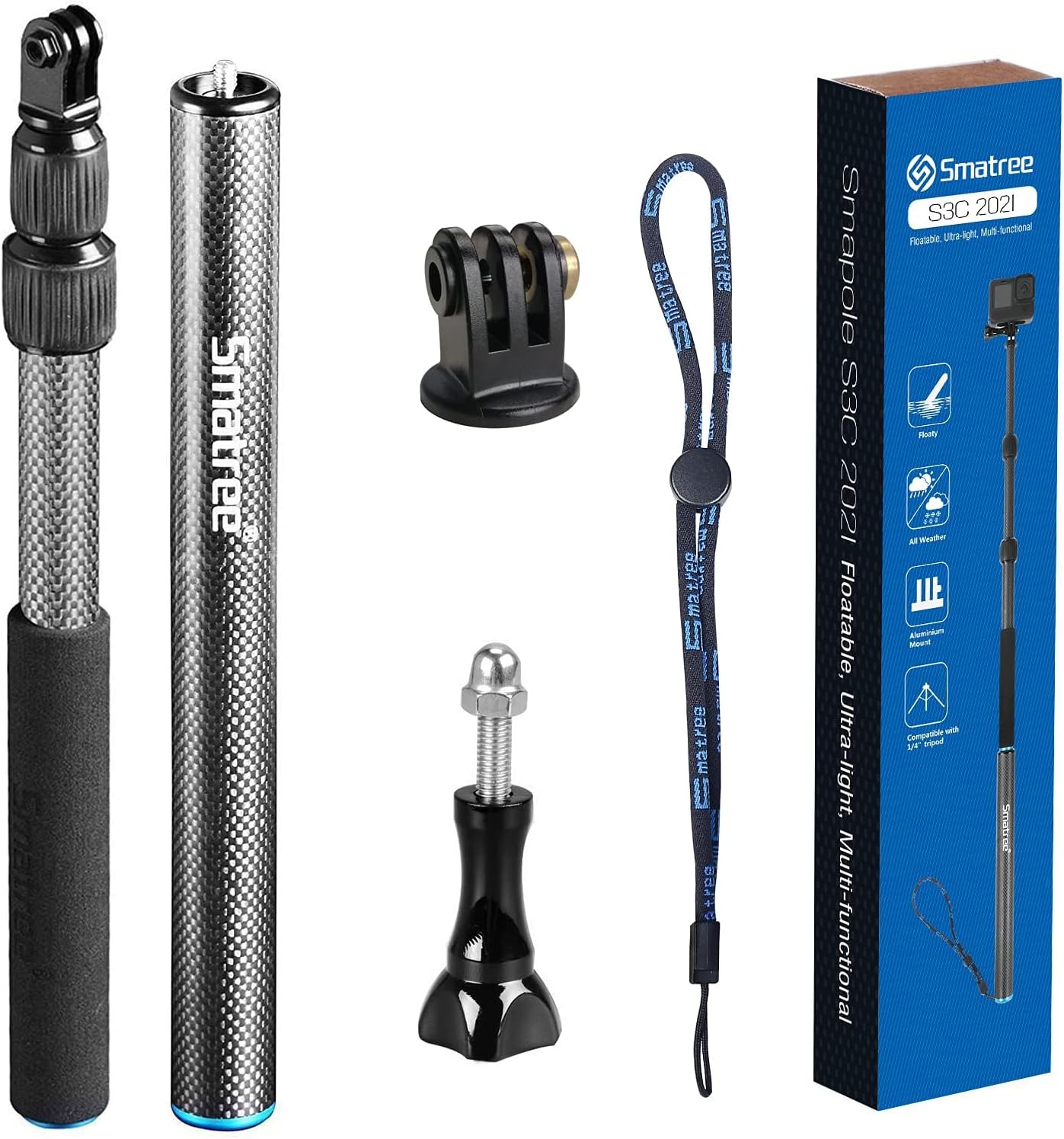
Image: The Smatree S3C package contents, including the extendable pole, floating pole, tripod mount adapter, thumbscrew, wrist strap, and product box.
Setup
1. Assembling the Pole
The Smatree S3C consists of two main sections: an extendable pole and a floating pole. These can be used separately or combined for extended reach.
- For combined use: Screw the extendable pole securely onto the floating pole. Ensure the connection is firm to prevent separation during use.
- For separate use: Each pole can function independently. The floating pole provides buoyancy for water activities, while the extendable pole offers adjustable length for various shots.

Image: Illustration showing the floating pole, extendable pole, and their combined assembly, indicating lengths of 12.5 inches for the floating pole, 12.5-28 inches for the extendable pole, and 23.5-39.5 inches when combined.
2. Attaching Your Action Camera
The pole features an aluminum alloy mount designed for action cameras.
- Align your camera's mounting bracket with the tripod mount adapter on the pole.
- Insert the black thumbscrew through the camera bracket and the mount adapter.
- Tighten the thumbscrew firmly to secure the camera. Ensure the camera is stable and does not swivel freely.

Image: Detailed view of the Smatree S3C pole, highlighting the aluminum alloy mount for camera attachment, the 1/4" standard screw hole (drain hole) at the base, and the upgraded hand strap connection.
3. Adjusting Pole Length and Locking
The extendable pole uses a fast locking system to adjust its length.
- To unlock: Gently unscrew the spiral lock counter-clockwise by approximately 1/4 turn. Do not unscrew excessively.
- To adjust: Extend or retract the pole to your desired length.
- To lock: Screw the spiral lock clockwise until it is firm. This secures the pole at the chosen length.
Caution: Do not unscrew the spiral lock too many rounds or make it too loose, as this may damage the locking system.

Image: Close-up of the Smatree S3C pole's fast locking system, illustrating the unlock and lock directions with arrows.

Image: Diagram showing the Smatree S3C pole with callouts for adjusting length (12.5"-39.5"), the lock/unlock mechanism, carbon fiber material, and high-quality aluminum alloy components.
Operating Instructions
1. General Use
The Smatree S3C pole is designed for various action camera applications. Its carbon fiber construction ensures it is both lightweight and durable.
- On Land: Extend the pole to your desired length for wider shots, higher angles, or group selfies. Ensure a firm grip on the handle.
- In Water: The floating pole section provides buoyancy, helping to keep your camera afloat if dropped. Always use the adjustable wrist strap for added security.

Image: A person using the Smatree S3C pole with an action camera while partially submerged in water, demonstrating its use for underwater photography.

Image: A person using the Smatree S3C pole with an action camera while skiing, demonstrating its use in outdoor sports environments.
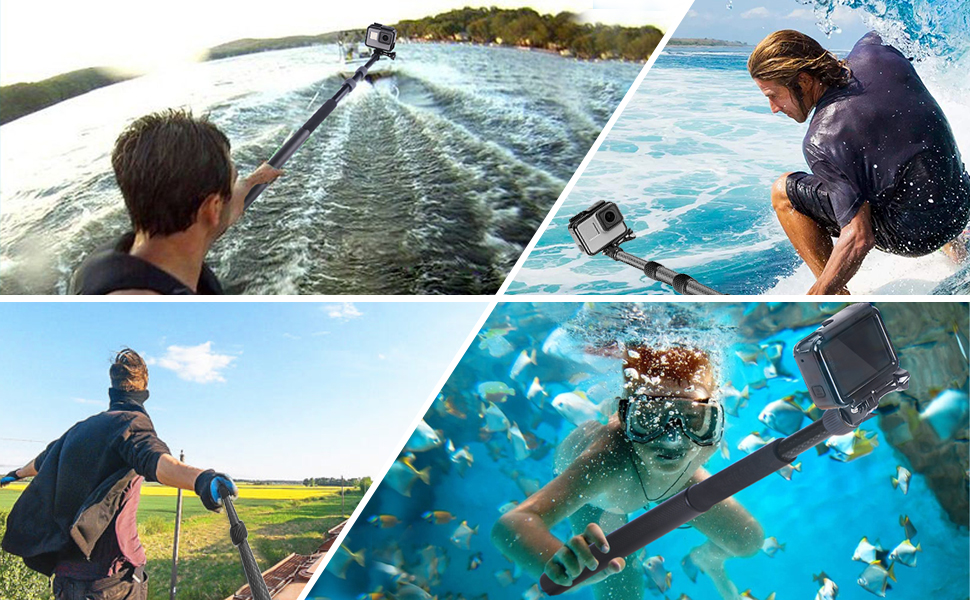
Image: A collage of four images showing the Smatree S3C pole being used in various scenarios: on a boat, surfing, hiking, and underwater snorkeling.
2. Wrist Strap Usage
The adjustable wrist strap provides an extra layer of security, especially during dynamic activities or when near water. Attach the strap to the base of the pole and secure it around your wrist.
Maintenance
- Cleaning: After each use, especially in saltwater, rinse the entire pole with fresh water. Pay attention to the locking mechanisms and joints.
- Drying: Allow the pole to air dry completely before storing. If used in water, it is recommended to separate the extendable and floating poles to ensure all internal components dry thoroughly. The 1/4" screw hole at the base can also act as a drain hole.
- Storage: Store the pole in a cool, dry place away from direct sunlight and extreme temperatures.
- Inspection: Periodically check all components for signs of wear or damage. Replace any damaged parts immediately.
Troubleshooting
- Camera Swivels After Tightening:
- Ensure the thumbscrew is inserted correctly and tightened firmly. Sometimes, the screw needs to be inserted from a specific side for optimal grip. Verify that the camera's mounting bracket is properly aligned with the pole's adapter.
- Pole Does Not Lock Securely:
- Check if the spiral locking mechanism is fully engaged. Ensure it is tightened clockwise until firm, but do not overtighten. If the mechanism feels loose, inspect for any debris or damage that might prevent proper locking.
- Noise in Audio When Recording:
- Movement or friction on the pole, especially with carbon fiber, can sometimes transmit sound to the camera's microphone. Try to minimize hand movements on the pole during recording. If using the combined pole, ensure both sections are tightly screwed together to reduce potential rattling.
- Rusting Components:
- While the pole is designed for water use, prolonged exposure to saltwater without proper rinsing can lead to corrosion on metal parts. Always rinse thoroughly with fresh water after saltwater exposure and dry completely.
Specifications
| Model | S3C |
| Material | Carbon Fiber (Pole), Aluminum Alloy (Mount) |
| Folded Length | 12.5 inches (31.75 cm) |
| Extended Length (Max) | 39.5 inches (100.33 cm) |
| Item Weight | 7.1 ounces (200 grams) |
| Compatibility | GoPro Hero 13/12/11/10/9/8/7/6/5/4/3 Plus/3/Session/GoPro MAX/GoPro 2018, AKASO Brave 7 LE/AKASO EK7000, DJI OSMO Action 5 Pro/4/3/2/OSMO Action Camera |
Warranty and Support
Smatree products are designed for durability and performance. For warranty information, product support, or to purchase replacement parts, please visit the official Smatree website or contact their customer service directly. Keep your purchase receipt as proof of purchase for warranty claims.
For further assistance, refer to the contact information provided on the Smatree product packaging or their official online channels.


