
Adjustable Comfort 126010-5030
Full Premier Adjustable Base
User Manual
Model: 126010-5030 | Brand: Adjustable Comfort
1. Introduction
Thank you for choosing the Adjustable Comfort Full Premier Adjustable Base. This product is designed to enhance your comfort and sleep experience with its advanced features. It offers independent head and foot elevation, soothing massage settings, convenient USB charging ports, and a wireless remote for easy control. This manual provides essential information for the safe and effective use of your adjustable base.
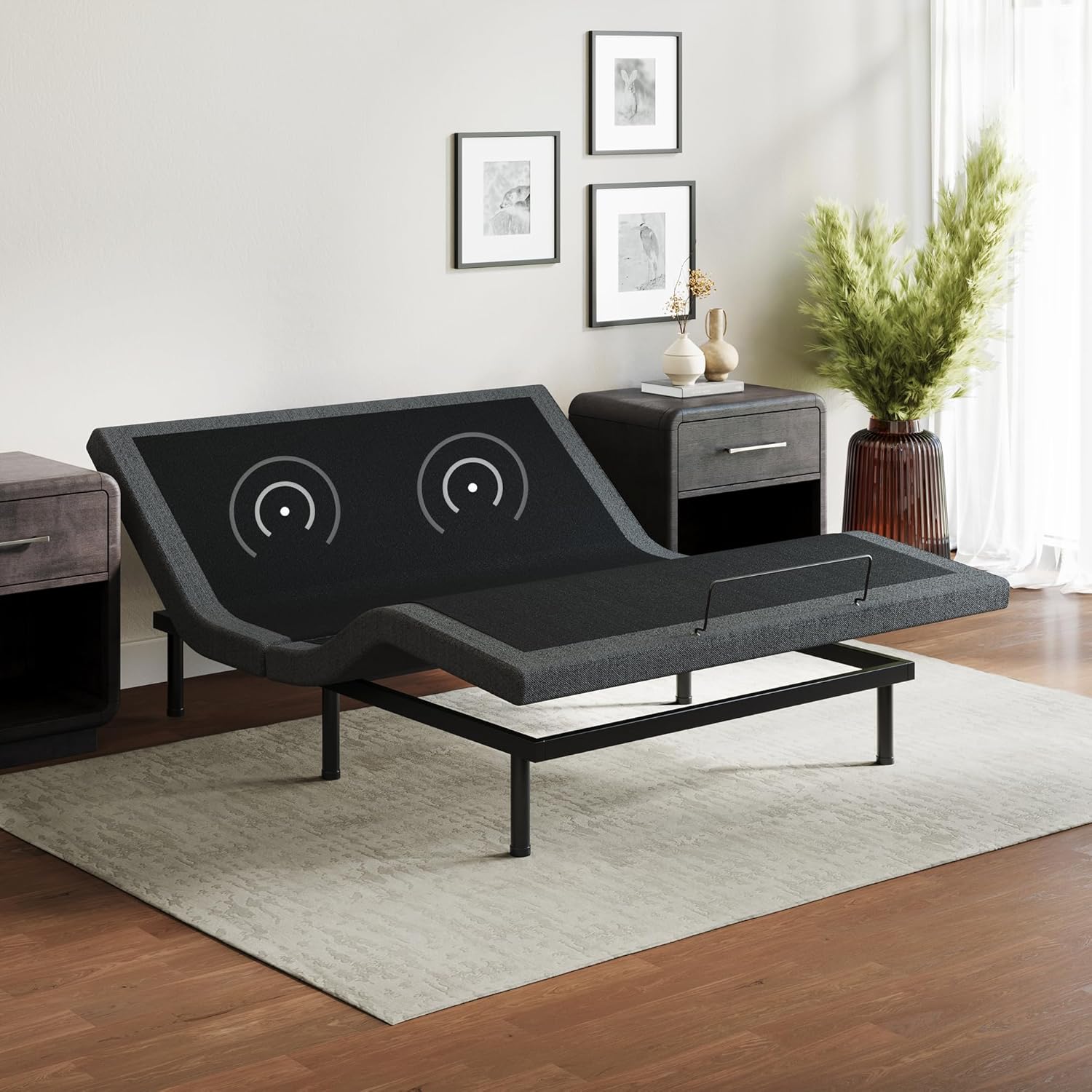
Image: The Adjustable Comfort Full Premier Adjustable Base set up in a bedroom, demonstrating its elevated head and foot positions.
2. Important Safety Information
WARNING:
Do not exceed a total weight of 660 pounds on the adjustable base. Be cautious of moving parts to prevent pinch points or entrapment. Always follow assembly instructions carefully to ensure stability and prevent collapse.
Keep children and pets away from the adjustable base during operation to prevent injury from moving parts.
3. Package Contents
Before beginning assembly, ensure all components are present and undamaged. If any parts are missing or damaged, please contact customer support.
- Adjustable Base Frame (pre-assembled sections)
- Adjustable Legs (various heights)
- Wireless Remote Control (with 3 AAA batteries included)
- Power Cord and Adapter
- Mattress Retainer Bar
- User Manual (this document)

Image: Unboxed components of the adjustable bed base, showing the main frame, legs, and accessories.
4. Setup and Assembly
The Adjustable Comfort base is designed for quick and hassle-free setup, requiring no additional tools. It can be used as a standalone base or placed within an existing platform frame.
- Carefully remove all components from the packaging.
- Unfold the adjustable base frame on a flat, clear surface.
- Screw the adjustable legs into the designated threaded holes on the underside of the frame. Choose the desired height using the multi-section legs.
- Carefully flip the assembled base over, ensuring it rests securely on its legs. It is recommended to have assistance for this step due to the weight of the unit.
- Insert the mattress retainer bar into the holes at the foot of the bed.
- Connect the power cord to the base and plug it into a grounded electrical outlet.
- Install the included AAA batteries into the wireless remote control.
- Place your mattress on top of the adjustable base.

Image: The adjustable bed base in its flat configuration, emphasizing its simple setup process.
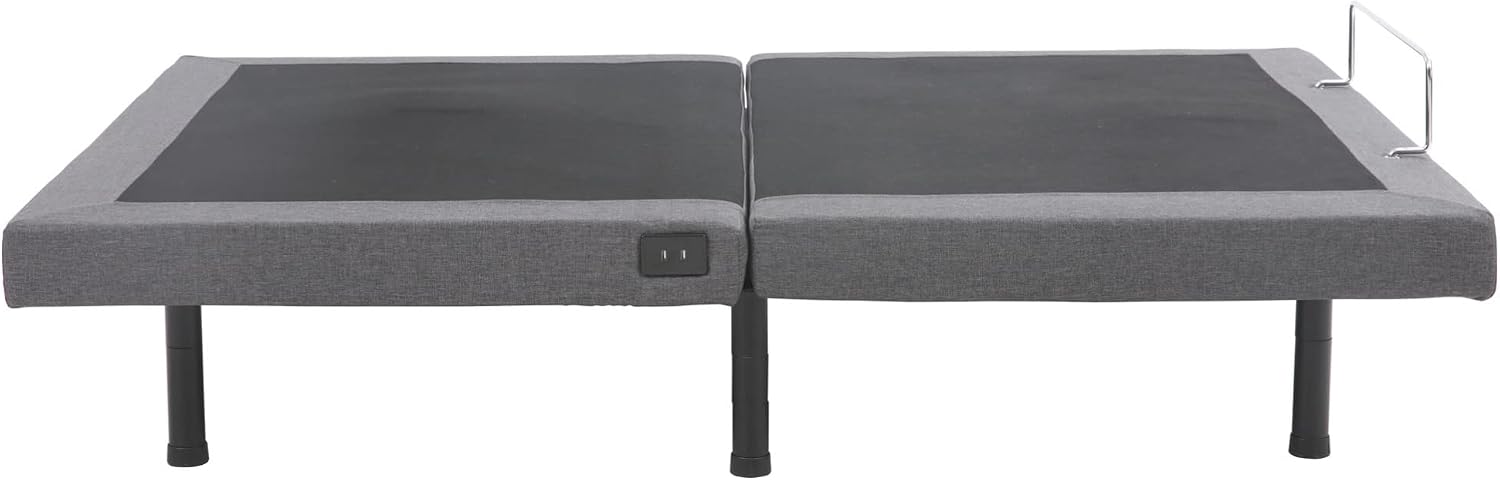
Image: Adjustable legs provided with the base, allowing for customization of bed height.
5. Operating Instructions
Your Adjustable Comfort base is operated using the included wireless remote control. Familiarize yourself with the remote's functions for optimal use.
5.1 Wireless Remote Control

Image: The wireless remote control with backlit buttons for various functions.
- Head & Foot Elevation: Use the dedicated buttons to independently raise or lower the head and foot sections of the bed.
- Massage Feature: Activate the massage function and adjust between 3 intensity levels using the massage buttons.
- Zero Gravity Position: Press the 'Zero Gravity' button to automatically adjust the bed to a position that elevates your head and feet, designed to relieve pressure.
- Anti-Snore Setting: Utilize the 'Anti-Snore' button to slightly raise the head section, which may help reduce snoring.
- Programmable Memory: Save your favorite positions using the memory preset buttons for quick recall.
5.2 USB Charging Ports
The adjustable base includes built-in USB ports for convenient charging of your electronic devices. These ports are typically located on the side of the base.

Image: A close-up view of the integrated USB charging ports on the side of the bed base.
5.3 Split King Configuration
For Split King sizes, two Twin XL bases are used side-by-side. This allows each sleeper to individually control their side of the bed for personalized comfort.

Image: A visual representation of two Twin XL bases forming a Split King setup, enabling independent adjustments.
5.4 Product Demonstration Video
Video: This video demonstrates the key features of the Adjustable Comfort bed base, including the wireless remote, USB ports, and massage function, showcasing its use for sleeping, watching TV, reading, and working.
6. Maintenance and Care
- Cleaning: Wipe the upholstered surfaces with a damp cloth and mild soap. Avoid harsh chemicals.
- Motor and Electrical Components: Do not attempt to open or service the motor or electrical components. Refer to qualified service personnel.
- Cable Management: Ensure all cables are securely connected and not pinched or tangled.
- Regular Inspection: Periodically check all bolts and connections to ensure they are tight.
7. Troubleshooting
| Problem | Possible Cause | Solution |
|---|---|---|
| Base does not operate. | No power to the outlet; power cord not properly connected; remote batteries low or dead. | Check power outlet with another device. Ensure all power cords are securely plugged in. Replace remote batteries. |
| Remote control not responding. | Remote not paired; batteries dead. | Re-pair the remote according to the full user guide (link in Warranty & Support section). Replace batteries. |
| Massage function not working. | Massage unit cable disconnected. | Check the connection of the massage unit cable to the control box under the bed. |
| USB ports not charging. | Power issue; device compatibility. | Ensure the bed is powered on. Try a different USB cable or device. |
| Bed makes unusual noise during operation. | Loose connections; obstruction. | Check for any loose bolts or obstructions under the bed. Ensure the bed is on a level surface. |
8. Specifications
| Feature | Detail |
|---|---|
| Size | Full |
| Product Dimensions | 74"L x 53"W x 15"H |
| Item Weight | 124 pounds |
| Color | Black / Charcoal grey |
| Special Feature | Adjustable, Massage, USB Port, Wireless Remote |
| Compatible Mattress Types | Memory Foam, Gel Foam, Hybrid, Innerspring |
| Assembly Required | Yes (minimal) |
| Batteries Required | 3 AAA (included for remote) |

Image: Detailed diagram illustrating the dimensions of the Full Premier Adjustable Base.

Image: Visual guide to mattress compatibility, showing various mattress types suitable for the adjustable base.
9. Warranty and Support
Warranty: The Adjustable Comfort Full Premier Adjustable Base comes with a 3-year limited non-prorated warranty. Please refer to the full warranty details provided with your purchase or contact customer support for more information.

Image: A close-up of the bed base corner, featuring a '3 Year Warranty' emblem.
Customer Support: For further assistance, troubleshooting, or warranty claims, please refer to the comprehensive User Guide PDF or contact Adjustable Comfort customer service.
Related documents126010-5030


Ask a question about this manual
Ask about setup, troubleshooting, compatibility, parts, safety, or missing instructions. Manuals+ will review the question and use this page’s manual context to help answer it.