
1. Introduction
The Bang & Olufsen Beoplay H5 are wireless Bluetooth in-ear headphones designed to provide a high-quality audio experience for active lifestyles. These earphones feature Bang & Olufsen Signature Sound, customizable audio profiles via the Beoplay App, and a durable splash and dust resistant design. The magnetic earbuds offer convenient storage and power-saving functionality.
2. What's in the Box
Upon unboxing your Beoplay H5 headphones, please ensure all the following components are present:
- Beoplay H5 wireless earphones
- USB Charging Cube
- Comply Sport ear tips with SweatGuard (Sizes: S, M, L)
- Silicone ear tips (Sizes: XS, S, M, L)
- Cable clip
- Carrying pouch
- Quick start guide
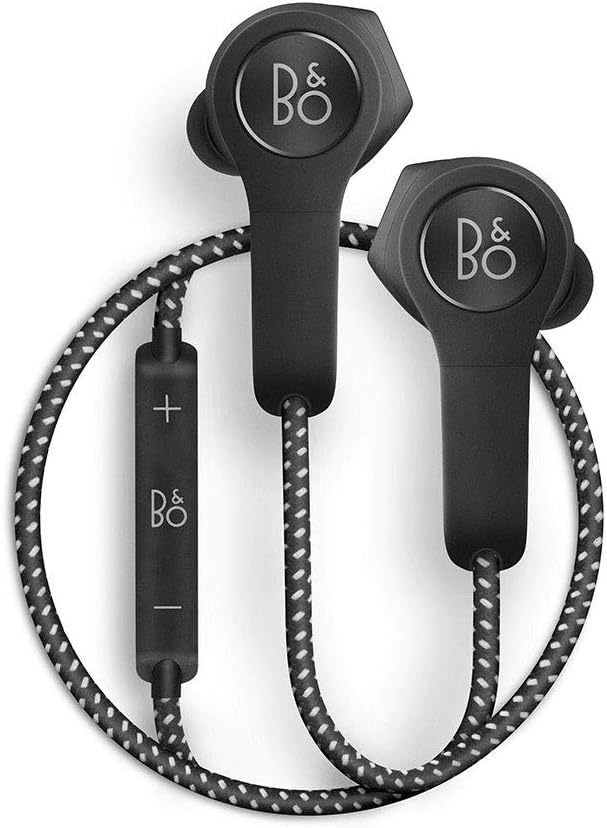
Image: The Beoplay H5 wireless in-ear headphones, showing the earbuds, inline remote, and braided cable, along with the magnetic charging cube and various ear tips.
3. Setup
3.1. Charging Your Beoplay H5
Before initial use, fully charge your Beoplay H5 headphones. The included magnetic USB charging cube is designed for quick and easy recharging.
- Connect the USB Charging Cube to a USB power source (e.g., computer USB port or a USB wall adapter).
- Place the Beoplay H5 earbuds onto the magnetic charging cube. The earbuds will snap into place.
- A charging indicator light on the earbuds will confirm charging status.
A full charge provides up to 5 hours of playback and typically takes approximately 2 hours.
3.2. Ear Tip Selection and Fit
Optimal fit is crucial for both sound quality and comfort. The Beoplay H5 comes with seven sets of ear tips:
- Silicone Ear Tips: Four sizes (XS, S, M, L) for general use.
- Comply Sport Foam Ear Tips with SweatGuard: Three sizes (S, M, L) designed for active use, offering a secure fit and sweat resistance.
To achieve the best fit:
- Experiment with different ear tip sizes and materials.
- For foam tips, gently compress the foam before inserting it into your ear canal. Hold it in place for a few seconds while the foam expands to create a seal.
- Ensure the earbud sits comfortably and securely, creating a good seal to maximize bass response and passive noise isolation.
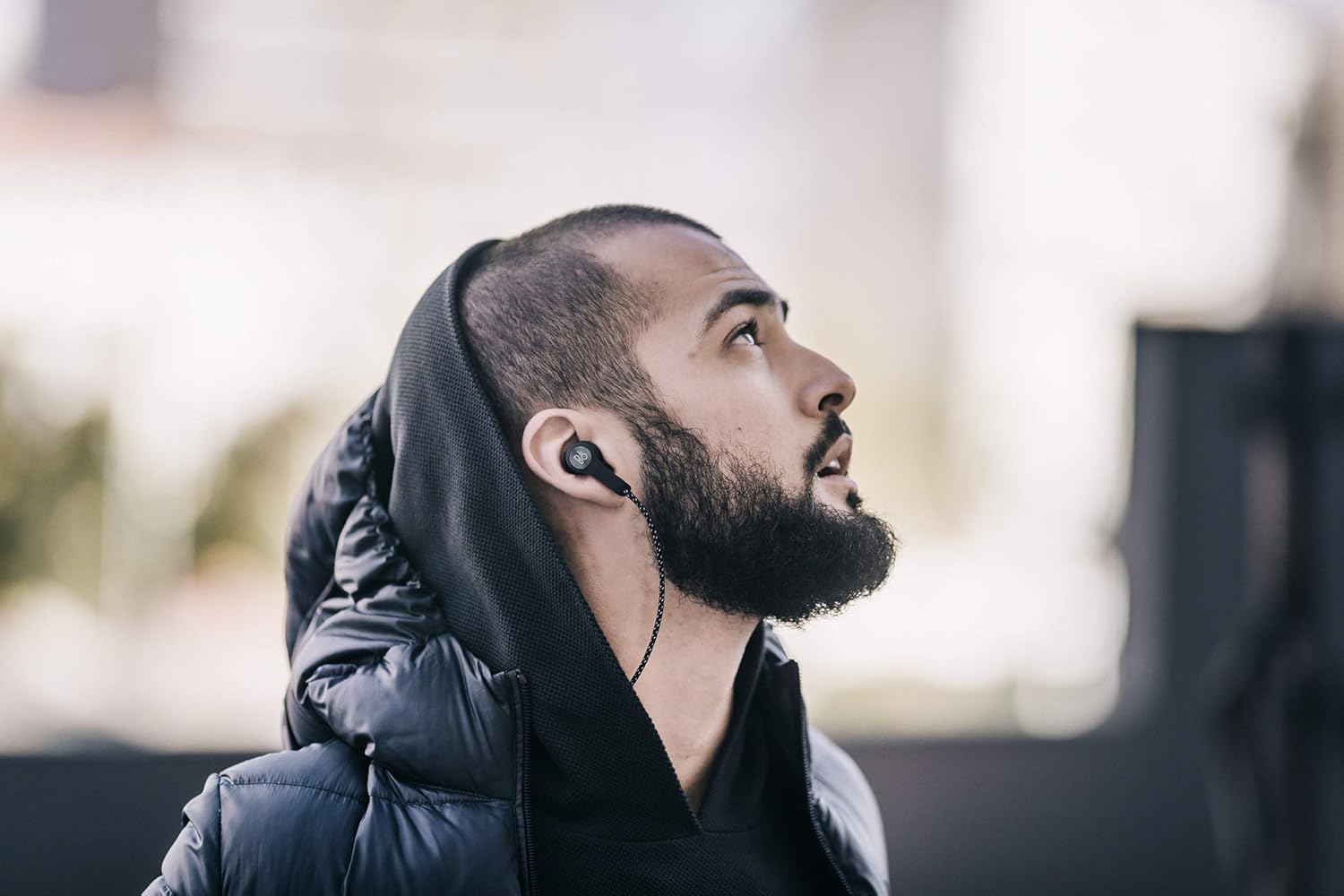
Image: A person wearing the Beoplay H5 headphones, demonstrating how the earbuds fit into the ear for optimal listening.
3.3. Bluetooth Pairing
To connect your Beoplay H5 to a Bluetooth-enabled device:
- Ensure the Beoplay H5 is charged and powered off.
- Press and hold the center button on the inline remote control for 5 seconds until the indicator light flashes blue, indicating pairing mode.
- On your device, enable Bluetooth and search for available devices.
- Select "Beoplay H5" from the list of found devices.
- Once connected, the indicator light will turn solid blue.
The headphones will automatically attempt to connect to the last paired device when powered on.
3.4. Beoplay App
Enhance your listening experience by downloading the Beoplay App for your smartphone or Apple Watch. The app allows you to:
- Customize your sound profile with various presets or manual adjustments.
- Monitor battery status.
- Update headphone firmware.
4. Operation
4.1. Power On/Off
To power on your Beoplay H5, separate the magnetic earbuds. The headphones will automatically power on and attempt to connect to the last paired device.
To power off, click the magnetic earbuds together. This action not only powers down the headphones but also conserves battery life and allows them to rest securely around your neck.

Image: The Beoplay H5 earbuds shown with their magnetic backs clicked together, illustrating the power-off and secure storage feature.
4.2. Inline Remote Controls
The Beoplay H5 features an inline remote control for managing audio playback and calls:
- Volume Up (+): Press to increase volume.
- Volume Down (-): Press to decrease volume.
- Center Button:
- Single press: Play/Pause audio, Answer/End call.
- Double press: Skip forward.
- Triple press: Skip backward.
- Press and hold: Activate voice assistant (Siri, Google Assistant) or reject call.
4.3. Sound Customization
Utilize the Beoplay App to tailor the sound profile of your H5 headphones. You can select from various pre-set soundscapes or create your own custom equalizer settings to match your preferences and activity.
5. Maintenance
5.1. Cleaning
To maintain the performance and appearance of your Beoplay H5 headphones:
- Wipe the earbuds and cable with a soft, dry cloth.
- Periodically remove ear tips and gently clean any earwax or debris from the earbud nozzles using a small, soft brush.
- Do not use harsh chemicals or abrasive materials for cleaning.
5.2. Storage
When not in use, click the magnetic earbuds together to power them off and prevent tangling. Store the headphones in the provided carrying pouch to protect them from dust and scratches.
5.3. Water and Dust Resistance
The Beoplay H5 headphones are designed to be splash and dust resistant. This means they can withstand light rain and sweat, making them suitable for workouts and outdoor activities. However, they are not waterproof and should not be submerged in water.
6. Troubleshooting
If you encounter issues with your Beoplay H5 headphones, refer to the following common solutions:
- No Power: Ensure the headphones are fully charged using the magnetic USB charging cube.
- Cannot Pair:
- Ensure the headphones are in pairing mode (flashing blue light).
- Turn off and on Bluetooth on your device.
- Forget/remove "Beoplay H5" from your device's Bluetooth list and attempt to pair again.
- Ensure no other devices are actively connected to the H5.
- Poor Sound Quality / Lack of Bass:
- Verify that you have selected the correct ear tip size and material for a secure and sealed fit in your ear canal.
- Adjust the equalizer settings via the Beoplay App.
- Ensure the audio source is of good quality.
- Earbuds Falling Out: Experiment with all provided ear tip sizes and types (silicone and Comply foam) to find the most secure fit for your ears. Ensure proper insertion as described in the setup section.
- Short Battery Life: Ensure the earbuds are clicked together when not in use to power them off and conserve battery. Fully charge the device before each use. Battery performance can degrade over time with usage.
- Braided Cable Noise: The braided cable can sometimes create friction noise when rubbing against clothing. This is a characteristic of the material. Ensure a snug fit to minimize this effect.
7. Technical Specifications
| Feature | Detail |
|---|---|
| Model Name | H5 |
| Connectivity Technology | Wireless (Bluetooth) |
| Wireless Standard | Bluetooth |
| Ear Placement | In Ear |
| Form Factor | In Ear |
| Noise Control | Passive Sound Isolation |
| Frequency Range | 20Hz - 20,000Hz |
| Impedance | 16 Ohm |
| Battery Life | Up to 5 hours |
| Charging Time | Approximately 2 hours |
| Battery Type | Lithium Ion (rechargeable) |
| Control Type | Call Control, App Control |
| Water Resistance Level | Water Resistant (Splash and Dust Resistant) |
| Item Weight | 18 g |
| Product Dimensions | 59.69 x 71.12 x 99.06 cm |
| Material | Plastic |
| Compatible Devices | Devices with Bluetooth capabilities |
8. Warranty and Support
Bang & Olufsen products are manufactured to the highest standards and undergo rigorous quality control. For detailed warranty information, please refer to the warranty card included with your product or visit the official Bang & Olufsen website.
For technical support, troubleshooting assistance beyond this manual, or service inquiries, please contact Bang & Olufsen customer support or visit their official support page:


