
Runleader RL-HM028A
Runleader Digital Hours Tachometer & Engine Temperature Gauge User Manual
Model: RL-HM028A
Brand: Runleader
1. Introduction
The Runleader RL-HM028A is a versatile digital meter designed to monitor key engine parameters. It combines an hour meter, tachometer, and engine temperature gauge into a single compact unit. This device is suitable for various gas engine-powered equipment, including lawn mowers, generators, motorcycles, compressors, outboard motors, and snowblowers. It provides real-time data, maintenance reminders, and alert functions to help users maintain their equipment effectively.

Figure 1: Runleader RL-HM028A Digital Multifunction Meter with wiring.
2. Key Features
- Hour Meter (TOT & JOB): Tracks total engine running time (TOT) and single timing periods (JOB). Total time range: 0 to 999,999 hours.
- Tachometer (RPM): Displays real-time engine RPM. Adjustable firing patterns. RPM measurement range: 0-25000 RPM. Includes an alert for revolution exceedance.
- Engine Temperature Gauge: Monitors current and maximum engine temperature via a probe sensor. Temperature measurement range: -20°C to +300°C (-4°F to +572°F). Switchable between Celsius and Fahrenheit. Includes temperature exceedance alerts.
- Voltage Meter: Measures and displays real-time voltage when connected to external power or battery.
- Maintenance Reminders (SVC1, SVC2): Two programmable service intervals (0-250 hours) to remind users of upcoming maintenance.
- Backlight: Green backlight for visibility in low-light conditions. Configurable for always-on, off, or automatic mode.
- Water Resistance: Favorable IP65 waterproof rating for durability in various environments.
- Battery: Built-in replaceable CR2450 540mAh battery. User data is retained upon battery replacement.
- Dual Operating Systems (DSP1 & DSP2): Offers two display modes to suit different user preferences.
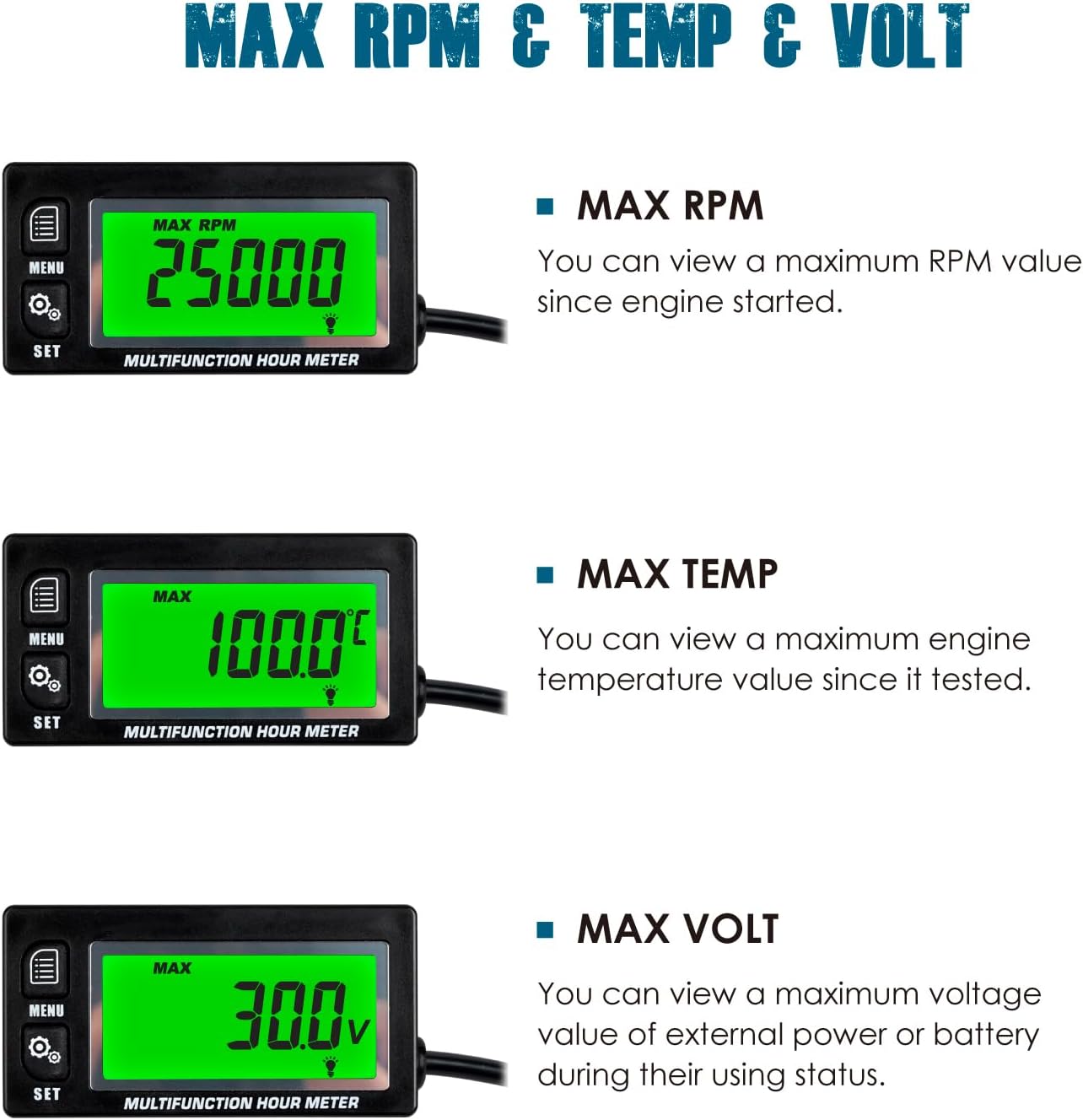
Figure 2: Display modes for Real-time RPM, Engine Temperature, Hours (TOT/JOB), and Real-time Voltage.
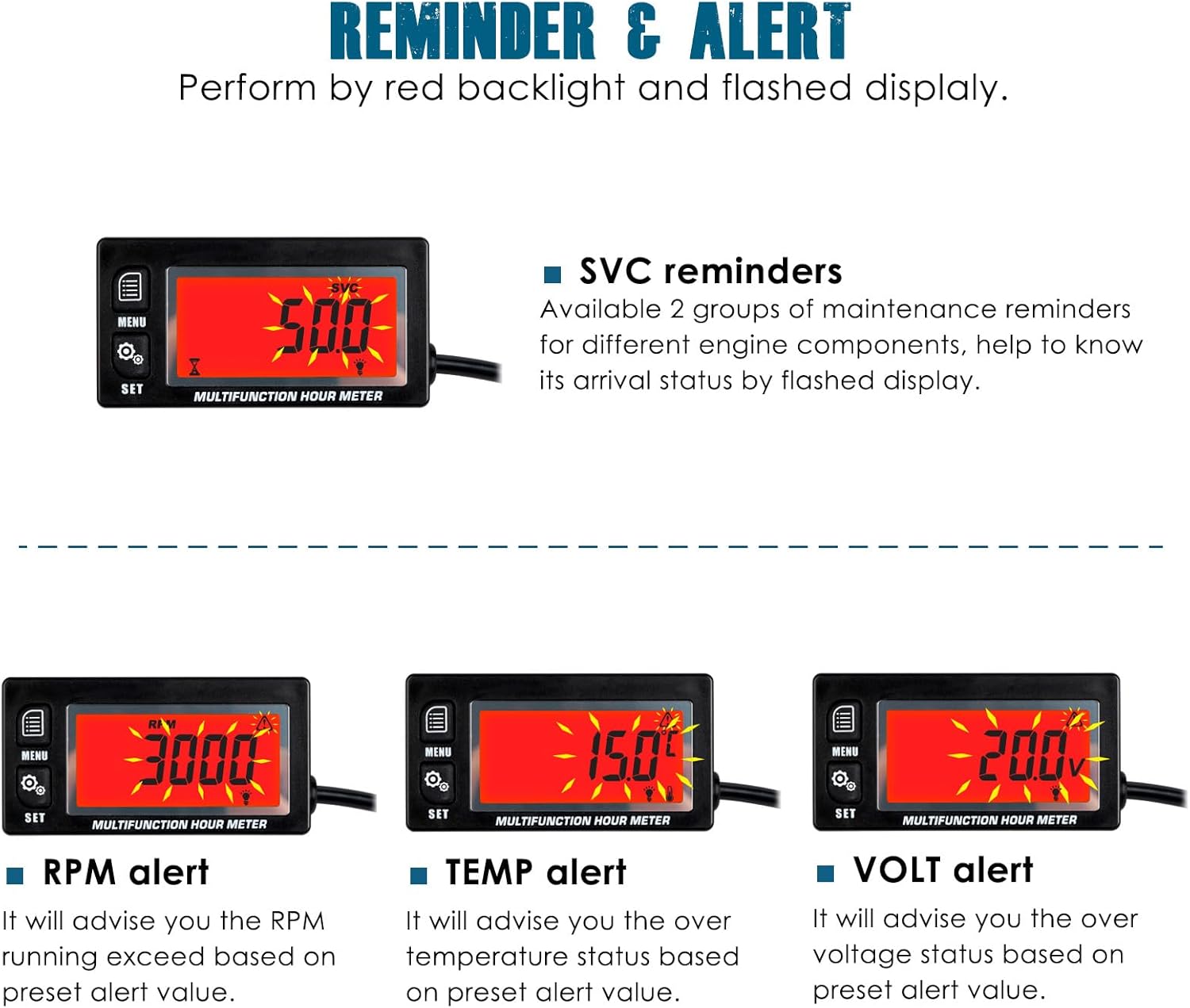
Figure 3: Displays for Maximum RPM, Maximum Temperature, and Maximum Voltage recorded.

Figure 4: Visual representation of SVC reminders and RPM, Temperature, and Voltage alerts with red backlight.

Figure 5: Comparison of DSP1 (single channel display) and DSP2 (individual channel display) operating systems.
3. Setup and Installation
The RL-HM028A meter is designed for simple installation. Follow these steps for proper setup:
- Mounting: The meter can be mounted using the included 3M adhesive Velcro. Choose a proper, flat position on your equipment for secure attachment.
- Engine Signal Pickup: Wrap the signal wire around the spark plug wire of your engine. The wire length is approximately 68.8 inches (1.75 meters) and can be shortened or extended as needed. This wire detects the engine's firing pattern to calculate RPM and hours.
- Temperature Sensor Connection: Connect the PT100 temperature sensor to the designated port on the meter. Secure the sensor to the engine part where temperature monitoring is desired (e.g., cylinder head).
- External Power Connection (Optional): For extended battery life or continuous operation, the meter can be connected to an external DC 8V to 30V power source. This connection will power the unit and extend the life of the internal battery.

Figure 6: Illustration of the meter's installation methods, including stick-on mounting, external power connection, and engine signal pickup.

Figure 7: Detailed dimensions of the Runleader RL-HM028A and a list of included accessories: Box, User Manual, CR2450 Battery, 3M Adhesive Velcro, Cable Ties, Power Cord Assembly, and PT100 Temp Sensor.
4. Operating Instructions
The RL-HM028A features two operating systems (DSP1 and DSP2) to cater to different user preferences. Refer to Figure 5 for a visual guide on navigating these systems.
4.1. Basic Navigation
- Use the MENU button to cycle through different display modes (e.g., RPM, Temperature, Hours).
- Use the SET button to enter settings mode or confirm selections.
4.2. Hour Meter Functions (TOT & JOB)
- TOT (Total Hours): Displays the cumulative running time of the engine. This value cannot be reset.
- JOB (Job Hours): Displays the running time for a single operation. This can be reset for each new task. To reset, navigate to the JOB display and press and hold the SET button until the value clears.
4.3. Tachometer Functions (RPM)
- Real-time RPM: The display shows the current engine revolutions per minute when the engine is running.
- MAX RPM: View the highest RPM recorded since the engine started. This can be reset in the settings.
- RPM Alert: Set a maximum RPM threshold. If the engine exceeds this value, the display will flash red to alert the user.
- Firing Patterns: Adjust the engine firing pattern setting (e.g., 1P1R, 2P1R) to ensure accurate RPM readings for your specific engine type. This setting is crucial for correct operation.
4.4. Temperature Gauge Functions
- Real-time Temperature: Displays the current engine temperature as measured by the connected sensor.
- MAX TEMP: View the highest temperature recorded since the sensor was connected. This can be reset.
- Temperature Alert: Set a maximum temperature threshold. If the engine temperature exceeds this value, the display will flash red.
- Unit Selection: Easily switch between Celsius (°C) and Fahrenheit (°F) in the settings menu.
4.5. Voltage Meter Functions
- Real-time Voltage: Displays the current voltage of the external power source or battery when connected.
- MAX VOLT: View the highest voltage recorded.
- Voltage Alert: Set a voltage threshold. If the voltage exceeds or drops below this value, the display will flash red.
4.6. Backlight Settings
- Navigate to the backlight setting in the menu.
- Choose from:
- Always-on: Backlight remains on continuously.
- OFF: Backlight remains off.
- Automatic: Backlight activates automatically in low-light conditions.
5. Maintenance
Regular maintenance ensures the longevity and accuracy of your Runleader meter and the equipment it monitors.
5.1. Service Reminders (SVC1 & SVC2)
- The meter provides two programmable service reminders. These can be set from 0 to 250 hours.
- To set or adjust SVC intervals, navigate to the SVC setting in the menu and use the SET button to adjust the desired hours.
- When an SVC interval is reached, the display will flash to remind you that maintenance is due.
5.2. Battery Replacement
- The meter is powered by a replaceable CR2450 Lithium Metal battery.
- When the battery level is low, a low battery indicator will appear on the display.
- To replace the battery, carefully open the battery compartment on the back of the unit. Replace with a new CR2450 battery, ensuring correct polarity.
- All user data and settings will be retained even after the display shuts down or the battery is replaced.
5.3. Cleaning
- Clean the display and casing with a soft, damp cloth.
- Do not use abrasive cleaners or solvents, as these may damage the unit.
6. Troubleshooting
If you encounter issues with your Runleader RL-HM028A, refer to the following common problems and solutions:
| Problem | Possible Cause | Solution |
|---|---|---|
| Display is blank or not turning on. | Low or dead internal battery; No external power (if used); Unit malfunction. | Replace the CR2450 battery. Ensure external power connection is secure and functional. If problem persists, contact support. |
| Inaccurate RPM readings. | Incorrect firing pattern setting; Signal wire not properly wrapped or damaged. | Verify and adjust the firing pattern setting to match your engine (e.g., 2-stroke, 4-stroke, number of cylinders). Ensure the signal wire is securely wrapped around the spark plug wire. |
| Temperature reading is incorrect or "Err" displayed. | Temperature sensor not connected or faulty; Sensor not properly attached to engine. | Check the connection of the PT100 temperature sensor to the meter. Ensure the sensor is securely attached to the engine part being monitored. Replace sensor if damaged. |
| Unit not waterproof as expected. | Exposure to extreme water pressure or prolonged submersion beyond IP65 rating. | The unit has an IP65 water resistance rating, meaning it is protected against low-pressure water jets from any direction. It is not designed for submersion. Avoid direct high-pressure washing or prolonged exposure to heavy rain. Ensure the back O-ring seal is intact. |
7. Specifications
| Feature | Specification |
|---|---|
| Brand | Runleader |
| Model Number | RL-HM028A |
| Material | Acrylonitrile Butadiene Styrene (ABS) |
| Dimensions (L x W x H) | 3.11 x 1.61 x 0.85 inches (79 x 41 x 21.6 mm) |
| Item Weight | 4.5 ounces (128.3 Grams) |
| Hour Meter Range | 0-999,999 Hours (TOT & JOB) |
| Service Interval Range | 0-250 Hours (SVC1, SVC2) |
| RPM Measurement Range | 0-25000 RPM |
| Temperature Measurement Range | -20°C to +300°C (-4°F to +572°F) |
| External Power Input | DC 8V to 30V (Optional) |
| Internal Battery | 1 x CR2450 Lithium Metal (included) |
| Water Resistance Rating | IP65 |
| Applicable Engine Types | 2 or 4 stroke gas engines (1/2/3/4/5/6/12/16 cylinders) |

Figure 8: Common applications for the Runleader Digital Hours Tachometer and Engine Temperature Gauge.
8. Warranty and Support
Runleader provides reliable technical support and after-sales service for this product.
- Warranty: This product typically comes with a 2-year warranty from the date of purchase. Please retain your proof of purchase for warranty claims.
- Technical Support: For technical assistance, troubleshooting beyond this manual, or warranty inquiries, please contact Runleader customer service.
- Contact Information: Refer to the contact details provided with your product packaging or visit the official Runleader website for the most up-to-date support information.
Ask a question about this manual
Ask about setup, troubleshooting, compatibility, parts, safety, or missing instructions. Manuals+ will review the question and use this page’s manual context to help answer it.