
1. Introduction
This manual provides instructions for the Diecast Masters Caterpillar 3516B Package Generator Set, model number DM85100. This product is a highly detailed, 1:25 scale diecast replica from the Core Classics Series, designed for display and collection. It accurately represents the features of a Caterpillar 3516B engine, SR4B generator, and EMCP II+ control panel, complete with a skid-mounted design, cooling fan, and radiator. This model is not a functional generator and is intended for static display.

Image 1.1: Angled view of the Caterpillar 3516B Package Generator Set model.
2. Setup
2.1 Unboxing the Model
Carefully remove the model from its packaging. The model is protected by a molded PVC blister within a distinctive unbleached cardboard window box. Exercise caution to avoid damaging any delicate parts during removal.
- Open the outer cardboard box.
- Gently slide out the inner packaging containing the model.
- Carefully detach the model from the PVC blister, ensuring no small components are snagged or bent.

Image 2.1: Front view of the model's packaging.
2.2 Placement
Select a suitable location for displaying your model. Consider the following:
- Stability: Place the model on a flat, stable surface to prevent accidental falls.
- Visibility: Choose a location where the model can be admired without being in the way of daily activities.
- Environment: Avoid direct sunlight, extreme temperatures, or high humidity, which can affect the model's finish over time.
3. Display and Handling
The Diecast Masters Caterpillar 3516B model is a detailed collectible. Proper handling ensures its longevity and pristine condition.
- Gentle Handling: Always handle the model with care, preferably by its base or main body. Avoid gripping small, protruding parts like pipes, railings, or the control panel.
- Static Display: This model is designed for static display. It does not have functional moving parts beyond what might be necessary for assembly or minor adjustments during manufacturing. Do not attempt to force movement on any components.
- Dust Protection: Consider displaying the model in a dust-free environment or a display case to minimize dust accumulation.
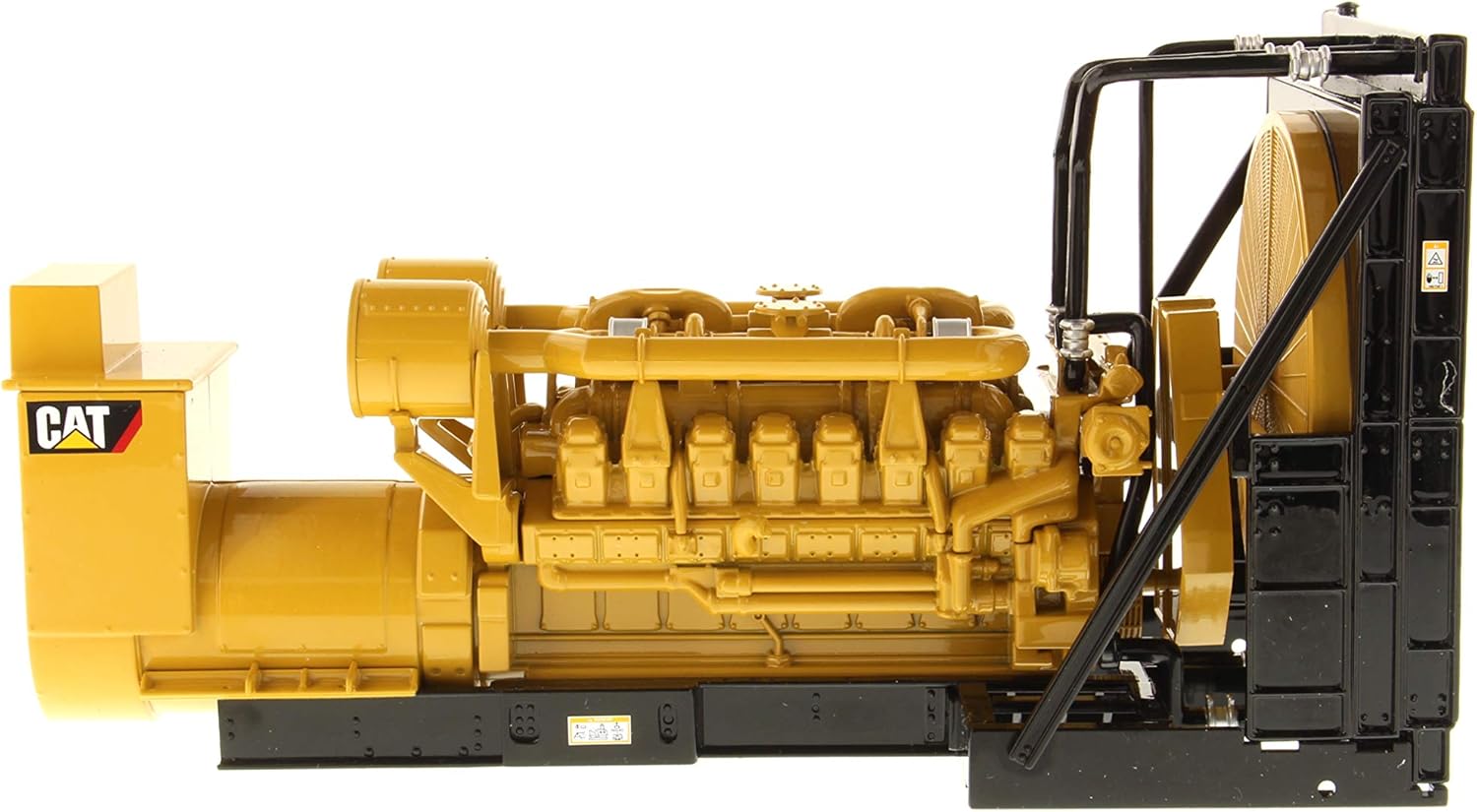
Image 3.1: Detailed side view of the model.
4. Maintenance
4.1 Cleaning
Regular cleaning will help maintain the model's appearance.
- Dust Removal: Use a soft, dry brush (such as a clean makeup brush or a soft paintbrush) or a can of compressed air to gently remove dust from the model's surfaces and crevices.
- Fingerprints: For fingerprints or smudges, lightly dampen a soft, lint-free cloth with water (or a mild, non-abrasive cleaner specifically designed for plastics/diecast) and gently wipe the affected area. Avoid harsh chemicals or abrasive materials.
- Avoid Immersion: Do not immerse the model in water or any cleaning solutions.
4.2 Storage
If storing the model for an extended period, consider returning it to its original packaging or placing it in a sealed display case to protect it from dust and environmental factors.
5. Troubleshooting
As a static display model, operational troubleshooting is not applicable. However, minor issues related to its display or physical condition may arise.
- Loose Parts: If a small part becomes loose, carefully reattach it using a small amount of model-specific adhesive, if necessary. Ensure the adhesive is suitable for diecast materials and applied sparingly.
- Dust Accumulation: Refer to the cleaning instructions in Section 4.1.
- Scratches/Dents: Minor cosmetic imperfections are generally difficult to repair without specialized tools and paints. Preventative care is recommended.
6. Specifications
| Brand | Diecast Masters |
| Model Name | 3516B |
| Model Number | DM85100 |
| Material Type | Diecast |
| Scale | 1:25 (as indicated on packaging) |
| Item Weight | 4.16 ounces |
| Included Components | 3516B Package Generator Set model |
| Special Feature | Detailed Operator (referring to the model's intricate design) |
| Color | Green (as listed in product data, though model is typically yellow/black) |
Note: The 'Color' specification may refer to a variant or an error in the original product data, as the visible model is primarily yellow and black.
7. Warranty and Support
7.1 Warranty Information
This Diecast Masters model comes with a 6-month warranty against manufacturer defects. This warranty covers defects in materials and workmanship under normal use. It does not cover damage resulting from misuse, accidents, unauthorized modifications, or normal wear and tear.
To make a warranty claim, please retain your proof of purchase and contact the retailer from whom the product was purchased or the manufacturer directly.
7.2 Customer Support
For further assistance, questions, or to report any issues with your model, please contact your point of purchase or refer to the official Diecast Masters website for customer support contact information.