
Introduction
The Fiskars Chenille Cutter-60mm is designed for creating chenille fabric effects. It features a self-adjusting wire guide to assist in centering cuts and ensure consistent channel sizes. The ergonomic design with a soft grip is intended to provide comfort and reduce strain during use. This manual provides essential information for the safe and effective operation and maintenance of your chenille cutter.
What's in the Box
- One (1) Fiskars Chenille Cutter-60mm
- One (1) 60mm Rotary Blade (pre-installed or included)
Setup
- Unpacking: Carefully remove the chenille cutter from its packaging. Inspect the tool for any visible damage.
- Blade Check: Ensure the 60mm rotary blade is securely installed. Refer to the Maintenance section for blade replacement instructions if needed.
- Safety First: Always handle the cutter with care. The blade is extremely sharp. Keep fingers away from the blade during operation and when adjusting.
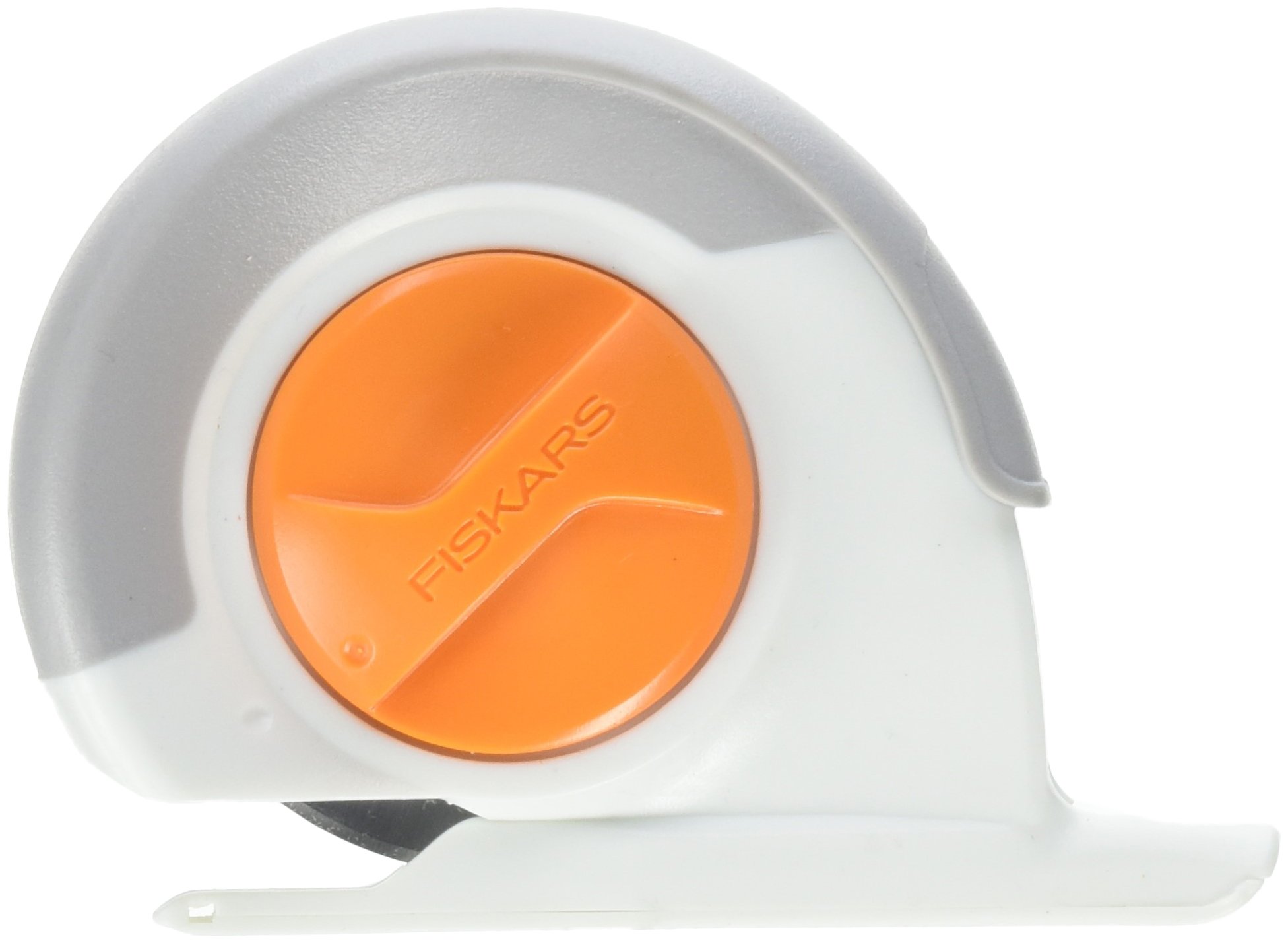
Figure 1: Close-up of the Fiskars Chenille Cutter's orange blade advance button. This button is used to rotate the blade to a fresh cutting edge.
Operating Instructions
- Prepare Fabric: Layer your fabric as required for your chenille project. Ensure layers are flat and aligned.
- Positioning: Place the cutter's wire guide into the desired channel between fabric layers. The guide will self-adjust to the channel size.
- Starting the Cut: For some fabrics, it may be helpful to make a small snip at the starting edge of your channel with scissors to create an initial opening for the cutter.
- Cutting: Apply firm, even pressure and push the cutter along the channel. The ergonomic grip is designed for comfort. The cutter is effective for straight lines and gentle curves. Avoid attempting tight curves.
- Advancing the Blade: Rotary blades can dull with use, especially when cutting multiple fabric layers. Periodically rotate the blade using the orange button to expose a fresh, sharp cutting edge. This helps maintain cutting efficiency.
- Clearing Jams: If fabric fibers accumulate and jam the cutter, carefully remove the cutter from the fabric. Refer to the Maintenance section for instructions on clearing fiber jams.

Figure 2: The Fiskars Chenille Cutter shown in hand, demonstrating its compact size and ergonomic design for comfortable handling.
Maintenance
- Blade Replacement:
- When the blade no longer cuts cleanly even after advancing to a new edge, it's time for replacement.
- Carefully open the cutter housing according to the manufacturer's instructions (typically by unscrewing or unlatching a cover).
- Remove the dull 60mm rotary blade, handling it by the center to avoid contact with the sharp edge. Dispose of used blades safely.
- Insert a new Fiskars 60mm rotary blade, ensuring it is correctly seated.
- Close and secure the cutter housing.
- Cleaning Fiber Jams:
- If fibers become lodged in the cutter, carefully open the cutter housing as if replacing the blade.
- Use tweezers or a small brush to gently remove all accumulated fibers from around the blade and guide mechanism.
- Ensure all moving parts are clear before reassembling.
- Storage: Store the chenille cutter in a safe, dry place, away from children and pets. Always engage any blade guard or return the blade to a safe position when not in use.
Troubleshooting
- Cutter not cutting effectively:
- Solution: Rotate the blade to a fresh cutting edge. If still dull, replace the blade.
- Solution: Check for fiber jams around the blade and guide. Clean as per Maintenance section.
- Solution: Ensure sufficient pressure is applied during cutting.
- Difficulty starting a cut:
- Solution: Make a small initial snip with scissors at the start of the channel to help the cutter engage.
- Cutter jams frequently:
- Solution: Clean the cutter regularly to prevent fiber buildup.
- Solution: Ensure fabric layers are not excessively thick or uneven, which can contribute to jamming.
Specifications
- Model Number: 534163
- Blade Size: 60mm Rotary Blade
- Product Dimensions: 6.5 x 5.25 x 1.25 inches
- Item Weight: 3.19 ounces
- Manufacturer: Fiskars
- Date First Available: May 22, 2016
Warranty Information
Specific warranty details for the Fiskars Chenille Cutter-60mm are not provided in this document. For comprehensive warranty information, please refer to the official Fiskars website or contact Fiskars customer support directly. Keep your proof of purchase for warranty claims.
Support
If you require further assistance, have questions about your Fiskars Chenille Cutter-60mm, or need to purchase replacement parts, please visit the official Fiskars website or contact their customer service department. Contact information can typically be found on the product packaging or the manufacturer's website.