
1. Introduction
The CATEYE Padrone Wireless Bike Computer is designed to provide essential cycling data with an oversized display for easy readability. This device tracks speed, distance, and time, enhancing your cycling experience by offering clear, real-time metrics.
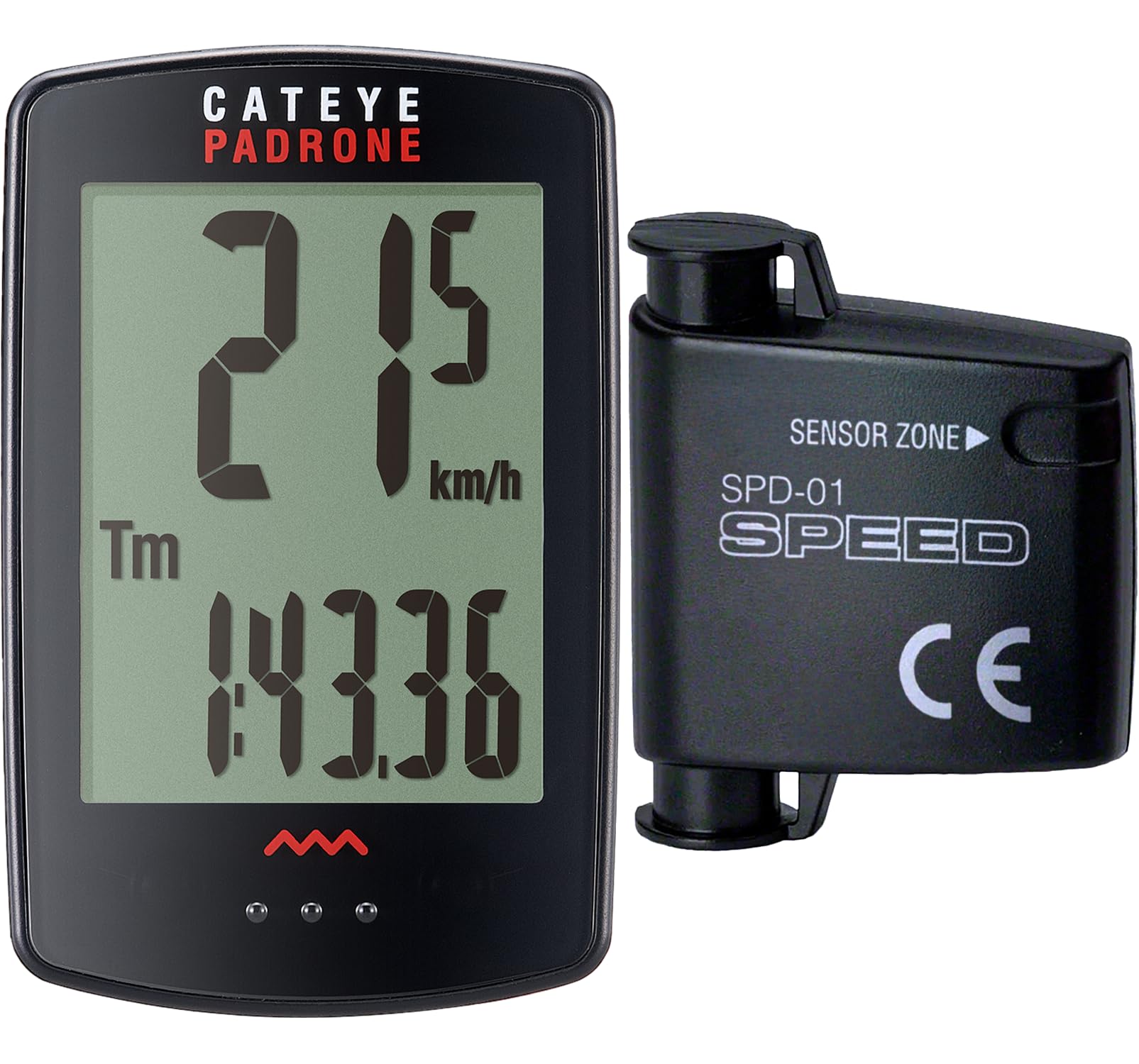
Image 1: CATEYE Padrone Wireless Bike Computer main unit.
2. What's in the Box
Verify that all components are present in the package:
- Computer Head Unit
- FlexTight™ Mount Kit
- Analog Speed Sensor
- Universal Wheel Magnet
- Zip-Ties (4x)
- CR2032 Batteries (2x, pre-installed)

Image 2: All components included in the CATEYE Padrone package.
3. Setup Instructions
3.1. Mount Installation
- Attach the FlexTight™ Mount Kit to your bicycle's handlebar. Ensure it is securely fastened and positioned for optimal viewing.
- Slide the Computer Head Unit onto the mount until it clicks into place.
3.2. Sensor and Magnet Placement
- Secure the Analog Speed Sensor to the bicycle fork using the provided zip-ties.
- Attach the Universal Wheel Magnet to a spoke on the front wheel.
- Adjust the position of the sensor and magnet so they are aligned and within close proximity (typically 5mm or less) to ensure accurate data transmission. Rotate the wheel to confirm the sensor detects the magnet.
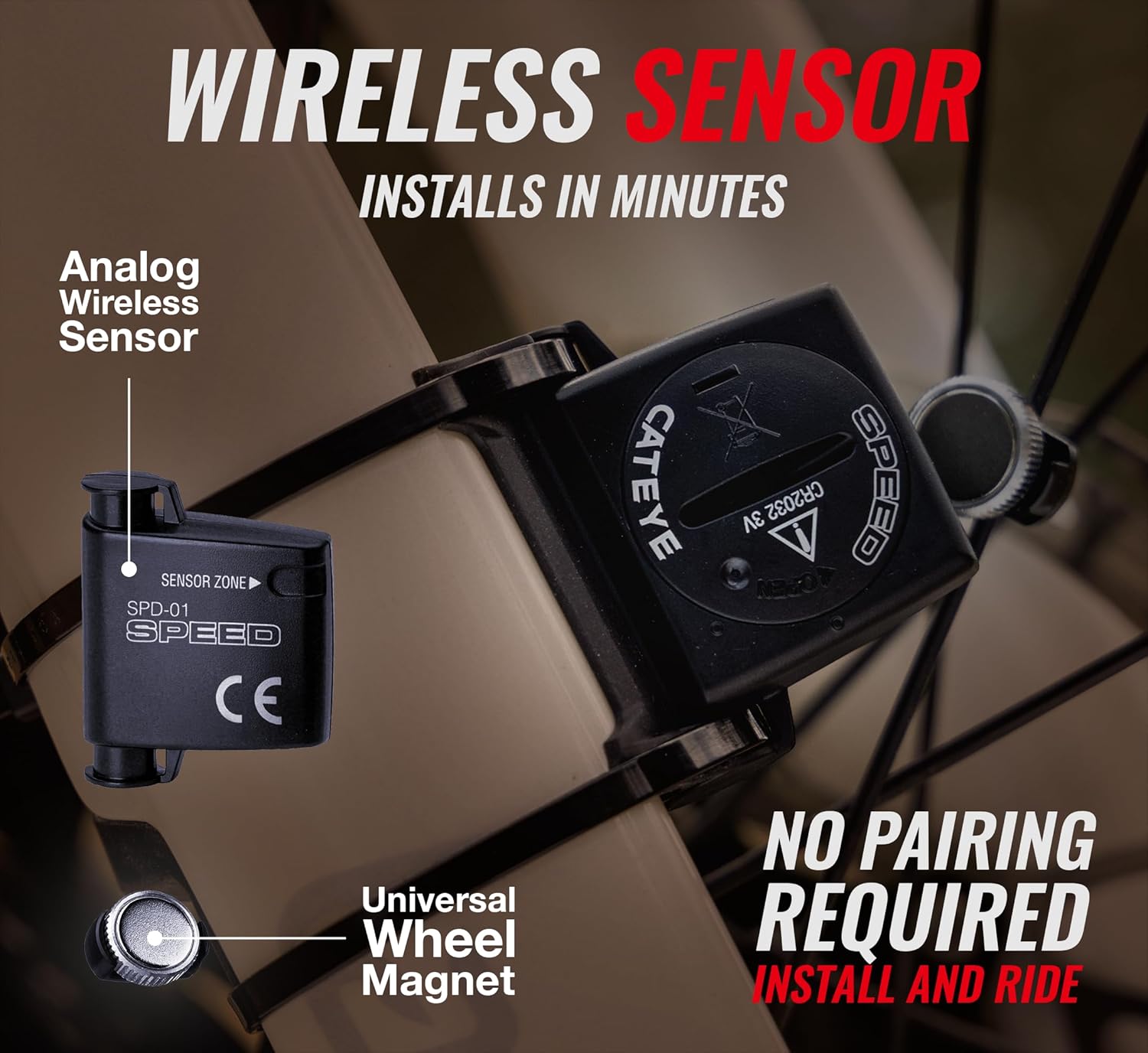
Image 3: The wireless sensor attached to the bike fork.

Image 4: Detailed view of the speed sensor and wheel magnet alignment.
3.3. Initial Programming
The computer requires initial setup for wheel size and time. Refer to the detailed programming instructions in the included quick start guide or the manufacturer's website for specific steps. This typically involves pressing buttons on the back of the unit to enter setup mode and adjust settings.
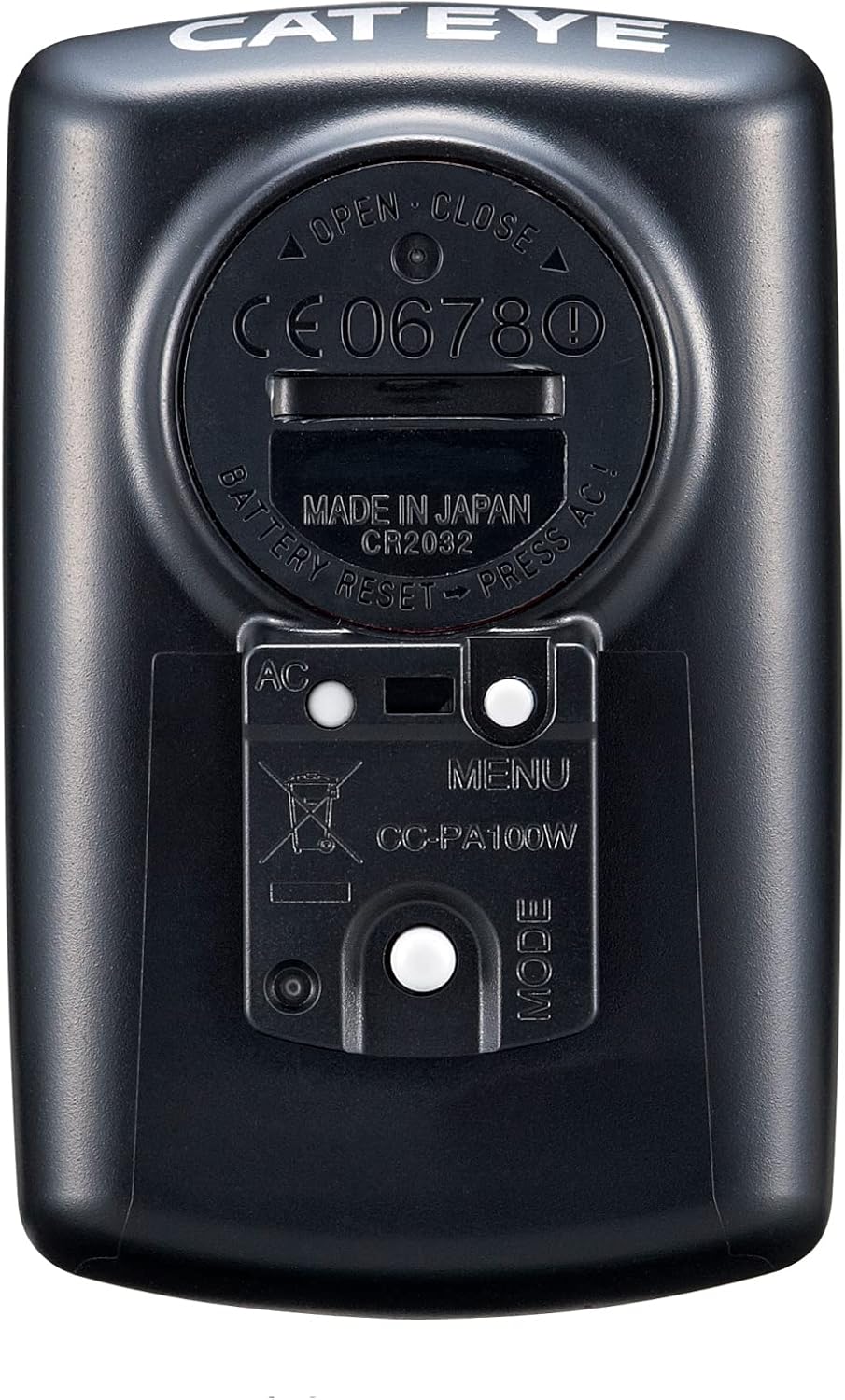
Image 5: Back of the computer unit with programming buttons.

Image 6: Setting up the computer's parameters.
4. Operating Instructions
4.1. Display Navigation (ClickTec™)
The CATEYE Padrone features a unique ClickTec™ design. To toggle through different functions and display metrics, simply press the base of the unit while it is mounted. Each press will cycle through available data such as current speed, average speed, maximum speed, trip distance, total distance, elapsed time, and clock.

Image 7: The computer display showing multiple functions.
4.2. Auto Start/Stop
The computer is equipped with an automatic start/stop feature. It will automatically begin recording data when you start riding and pause when you stop, ensuring accurate measurement of your ride time and average speed without manual intervention.

Image 8: The auto start/stop feature in action.
4.3. Resetting Trip Data
To reset trip-specific data (e.g., trip distance, elapsed time, average speed, max speed) before a new ride, press and hold the mode button on the unit for a few seconds until the values reset. The total odometer reading will not reset.
Video 1: Demonstrates how to navigate the display and reset trip data on the CATEYE Padrone.
5. Features Overview
- Oversized Display: Large, easy-to-read screen for quick data viewing during rides.
- Wireless Setup: Analog wireless transmission for a clean, clutter-free handlebar.
- 8 Functions: Tracks current speed, average speed, maximum speed, trip distance, total distance, elapsed time, stopwatch, and clock.
- Weatherproof (IPX8): Designed to withstand various weather conditions, submersible in up to 5 feet of water for up to 30 minutes.

Image 9: The oversized display of the CATEYE Padrone for enhanced readability.

Image 10: The weatherproof design of the computer, suitable for all conditions.
Video 2: An overview of the CATEYE Padrone Bike Computer's key features.
6. Maintenance
6.1. Battery Replacement
The computer head unit and speed sensor use CR2032 lithium metal batteries. The battery life for the computer is approximately 1 year, and for the sensor, it is approximately 6,200 miles. When the display becomes dim or erratic, it is time to replace the batteries. Refer to the back of the unit for battery compartment access.

Image 11: Replacing the CR2032 battery in the computer unit.
6.2. Cleaning
Wipe the computer and sensor with a soft, damp cloth. Do not use abrasive cleaners or solvents, as these can damage the unit.
7. Troubleshooting
7.1. No Speed/Distance Reading
- Check Sensor Alignment: Ensure the speed sensor and wheel magnet are correctly aligned and within the recommended distance (typically 5mm or less).
- Check Batteries: Replace batteries in both the computer head unit and the speed sensor if they are low or depleted.
- Interference: Ensure there are no strong magnetic fields or other wireless devices causing interference.
7.2. Incorrect Readings
- Wheel Size Setting: Verify that the correct wheel circumference is programmed into the computer. An incorrect setting will lead to inaccurate speed and distance measurements.
8. Specifications
| Feature | Detail |
|---|---|
| Brand | CATEYE |
| Model Name | Padrone Wireless |
| Model Number | CC-PA100W |
| Color | Black |
| Product Dimensions | 1.69"L x 0.57"W x 2.64"H |
| Item Weight | 0.03 Kilograms |
| Display Type | LCD |
| Battery Life | 1 year (computer), approx. 6,200 miles (sensor) |
| Sensor Type | Analog Wireless |
| Battery Cell Composition | Lithium Metal (CR2032) |
| Connectivity Technology | Analog Wireless |
| Mounting Type | Handlebar Mount (FlexTight™) |
| Human Interface Input | Buttons |
| Material | Plastic |
| Water Resistance | IPX8 (submersible up to 5 feet for 30 minutes) |
9. Warranty and Support
The CATEYE Padrone Wireless Bike Computer comes with a 2-Year Manufacturer's Warranty. For warranty claims, technical support, or further assistance, please refer to the contact information provided in your product packaging or visit the official CATEYE website.


