
Introduction
This manual provides detailed instructions for the operation and maintenance of your Casio AQ-230A-7BM watch. Please read this manual carefully to ensure proper use and to fully utilize all features of your watch.
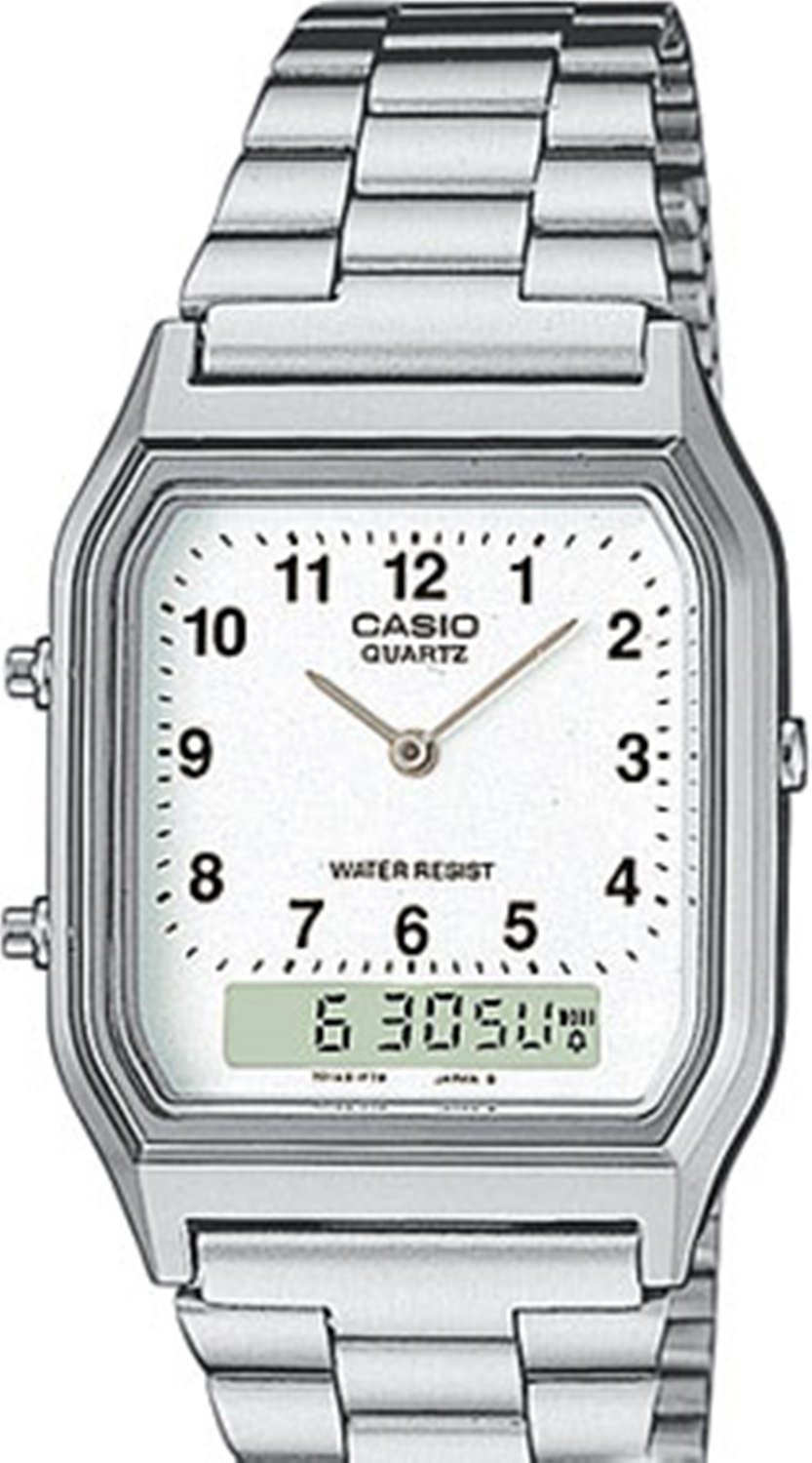
Image: Front view of the Casio AQ-230A-7BM watch, featuring its analog and digital display, and a silver-toned stainless steel band.
Setup
Before using your watch, it is important to set the current time and date. Refer to the following steps:
- Time Setting:
- Press the MODE button repeatedly until the time setting mode is displayed.
- Use the ADJUST button to select the hour, minute, or second digits.
- Use the START/STOP button to adjust the selected value.
- Press MODE again to exit time setting.
- Date Setting:
- In time setting mode, use the ADJUST button to navigate to the date (month, day, year) settings.
- Use the START/STOP button to change the values.
- The automatic calendar will adjust for different month lengths and leap years once set.
Operating Instructions
Your Casio AQ-230A-7BM watch offers several functions:
Dual Time Function
The dual time feature allows you to set and view a second local time. This is useful for individuals who frequently make international calls or travel across time zones.
- To access Dual Time mode, press the MODE button until "DUAL TIME" appears on the digital display.
- To set the dual time, press and hold the ADJUST button until the digits flash.
- Use the START/STOP button to change the hour and minute.
- Press ADJUST to confirm and exit setting.
Stopwatch Function
The stopwatch measures elapsed time, split times, and final times with 1/100th of a second accuracy, up to one hour.
- Press the MODE button to navigate to the Stopwatch mode.
- Press the START/STOP button to start and stop the stopwatch.
- Press the ADJUST button to record split times while the stopwatch is running.
- To reset the stopwatch, ensure it is stopped, then press the ADJUST button.
Daily Alarm
The daily alarm emits an audible signal at the programmed time to remind you of recurring events.
- Enter Alarm mode by pressing the MODE button.
- Press and hold the ADJUST button until the alarm time digits flash.
- Use the START/STOP button to set the desired alarm hour and minute.
- Press ADJUST to confirm.
- To turn the alarm ON/OFF, press the START/STOP button in Alarm mode (without holding ADJUST).
12/24-Hour Format
The time can be displayed in either 12-hour or 24-hour format.
- In the regular timekeeping mode, press the START/STOP button to toggle between 12-hour and 24-hour display formats.
Maintenance
Proper maintenance ensures the longevity and performance of your watch.
- Battery Life: The battery provides power for approximately 3 years. When the display becomes dim or functions become erratic, it is time to replace the battery. Contact an authorized service center for battery replacement.
- Water Resistance: This model is water-resistant according to ISO 22810 standards, meaning it can withstand minor splashes of water. Avoid any prolonged or significant contact with water, such as swimming, showering, or diving.
- Cleaning: Wipe the watch case and band with a soft, dry cloth. For stainless steel bands, a slightly damp cloth can be used, followed by drying. Avoid using chemical cleaners.
- Storage: Store your watch in a cool, dry place away from direct sunlight and extreme temperatures when not in use.
Troubleshooting
If you encounter issues with your watch, refer to the following common solutions:
- Display is blank or dim: The battery may be low or depleted. Replace the battery.
- Time is incorrect: Re-adjust the time settings as described in the "Setup" section. Ensure the 12/24-hour format is correctly selected.
- Buttons are unresponsive: Ensure the watch is not in a locked mode (if applicable, though not a feature for this model). If the issue persists, a battery replacement might be needed, or contact support.
- Water ingress: If water appears inside the watch, stop using it immediately and take it to an authorized service center.
Specifications
| Model Number | AQ-230A-7BM |
| Display Type | Analog-Digital |
| Movement Type | Quartz |
| Case Material | Resin (Chrome-plated) |
| Band Material | Stainless Steel |
| Water Resistance | ISO 22810 (Minor splashes only) |
| Battery Life | Approx. 3 years (with 1 battery) |
| Dimensions (H x W x D) | 38.80mm x 27.80mm x 8.10mm |
| Weight | Approx. 44.00 g |
Warranty and Support
For warranty information, service, or further assistance, please refer to the warranty card included with your purchase or visit the official Casio website. You may also contact Casio customer support directly for product-specific inquiries.
Official Casio Website: www.casio.com


