
EasyAcc FNHD
EasyAcc Mini Handheld Fan User Manual
Model: FNHD
Brand: EasyAcc
Introduction
Thank you for choosing the EasyAcc Mini Handheld Fan. This portable and versatile fan is designed to provide personal cooling in various settings, including travel, outdoor activities, office, and household use. Featuring a powerful motor, adjustable speeds, and a long-lasting rechargeable battery, it ensures comfort wherever you go. This manual provides detailed instructions for setup, operation, maintenance, and troubleshooting to help you get the most out of your fan.

The EasyAcc Mini Handheld Fan, shown in both its handheld and folded desk configurations, highlighting its compact and versatile design.
Package Contents
Please check the package carefully to ensure all items are present:
- 1 x EasyAcc Portable Handheld Fan
- 1 x USB Charging Cable
- 1 x User Manual
- 2 x Lanyards (65cm and 6cm)
- 2 x Stickers
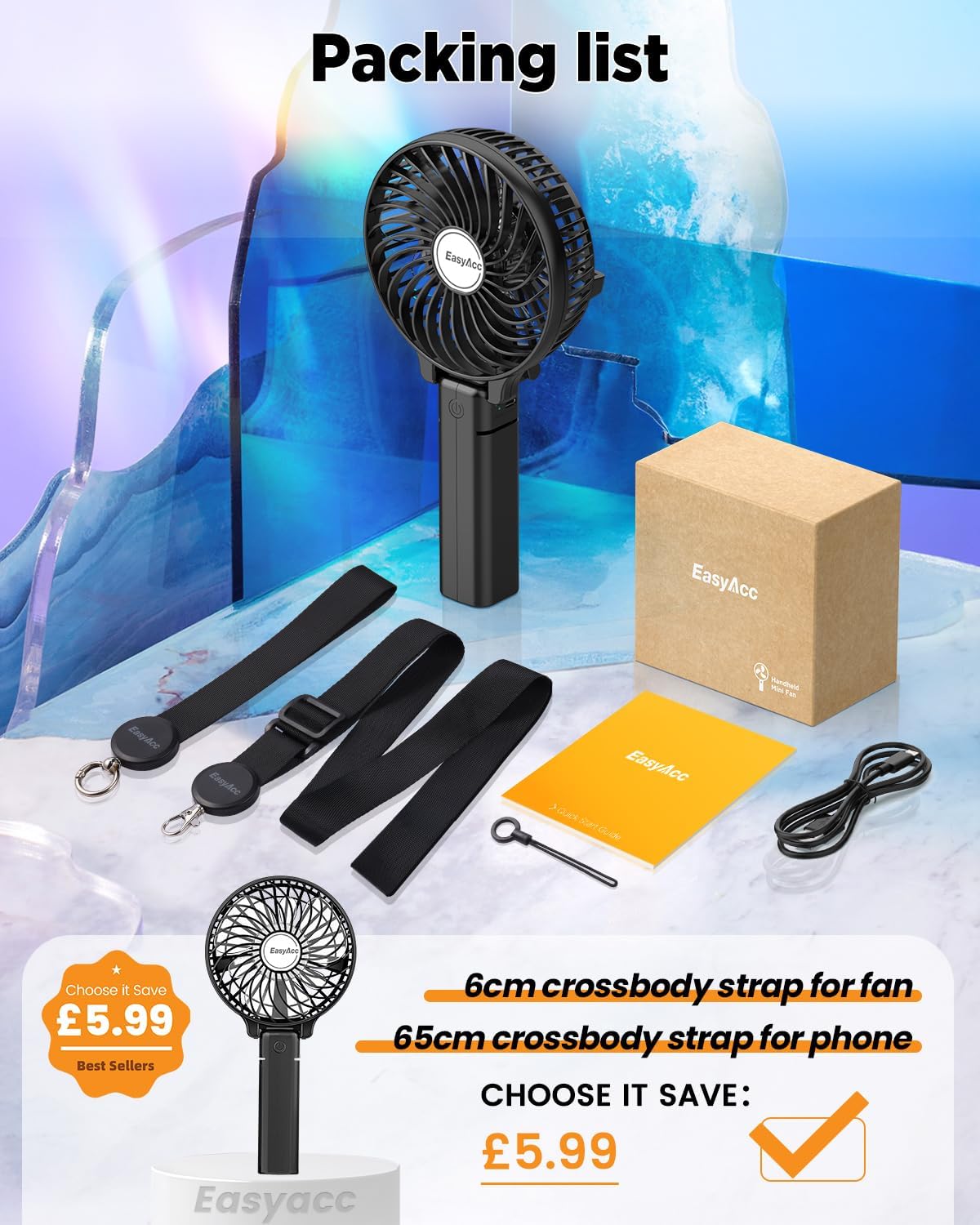
A visual representation of the package contents, including the fan, two lanyards of different lengths, two decorative stickers, a USB charging cable, and the user manual.
Product Features
- Powerful Airflow: Equipped with 6 blades and a motor capable of up to 3600 RPM for strong, even airflow.
- Long Battery Life: Built-in 2600mAh rechargeable battery provides 3-10 hours of wireless operation on a single charge.
- 3 Adjustable Speeds: Easily switch between low (2100rpm), medium (2900rpm), and high (3600rpm) settings.
- 180° Foldable Design: Transforms from a handheld fan to a stable desk fan.
- Portable and Lightweight: Compact size (8"D x 5"W x 2.5"H) and light weight (7.1 ounces) make it ideal for carrying in a handbag or pocket.
- Versatile Lanyards: Includes a 65cm lanyard for neck or cross-body wear, and a 6cm lanyard for wrist or small attachments, offering hands-free convenience.

Individuals demonstrating the hands-free functionality of the fan using the included lanyards, suitable for various activities.

The fan positioned on a desk, illustrating its use as a stationary cooling device, emphasizing its powerful airflow and extended operating time.
Setup
Initial Battery Preparation
Before first use, it is crucial to prepare the battery:
- Locate the battery cover on the fan.
- Carefully open the battery cover.
- Remove the insulating sheet that is placed over the battery terminals. This sheet prevents battery discharge during shipping.
- Close the battery cover securely.
Failure to remove the insulating sheet will prevent the fan from operating.
Charging the Fan
To charge your EasyAcc Mini Handheld Fan:
- Connect the small end of the provided USB charging cable to the charging port on the fan.
- Connect the larger end of the USB cable to a USB power source, such as a laptop, power bank, or a USB wall charger (not included).
- The charging indicator light will illuminate (color may vary by model) to show that the fan is charging.
- A full charge typically takes approximately 4 hours. Do not charge for longer than 4 hours to preserve battery life.
- Once fully charged, the indicator light may change color or turn off. Disconnect the fan from the power source.

The fan connected to various power sources for charging, including a laptop, a portable power bank, and a standard wall charger, demonstrating its versatile charging options.
Operating Instructions
Power On/Off and Speed Adjustment
The fan features a single button for controlling power and speed settings:
- To Turn On: Press the power button once. The fan will start at Speed 1 (low).
- To Adjust Speed: Press the power button again to cycle through speeds:
- 1st Press: Speed 1 (2100 RPM)
- 2nd Press: Speed 2 (2900 RPM)
- 3rd Press: Speed 3 (3600 RPM)
- To Turn Off: After Speed 3, press the power button one more time to turn the fan off.
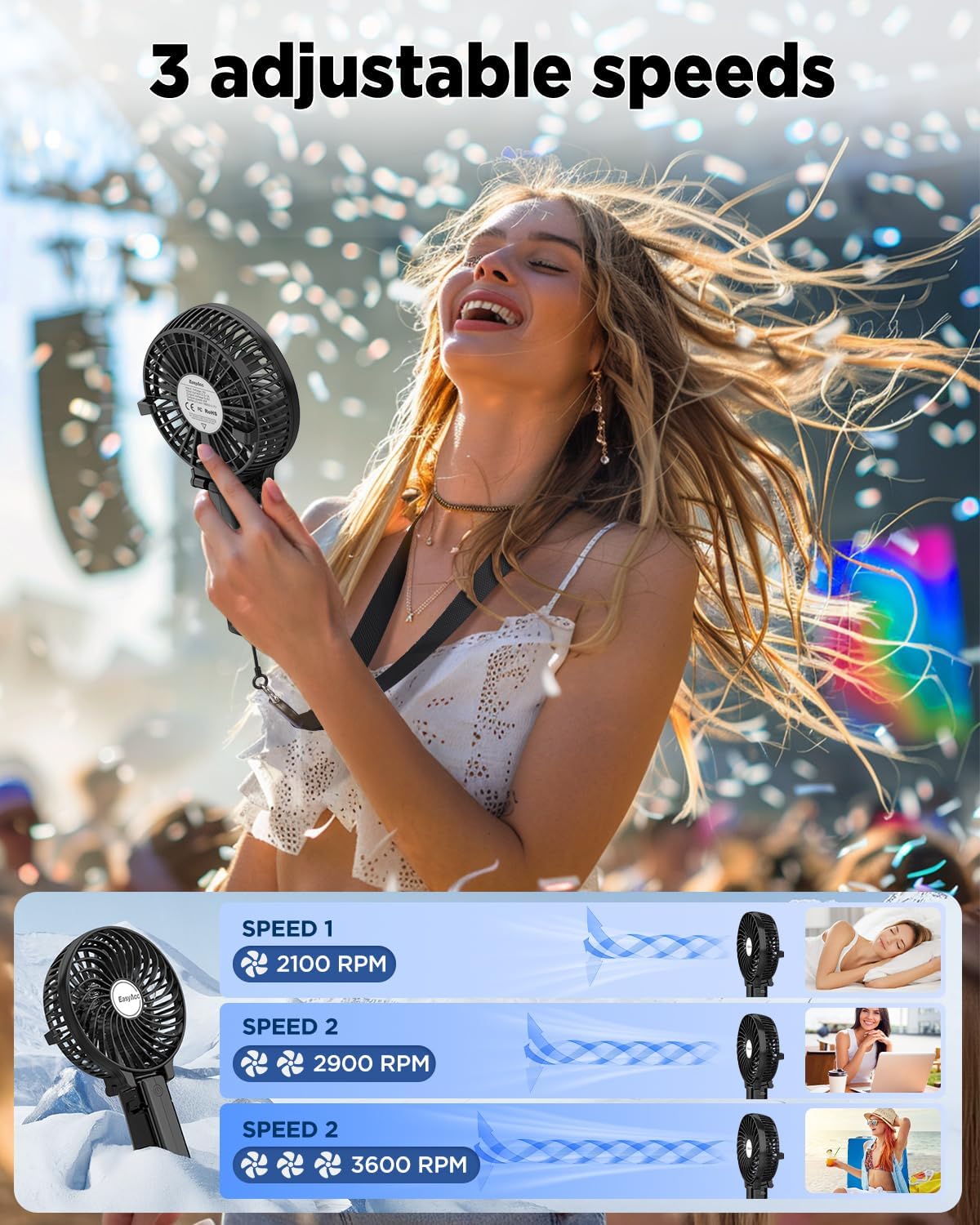
An illustration detailing the three distinct speed settings of the fan, indicating the RPM for each level and the corresponding airflow intensity.
Folding Function
The fan's handle can be folded 180° to convert it into a desk fan:
- Hold the fan head firmly with one hand and the handle with the other.
- Gently pivot the handle at the hinge point until it forms a stable base for the fan head.
- Place the fan on a flat surface for hands-free cooling.
Maintenance
Cleaning
- Ensure the fan is turned off and disconnected from any power source before cleaning.
- Use a soft, dry cloth to wipe the exterior of the fan.
- For dust accumulation on the fan blades, use a cotton swab or a soft brush to gently clean between the grilles. Do not use water or any liquid cleaners directly on the fan.
- Do not attempt to disassemble the fan for cleaning beyond what is described in this manual.
Storage
When not in use for extended periods, store the fan in a cool, dry place, away from direct sunlight and extreme temperatures. It is recommended to fully charge the battery before storing to maintain its health.
Troubleshooting
| Problem | Possible Cause | Solution |
|---|---|---|
| Fan does not turn on. | Battery insulating sheet not removed. | Open battery cover and remove the insulating sheet. |
| Fan does not turn on. | Battery is depleted. | Charge the fan for at least 4 hours. |
| Weak airflow. | Fan is on a low speed setting. | Press the power button to cycle to a higher speed setting. |
| Weak airflow. | Battery is low. | Recharge the fan. |
| Fan stops working shortly after charging. | Battery not fully charged or battery issue. | Ensure charging for the recommended 4 hours. If problem persists, contact customer support. |
Specifications
| Brand | EasyAcc |
| Model Name | FNHD |
| Color | 2600 Battery Black |
| Power Source | Battery Powered |
| Battery Capacity | 2600mAh (approx. 1 D battery equivalent) |
| Working Time | 3-10 hours (depending on speed setting) |
| Charging Time | Approx. 4 hours |
| Number of Blades | 6 |
| Max Speed | 3600 RPM |
| Noise Level | 50 dB |
| Wattage | 4 watts |
| Voltage | 5 Volts |
| Product Dimensions | 8"D x 5"W x 2.5"H |
| Item Weight | 7.1 ounces (200 Grams) |
| Material | Plastic (Finish Type), Aluminum (Blade Material) |
| Certifications | CE, FCC, RoHS |
Warranty and Support
EasyAcc is committed to providing high-quality products and excellent customer support. Your EasyAcc Mini Handheld Fan comes with a lifetime customer support guarantee.
- For any product-related inquiries, technical assistance, or warranty claims, please contact EasyAcc customer service.
- Please refer to the official EasyAcc website or the product packaging for the most current contact information.
- Keep your purchase receipt as proof of purchase for any warranty-related services.
For more information, visit the official EasyAcc store: EasyAcc Store on Amazon
Ask a question about this manual
Ask about setup, troubleshooting, compatibility, parts, safety, or missing instructions. Manuals+ will review the question and use this page’s manual context to help answer it.