
1. Introduction
Thank you for choosing the RISEPRO Floatable Waterproof Phone Case. This product is designed to protect your smartphone from water, snow, dust, and scratches, allowing you to use your device in various environments, including underwater. Its unique floatable design prevents your device from sinking, and the integrated audio jack allows for headphone use.
This manual provides essential information for the proper setup, operation, and maintenance of your waterproof case.
What's in the Box:
- 1 x RISEPRO Floatable Waterproof Case with External Audio Jack
- 1 x Armband
- 1 x Lanyard
- 1 x Instruction Manual (this document)

Image 1.1: The RISEPRO Floatable Waterproof Case showcasing its key features including touch-friendly, waterproof, snowproof, scratch resistant, secure lock seal, and dustproof properties.
2. Safety Information and Pre-Use Test
Important: Before each use, especially when using the case for the first time or after a long period of storage, it is crucial to perform a waterproof test without your device inside.
- Open the two snap-and-lock seals at the top of the case.
- Insert a piece of tissue paper or a small, dry cloth into the case.
- Securely close both snap-and-lock seals, ensuring they are fully engaged and no gaps are visible.
- Submerge the sealed case in water for at least 30 minutes. You may place a weight on it to keep it fully submerged.
- After 30 minutes, remove the case from the water, wipe the exterior dry, and then open the seals.
- Check the tissue paper or cloth inside. If it is completely dry, the case is safe to use with your device. If it is wet, do not use the case and contact customer support.
Always ensure the seals are clean and free from debris before closing. Avoid exposing the case to sharp objects or extreme temperatures.
3. Setup
3.1 Inserting Your Device
- Perform the pre-use waterproof test as described in Section 2.
- Open the two snap-and-lock seals at the top of the case.
- Carefully insert your smartphone (up to 6.7 inches) into the pouch. Ensure it is centered for optimal screen access.
- Expel as much air as possible from the pouch before sealing to minimize bulk and improve touch sensitivity.
- Securely close both snap-and-lock seals. Press down firmly until you hear a click for each seal, ensuring a tight, waterproof closure.

Image 3.1: The waterproof case can accommodate not only a smartphone but also other small valuables like credit cards and cash, providing versatile protection.
3.2 Attaching the Armband or Lanyard
- Armband: Thread the armband through the loops located on the back of the case. Adjust the strap for a comfortable and secure fit around your arm.
- Lanyard: Attach the lanyard to the designated loop at the top of the case. This allows for convenient carrying around your neck.

Image 3.2: The waterproof case with an armband, demonstrating its use during physical activity like running, keeping the phone secure and accessible.
3.3 Using the External Audio Jack
The case features a built-in 3.5mm audio cable and an external audio jack, allowing you to connect waterproof headphones while your phone is sealed inside.
- Before inserting your phone, plug the internal 3.5mm audio cable into your phone's headphone jack.
- Ensure the phone is properly positioned and the case is sealed as described in Section 3.1.
- Connect your waterproof headphones to the external audio jack located on the back of the case.

Image 3.3: A detailed view of the back of the waterproof case, highlighting the waterproof external audio jack and the integrated 3.5mm audio cable for headphone connectivity.
4. Operating
4.1 Touchscreen Functionality
The premium TPU material allows for full touchscreen functionality while your device is inside the case. You can navigate, type, and use apps as usual.
- For best results, ensure the screen is clean and dry before placing it in the case.
- Touch ID fingerprint recognition may not function through the case. Use alternative unlock methods like passcodes or facial recognition.
- In some underwater conditions, touch sensitivity may be reduced due to water pressure or water droplets on the screen. Physical buttons (e.g., volume buttons for camera shutter) may be more reliable for photography underwater.

Image 4.1: A hand interacting with a smartphone screen through the transparent front of the waterproof case, demonstrating its touch-friendly design.
4.2 Underwater Photography and Video
The clear window on both sides of the case allows you to take photos and videos underwater. For optimal results:
- Before submerging, open your phone's camera app and set it to video or photo mode.
- Use the volume buttons on your phone as a shutter button for easier operation underwater.
- Ensure the case is free of air bubbles on the camera lens area for clear images.
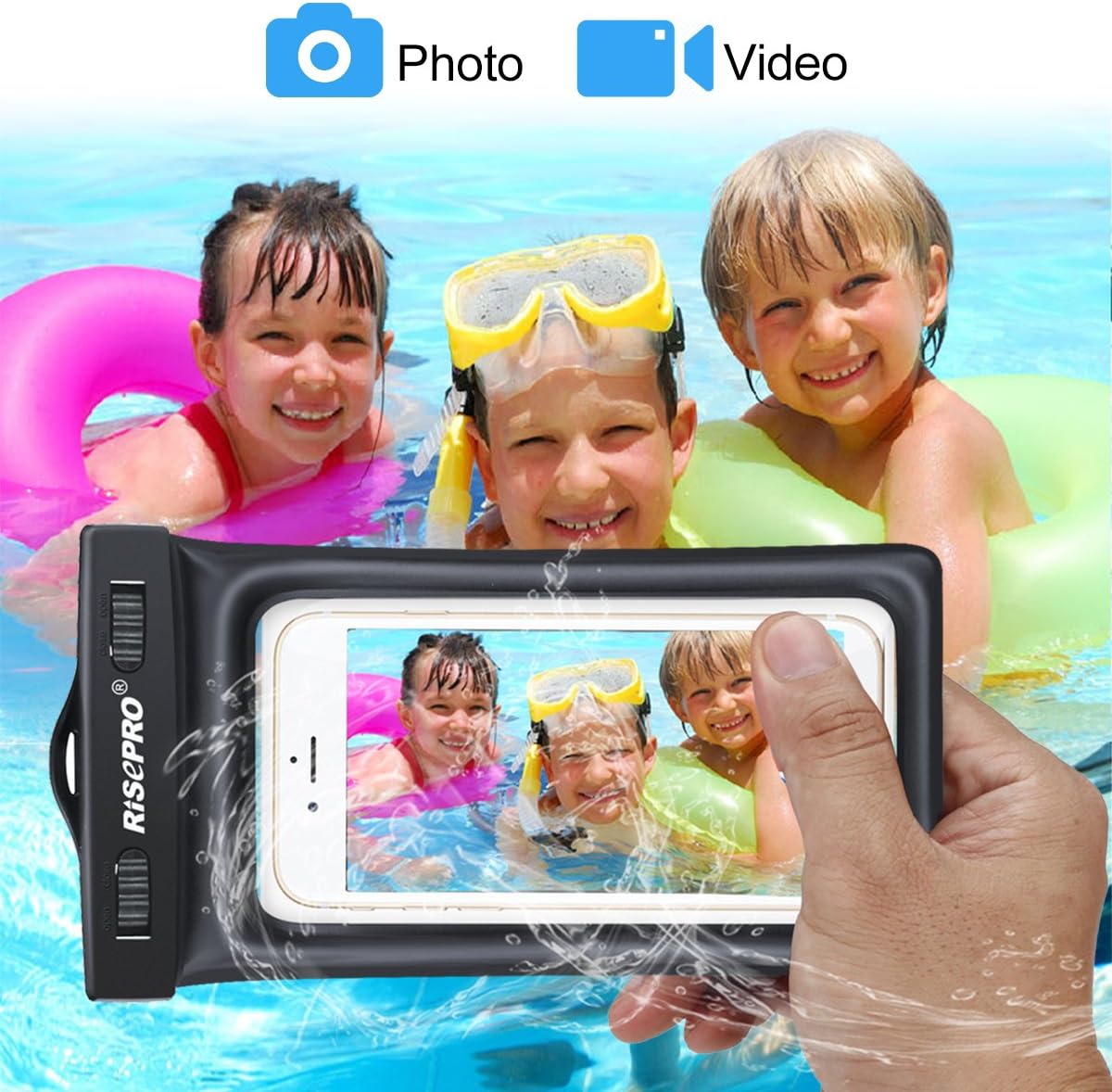
Image 4.2: An adult using the waterproof case to capture underwater photos of children swimming, illustrating its capability for aquatic photography.
4.3 Floatable Design
The RISEPRO waterproof case features an inflation design on its edge, allowing it to float on water if accidentally dropped. This prevents your device from sinking and getting lost in water bodies.
5. Maintenance
- Cleaning: After use, especially in saltwater, rinse the case thoroughly with fresh water. Wipe it dry with a soft cloth. Do not use abrasive cleaners or solvents.
- Inspection: Regularly inspect the seals and the case material for any signs of wear, tears, or damage. Even a small crack can compromise its waterproof integrity.
- Storage: Store the case in a cool, dry place away from direct sunlight and sharp objects. Avoid folding or creasing the case excessively, as this may damage the material or seals.
- Seal Care: Keep the sealing mechanism clean and free of sand, dirt, or lint, which can prevent a proper seal.
6. Troubleshooting
- Water Leakage: If water enters the case during a test, immediately cease use. Re-check the sealing mechanism for proper closure and ensure no debris is obstructing the seal. If the issue persists, the case may be damaged.
- Touchscreen Unresponsive: Ensure the phone is properly centered and there isn't excessive air inside the pouch. Wipe the screen and the case surface clean. In some wet conditions, touch sensitivity can be reduced; try using physical buttons.
- Difficulty Opening/Closing Seals: The snap-and-lock seals are designed to be tight for waterproof integrity. Apply firm, even pressure. If they are excessively stiff, ensure they are clean. Do not force them with sharp tools.
- Audio Quality Issues: Ensure your headphones are fully plugged into the external audio jack and the internal cable is securely connected to your phone. Test with different headphones if necessary.
7. Specifications
| Model Number | FB1710-BK |
| Material | Thermoplastic Polyurethane (TPU) |
| Waterproof Rating | IPX8 Certified (up to 100ft / 30m underwater) |
| Product Dimensions | 7.09 x 3.94 x 0.55 inches (18 x 10 cm, not including seal) |
| Item Weight | 0.16 ounces (85g) |
| Compatible Devices | Smartphones up to 6.7 inches, including iPhone 6s Plus, 6s, 6, 5s, 5c, 5, 4s; Samsung Galaxy S7, S6, Note 5; HTC Desire 626s, HTC One M9, and similar sized devices. |
| Special Features | Floatable design, external audio jack, touchscreen compatible, armband and lanyard included. |
8. Warranty and Support
For warranty information or technical support regarding your RISEPRO Floatable Waterproof Phone Case, please refer to the product packaging or contact the retailer where you purchased the product. You may also visit the official RISEPRO website for customer service contact details.
Please retain your proof of purchase for any warranty claims.