
1. Introduction
Thank you for choosing the HMS L8355 Abdominal Bench. This manual provides essential information for the safe assembly, operation, and maintenance of your new fitness equipment. Please read all instructions carefully before use and retain this manual for future reference.
2. Safety Information
WARNING: Failure to follow these safety instructions may result in serious injury or property damage.
- Consult your physician before starting any exercise program.
- Keep children and pets away from the equipment during use.
- Place the bench on a flat, stable surface. Ensure adequate space around the equipment.
- Inspect the bench for loose parts, damage, or wear before each use. Do not use if damaged.
- Do not exceed the maximum weight capacity of 100 kg (220 lbs).
- Wear appropriate exercise attire and footwear.
- Perform exercises slowly and in a controlled manner. Avoid sudden or jerky movements.
- If you experience pain, dizziness, or shortness of breath, stop exercising immediately and consult a physician.
3. Package Contents
Verify that all components are present before beginning assembly. If any parts are missing or damaged, contact customer support.
- HMS L8355 Abdominal Bench Frame and Upholstery
- 2 x 1.5 kg Dumbbells
- Resistance Expanders
- Assembly Hardware (bolts, nuts, washers, tools)
- Instruction Manual

Figure 3.1: HMS L8355 Abdominal Bench with included accessories.
4. Setup and Assembly
Assembly typically requires two people. Follow the step-by-step instructions provided in the separate assembly guide (if included) or the diagrams below. Ensure all connections are secure before use.
- Unpack Components: Carefully remove all parts from the packaging and lay them out on a clean, flat surface.
- Assemble Main Frame: Attach the support legs to the main bench frame using the provided bolts and nuts. Do not fully tighten until all parts are aligned.
- Install Leg Supports: Secure the padded leg supports to the designated points on the frame.
- Attach Adjustment Mechanism: Connect the height and inclination adjustment mechanism. Ensure it moves freely and locks securely into position.
- Mount Accessories: Attach the resistance expanders to their designated anchor points. The dumbbells can be stored on the integrated holder.
- Final Tightening: Once all components are in place and aligned, fully tighten all bolts and nuts.
- Stability Check: Gently shake the assembled bench to ensure it is stable and all parts are securely fastened.
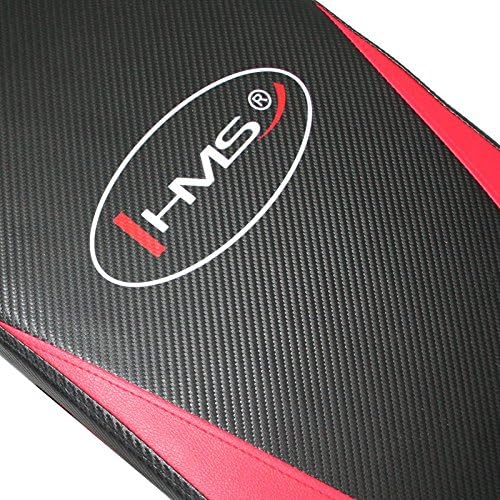
Figure 4.1: Top view of the assembled bench, highlighting the stable construction.
5. Operating Instructions
The HMS L8355 Abdominal Bench is designed for various core and strength exercises. Always warm up before exercising and cool down afterwards.
5.1 Adjusting Height and Inclination
The bench features adjustable height and inclination settings to vary the intensity of your workout.
- Locate the adjustment pin or lever mechanism, typically found near the pivot point of the bench.
- Pull the pin or release the lever to disengage the locking mechanism.
- Adjust the bench to your desired height or angle. A steeper incline increases exercise difficulty.
- Ensure the pin fully re-engages or the lever locks securely into place before use.
5.2 Using the Abdominal Bench
For abdominal exercises, position yourself on the bench with your feet secured under the leg supports. Use your core muscles to perform crunches or sit-ups. The non-slip elements ensure stability during your workout.

Figure 5.1: Detail of the bench upholstery with HMS logo, featuring non-slip material.
5.3 Using Dumbbells and Expanders
The included 1.5 kg dumbbells and resistance expanders can be used to enhance your workout. The expanders attach to the bench, allowing for various resistance exercises for arms, shoulders, and back, complementing your core training.
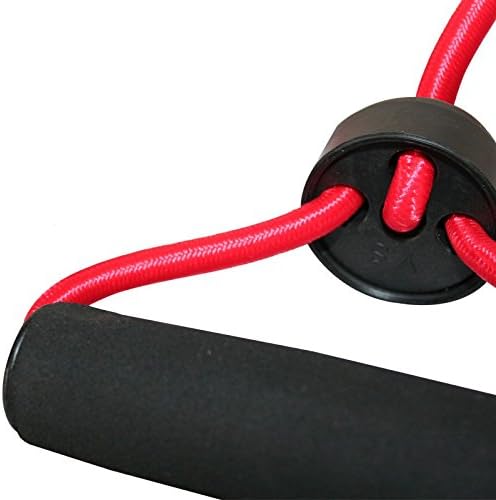
Figure 5.2: Detail of the resistance expander, showing its handle and connection.

Figure 5.3: Padded handle detail, providing comfort and grip.
6. Maintenance
Regular maintenance ensures the longevity and safe operation of your HMS L8355 Abdominal Bench.
- Cleaning: Wipe down the bench upholstery and frame with a damp cloth after each use to remove sweat and dirt. Use mild soap if necessary, then wipe dry. Avoid abrasive cleaners.
- Inspection: Periodically check all bolts, nuts, and moving parts for tightness. Tighten any loose fasteners.
- Lubrication: Apply a small amount of silicone-based lubricant to any pivot points or adjustment mechanisms if they become stiff or noisy.
- Storage: Store the bench in a dry, cool place away from direct sunlight and extreme temperatures.
7. Troubleshooting
If you encounter issues with your abdominal bench, refer to the following common solutions:
| Problem | Possible Cause | Solution |
|---|---|---|
| Bench feels unstable or wobbly | Loose fasteners; uneven surface | Check and tighten all bolts and nuts. Ensure the bench is on a flat, level surface. |
| Adjustment mechanism is stiff | Lack of lubrication; dirt buildup | Clean the mechanism and apply a silicone-based lubricant. |
| Squeaking noises during use | Loose connections; friction at pivot points | Tighten all fasteners. Lubricate pivot points. |
If the problem persists, please contact HMS customer support.
8. Specifications
| Feature | Specification |
|---|---|
| Model | L8355 |
| Dimensions (L x W x H) | 135 x 58 x 65 cm (53.1 x 22.8 x 25.6 inches) |
| Weight | 12 kg (26.5 lbs) |
| Maximum User Weight | 100 kg (220 lbs) |
| Frame Material | Alloy Steel |
| Upholstery Material | Leather (or similar synthetic material) |
| Included Accessories | 2 x 1.5 kg Dumbbells, Resistance Expanders |
| Color | Black / Red |
| Adjustments | Height and Inclination |
9. Warranty and Support
For warranty information, please refer to the warranty card included with your product or visit the official HMS website. If you require technical assistance, replacement parts, or have any questions not covered in this manual, please contact HMS customer support through their official channels.
Contact Information: Please refer to your purchase documentation or the HMS official website for the most current customer support contact details.
