
Hurricane Pro 20-Inch High Velocity Oscillating Metal Wall Mount Fan User Manual
Model: 20" Pro Series
1. Safety Information
Read all instructions carefully before using this fan. Failure to follow these instructions may result in electric shock, fire, or personal injury.
- Always unplug the fan from the power outlet before cleaning, servicing, or moving it.
- Do not operate the fan with a damaged cord or plug. If the cord or plug is damaged, contact qualified service personnel for repair or replacement.
- Keep hands, hair, clothing, and other objects away from the fan blades during operation to prevent injury.
- Ensure the fan is mounted securely to a sturdy wall structure capable of supporting its weight.
- Do not use this fan in wet or damp locations, such as bathrooms or outdoor areas exposed to rain. This fan is designed for indoor use.
- Do not run the power cord under carpeting or cover it with throw rugs, runners, or similar coverings. Arrange the cord away from traffic areas where it will not be tripped over.
- This appliance has a polarized plug (one blade is wider than the other). To reduce the risk of electric shock, this plug is intended to fit in a polarized outlet only one way. If the plug does not fit fully in the outlet, reverse the plug. If it still does not fit, contact a qualified electrician. Do not attempt to defeat this safety feature.
- The motor is thermally protected and includes overload protection with a replaceable fuse for enhanced safety.
2. Setup
2.1 Unpacking and Inspection
Carefully remove the fan from its packaging. Inspect the fan for any signs of damage during transit. Ensure all components, including the heavy-duty wall bracket and hardware, are present.
2.2 Wall Mounting
The Hurricane Pro fan is designed for secure wall mounting. Use the included heavy-duty wall bracket and hardware. Select a mounting location on a sturdy wall that can safely support the fan's weight and provide adequate clearance for airflow and oscillation.

Image: The Hurricane Pro 20-inch fan is suitable for various environments and includes all necessary mounting hardware for easy installation.
- Mark the desired mounting position on the wall.
- Drill pilot holes as required for the wall bracket.
- Securely attach the wall bracket to the wall using the provided hardware. Ensure the bracket is firmly fixed.
- Attach the fan unit to the mounted wall bracket. Follow the specific instructions provided in the physical manual for your model to ensure correct assembly.
2.3 Power Connection
Once the fan is securely mounted, plug the 6 ft 120 V power cord into a standard electrical outlet. Ensure the outlet meets the fan's power requirements.
3. Operating Instructions
3.1 Powering On and Speed Selection
The fan features a control knob located on the base of the fan unit. Rotate the knob to select one of the three available speed settings:
- 0: Off
- 1: Low Speed
- 2: Medium Speed
- 3: High Speed
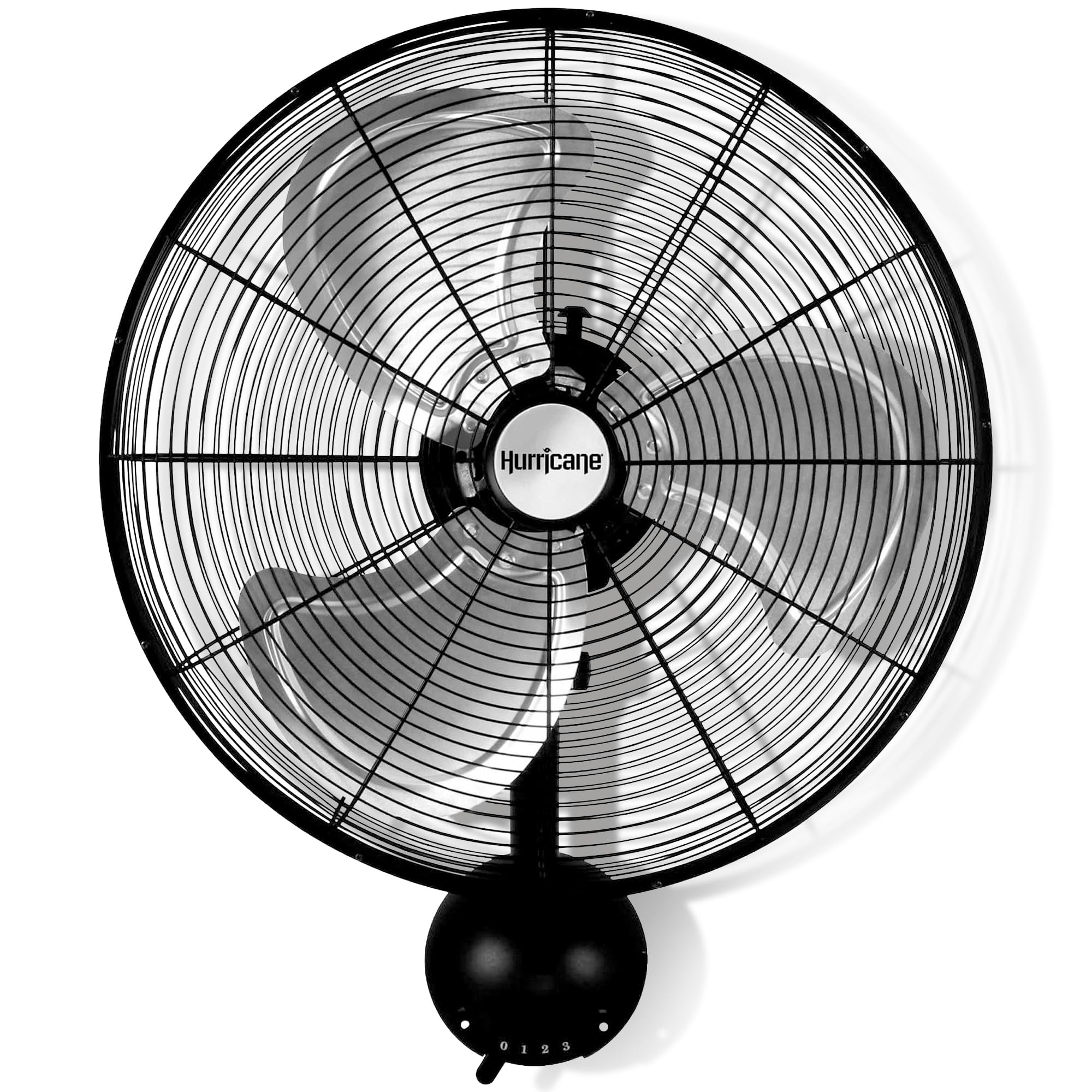
Image: The main view of the Hurricane Pro 20-inch fan, highlighting the speed control knob at its base.
3.2 Oscillation Function
To activate the oscillation feature, locate the oscillation pull knob or switch, typically found on the motor housing. Pull it up to engage oscillation, allowing the fan head to sweep from side to side. Push it down to stop oscillation and direct airflow in a fixed direction.

Image: The fan demonstrating its 90-degree oscillation capability, showing the range of motion.
3.3 Adjustable Tilt
The fan head can be tilted to direct airflow vertically. Loosen the adjustment knob(s) on the side of the fan head, adjust to the desired angle, and then tighten the knob(s) to secure the position.

Image: The fan head tilted upwards, illustrating the adjustable tilt feature for directing airflow.
3.4 Official Product Video
Video: An official product video from the seller, Spreetail, showcasing the Hurricane Metal Wall Mount Heavy Duty Hydroponics Fan in operation. This video demonstrates the fan's airflow and general functionality.
4. Maintenance
Regular maintenance ensures optimal performance and extends the lifespan of your fan. Always unplug the fan before performing any maintenance.
4.1 Cleaning
- Use a soft, damp cloth to clean the exterior surfaces of the fan. Do not use abrasive cleaners or solvents.
- To clean the fan blades, carefully remove the front grille (refer to your specific model's instructions for grille removal). Wipe the aluminum blades with a soft cloth.
- Ensure all parts are completely dry before reassembling the grille and operating the fan.
4.2 Fuse Replacement
The fan is equipped with an overload protection feature that includes a replaceable fuse. If the fan stops working unexpectedly, the fuse may need replacement. Refer to the specific instructions in your physical manual for the location and procedure to replace the fuse. Always use a fuse of the correct type and rating.
5. Troubleshooting
If you encounter issues with your Hurricane Pro fan, refer to the following common troubleshooting steps:
- Fan does not turn on:
- Ensure the power cord is securely plugged into a working electrical outlet.
- Check the speed control knob to ensure it is set to a speed setting (1, 2, or 3) and not '0' (Off).
- Inspect the power cord for any damage.
- Check the fuse (refer to Section 4.2 for fuse replacement).
- Oscillation is not working:
- Ensure the oscillation pull knob/switch is engaged (pulled up).
- Inspect the oscillation mechanism for any obstructions or visible damage.
- Fan makes unusual noise:
- Unplug the fan and check for any foreign objects or debris caught in the fan blades or grille.
- Ensure the fan blades are clean and free of dust buildup.
- Verify that the fan is securely mounted and all screws are tightened.
If these steps do not resolve the issue, contact customer support for further assistance.
6. Specifications
The Hurricane Pro 20-Inch High Velocity Oscillating Metal Wall Mount Fan is engineered for robust performance and durability.

Image: A top-down view of the 20-inch fan, illustrating its size and key performance metrics like RPM and CFM.
| Feature | Detail |
|---|---|
| Model | 20" Pro Series |
| Brand | Hurricane |
| Color | Black |
| Power Source | Corded Electric |
| Product Dimensions (D x W x H) | 8"D x 15.98"W x 16"H |
| Mounting Type | Wall Mount |
| Number of Speeds | 3 |
| Wattage | 140 watts |
| Number of Blades | 3 |
| Air Flow Capacity | 4500 Cubic Feet Per Minute (CFM) |
| Speed | 1450 RPM |
| Voltage | 120V |
| Indoor/Outdoor Usage | Indoor |
| Material | Aluminum (Blades), All-metal construction |
| Finish Type | Powder Coated |
| Blade Length | 20 Inches |
| Item Weight | 16.8 Pounds |
| Cable Length | 6 Feet |
| Special Features | Oscillating, Adjustable Tilt, Thermally Protected Motor, Overload Protection with Replaceable Fuse |
| Certifications | ETL |
7. Warranty
This Hurricane Pro fan comes with a manufacturer's 1-year warranty. Please retain your proof of purchase for warranty claims. For details regarding the terms and conditions of the warranty, refer to the documentation included with your product or contact the manufacturer directly.
8. Support
For technical assistance, troubleshooting beyond the scope of this manual, or warranty inquiries, please contact Hurricane customer support. Contact information can typically be found on the product packaging or the manufacturer's official website.


