
1. Introduction
Purpose of This Guide
This document serves as a comprehensive guide for users of the Bobcat CT122 Compact Tractor Workshop Repair Manual. It outlines how to access, navigate, and interpret the information contained within the repair manual to facilitate maintenance and repair procedures for your Bobcat CT122 compact tractor.
The repair manual itself (Part Number: 6987028, 2010 revision) is specifically designed for Bobcat CT122 compact tractors with serial numbers S/N ABF511001 and above. It contains approximately 675 pages of detailed technical information.
2. Accessing and Viewing the Repair Manual
Accessing Your Digital Repair Manual
The Bobcat CT122 Workshop Repair Manual is typically provided in a digital format, such as a PDF file. To access it, ensure you have a compatible PDF reader installed on your computer or device.
- Locate the digital file on your storage device or download it from the provided source.
- Double-click the file to open it with your default PDF viewer.
- If the file does not open, verify that you have a PDF reader (e.g., Adobe Acrobat Reader, Foxit Reader) installed.
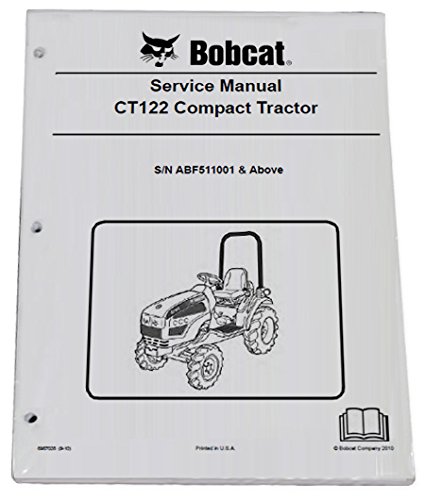
Image Description: This image displays the cover page of the Bobcat CT122 Workshop Repair Manual, indicating its title and purpose. It serves as a visual reference for the manual you will be using.
3. Navigating the Repair Manual
Efficient Navigation and Search
The digital format allows for quick searching and navigation.
Using the Table of Contents/Bookmarks
Most PDF readers provide a navigation pane with a table of contents or bookmarks. Click on these entries to jump directly to specific sections, chapters, or topics within the manual.
Utilizing the Search Function
To find specific keywords, part numbers, or procedures, use the search function (usually Ctrl+F or Cmd+F) within your PDF reader. Type your query into the search bar and press Enter to find occurrences throughout the document.
Understanding Section Layout
The manual is organized into logical sections, typically covering:
- General Information: Safety precautions, torque specifications, general maintenance.
- System-Specific Chapters: Engine, transmission, hydraulics, electrical system, chassis.
- Troubleshooting: Diagnostic charts and procedures.
- Disassembly and Assembly: Step-by-step instructions for component removal and installation.
Pay close attention to chapter and section headings to quickly locate relevant information.
4. Interpreting Manual Content
Understanding Technical Information
The repair manual uses technical terminology, diagrams, and specifications.
Safety Information
Always review the safety section at the beginning of the manual before performing any service or repair. This section details critical warnings and precautions to prevent injury or damage.
Specifications and Torque Values
Refer to the specifications section for correct fluid types, capacities, and critical torque values for fasteners. Using incorrect specifications can lead to equipment failure.
Diagrams and Illustrations
The manual includes numerous diagrams, exploded views, and illustrations. These visual aids are crucial for identifying components, understanding assembly sequences, and tracing electrical circuits. Cross-reference text descriptions with corresponding images.
5. Troubleshooting and Common Issues
Resolving Manual Access or Usage Problems
If you encounter issues while using the digital repair manual:
- File Corruption: If the manual file appears corrupted or incomplete, try re-downloading it from the original source.
- Search Not Working: Ensure your PDF reader's search function is active. Some older PDF files might have text embedded as images, making them unsearchable.
- Outdated Revision: Verify that you are using the correct revision (2010 revision, Part No. 6987028) for your tractor's serial number (S/N ABF511001 & Above). Using an incorrect manual can lead to improper repairs.
For issues related to the tractor itself, consult the dedicated troubleshooting sections within the repair manual.
6. Manual Specifications
Key Details of the Repair Manual
| Attribute | Detail |
|---|---|
| Product Type | Workshop Repair Manual (Digital) |
| Brand | Bobcat |
| Model Covered | CT122 Compact Tractor |
| Part Number | 6987028 |
| Revision Year | 2010 |
| Applicable Serial Numbers | S/N ABF511001 & Above |
| Estimated Page Count | Approximately 675 pages |
Note: Always confirm the manual's applicability to your specific tractor's serial number to ensure accurate information.
7. Support and Further Assistance
Getting Help
If you require assistance with the Bobcat CT122 Workshop Repair Manual itself (e.g., download issues, file integrity), please contact the vendor or distributor from whom you obtained the manual.
For technical support regarding your Bobcat CT122 compact tractor or specific repair procedures, consult an authorized Bobcat dealer or service center.
