
1. Introduction
The GT OMEGA Classic Wheel Stand is a robust and versatile platform designed to enhance your sim racing experience. It provides a stable and adjustable mounting solution for various racing wheels, pedals, and gear shifters. This manual outlines the assembly, operation, maintenance, and troubleshooting for your wheel stand.
This stand is universally compatible with popular racing peripherals, including Logitech G25, G27, G29, G920, G923, Thrustmaster T500RS, T300RS, TX Ferrari 458, and Fanatec ClubSport models. It features a twin-spar design for rigidity and includes a chair link for added stability.

Figure 1: GT OMEGA Classic Wheel Stand with mounted racing wheel and pedals.
2. Setup
2.1 Unpacking and Inventory
Carefully unpack all components from the packaging. Verify that all parts are present before beginning assembly. The package should include the main wheel stand frame, pedal plate, wheel deck, gear shifter mount, chair link, and all necessary hardware (bolts, nuts, washers, and adjustment knobs).
2.2 Assembly Steps
- Attach the Pedal Plate: Secure the pedal plate to the main frame using the provided bolts and nuts. Ensure it is firmly attached.
- Mount the Wheel Deck: Connect the wheel deck to the adjustable arms of the main frame. Use the adjustment knobs to set a preliminary height and angle.
- Install Your Racing Wheel: Place your racing wheel onto the wheel deck. Align the mounting holes on your wheel with the pre-drilled holes on the wheel deck and secure it using the appropriate hardware provided with your racing wheel or the stand.
- Install Your Pedals: Position your pedal set on the pedal plate. Align the mounting holes and secure the pedals using the appropriate hardware.
- Attach the Gear Shifter Mount (Optional): The gear shifter mount can be attached to either the left or right side of the wheel stand. Secure it to the designated mounting points using the provided hardware.
- Install Your Gear Shifter (Optional): Mount your gear shifter onto the gear shifter mount, aligning the holes and securing it with the appropriate hardware.
- Connect the Chair Link: If using a gaming chair with wheels, attach the chair link to the rear of the wheel stand. This prevents your chair from rolling back during intense gameplay.
- Cable Management: Route all cables from your wheel, pedals, and shifter neatly along the frame using cable ties or clips to prevent tangling and damage.
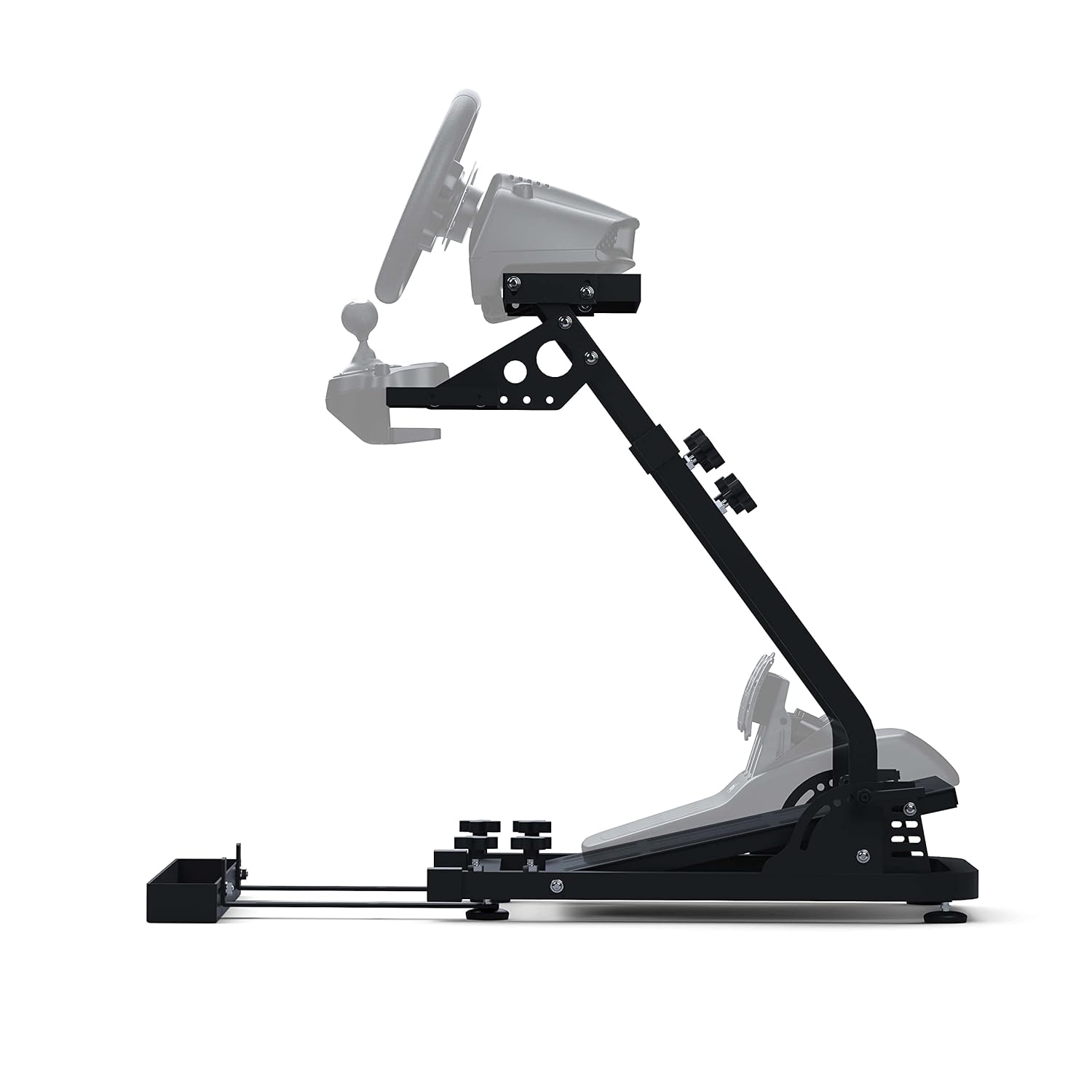
Figure 2: Side view showing the gear shifter mount attachment.
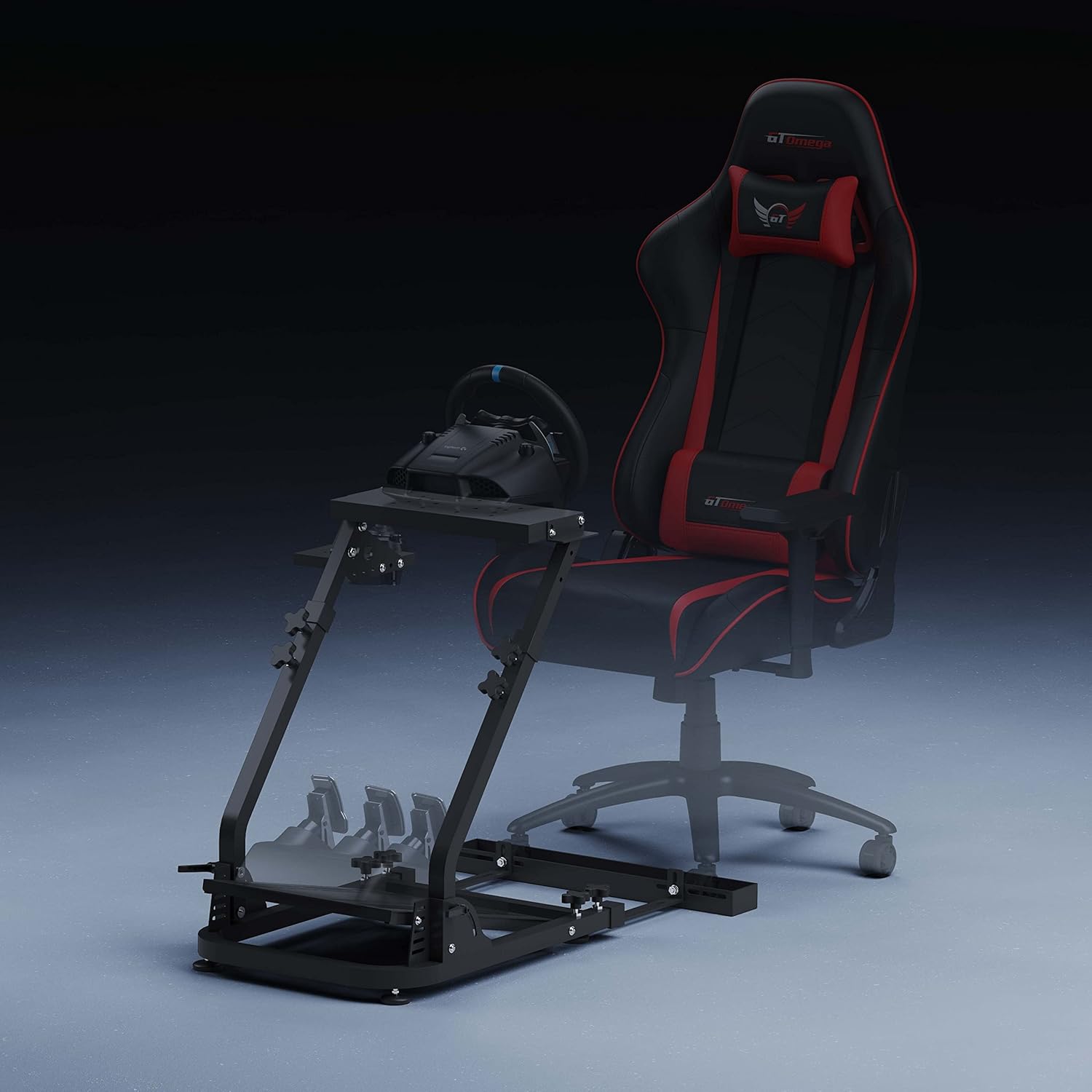
Figure 3: The chair link feature for securing your gaming chair.
Video 1: Official overview of the GT Omega Classic Steering Wheel Stand, demonstrating its features and setup.
3. Operating Adjustments
3.1 Adjusting Wheel and Pedal Positions
The GT OMEGA Classic Wheel Stand offers multiple adjustment points for optimal comfort and ergonomics. Loosen the adjustment knobs on the main frame to modify the height and tilt angle of the wheel deck. Similarly, the pedal plate can be adjusted for distance. Tighten all knobs securely once the desired position is achieved to ensure stability during use.
3.2 Adjusting Gear Shifter Position
The gear shifter mount can be positioned on either the left or right side of the wheel stand, depending on user preference. It can also be adjusted for height and distance from the wheel. Loosen the relevant bolts, adjust the position, and then re-tighten firmly.
4. Maintenance
To ensure the longevity and optimal performance of your GT OMEGA Classic Wheel Stand, follow these maintenance guidelines:
- Regular Cleaning: Wipe down the stand with a soft, damp cloth to remove dust and debris. Avoid abrasive cleaners or solvents that could damage the finish.
- Check Connections: Periodically inspect all bolts, nuts, and adjustment knobs to ensure they are tight. Re-tighten any loose connections to maintain stability.
- Inspect for Wear: Check for any signs of wear or damage to the frame, mounts, or plastic components. If any part is damaged, contact GT OMEGA support for replacement parts.
- Storage: When not in use, the wheel stand can be folded for compact storage. Loosen the main adjustment knobs to fold the stand. Ensure all components are secured before moving or storing.

Figure 4: The wheel stand can be folded for convenient storage.
5. Troubleshooting
5.1 Common Issues and Solutions
- Issue: Stand feels unstable or wobbly.
Solution: Ensure all adjustment knobs and mounting bolts are fully tightened. Verify that the stand is placed on a flat, even surface. If using a gaming chair, ensure the chair link is properly engaged. - Issue: Gear shifter mount becomes loose during use.
Solution: Re-tighten the bolts securing the gear shifter mount. If the issue persists, ensure the washers are correctly placed and consider adding a thread-locking compound (e.g., Loctite) to the bolts for a more secure fit, if appropriate for your hardware. - Issue: Difficulty folding the stand for storage.
Solution: Ensure all components (wheel, pedals, shifter) are removed or adjusted to allow for clearance. Loosen the main adjustment knobs that control the folding mechanism. The stand is designed to fold, but may require some effort due to its sturdy construction. - Issue: Pedals slide on the pedal plate.
Solution: Ensure your pedals are securely bolted to the pedal plate using the appropriate hardware. If your pedal set does not have mounting holes, consider using non-slip pads or Velcro to prevent movement.
6. Specifications
| Feature | Detail |
|---|---|
| Brand Name | GT OMEGA |
| Model Number | 5F-OV6H-H6J1 |
| UPC | 616641770297 |
| Item Weight | 300 Grams (Note: This weight seems unusually low for a wheel stand and may refer to packaging or a specific component. Refer to product packaging for actual total weight.) |
| Item Dimensions (L x W x H) | 19.69 x 11.81 x 1.97 inches (Note: These dimensions seem unusually small and may refer to packaging or a specific component. Refer to product packaging for actual assembled dimensions.) |
| Compatible Devices | Xbox, PlayStation 4 (and compatible racing wheels/pedals) |
| Controller Type | Steering Wheel |
| Connectivity Technology | USB (for connected devices, not the stand itself) |
| Additional Features | Ergonomic, Adjustable Height and Tilt, Foldable Design, Twin-Spar Design, Chair Link, Gear Shifter Mount |
| Hardware Platform | PC |
| Color | Black |
7. Warranty and Support
For detailed warranty information, product registration, and customer support, please visit the official GT OMEGA website. You can find contact information and frequently asked questions there to assist with any further inquiries or issues not covered in this manual.
GT Omega Racing ltd: Visit the GT Omega Store on Amazon
