1. Introduction
The BONECO P400 Air Purifier is designed to provide highly efficient air purification for your home or office. It features a special filter package including HEPA and active carbon filters, capable of removing allergens, pollen, bacteria, dust, pet dander, dust mites, smoke, and odors from the air. This manual provides essential information for the safe and effective operation and maintenance of your P400 Air Purifier.

Figure 1.1: BONECO P400 Air Purifier
The BONECO P400 Air Purifier in a modern white and black design, standing upright. This image showcases the sleek aesthetic of the unit, suitable for various home environments.
2. Key Features
- Efficient Air Purification: Filters out ultrafine particles, ensuring clean and healthy room air.
- Special Filter Package: Includes HEPA and active carbon filters to remove allergens, pollen, viruses, dust, pet dander, dust mites, smoke, and odors.
- Quiet Operation: Designed to blend effortlessly into your surroundings without distraction.
- Digital Display: Features a user-friendly digital display for easy control of fan speeds and power.
- Multiple Fan Speeds: Offers 5 fan level speeds for customized air purification.
- Low Power Consumption: Utilizes a DC motor for energy efficiency.
- Filter Change Reminder: Smart system alerts you when it's time to replace filters.
- Fragrance Container: Includes a container for essential oils to personalize your space with scents.
- Coverage Area: Effective for rooms up to 600 sq. ft.

Figure 2.1: Airflow Diagram
An illustrative diagram showing the air purification process within the BONECO P400. Red arrows indicate incoming polluted air, passing through the filter system, and blue arrows show clean air being released from the top of the unit.
3. Setup
- Unpacking: Carefully remove the air purifier from its packaging. Retain all packaging materials for future transport or storage.
- Placement: Place the unit on a flat, stable surface in the desired room. Ensure there is adequate space around the unit for proper airflow.
- Filter Installation:
- Open the filter compartment cover.
- Remove the protective plastic from the ALLERGY filter (included).
- Insert the filter into the designated slot, ensuring it is seated correctly.
- Close the filter compartment cover securely.
- Power Connection: Plug the power cord into a suitable electrical outlet.
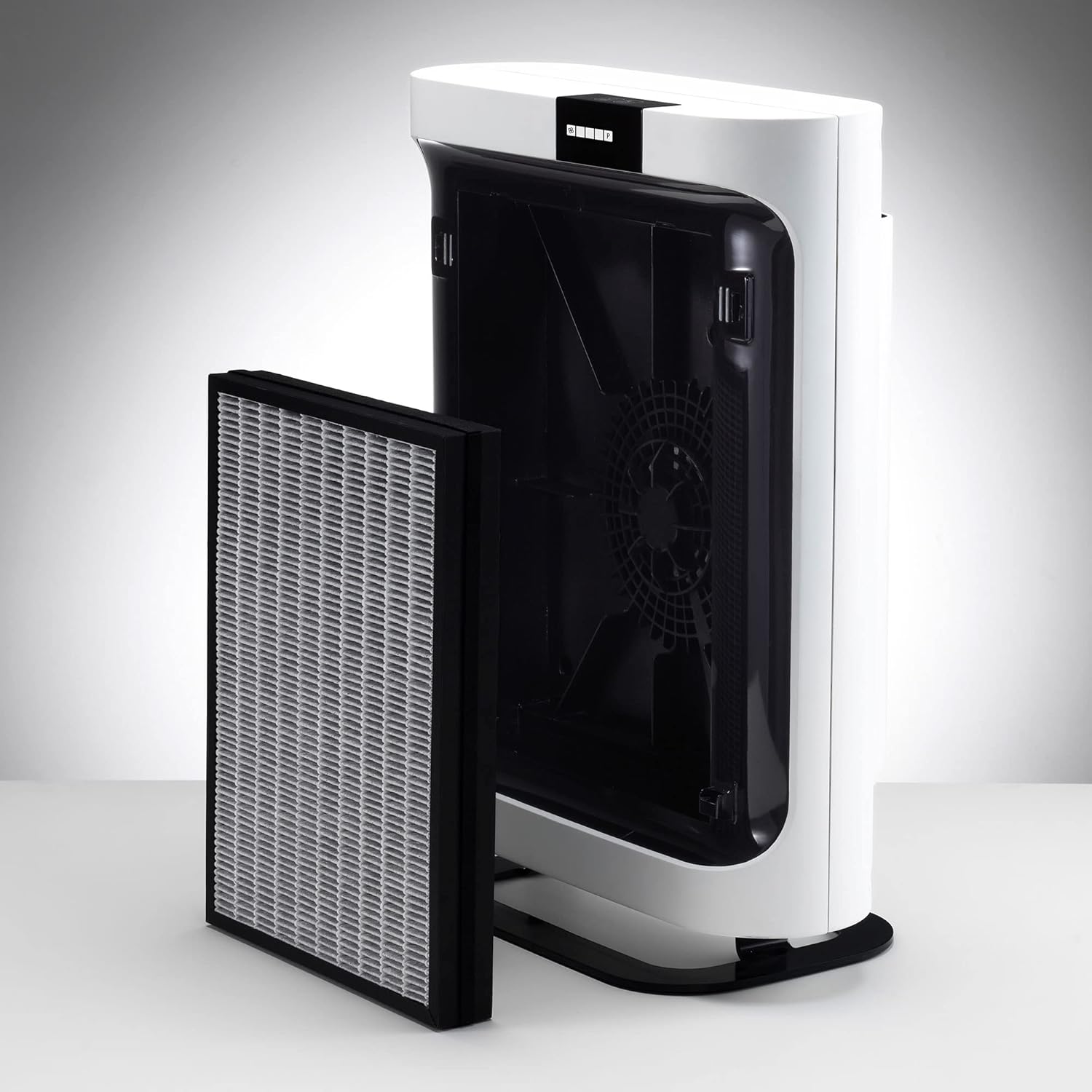
Figure 3.1: Accessing the Filter Compartment
A hand opening the side panel of the BONECO P400 Air Purifier to reveal the filter compartment, demonstrating how to access the filter for installation or replacement.
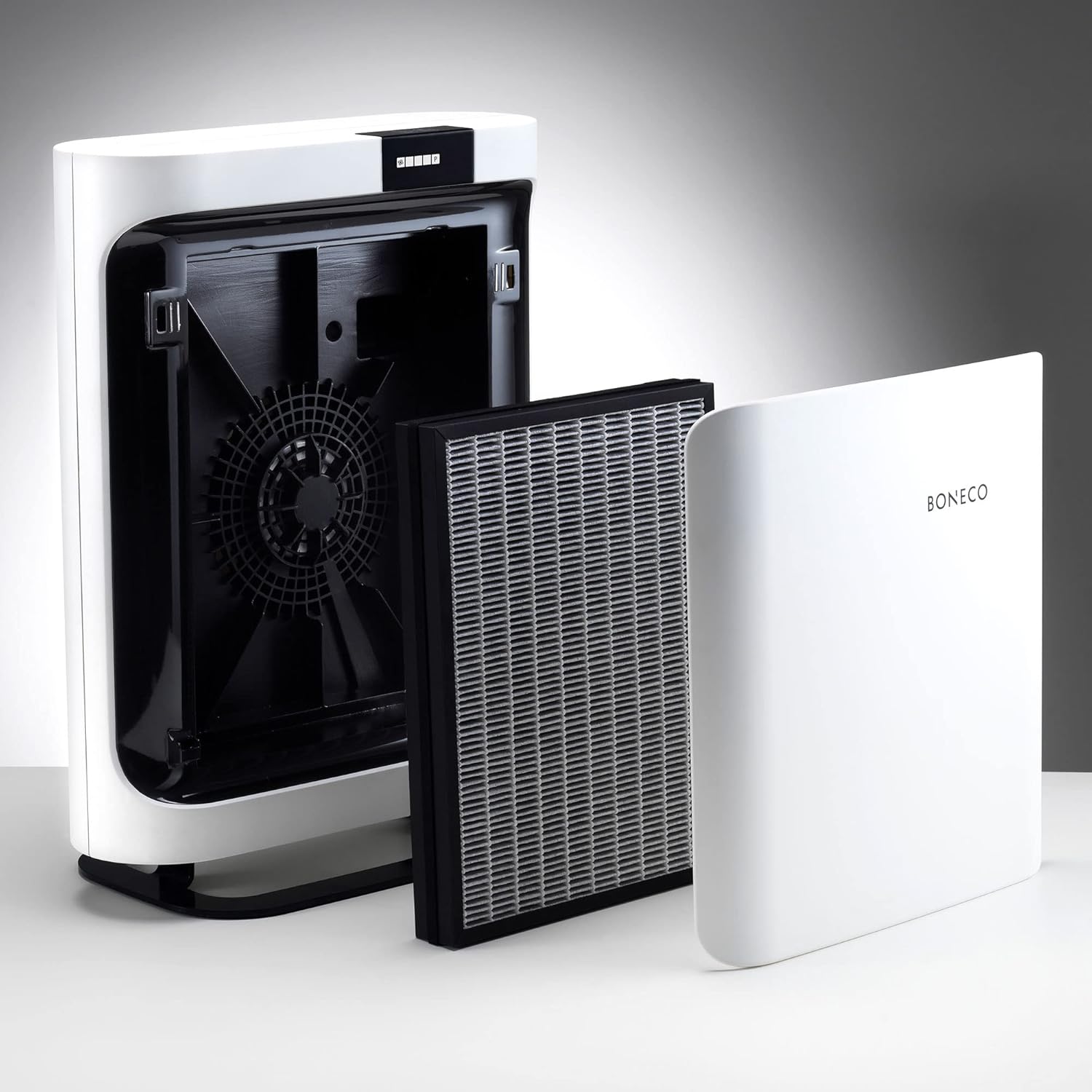
Figure 3.2: Filter and Cover Removed
The BONECO P400 Air Purifier with its side cover and filter removed, showing the internal fan and the empty filter slot. A new filter is shown next to the unit, ready for installation.
4. Operating Instructions
The BONECO P400 features a simple digital display on the top panel for easy control.
- Power On/Off: Press the power button (usually indicated by a circle with a vertical line) on the digital display to turn the unit on or off.
- Adjust Fan Speed: Use the fan speed button (indicated by fan blades) to cycle through the 5 available fan speeds. The digital display will show the current fan speed setting.
- Essential Oils Tray: To use fragrances, open the small tray located on the unit and add a few drops of your preferred essential oil to the felt pad. Close the tray.

Figure 4.1: Top Panel Controls
A close-up view of the top panel of the BONECO P400 Air Purifier, showing the digital display with power and fan speed control buttons. Blue indicator lights are visible, indicating the current fan speed setting.
5. Maintenance
Regular maintenance ensures optimal performance and longevity of your BONECO P400 Air Purifier.
- Filter Replacement: The filter should be replaced every 9-12 months, or when the filter change reminder light illuminates on the digital display.
- Turn off and unplug the unit.
- Open the filter compartment cover.
- Carefully remove the old filter. Dispose of it according to local regulations.
- Insert a new BONECO A401 HEPA Allergy Filter (or other compatible BONECO filter) into the slot.
- Close the cover.
- Plug in the unit and reset the filter reminder (refer to the full manual for specific reset instructions if needed).
- Exterior Cleaning: Wipe the exterior of the unit with a soft, damp cloth as needed. Do not use abrasive cleaners or solvents.
- Interior Cleaning: Periodically, with the unit unplugged and filter removed, gently vacuum any dust accumulation from the interior of the unit.
6. Troubleshooting
If your BONECO P400 Air Purifier is not functioning as expected, please refer to the following common issues:
| Problem | Possible Cause | Solution |
|---|---|---|
| Unit does not turn on. | No power supply; power cord not properly connected. | Ensure the unit is plugged into a working outlet. Check power cord connection. |
| Reduced airflow or purification efficiency. | Clogged filter; filter protective plastic not removed. | Check and replace the filter if necessary. Ensure all protective plastic is removed from the filter before installation. |
| Unusual noise during operation. | Obstruction in fan; unit not on a stable surface. | Turn off and unplug the unit, check for any obstructions. Ensure the unit is on a flat, stable surface. |
For issues not listed here, please contact BONECO customer support.
7. Specifications
| Attribute | Detail |
|---|---|
| Model | P400 |
| Brand | BONECO |
| Color | White/Black |
| Floor Area Coverage | Up to 600 Square Feet |
| Controller Type | Button Control |
| Wattage | 27 watts |
| UPC | 834546000770 |
| Product Dimensions (L x W x H) | 16.8 x 9 x 22.6 inches |
| Item Weight | 15.68 pounds |
| Included Components | Air Purifier, A401 HEPA Allergy Filter |

Figure 7.1: Product Dimensions
An image of the BONECO P400 Air Purifier with its key dimensions (height, width, depth) clearly marked, providing a visual reference for its size.
8. Warranty and Support
The BONECO P400 Air Purifier comes with a 5-year warranty. For warranty claims, technical support, or any other inquiries, please contact BONECO customer service through their official website or the contact information provided in your product packaging.
For more information and detailed instructions, please visit the official BONECO website: BONECO Official Store


