
Introduction
The Whistler CR73 is a high-performance laser radar detector designed to provide comprehensive protection against various radar and laser threats. This manual provides detailed instructions for setting up, operating, and maintaining your device to ensure optimal performance and longevity.
Key Features
- Icon Display with Digital Signal Strength Indicator
- Bilingual (English/Spanish) Real Voice Alerts
- Total Band Protection (X-band, K-band, Superwide Ka-band, Laser)
- Field Disturbance Sensor Rejection (FDSR)
- Traffic Flow Signal Rejection (TFSR)
- POP Mode Detection
- 360° Max Coverage
- Safety Warning System
- Dim/Dark Mode
Package Contents
Verify that all items are present in your package:
- Whistler CR73 Laser Radar Detector
- 12V Power Cord
- Windshield Bracket Kit
- User Guide (this document)
Setup
Mounting the Detector
The Whistler CR73 is designed for easy installation using the included windshield bracket kit. For optimal performance, ensure the detector has a clear, unobstructed view of the road ahead and behind.
- Clean the area on your windshield where you intend to mount the detector.
- Attach the suction cups to the windshield bracket.
- Securely press the suction cups onto the clean windshield surface.
- Slide the detector onto the bracket until it clicks into place.
Power Connection
Connect the provided 12V power cord to the detector's power input port and then plug the other end into your vehicle's 12V accessory outlet (cigarette lighter socket).
Operating Instructions
Power On/Off and Volume Control
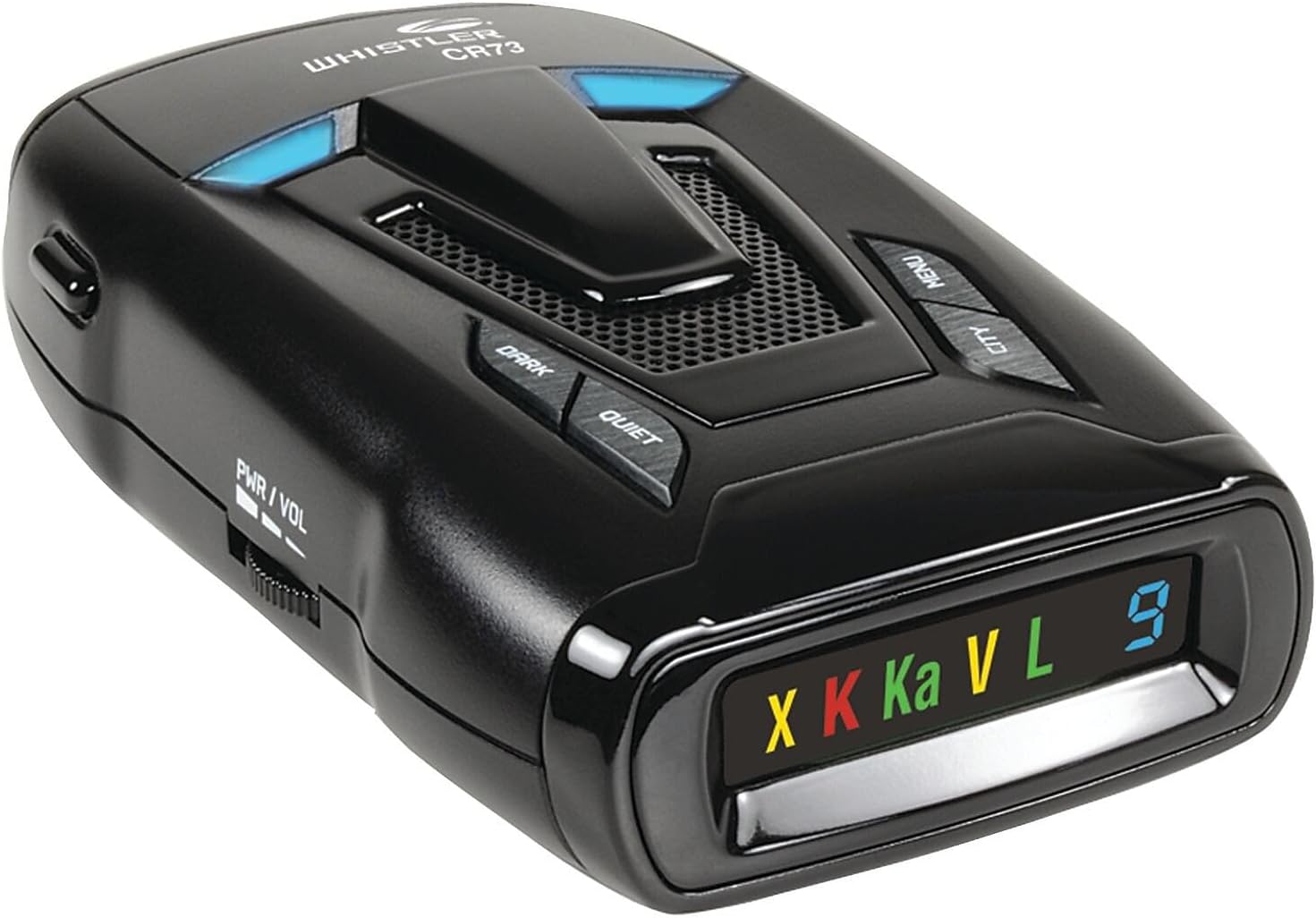
To power on the device, rotate the PWR/VOL knob clockwise. Continue rotating to adjust the volume. To power off, rotate the knob counter-clockwise until it clicks.
Radar and Laser Alerts
The CR73 provides audible and visual alerts when it detects radar or laser signals. The icon display will show the detected band (X, K, Ka, Laser) and a digital signal strength indicator will show the proximity to the signal source. Bilingual voice alerts will announce the detected threat.
POP Mode Detection
The detector features POP Mode detection, which allows it to respond to brief bursts of radar signals used for instant speed measurement.
360° Max Coverage
The CR73 offers 360° perimeter protection, detecting signals from the front, sides, and rear of your vehicle.
Modes and Settings
City and Highway Modes
The detector includes multiple City modes (City, City 1, City 2) and a Highway mode. City modes reduce sensitivity to X and K bands to minimize false alerts from automatic door openers and other non-police radar sources in urban environments. Highway mode provides full sensitivity for maximum detection range.
Traffic Flow Signal Rejection (TFSR)
TFSR technology helps eliminate false alerts caused by radar-based traffic monitoring systems, improving the accuracy of alerts.
Field Disturbance Sensor Rejection (FDSR)
FDSR technology helps reduce false alerts from collision avoidance systems and other vehicle-based radar sensors.
Dim/Dark Mode
Adjust the brightness of the display or turn it off completely for discreet operation, especially during nighttime driving.
Setting Saver
The detector retains your personalized settings even when power is removed.
Vehicle Battery Saver
This feature automatically shuts off the detector if the vehicle's ignition is turned off for an extended period, preventing battery drain.
Maintenance
To ensure the longevity and optimal performance of your Whistler CR73, follow these maintenance guidelines:
- Cleaning: Regularly wipe the exterior of the detector with a soft, damp cloth. Avoid using abrasive cleaners or solvents, as they may damage the casing or display.
- Lens Care: Keep the front and rear laser detection lenses clean and free from obstructions. Use a soft, lint-free cloth to gently clean the lenses.
- Storage: When not in use for extended periods, store the detector in a cool, dry place away from direct sunlight and extreme temperatures.
- Power Cord: Inspect the 12V power cord periodically for any signs of damage. Replace if frayed or broken.
Troubleshooting
If you experience issues with your Whistler CR73, refer to the following common troubleshooting steps:
- No Power: Ensure the 12V power cord is securely plugged into both the detector and the vehicle's accessory outlet. Check the vehicle's fuse for the accessory outlet.
- No Audible Alerts: Verify that the volume is turned up. Check the mute settings to ensure alerts are not suppressed.
- Excessive False Alerts: Adjust the detector to a City mode to reduce sensitivity in urban areas. Ensure TFSR and FDSR features are enabled.
- Poor Detection Range: Confirm that the detector is mounted with a clear line of sight to the road, free from obstructions like windshield wipers or tinted areas.
- Display Issues: Check the Dim/Dark mode settings. If the display remains unresponsive, try resetting the device by disconnecting and reconnecting power.
Specifications
| Product Dimensions | 7.63"L x 2.22"W x 6"H |
| Item Weight | 9.6 ounces |
| Model Number | CR73 |
| Color | Black |
| Power Source | Corded Electric (12 Volts) |
| Display Type | Digital |
| Frequency Bands Supported | 10.525 GHz (X-band), 24.125 GHz (K-band), 34.7 GHz (Ka-band), Laser |
Important Safety Information
Legal Disclaimer: This product contains chemicals known to the State of California to cause cancer and birth defects or other reproductive harm. Please handle with care and refer to local regulations regarding the use of radar detectors.
Warranty and Support
For warranty information, technical support, or service inquiries, please refer to the official Whistler website or contact their customer service department. Keep your purchase receipt as proof of purchase for warranty claims.


