
Sykik SP2551BT
Sykik Pro Powered Monitor Speakers User Manual
Model: SP2551BT
Introduction
Thank you for purchasing the Sykik Pro Powered Monitor Speakers. These speakers are designed to deliver high-definition sound with powerful bass, suitable for various audio applications, including turntable systems, gaming, and home entertainment. Please read this manual thoroughly before operating your speakers to ensure proper use and longevity.
Package Contents
- Sykik Pro Powered Monitor Speakers (Pair)
- Audio Connection Cables (RCA)
- Speaker Interconnection Cable (3.5mm for treble, RCA for bass)
- Power Adapter
- User Manual (This document)
Product Overview
The Sykik Pro speakers feature a compact design with a 4-inch woofer and a 0.75-inch tweeter in each speaker, providing 50W RMS of audio output. They are magnetically shielded and offer both wired RCA audio-in and wireless Bluetooth connectivity.

Figure 1: Front view of the Sykik Pro Powered Monitor Speakers. This image shows the pair of speakers with their grilles on, highlighting their compact and sleek design.
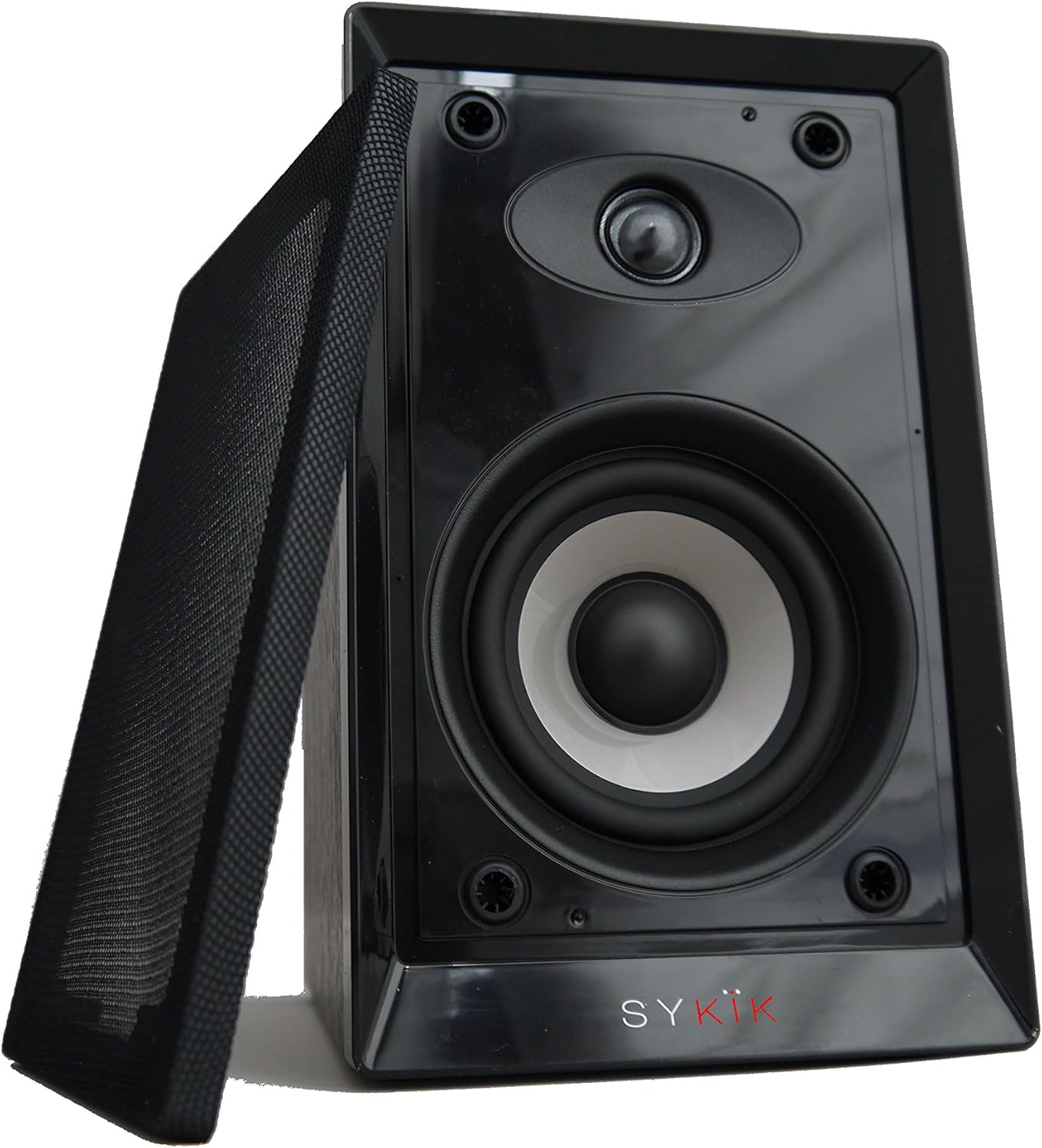
Figure 2: Close-up view of one Sykik Pro speaker with its protective grille removed, revealing the 4-inch woofer and 0.75-inch tweeter. The "SYKIK" brand logo is visible at the bottom.

Figure 3: Front view of both Sykik Pro speakers with their grilles removed, showcasing the exposed drivers. The "SYKIK" logo is visible on both speaker bases.
Setup
1. Placement
Place the speakers on a stable, flat surface. For optimal stereo imaging, position them equidistant from your listening position and spaced appropriately apart. Ensure adequate ventilation around the speakers.
2. Connecting the Speakers
- Identify the active speaker (with controls and input ports) and the passive speaker.
- Connect the active speaker to the passive speaker using the provided interconnection cable. This cable typically has a 3.5mm plug for treble and an RCA plug for bass on one end, connecting to corresponding ports on the passive speaker.
3. Connecting to Audio Source
The Sykik Pro speakers support two main connection methods:
RCA Audio-In (Wired Connection)
- Locate the RCA Audio-In ports on the back of the active speaker.
- Connect your audio source (e.g., turntable, TV, computer) to these ports using an RCA cable. Ensure the left and right channels are correctly matched.
Bluetooth (Wireless Connection)
- Ensure the speakers are powered on.
- Activate Bluetooth on your audio device (e.g., smartphone, tablet, computer).
- Search for available Bluetooth devices. The speakers will appear as "Sykik Pro" or a similar name.
- Select the speakers to pair. A confirmation sound may indicate successful pairing.
4. Power Connection
Connect the power adapter to the active speaker's power input, then plug the adapter into a standard electrical outlet.
Operating Instructions
Power On/Off
Use the power switch, typically located on the active speaker, to turn the speakers on or off.
Volume Control
Adjust the master volume using the dedicated volume knob on the active speaker. You can also control the volume from your connected audio source.
Bass and Treble Adjustment
The speakers feature separate bass and treble controls. Use these knobs to fine-tune the audio output to your preference or room acoustics.
Input Selection
If your speakers have an input selection button or switch, use it to toggle between RCA Audio-In and Bluetooth modes.
Maintenance
- Cleaning: Wipe the speaker cabinets with a soft, dry cloth. Do not use liquid cleaners or abrasive materials.
- Ventilation: Ensure the speaker vents are not blocked to prevent overheating.
- Storage: If storing the speakers for an extended period, disconnect them from power and store them in a cool, dry place.
- Handling: Avoid dropping or subjecting the speakers to strong impacts.
Troubleshooting
| Problem | Possible Cause | Solution |
|---|---|---|
| No sound | Speakers not powered on; Volume too low; Incorrect input selected; Loose cable connections. | Ensure power is on; Increase volume; Select correct input (RCA/Bluetooth); Check all cable connections. |
| Distorted sound | Volume too high (on speakers or source); Poor audio source quality; Damaged speaker. | Reduce volume; Test with a different audio source; Contact support if distortion persists. |
| Bluetooth not connecting | Speakers not in pairing mode; Device too far; Interference; Previously paired device connected. | Ensure speakers are discoverable; Move device closer; Reduce interference; Disconnect from other devices. |
| Humming or buzzing noise | Ground loop issue; Interference from other electronics; Faulty cable. | Try plugging into a different outlet; Move speakers away from other electronics; Replace audio cables. |
Specifications
- Model: SP2551BT
- Speaker Type: Powered Monitor Speakers
- Output Power: 50W RMS
- Woofer Size: 4 inches
- Tweeter Size: 0.75 inches
- Connectivity: Bluetooth, RCA Audio-In
- Dimensions (each speaker): 9.5" (H) x 6" (W) x 8.5" (D)
- Weight: Approximately 13.67 pounds (total for pair)
- Special Features: Magnetically shielded, Separate Bass and Treble controls
Warranty Information
Sykik products are covered by a limited warranty against defects in materials and workmanship. Please refer to the warranty card included with your purchase or visit the official Sykik website for detailed warranty terms and conditions. Keep your proof of purchase for warranty claims.
Customer Support
For technical assistance, troubleshooting, or warranty inquiries, please contact Sykik customer support:
- Website: www.sykik.com (Note: This is a placeholder URL as no specific support URL was provided in the input.)
- Email: support@sykik.com (Note: This is a placeholder email as no specific support email was provided in the input.)
- Phone: Please check the Sykik website for regional contact numbers.
When contacting support, please have your product model number (SP2551BT) and purchase date ready.
Ask a question about this manual
Ask about setup, troubleshooting, compatibility, parts, safety, or missing instructions. Manuals+ will review the question and use this page’s manual context to help answer it.