
1. Introduction
Thank you for choosing the Sulion 75006 Cross White Ceiling Fan. This manual provides essential information for the safe installation, operation, and maintenance of your new ceiling fan. Please read it thoroughly before installation and keep it for future reference.
1.1 Safety Information
- Always disconnect power at the main fuse box or circuit breaker before beginning installation or performing any maintenance.
- Installation must be performed by a qualified electrician in accordance with all local and national electrical codes.
- Ensure the mounting structure can support the weight of the fan (approximately 6.12 kg).
- Do not operate the fan with damaged blades.
- Avoid placing objects in the path of the blades.
- This appliance is not intended for use by persons (including children) with reduced physical, sensory or mental capabilities, or lack of experience and knowledge, unless they have been given supervision or instruction concerning use of the appliance by a person responsible for their safety.
1.2 Package Contents
Carefully unpack all components and ensure you have received the following items:
- Ceiling Fan Motor Assembly
- Fan Blades (4 pieces, White/Beech/White finish)
- Downrod and Canopy
- Mounting Bracket
- Remote Control
- Hardware Pack (screws, washers, wire nuts)
- Instruction Manual (this document)
Note: Light bulbs are not included. This fan requires 2 E27 LED bulbs.
2. Setup and Installation
Follow these steps for proper installation of your ceiling fan. Professional installation is recommended.
2.1 Mounting the Bracket
- Turn off power at the circuit breaker.
- Secure the mounting bracket to the ceiling junction box using the provided screws. Ensure the bracket is firmly attached and can support the fan's weight.
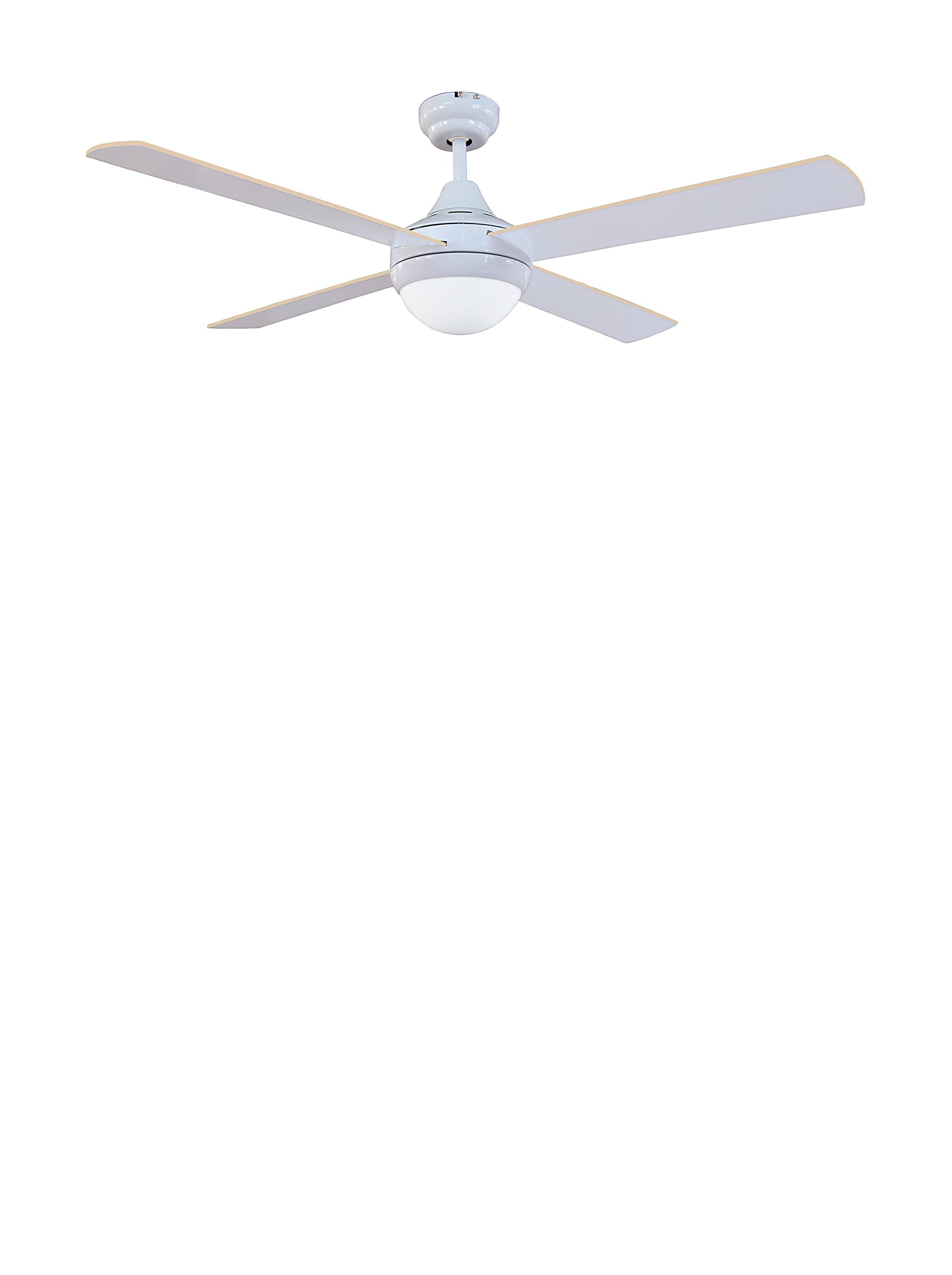
Image: The Sulion 75006 Cross White Ceiling Fan motor assembly and blades. This image illustrates the general appearance of the fan components before installation.
2.2 Assembling the Downrod and Fan
- Feed the electrical wires from the fan motor through the downrod.
- Insert the downrod into the fan motor housing and secure it with the provided pin and screw.
- Carefully lift the fan assembly and hang it on the mounting bracket hook.
2.3 Electrical Wiring
- Connect the fan's electrical wires to the household wiring according to the wiring diagram provided in the full manual (not included here). Typically, this involves connecting live, neutral, and ground wires.
- Ensure all connections are secure using wire nuts.
- Tuck the wires neatly into the junction box.
2.4 Attaching the Blades
- Attach each fan blade to the blade arms using the screws provided.
- Secure the blade arms to the fan motor housing. Ensure all screws are tightened.
2.5 Installing Light Bulbs
- Install two E27 LED bulbs (not included) into the light kit sockets.
- Attach the light kit housing to the fan motor assembly.
3. Operating Instructions
Your Sulion 75006 ceiling fan is operated via a remote control.
3.1 Remote Control Functions
The remote control allows you to adjust fan speed, turn the light on/off, and potentially reverse blade direction (if applicable to this model).
- Fan ON/OFF: Press to turn the fan on or off.
- Speed Control: Buttons typically marked with fan icons or numbers (1, 2, 3) to adjust fan speed from low to high. This model features high-speed capability.
- Light ON/OFF: Press to turn the light on or off.
- Light Dimming: (If applicable) Press and hold the light button to dim or brighten the light.
- Reverse Function: (If applicable) A button to change the direction of blade rotation for summer (downward airflow) or winter (upward airflow) operation.
Insert batteries into the remote control before first use. Ensure correct polarity.
4. Maintenance
Regular maintenance ensures the longevity and optimal performance of your ceiling fan.
4.1 Cleaning
- Always turn off power to the fan before cleaning.
- Use a soft, damp cloth to clean the fan blades and motor housing. Do not use abrasive cleaners or solvents, as these can damage the finish.
- Dust the blades regularly to prevent dust buildup, which can cause imbalance.
4.2 Blade Care
- Check blade screws periodically to ensure they are tight. Loose screws can cause wobbling and noise.
- If the fan wobbles, ensure all blades are securely attached and that the blade holders are not bent.
5. Troubleshooting
Before contacting customer support, refer to the following troubleshooting guide for common issues.
| Problem | Possible Cause | Solution |
|---|---|---|
| Fan does not start | No power to the fan; Loose wire connections; Remote control battery dead. | Check circuit breaker; Ensure all wiring connections are secure; Replace remote control batteries. |
| Fan wobbles | Loose blade screws; Unbalanced blades; Loose mounting bracket. | Tighten all blade screws; Use a balancing kit (not included) to balance blades; Ensure mounting bracket is securely fastened. |
| Light does not work | Bulb faulty or loose; No power to light kit; Remote control issue. | Check/replace bulbs; Verify wiring to light kit; Check remote control battery. |
| Noisy operation | Loose screws; Motor hum; Blades hitting an obstruction. | Tighten all screws; Allow for a break-in period for new motors; Ensure no obstructions are near blades. |
6. Specifications
Key technical specifications for the Sulion 75006 Ceiling Fan:
- Model Number: 75006
- Brand: Sulion
- Color: White / Beech / White
- Material: Beech (Blades), Metal (Housing)
- Style: Modern
- Room Type: Living Room, Dining Room
- Power Source: Corded Electric
- Special Feature: High Speed
- Control Method: Remote Control
- Light Source Type: LED (Bulbs not included)
- Bulb Base: E27
- Number of Bulbs: 2 (required)
- Finish Type: Painted
- Mounting Type: Downrod Mount
- Item Weight: 6.12 Kilograms
- Included Components: Remote Control
- Energy Label: A+
- Fan Diameter: 122 cm (approx. 48 inches)
7. Warranty and Support
For warranty information, please refer to the "terms and conditions" section provided with your purchase documentation or contact your retailer. For technical support or inquiries, please contact Sulion customer service.
Manufacturer: SULCX