
1. Introduction
The Vivitar VIV-PGBT-T5I Battery Grip is designed to enhance the functionality and ergonomics of compatible Canon Rebel cameras. It allows for extended shooting times by accommodating two Li-ion batteries or six AA batteries. Additionally, it provides a comfortable grip for vertical shooting, featuring an extra shutter release button and control dials for convenient access to camera functions.
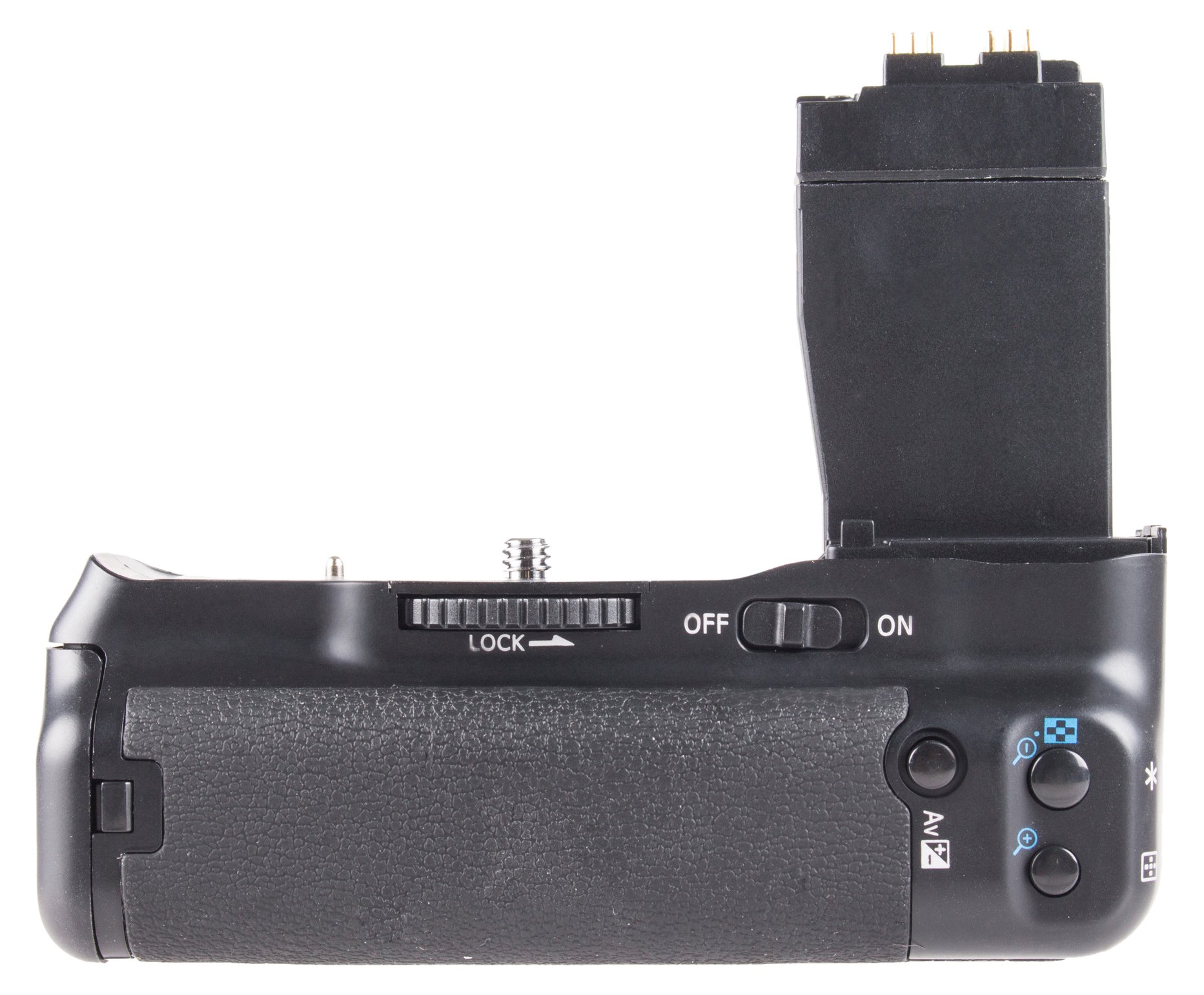
Image 1.1: The Vivitar VIV-PGBT-T5I Battery Grip. This image shows the battery grip attached to a camera body, highlighting its ergonomic design and the additional controls for vertical shooting.
2. Setup and Installation
2.1. Installing Batteries
The battery grip can be powered by either two compatible Li-ion batteries or six AA batteries using the included adapter plate.
- For Li-ion Batteries:
- Open the battery compartment door on the grip.
- Insert two fully charged Li-ion batteries, ensuring correct polarity as indicated inside the compartment.
- Close the battery compartment door securely.
- For AA Batteries:
- Slide the AA battery adapter plate out of the grip.
- Insert six AA batteries into the adapter plate, observing the polarity markings.
- Slide the loaded adapter plate back into the grip until it locks into place.
2.2. Attaching the Grip to the Camera
- Ensure your camera is powered off.
- Remove the camera's battery and the battery compartment door. Store the door in a safe place.
- Align the battery grip's mounting screw with the camera's tripod socket.
- Insert the grip's electrical contact into the camera's battery compartment.
- Tighten the mounting screw on the grip until it is firmly attached to the camera. Do not overtighten.
3. Operating Instructions
3.1. Powering On/Off
After attaching the grip and installing batteries, power on your camera as usual. The grip's power button (if present and active) may need to be engaged to enable the grip's controls. Refer to your camera's manual for specific power management settings when using an external grip.
3.2. Vertical Shooting Controls
The Vivitar VIV-PGBT-T5I Battery Grip provides duplicate controls for comfortable vertical shooting.
- Shutter Release Button: Use the grip's shutter release button for vertical shots. It functions identically to the camera's main shutter button, including half-press for autofocus and full-press for capturing an image.
- Control Dials: The front and rear control dials on the grip allow for quick adjustments to exposure settings (e.g., aperture, shutter speed) while holding the camera vertically.
- Other Control Buttons: Various other buttons on the grip replicate essential camera functions, providing convenient access without needing to reposition your hand.
4. Maintenance and Care
- Keep the battery grip clean and dry. Use a soft, dry cloth to wipe off dust and smudges.
- Avoid exposing the grip to extreme temperatures, humidity, or direct sunlight.
- When not in use for extended periods, remove batteries from the grip to prevent leakage.
- Do not attempt to disassemble or repair the grip yourself. Contact qualified service personnel if issues arise.
5. Troubleshooting
| Problem | Possible Cause | Solution |
|---|---|---|
| Grip controls not responding. |
|
|
| Camera not powering on with grip. |
|
|
6. Specifications
- Model: VIV-PGBT-T5I
- Brand: Vivitar
- Compatible Mountings: Canon EF (for compatible Canon Rebel cameras)
- Power Source: 2 x Li-ion batteries or 6 x AA batteries (batteries not included)
- Included Components: Battery Grip, AA Battery Adapter Plate
- Color: Black
- Item Weight: Approximately 0.9 Pounds (without batteries)
- Manufacturer: Sakar International, Inc.
7. Warranty and Support
For warranty information and technical support, please refer to the documentation provided with your purchase or visit the official Vivitar website. Keep your proof of purchase for warranty claims.
Manufacturer: Sakar International, Inc.
Model Number: VIV-PGBT-T5I


