
1. Introduction
Thank you for choosing the VENTS VK 125 R1 Centrifugal Extractor Fan. This manual provides essential information for the safe and efficient installation, operation, and maintenance of your unit. Please read these instructions carefully before use and retain them for future reference.
The VENTS VK series centrifugal fans are designed for supply and exhaust ventilation systems requiring high pressure, powerful airflow, and low noise levels. They are suitable for various applications, including hydroponics, residential, and commercial spaces.
2. Safety Instructions
WARNING: Failure to follow these safety instructions may result in electric shock, fire, or serious injury.
- Ensure the power supply matches the voltage specified on the fan's label.
- Disconnect power before any installation, maintenance, or repair work.
- Installation must be performed by a qualified electrician in accordance with all local and national electrical codes.
- Do not operate the fan with a damaged power cord or plug.
- Do not insert fingers or foreign objects into the fan's inlet or outlet.
- Ensure proper grounding to prevent electric shock.
- Keep children and pets away from the operating fan.
- Do not use the fan in explosive or flammable atmospheres.
3. Package Contents
Verify that all items are present and undamaged:
- VENTS VK 125 R1 Centrifugal Extractor Fan
- Mounting brackets (if included)
- Instruction Manual (this document)
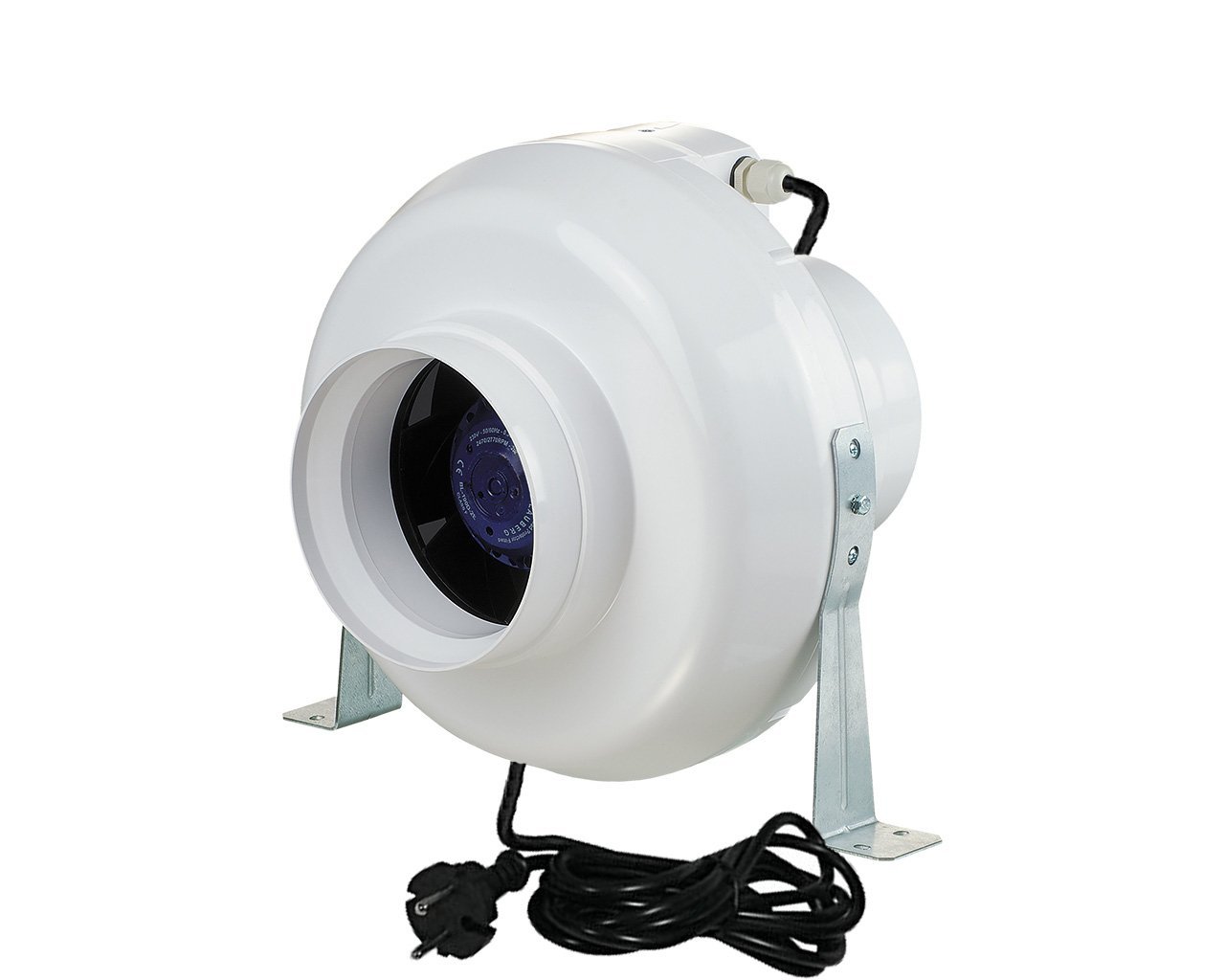
Image 1: VENTS VK 125 R1 Centrifugal Extractor Fan. This image shows the main unit of the VK 125 R1 fan, typically cylindrical with an inlet and outlet, and a junction box for electrical connections.
4. Setup and Installation
4.1. Mounting
The VK 125 R1 fan can be mounted at any angle to the wall or ceiling. Ensure the mounting surface is sturdy enough to support the fan's weight and vibrations.
- Position the fan in the desired location, ensuring adequate space for airflow and maintenance.
- Use the provided mounting brackets (if applicable) to secure the fan. Mark the drilling points on the wall or ceiling.
- Drill holes and insert appropriate anchors.
- Attach the fan securely using screws.
4.2. Duct Connection
Connect appropriate ducting (Ø125 mm) to both the inlet and outlet ports of the fan. Use duct clamps or tape to ensure airtight connections.
4.3. Electrical Wiring
IMPORTANT: All electrical connections must be performed by a qualified electrician. Disconnect power before wiring.
- Open the terminal box cover on the fan.
- Connect the power supply cable according to the wiring diagram provided inside the terminal box cover. Ensure correct polarity and proper grounding.
- Secure all wire connections firmly.
- Close the terminal box cover securely.
5. Operating Instructions
Once installed and wired correctly, the VENTS VK 125 R1 fan is ready for operation.
- Power On: Restore power to the circuit. The fan should begin operating.
- Speed Control (if applicable): If a compatible speed controller is installed (purchased separately), adjust the fan speed as required. Refer to the speed controller's manual for specific instructions.
- Continuous Operation: The VK 125 R1 is designed for continuous operation.
- Monitoring: Periodically check the fan for unusual noises or vibrations, which may indicate a problem.
6. Maintenance
Regular maintenance ensures optimal performance and extends the lifespan of your fan. Always disconnect power before performing any maintenance.
6.1. Cleaning the Impeller
- Disconnect the fan from the power supply.
- Carefully remove the fan housing or access panel to expose the impeller.
- Use a soft brush or vacuum cleaner to remove dust and debris from the impeller blades. Do not use abrasive cleaners or solvents.
- Ensure the impeller rotates freely without obstruction.
- Reassemble the fan housing securely.
6.2. General Inspection
- Check all electrical connections for tightness and signs of wear.
- Inspect the fan casing for any damage or cracks.
- Ensure ducting connections are secure and airtight.
7. Troubleshooting
Before contacting technical support, refer to the following table for common issues and solutions.
| Problem | Possible Cause | Solution |
|---|---|---|
| Fan does not start | No power supply | Check power connection, circuit breaker, and wiring. |
| Fan makes unusual noise | Impeller obstructed or damaged; loose mounting. | Disconnect power, inspect impeller for debris, ensure secure mounting. |
| Reduced airflow | Clogged impeller or ducting; leaks in ductwork. | Clean impeller, check ducting for blockages or leaks. |
8. Specifications
- Model: VK 125 R1
- Duct Diameter: Ø125 mm
- Airflow Capacity: Up to 355 m³/h
- Type: Centrifugal Extractor Fan
- Brand: VENTS
- (Note: Specific electrical parameters like voltage, wattage, and current should be verified on the product label.)
9. Warranty and Support
VENTS products are manufactured to high-quality standards. For warranty information, please refer to the warranty card included with your purchase or visit the official VENTS website. Keep your proof of purchase for warranty claims.
For technical support, spare parts, or service, please contact your local VENTS distributor or the retailer from whom you purchased the product. Provide your model number (VK 125 R1) and a detailed description of the issue when seeking assistance.