
Introduction
The Bachmann E-Z Command Digital Command Control (DCC) system provides an intuitive and affordable method for controlling model locomotives. Designed for both novice and experienced hobbyists, this system allows for digital control of speed, direction, lighting, and sound for multiple locomotives. It features simple, main-track programming and plug-and-play compatibility with all DC and DCC systems.

Image: The Bachmann E-Z Command DCC Controller, a compact unit designed for digital control of model trains.
Setup
1. Unpacking and Inspection
Carefully remove all components from the packaging. Verify that all included items are present: the E-Z Command DCC Controller and the 1 Amp AC power supply. Inspect all components for any signs of damage.
2. Connecting the Power Supply
Connect the provided AC power supply to the designated power input port on the E-Z Command DCC Controller. Ensure the connection is secure. Plug the power supply into a standard electrical outlet.
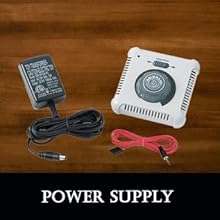
Image: The power supply unit and the E-Z Command controller, illustrating the components required for powering the system.
3. Connecting to the Track
The E-Z Command DCC Controller connects directly to your E-Z Track system using the plug-in wiring. Ensure your track is properly assembled and laid out before connecting the controller. For O and Large Scale operations, an E-Z Command 5 Amp Power Booster (Item No. 44910) is required.
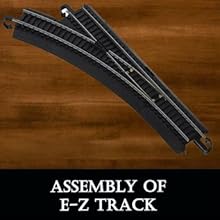
Image: A section of E-Z Track, demonstrating the ease of assembly for your model railway layout.
Operating Instructions
1. Placing Locomotives on Track
Carefully place your DCC-equipped locomotives onto the E-Z Track. Ensure all wheels are properly seated on the rails to establish electrical contact.
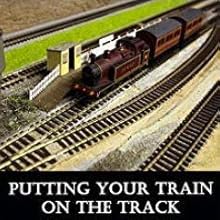
Image: A model train positioned on a track, ready for operation.
2. Basic Locomotive Control
The E-Z Command controller allows for digital control of speed and direction. Use the main control knob to adjust the speed of the selected locomotive. The controller supports 28 speed steps for precise control. A direction switch or button will allow you to change the locomotive's travel direction.
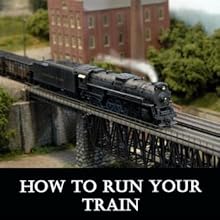
Image: A model train in motion on a bridge, demonstrating typical operation.
3. Digital Control of Multiple Locomotives
The E-Z Command system is designed to control multiple locomotives independently on the same track. Each DCC-equipped locomotive has a unique digital address. Use the controller's selection buttons to switch between locomotives and control their individual speed, direction, lighting, and sound functions.
4. Simple On-Track Programming
The E-Z Command streamlines the programming process. Locomotives can be programmed directly on the main track without needing a separate programming track. Refer to your locomotive's specific DCC decoder instructions for detailed programming steps, typically involving assigning a new address or adjusting CVs (Configuration Variables).
5. Controlling Lighting and Sound
The controller allows you to activate various functions such as lighting and sound effects on DCC-equipped locomotives. These functions are typically assigned to specific function keys (F0-F8) on the controller. Consult your locomotive's manual for the specific function assignments.
6. Using E-Z Mate Couplers
If your rolling stock uses E-Z Mate couplers, understanding their operation is key for coupling and uncoupling. These couplers are designed for ease of use and reliable connection between cars.
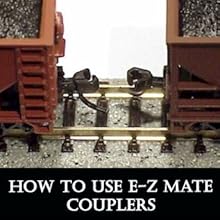
Image: A close-up view of E-Z Mate couplers connecting two model train cars.
Maintenance
1. General Cleaning
Keep the E-Z Command DCC Controller clean by wiping it with a soft, dry cloth. Avoid using harsh chemicals or abrasive cleaners, which can damage the casing or electronic components. Ensure the controller is unplugged from the power source before cleaning.
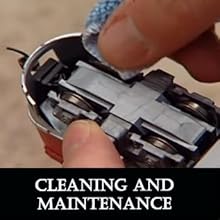
Image: A hand cleaning a component of a model train, illustrating proper maintenance practices.
2. Track Maintenance
Regularly clean your E-Z Track rails to ensure good electrical contact. Dirt, dust, and oxidation can impede performance. Use a track cleaning tool or a soft cloth with a specialized track cleaning fluid. Clean locomotive wheels periodically as well.
Troubleshooting
- Locomotive Not Responding:
Ensure the power supply is securely connected and plugged in. Check all track connections for continuity. Verify that the locomotive's wheels are clean and making good contact with the rails. Confirm that the correct locomotive address is selected on the controller. - No Power to Track:
Check the power supply unit and its connection to both the controller and the wall outlet. Inspect the wiring from the controller to the track for any breaks or loose connections. - Intermittent Operation:
This often indicates dirty track or locomotive wheels. Clean both thoroughly. Also, check for loose track connections or kinks in the wiring. - Controller Overheating:
Avoid running locomotives at very slow speeds for extended periods, as this can cause the controller to generate excessive heat and potentially burn out. Ensure adequate ventilation around the controller. - Function Key Not Working:
If a specific function key (e.g., F9) does not activate a locomotive function, first verify that the locomotive's decoder supports that function and that it is properly configured. If multiple locomotives exhibit the same issue with a specific key, the controller itself may have a fault.
Specifications
| Feature | Detail |
|---|---|
| Brand | Bachmann |
| Model Number | 44932 |
| UPC | 022899449326 |
| Item Type | Train Operating Accessory |
| Power Source | AC adapter |
| Operation Mode | Automatic |
| Assembly Required | No |
| Item Weight | 16 ounces (0.45 kg) |
| Item Dimensions (L x W x H) | 7 x 2 x 4 inches (17.78 x 5.08 x 10.16 cm) |
| Material Type | Plastic |
| Included Components | Bachmann Trains E Z Command Dcc Controller (44932) |
Warranty Information
This Bachmann E-Z Command DCC Controller is covered by a 90-day warranty against manufacturer defects. This warranty period begins from the date of purchase. Please retain your proof of purchase for any warranty claims. The warranty does not cover damage resulting from misuse, accidents, unauthorized modifications, or normal wear and tear.
Support
For further assistance, technical support, or inquiries regarding parts and service, please contact Bachmann Industries Inc. customer service. Refer to the official Bachmann website or product packaging for the most current contact information.
Online Resources: Visit the official Bachmann Trains website for FAQs, additional manuals, and community forums.
Contact Manufacturer: Bachmann Industries Inc.
