
DTECH DT-9015
DTECH Industrial Grade RS232 to RS485 Converter Adapter User Manual
Model: DT-9015
1. Introduction
This manual provides detailed instructions for the DTECH Industrial Grade RS232 to RS485 Converter Adapter, Model DT-9015. This device is designed to facilitate communication between RS232 and RS485 interfaces, offering robust protection against signal interference and voltage spikes. It is ideal for various industrial automation and communication applications.
The converter features built-in photoelectric isolation (2.5KVrms/500VDC) to prevent electrical equipment damage and includes a transient voltage suppressor (TVS) for 600W lightning surge protection on the RS485 link and 15KV static protection on the RS232 link.
2. Product Features
- Optical Isolation: 2.5KVrms / 500VDC photoelectric isolation for precise data and protection of terminal devices.
- Surge & Static Protection: 600W double lightning surge protection and 15KV static protection against high voltage spikes.
- TX/RX Indicators: Integrated LED lights for easy monitoring of data transmission and reception status.
- Communication Modes: Supports 2-wire half-duplex communication, point-to-point, and point-to-multipoint networks (up to 32 RS-485 protocol devices).
- Automatic Baud Rate Detection: Automatically detects and adjusts baud rates up to 115200 bps.
- Port Powered: Operates without external power, drawing power from the RS-232 signal.
- DCPC Function: Data Collision Protection Control automatically switches between send and receive modes to prevent data collisions.
3. Package Contents
- 1 x DTECH RS-232 to RS-485 Converter (Model DT-9015)
- 1 x Terminal Board
- 1 x User Manual (this document)
4. Product Overview
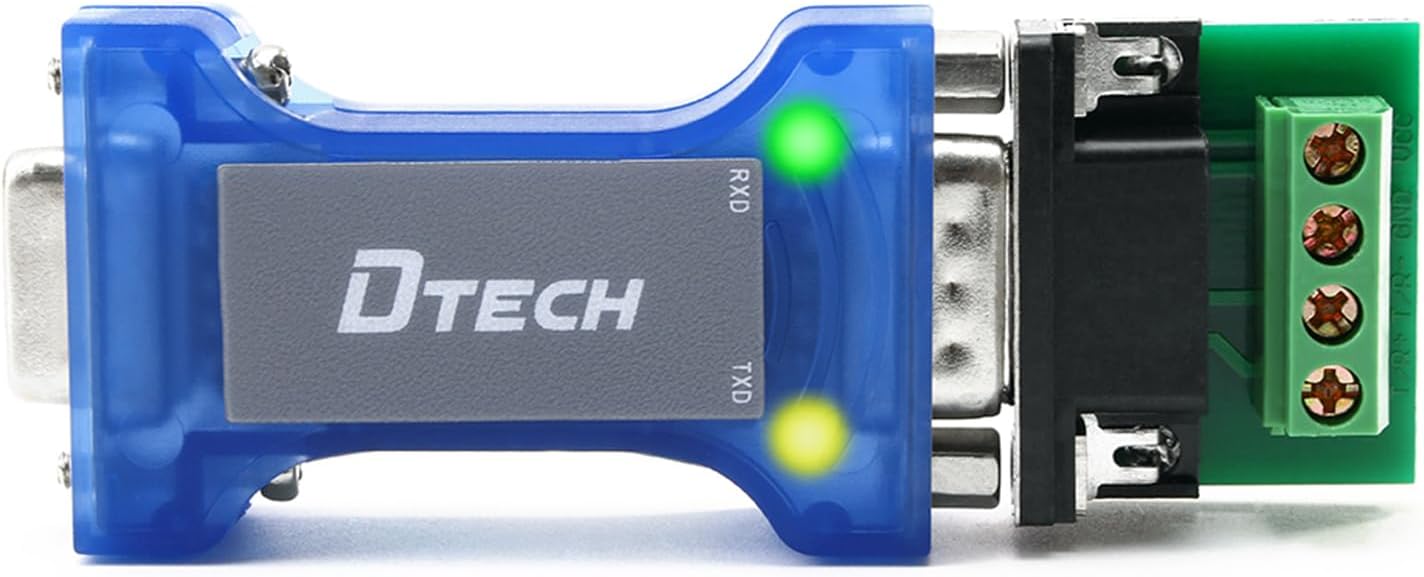
Figure 4.1: Front view of the DTECH RS232 to RS485 Converter, highlighting the TX (Transmit) and RX (Receive) LED indicators. The blue casing is visible, along with the DTECH logo.
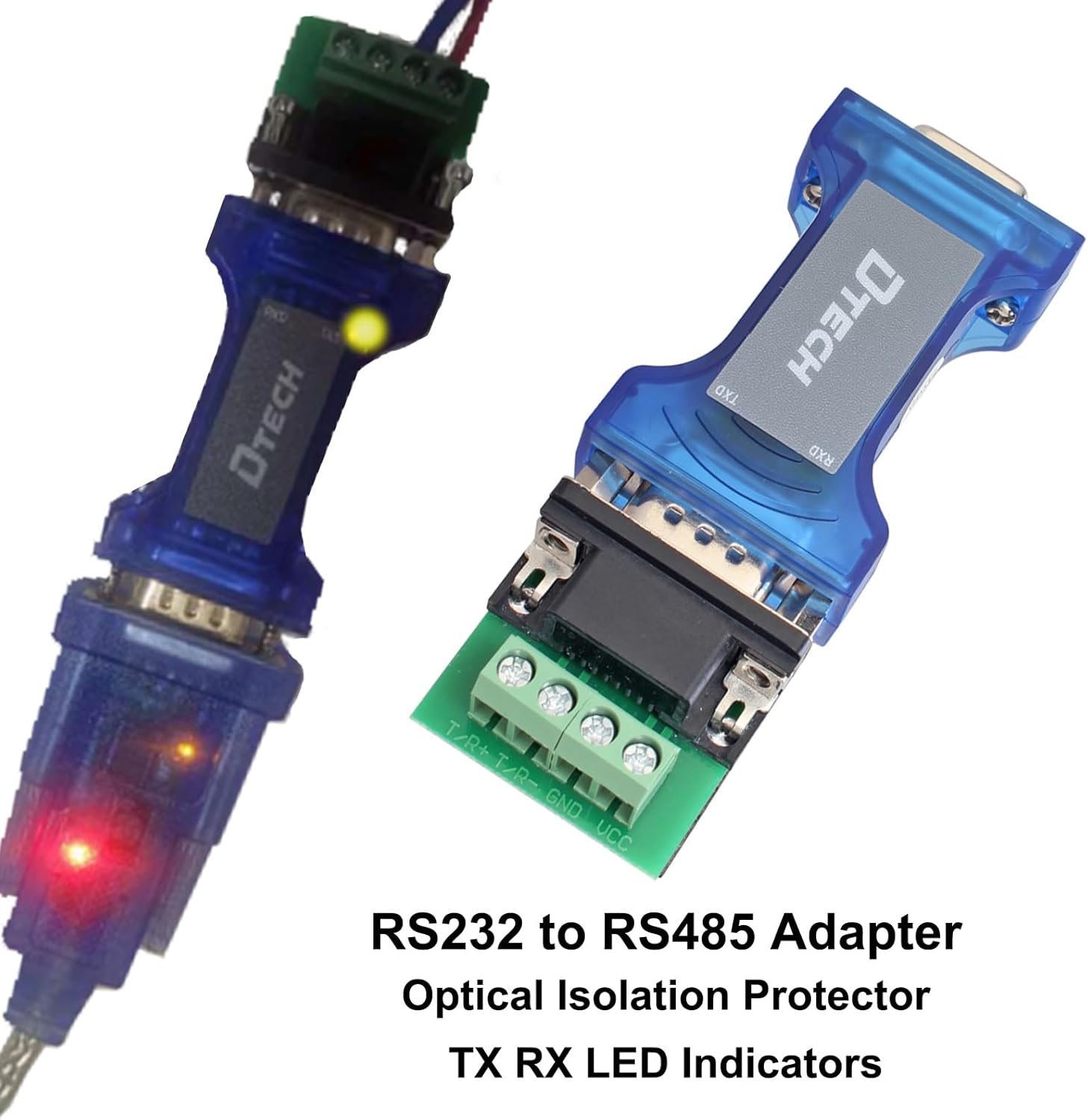
Figure 4.2: The RS232 to RS485 converter shown with its accompanying terminal board. This image emphasizes the optical isolation protection and the TX/RX LED indicators.

Figure 4.3: Top and bottom views of the converter. The top label clearly indicates "RS232 RS485 CONVERTER" and the model number "DT-9015". The bottom view shows the TX and RX LEDs.
5. Setup and Connection
The DTECH RS232 to RS485 Converter is designed for plug-and-play operation, requiring no external power supply as it is port-powered from the RS-232 signal.
5.1. Connecting the Converter
- RS232 Connection: Connect the 9-pin female port of the converter to your RS232 device (e.g., computer's serial port).
- RS485 Connection:
- Attach the provided 4-position terminal board to the 9-pin male port of the converter.
- Connect your RS485 communication lines (typically A, B, and GND) to the corresponding terminals on the terminal board. Refer to your RS485 device's documentation for specific wiring.

Figure 5.1: Detailed view of the converter's ports and the terminal board. This image illustrates the DB9 female port for RS232, the DB9 male port for RS485, and the detachable 4-position terminal board for wiring RS485 lines.

Figure 5.2: The DTECH converter with the terminal board securely attached, ready for wiring RS485 communication lines.
5.2. Wiring for RS485
The RS485 link typically requires three lines: RX, TX, and GND. For half-duplex communication, the RX and TX lines are often combined or referred to as A and B. Ensure correct polarity when connecting to your RS485 network.
- Transmission Media: Use twisted pair (>=24 AWG) or shielded cable for optimal performance over long distances.
6. Operating Instructions
6.1. Data Transmission and Reception
Once connected, the converter will automatically detect the baud rate of the incoming data and adjust accordingly. The Data Collision Protection Control (DCPC) function manages the direction of data flow, automatically switching between send and receive modes to prevent data collisions.
6.2. LED Indicators
The converter is equipped with two LED indicators:
- TX (Transmit) LED: Illuminates when data is being transmitted from the converter.
- RX (Receive) LED: Illuminates when data is being received by the converter.
These LEDs provide a visual confirmation of data activity, aiding in troubleshooting and monitoring communication status.

Figure 6.1: A close-up view of the DTECH converter, clearly showing the TX and RX LED indicators. These lights provide real-time feedback on data flow.
7. Specifications
| Feature | Description |
|---|---|
| Model Number | DT-9015 |
| Communication Standard | EIA/TIA RS-232C, RS-485 |
| Isolation Voltage | 2.5KVrms / 500VDC Photoelectric Isolation |
| Surge Protection | 600W Lightning Surge Protection (RS485) |
| Static Protection | 15KV Static Protection (RS232) |
| Baud Rate | Automatic detection, up to 115200 bps |
| RS485 Nodes Supported | Up to 32 nodes |
| Transmission Distance (RS485) | Up to 4000ft (1200m) |
| Transmission Distance (RS232) | Up to 50ft (15m) |
| Power Supply | Port powered from RS-232 signal (no external power required) |
| Product Dimensions (L x W x H) | 2.5 x 1.3 x 0.7 inches (6.4 x 3.3 x 1.8 cm) |
| Item Weight | 1.28 ounces (36.3 grams) |
| Color | Blue |
| Compatible Devices | PC, Microcontrollers, Industrial Control Systems, Door Safe/Parking Systems, SCADA |
8. Troubleshooting
- No Data Transmission/Reception (LEDs off):
- Ensure the RS232 port is active and providing sufficient power.
- Verify all cable connections are secure and correctly wired (especially RS485 A/B polarity).
- Check the communication settings (baud rate, data bits, parity, stop bits) on your connected devices, although the converter auto-detects baud rate, device settings must match.
- Intermittent Communication:
- Check for loose connections or damaged cables.
- Ensure proper termination resistors are used on the RS485 bus if applicable (not provided by converter, but essential for long networks).
- Verify that the total length of the RS485 network does not exceed the recommended 4000ft.
- Device Not Recognized:
- This converter is a hardware interface and does not require specific drivers. Ensure your operating system recognizes the RS232 port it's connected to.
9. Maintenance
The DTECH RS232 to RS485 Converter is a low-maintenance device. To ensure its longevity and optimal performance:
- Keep the device clean and free from dust and debris. Use a soft, dry cloth for cleaning.
- Avoid exposing the device to extreme temperatures, humidity, or direct sunlight.
- Do not attempt to open the casing, as this may void any applicable warranty and expose internal components to damage.
- Ensure cables are not excessively bent or strained at the connection points.
10. Warranty and Support
For warranty information and technical support, please refer to the contact details provided by your retailer or visit the official DTECH website. Keep your purchase receipt as proof of purchase for warranty claims.
Ask a question about this manual
Ask about setup, troubleshooting, compatibility, parts, safety, or missing instructions. Manuals+ will review the question and use this page’s manual context to help answer it.