
1. Product Overview
The Cleanrth TSBR610 Advanced Sonic & Ultrasonic Bird Repeller is designed to deter unwanted birds from your property using a combination of sonic and ultrasonic sounds, along with a strobe light. It features Triple Scan Technology for wide detection and coverage.
- Triple Scan Technology: Detects birds up to 82 feet away, covering approximately 6,000 square feet.
- High-Intensity Adjustable Sonic & Ultrasonic Sounds: Provides coverage of up to 7,000 square feet of open area.
- Bird-Repelling Strobe Lights: Enhances deterrence, especially in low-light conditions.
- Three Adjustable Modes: Offers flexibility for various operational needs.
- Water Resistant: Suitable for outdoor use.
- Power Options: Can be powered by battery or plug-in.
- Mounting Options: Designed for wall mount or free-standing placement.
2. Setup Instructions
Proper setup ensures optimal performance of your bird repeller.
2.1 Unboxing and Components
Upon unboxing, ensure all components are present: the main repeller unit, AC adapter, and any included mounting hardware.

Image 1: The Cleanrth TSBR610 bird repeller unit, shown standing upright in green grass.
2.2 Powering the Device
The TSBR610 can be powered using the included AC adapter or by batteries (not included).
- AC Adapter: Connect the AC adapter to the power input port on the device and plug it into a standard electrical outlet.
- Batteries: For battery operation, open the battery compartment and insert the required batteries (refer to the device's internal markings for battery type and orientation).
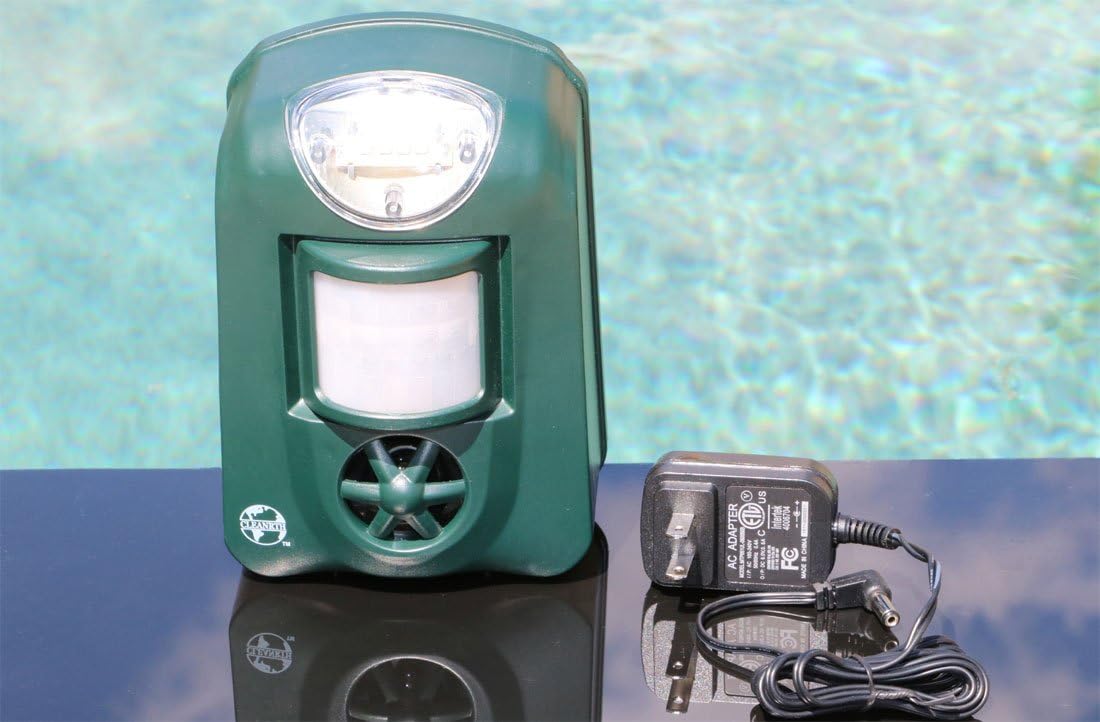
Image 2: The Cleanrth TSBR610 bird repeller unit is displayed next to its AC adapter, illustrating the power connection option.
2.3 Placement and Mounting
Position the repeller in an area where bird activity is observed. Ensure the front of the device, containing the motion sensor and speaker, faces the target area.
- Free Standing: Place the unit on a flat, stable surface.
- Wall Mount: Use appropriate screws and anchors (not included) to secure the unit to a wall or post.
- Optimal Coverage: For best results, ensure the device has an unobstructed line of sight to the area you wish to protect.
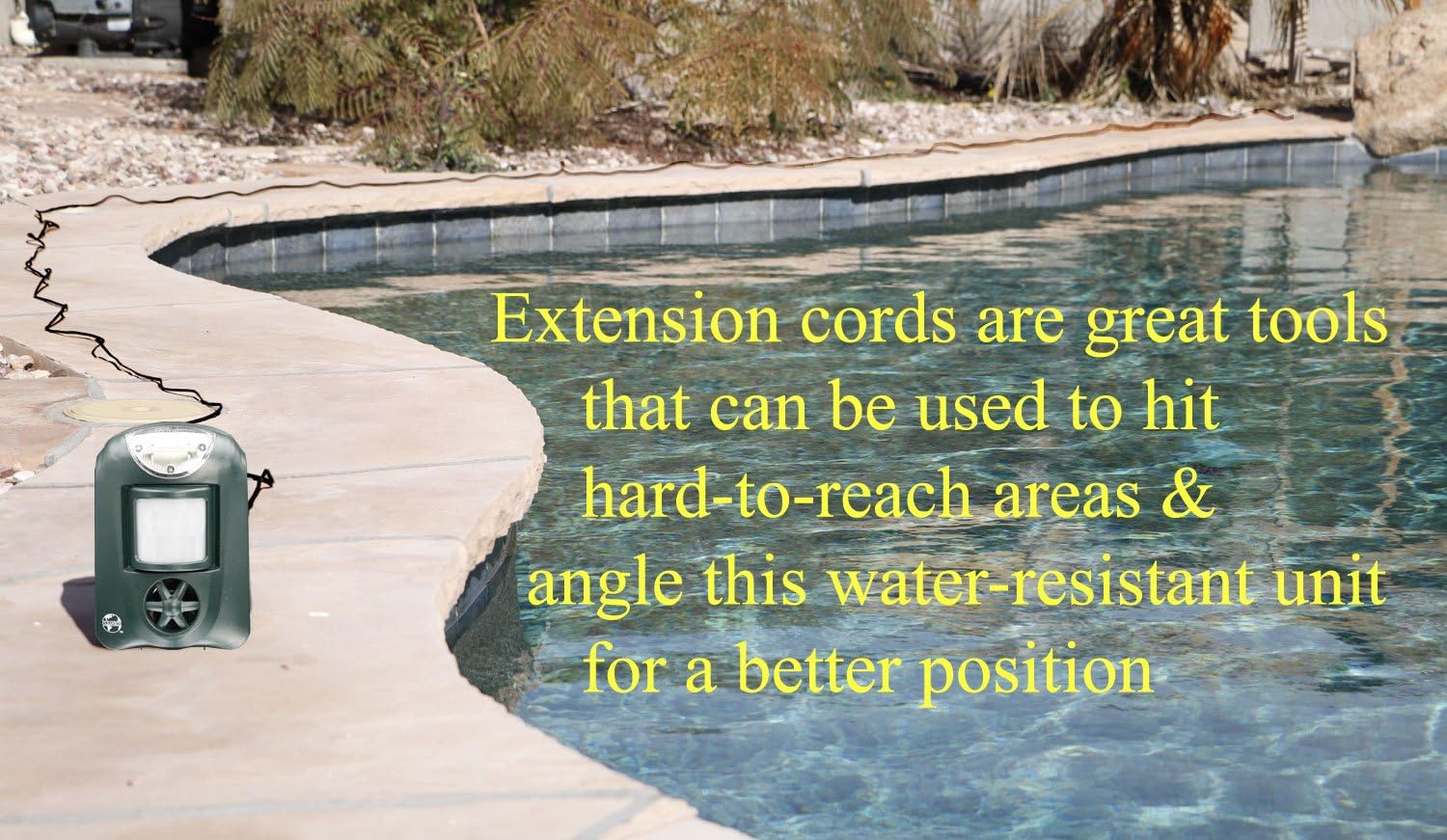
Image 3: The Cleanrth TSBR610 bird repeller is positioned at the edge of a swimming pool, connected via a long extension cord, demonstrating flexible placement options.
3. Operating Instructions
The TSBR610 offers various modes and settings to customize its operation.
3.1 Powering On/Off
To turn the unit on, push the ON/OFF switch into the ON position. The infrared sensor will glow red, and the speaker will emit a clicking sound and a 10-second ultra/sonic pulse when it detects body heat.
3.2 Adjustable Modes
The device features three adjustable modes for the strobe light and sound/ultrasound functions:
- 1. Always Off: The strobe light or speaker remains off, even when the device is powered on and working.
- 2. Detection Mode (SENSOR): The strobe light flashes or the speaker emits sound only when the infrared sensor detects body heat. This is the recommended setting for surprising and scaring birds.
- 3. Always On (CONT.): The strobe light flashes continuously or the speaker emits sound continuously, regardless of infrared sensor detection.
4. Settings and Controls
Familiarize yourself with the control panel to fine-tune the repeller's performance.

Image 4: A detailed view of the Cleanrth TSBR610 control panel, showing switches for Strobe Light, Sound Ultrasound, Sonic Frequency, Sensitivity, and Power.
- Strobe Light Switch: Controls the LED strobe lights. Options: OFF, SENSOR (recommended), CONT.
- Sound Ultrasound Switch: Controls the speaker. Options: OFF, SENSOR (recommended), CONT.
- Sonic Frequency Slider: Adjusts the range of sounds emitted. Slide towards LOW for lower frequencies, towards HIGH for higher frequencies. For successful repelling, begin by setting this slider to LOW.
- Sensitivity Slider: Controls the sensitivity of the infrared sensor. LOW setting uses less battery but has a shorter detection range. HIGH setting extends the detection range but uses more battery. The HIGH setting is best when initially setting up in an area with high bird activity.
- Power Switch: Turns the unit ON or OFF.
5. Maintenance
To ensure the longevity and effectiveness of your Cleanrth TSBR610, follow these maintenance guidelines:
- Cleaning: Periodically wipe the unit with a soft, damp cloth to remove dust and debris. Ensure the motion sensor lens and speaker grille are clear of obstructions. Do not use harsh chemicals or abrasive cleaners.
- Battery Replacement: If using battery power, replace batteries when the unit's performance diminishes. Refer to the device's internal markings for the correct battery type.
- Environmental Protection: Although water-resistant, avoid submerging the unit in water. During extreme weather conditions, consider bringing the unit indoors or providing additional protection.
6. Troubleshooting Common Issues
Here are solutions to common problems you might encounter:
- 1. The device is on but the sound or the flashing light never turn on.
Check that the Strobe Light and Sound Ultrasound switches are set to "SENSOR" mode and not "OFF". - 2. The sound or the flashing light never stop.
First, ensure both the Strobe Light and Sound Ultrasound switches are set to "SENSOR" mode and not "CONT.". If the issue persists, the Sensitivity Switch might be set too high, causing the device to be triggered by random motion. Turn the Sensitivity Slider down. - 3. The sound is annoying to humans.
This device is designed to be audible to startle birds. You can adjust the "Sonic Frequency" slider a little over halfway towards the right to go into an inaudible-to-humans sound range. Note that this may be less effective for startling birds. - 4. It's not working on pigeons or ducks.
Pigeons and ducks can be challenging. Ensure the Sonic Frequency slider is set to LOW initially. Refer to the 'What to Expect' guide included with your product for effective adjustment strategies. If issues persist, contact customer support.
7. Product Specifications
| Brand | CLEANRTH |
| Model Number | TSBR610 |
| Color | Green |
| Style | Electronic Bird Repellent |
| Material | Plastic |
| Product Dimensions | 4"L x 3.25"W x 6.25"H |
| Item Weight | 0.9 Pounds (14.4 ounces) |
| Number of Pieces | 1 |
| Is Electric | Yes |
| Target Species | Birds |
| Unit Count | 1 Count |
| UPC | 602573048818 |
| Manufacturer | CLEANRTH PRODUCTS |
8. Warranty and Support
Your Cleanrth TSBR610 Bird Repeller Device includes a dedicated support program. For any questions or persistent bird issues, please reach out to us using the contact details provided on all our paperwork and packaging. We are committed to assisting you with your pest control needs.