
Introduction
The Weighmax Duo Series W-7800 is a high-precision digital scale designed for versatile use in various applications, including kitchen, postal, diet, bakery, and jewelry purposes. It features a compact design, durable construction, and a backlit LCD display for clear readings.
Safety Information
- Do not overload the scale beyond its maximum capacity of 3000g (106oz).
- Avoid exposing the scale to extreme temperatures or humidity.
- Keep the scale away from strong electromagnetic fields.
- Clean the scale with a soft, damp cloth. Do not use abrasive cleaners.
- Ensure the scale is placed on a stable, flat surface for accurate measurements.
- Dispose of used batteries responsibly.
Package Contents
- Weighmax Duo Series W-7800 Digital Pro Pocket Scale
- Dual protective clear cover (can be used as a weighing tray)
- 2 x AAA batteries
- Instruction Manual
Setup
Battery Installation
The Weighmax W-7800 scale requires 2 AAA batteries (included).
- Locate the battery compartment on the underside of the scale.
- Open the battery compartment cover.
- Insert the 2 AAA batteries, ensuring correct polarity (+/-).
- Close the battery compartment cover securely.
Initial Use
Place the scale on a hard, flat, and stable surface. Avoid carpets or uneven areas.
The scale comes with a dual protective clear cover. One part can be used as a weighing tray.

Image: The Weighmax W-7800 Digital Pro Pocket Scale shown with its protective cover and two AAA batteries. The scale features a stainless steel platform and a digital display.
Operating Instructions
Turning On/Off
- Press the ON/OFF button to turn the scale on. The display will show "88888" and then "0.00".
- To turn the scale off, press and hold the ON/OFF button for a few seconds until the display turns off. The scale also features an auto-off function to conserve battery power.
Changing Weighing Units
The scale supports multiple weighing units.
- With the scale turned on and displaying "0.00", press the MODE button repeatedly to cycle through the available units: grams (g), ounces (oz), carats (ct), pennyweights (dwt), troy ounces (ozt), and grains (gn).
- Select your desired unit before weighing.

Image: Close-up of the Weighmax W-7800 digital display showing different measurement units like ounces, troy ounces, grains, grams, carats, and pennyweights.
Tare Function
The Tare function allows you to subtract the weight of a container, so you only measure the net weight of the contents.
- Place an empty container on the weighing platform.
- Press the TARE button. The display will reset to "0.00".
- Add the items you wish to weigh into the container. The display will show only the weight of the items.
Weighing Items
- Ensure the scale is on a stable surface and displaying "0.00".
- Place the item(s) gently on the center of the stainless steel platform.
- Read the weight displayed on the LCD screen.

Image: The Weighmax W-7800 Digital Scale with mangosteens placed in its clear protective cover, which is being used as a weighing tray. The digital display shows a weight of 14.91 ozt.
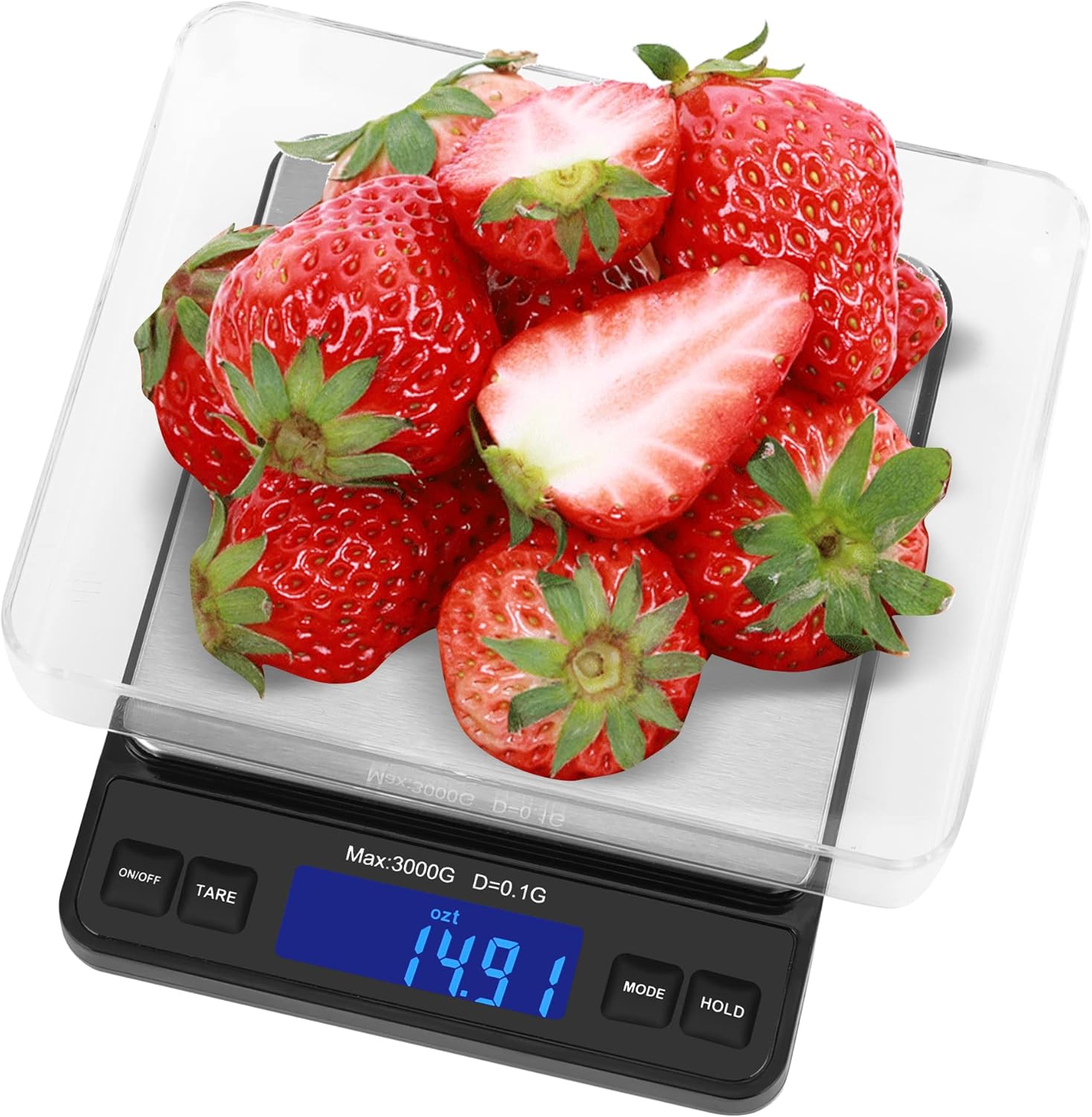
Image: The Weighmax W-7800 Digital Scale with fresh strawberries placed in its clear protective cover, which is being used as a weighing tray. The digital display shows a weight of 14.91 ozt.
Calibration
The scale is factory calibrated. If recalibration is needed, refer to the instructions provided on the inside of the protective cover or the full manual. Typically, this involves entering calibration mode and placing a known weight on the platform.
Video: A user demonstrates the MAXUS Precision Pocket Scale, which is similar to the Weighmax W-7800. The video shows how to turn on the scale, use the tare function, and measure small amounts of salt with high precision. It also highlights the multiple unit options and the convenience of the included tray.
Maintenance
- Clean the scale regularly with a soft, slightly damp cloth. Do not immerse the scale in water or use harsh chemicals.
- Store the scale in a dry, cool place away from direct sunlight and extreme temperatures.
- Remove batteries if the scale will not be used for an extended period to prevent leakage.
Troubleshooting
Inaccurate Readings
- Ensure the scale is on a stable, level surface.
- Check if the batteries are low and replace them if necessary.
- Avoid placing items off-center on the weighing platform.
- Recalibrate the scale if accuracy issues persist (refer to the Calibration section).
Display Not Turning On
- Check battery installation and ensure correct polarity.
- Replace batteries with new ones.
- Ensure the power adapter (if applicable) is securely connected and functioning.
Auto-Off Function
The scale is designed to automatically turn off after a period of inactivity to conserve battery life. This is a normal function and not a malfunction.
Specifications
| Feature | Detail |
|---|---|
| Brand | Weighmax |
| Model | W-7800 |
| Capacity | 3000g / 106oz |
| Sensitivity / Readout Accuracy | 0.1g / 0.01oz |
| Measuring Units | g, oz, ct, dwt, ozt, gn |
| Display Type | Back-lit LCD |
| Platform Material | Stainless Steel |
| Power Source | 2 x AAA batteries (included) |
| Product Dimensions | 4.2 x 0.9 x 5.2 inches |
| Item Weight | 13.4 ounces |
| Special Feature | Dual protective clear cover (weighing tray) |
Warranty and Support
For warranty information or technical support, please refer to the contact details provided in the product packaging or visit the official Weighmax website. Keep your purchase receipt as proof of purchase.