
1. Introduction
Thank you for choosing the GGMM E3 Wireless Speaker with Clock. This manual provides essential information for setting up, operating, and maintaining your device. Please read it thoroughly before use to ensure proper functionality and to maximize your listening experience.
The GGMM E3 is a versatile audio device designed for modern homes, offering seamless integration with your digital life. It combines high-fidelity sound with convenient features such as a digital clock display, multi-room audio capabilities, and various connectivity options including Wi-Fi, Bluetooth, and AUX input.
2. Safety Information
- Do not expose the speaker to water or excessive moisture.
- Avoid placing the speaker near heat sources or in direct sunlight.
- Use only the provided power adapter to prevent damage.
- Do not attempt to disassemble or repair the speaker yourself. Refer to qualified service personnel.
- Keep out of reach of children and pets.
- Ensure proper ventilation around the speaker during operation.
3. Package Contents
Please check the box for the following items:
- GGMM E3 Speaker × 1
- AUX Cable × 1
- Power Adapter × 1
- User Manual × 1
- Warranty Card × 1
- Things to Try Card × 1

Image: Contents of the GGMM E3 package, including the speaker, cables, and documentation.
4. Product Overview
Front View

Image: The front of the GGMM E3 speaker, showcasing its perforated grille and integrated digital clock display.
Top Controls

Image: Top view of the GGMM E3, highlighting its control buttons and icons representing Wi-Fi, Bluetooth, AUX, dual drivers, dual subwoofers, streaming music, smart alarm clock, multi-room play, and USB output.
Rear Ports and Buttons
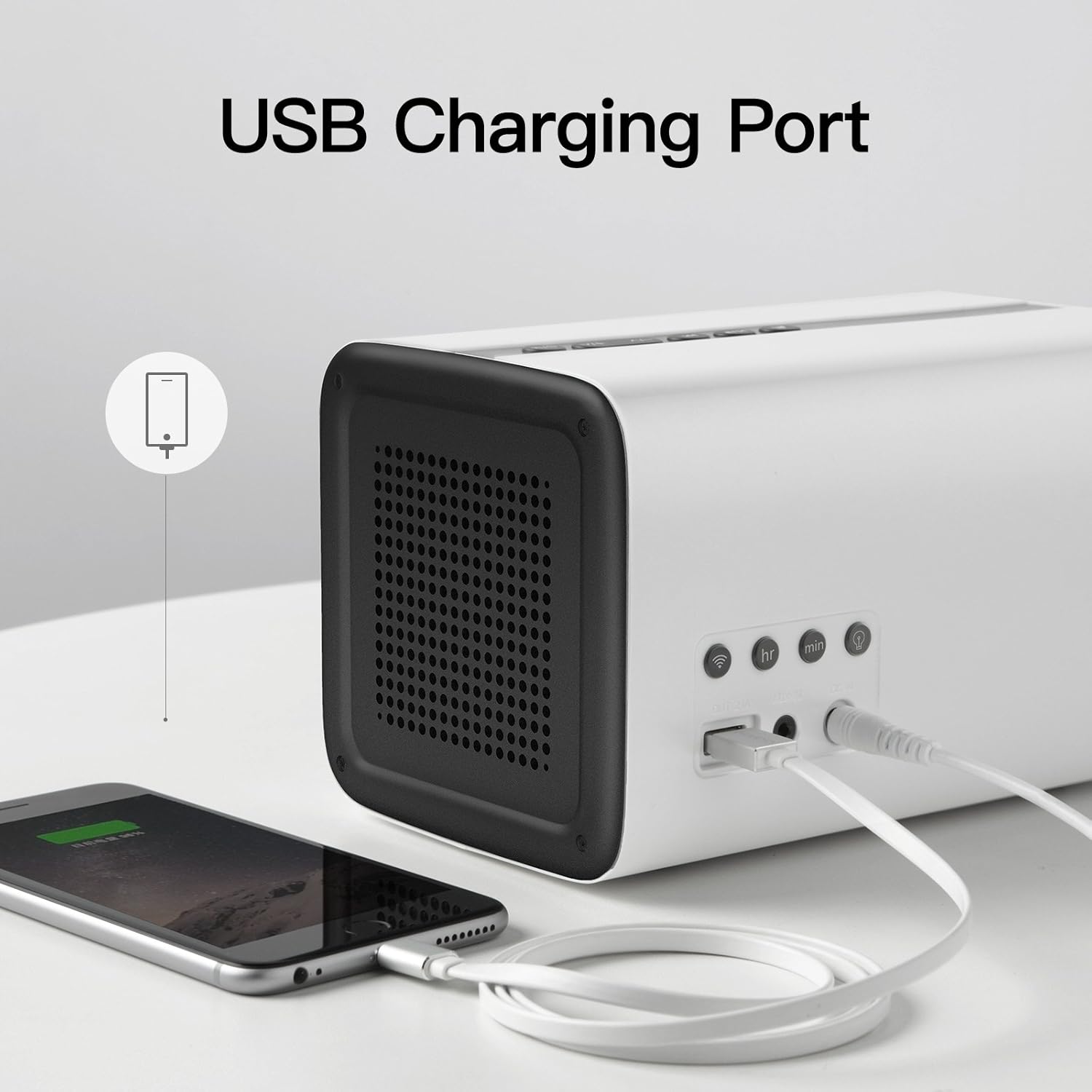
Image: The rear panel of the GGMM E3, displaying the DC power input, AUX-in port, and USB charging port, along with additional control buttons for clock and Wi-Fi settings.
5. Setup
5.1 Power Connection
- Connect the provided power adapter to the 'DC IN' port on the rear of the speaker.
- Plug the power adapter into a wall outlet. The speaker will power on automatically, and the clock display will illuminate.
5.2 Initial Setup (Clock & Wi-Fi)
- Set the Clock: Use the 'HR' and 'MIN' buttons on the rear of the speaker to set the correct time.
- Download the GGMM App: For full functionality, including Wi-Fi setup, multi-room audio, and advanced settings, download the official GGMM app from your device's app store.
- Wi-Fi Setup via App:
- Open the GGMM app and follow the on-screen instructions to connect your speaker to your Wi-Fi network.
- The speaker supports Wireless-N on the 2.4GHz channel.
- If you have MAC filtering enabled on your router, you may need to temporarily disable it during setup, find the speaker's MAC address in the app, and then re-enable MAC filtering with the speaker's address added.
5.3 Bluetooth Pairing
- Press the Mode button on the top of the speaker until the Bluetooth indicator light illuminates.
- On your mobile device, enable Bluetooth and search for 'GGMM E3' in the list of available devices.
- Select 'GGMM E3' to pair. Once paired, you can stream audio directly from your device.
6. Operating
6.1 Basic Controls
- Power/Mode Button: Located on the top panel, this button cycles through Wi-Fi, Bluetooth, and AUX modes.
- Volume +/- Buttons: Adjust the playback volume.
- Play/Pause Button: Play or pause audio playback.
- Skip Forward/Backward Buttons: Skip to the next or previous track.
- Favorite Channel Button: Set and recall your favorite channels (functionality may vary based on streaming service integration).

Image: The GGMM E3 speaker displaying its three primary connectivity modes: Wi-Fi, Bluetooth, and AUX.
6.2 Multi-Room Play
The GGMM E3 supports multi-room audio when paired with other compatible GGMM E Series speakers (up to 16 speakers). This feature allows you to play the same song across multiple speakers in different rooms or different songs in each room.
- Ensure all speakers are connected to the same Wi-Fi network via the GGMM app.
- In the GGMM app, navigate to the 'Device List'.
- Select the speakers you wish to group together for multi-room playback.
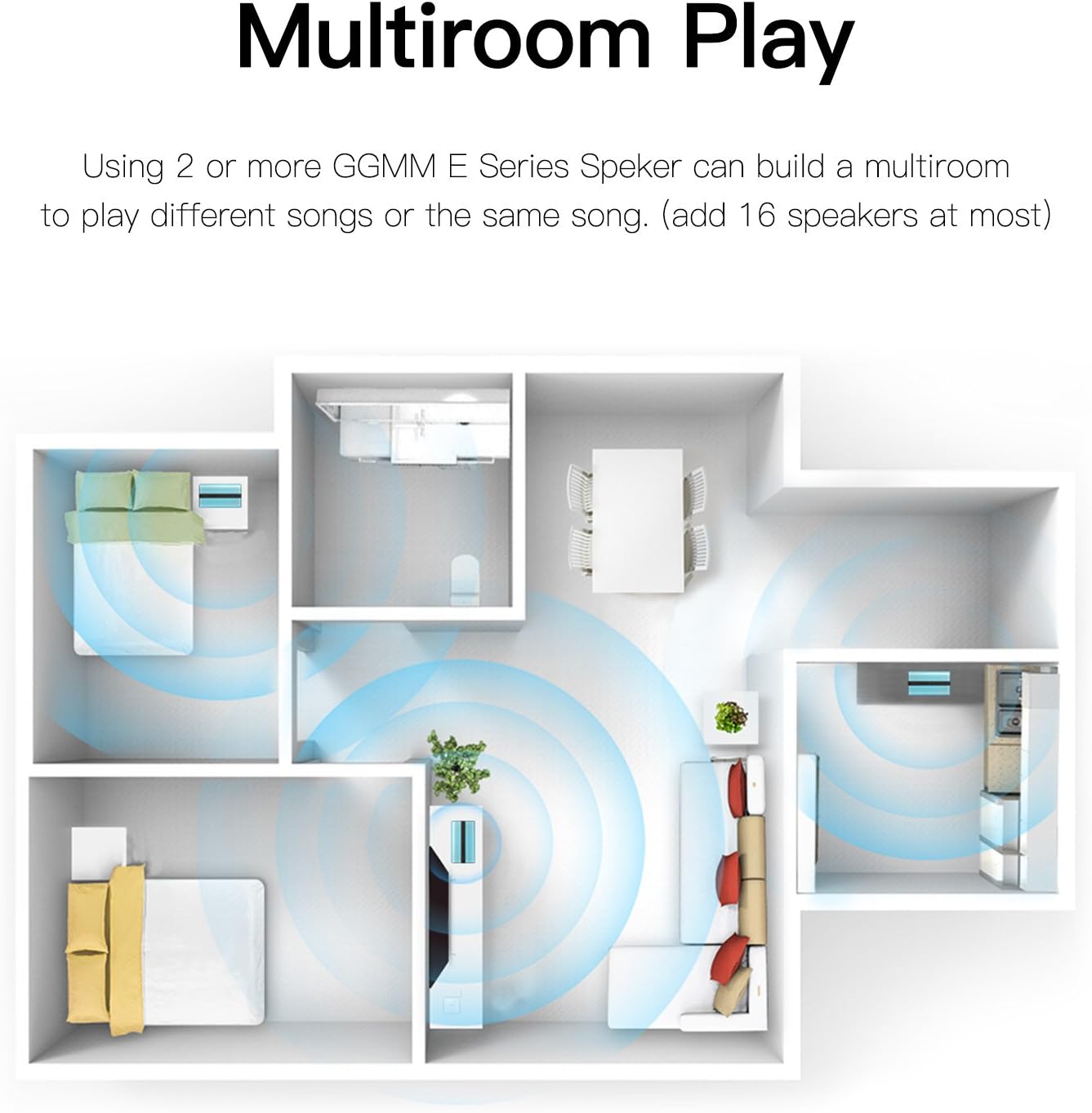
Image: A floor plan diagram showing how multiple GGMM E Series speakers can be placed in different rooms for multi-room audio synchronization.
6.3 Stereo Pairing
For an immersive stereo sound experience, you can pair two GGMM E Series speakers to function as dedicated left and right channels.
- Connect both speakers to the GGMM app.
- In the 'Device List' within the app, select the option to set one speaker as the Left channel and the other as the Right channel.
- This configuration will provide a wider soundstage and improved audio separation.
6.4 Alarm Clock Function
The GGMM E3 features a smart alarm clock with a gradual tone to gently wake you up.
- Set the alarm time using the dedicated buttons on the rear of the speaker or through the GGMM app.
- The alarm tone is pre-determined and cannot be customized with personal music files.
7. Maintenance
- Cleaning: Use a soft, dry cloth to wipe the surface of the speaker. Do not use liquid cleaners or aerosols.
- Storage: When not in use for extended periods, store the speaker in a cool, dry place away from direct sunlight and extreme temperatures.
- Power: Disconnect the power adapter during electrical storms or when unused for long periods.
8. Troubleshooting
| Problem | Possible Cause / Solution |
|---|---|
| No power / Speaker not turning on | Ensure the power adapter is securely connected to both the speaker and a working wall outlet. |
| No sound / Low volume | Check the volume levels on both the speaker and your connected device. Ensure the correct input mode (Wi-Fi, Bluetooth, AUX) is selected. |
| Bluetooth pairing issues | Ensure the speaker is in Bluetooth pairing mode. Turn off and on Bluetooth on your device. Move closer to the speaker. |
| Wi-Fi connection unstable | Ensure the speaker is within range of your Wi-Fi router. Check for router interference or network congestion. Update speaker firmware via the GGMM app if available. |
| Alarm activates unexpectedly | Check alarm settings in the GGMM app. Ensure speaker firmware is up to date. |
| Muffled sound quality | Ensure the speaker is placed on a stable surface. Check audio source quality. |
9. Specifications
- Model Name: XtremeMac
- Speaker Type: Multi Room
- Connectivity Technology: Bluetooth, Wi-Fi
- Bluetooth Version: 3.0
- Wireless Communication Technology: Wi-Fi (2.4GHz)
- Audio Output Mode: Mono (can be configured for stereo with another E Series speaker)
- Speaker Maximum Output Power: 20 Watts
- Power Source: AC Power (wired, no internal battery)
- Item Weight: 3.56 pounds (1.62 Kilograms)
- Product Dimensions: 8.2 x 12.2 x 12.3 inches
- Color: Clear (Gray)
- Item Model Number: 6953338452147 (ES-201-6)
- Manufacturer: XtremeMac
10. Warranty and Support
The GGMM E3 Wireless Speaker with Clock comes with a standard manufacturer's warranty. Please refer to the included Warranty Card for detailed terms and conditions regarding coverage and duration.
For technical support, troubleshooting assistance, or warranty claims, please contact GGMM customer service through their official website or the contact information provided on your Warranty Card.


