
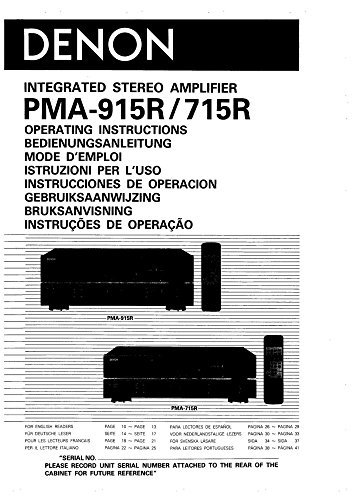
1. Important Safety Instructions
Please read all instructions carefully before operating your Denon amplifier. Retain this manual for future reference.
- Ventilation: Ensure adequate space around the unit for proper ventilation. Do not block ventilation openings.
- Power Source: Connect the unit only to an AC power source as indicated on the unit.
- Moisture: Do not expose the unit to rain or moisture to prevent fire or electric shock.
- Cleaning: Unplug the unit from the wall outlet before cleaning. Use a dry cloth only.
- Servicing: Do not attempt to service this unit yourself. Refer all servicing to qualified service personnel.
2. Setup
2.1 Unpacking
Carefully remove the amplifier from its packaging. Check for any signs of damage during transit. Keep the original packaging for potential future transport or servicing.
2.2 Placement
Place the amplifier on a stable, level surface away from direct sunlight, heat sources, and excessive dust or vibration. Ensure there is sufficient clearance (at least 10 cm or 4 inches) around the top and sides for proper heat dissipation.
2.3 Connections
Before making any connections, ensure the amplifier and all connected components are powered off and unplugged from the AC outlet.
- Speaker Connections: Connect your speakers to the SPEAKER A or SPEAKER B terminals on the rear panel. Ensure correct polarity (+ to + and - to -) for each speaker. Use high-quality speaker cables.
- Audio Source Connections: Connect your audio sources (e.g., CD player, tuner, turntable, tape deck) to the corresponding input jacks (CD, TUNER, PHONO, TAPE 1, TAPE 2) on the rear panel using RCA audio cables.
- Ground Terminal (PHONO): If connecting a turntable, connect its ground wire to the PHONO GROUND terminal to minimize hum.
- Power Connection: After all audio and speaker connections are made, plug the amplifier's power cord into a suitable AC wall outlet.
3. Operating Instructions
3.1 Basic Operation
- Power On/Off: Press the POWER switch on the front panel to turn the amplifier on or off.
- Input Selection: Use the INPUT SELECTOR knob or buttons to choose the desired audio source (e.g., CD, TUNER, PHONO).
- Volume Control: Adjust the VOLUME knob to set the listening level. Start at a low volume and gradually increase it.
- Speaker Selection: If you have two pairs of speakers connected, use the SPEAKER A/B selector to choose which pair to use, or both.
3.2 Tone Controls
The amplifier features tone controls to adjust the sound characteristics:
- BASS: Adjusts the low-frequency response. Turn clockwise for more bass, counter-clockwise for less.
- TREBLE: Adjusts the high-frequency response. Turn clockwise for more treble, counter-clockwise for less.
- BALANCE: Adjusts the relative volume between the left and right channels.
- LOUDNESS: Engages a circuit that boosts bass and treble at low volume levels for a fuller sound.
- SOURCE DIRECT: Bypasses the tone control circuits for a purer audio signal.
3.3 Recording Functions (PMA-915R/715R)
The amplifier allows for recording from one source to a tape deck connected to the TAPE 1 or TAPE 2 REC OUT jacks. Use the REC OUT SELECTOR to choose the source you wish to record, independent of the source being listened to.
4. Maintenance
4.1 Cleaning
To clean the amplifier, first disconnect it from the power outlet. Use a soft, dry cloth to wipe the exterior surfaces. Do not use abrasive cleaners, waxes, or solvents as they may damage the finish.
4.2 Storage
If storing the unit for an extended period, unplug it from the power outlet and cover it to protect against dust. Store in a cool, dry place.
5. Troubleshooting
If you experience problems with your amplifier, refer to the following table before contacting service personnel.
| Problem | Possible Cause | Solution |
|---|---|---|
| No power | Power cord not connected; Power switch off; Blown fuse | Check power cord connection; Turn power switch on; Consult service personnel for fuse replacement. |
| No sound | Incorrect input selected; Speaker cables disconnected; Volume too low; Mute engaged | Select correct input; Check speaker connections; Increase volume; Disengage mute. |
| Distorted sound | Input level too high; Speaker impedance mismatch; Damaged speaker cables | Reduce source volume; Ensure speakers match amplifier impedance; Check/replace speaker cables. |
| Humming noise | Ground loop; Improper cable shielding; Turntable ground not connected | Ensure all components are properly grounded; Use shielded cables; Connect turntable ground wire. |
6. Specifications (Typical for PMA-715R / PMA-915R)
Note: Specifications are subject to change without notice.
- Power Output (PMA-915R): 100 W + 100 W (8 ohms, 20 Hz - 20 kHz, 0.008% THD)
- Power Output (PMA-715R): 70 W + 70 W (8 ohms, 20 Hz - 20 kHz, 0.008% THD)
- Frequency Response: 20 Hz - 20 kHz (±0.3 dB)
- Input Sensitivity/Impedance:
- Phono (MM): 2.5 mV / 47 kΩ
- CD, Tuner, Tape: 150 mV / 47 kΩ
- Signal-to-Noise Ratio:
- Phono (MM): 86 dB
- CD, Tuner, Tape: 105 dB
- Dimensions (W x H x D): 434 x 135 x 350 mm (17.1 x 5.3 x 13.8 inches)
- Weight: 9.5 kg (PMA-715R), 11.0 kg (PMA-915R)
- Power Consumption: 200 W (PMA-715R), 250 W (PMA-915R)
7. Warranty and Support
This manual is a reprint and does not include specific warranty information. For details regarding warranty coverage and technical support for your Denon amplifier, please refer to the original warranty card that came with your product or contact Denon customer service directly. You may also visit the official Denon website for support resources and service center locations.
Please record your unit's serial number, typically located on the rear panel, for future reference and warranty claims.


