
Introduction
The Grote 49333-3 MicroNova Dot LED Clearance Marker Light is designed to provide a bright, focused light for vehicle clearance marking. Its compact and thin design allows for versatile mounting with minimal surface area. The light features a durable polycarbonate mounting bracket engineered with drain holes to prevent water accumulation, ensuring long-term reliability. This manual provides essential information for the proper installation, operation, and maintenance of your MicroNova Dot LED Clearance Marker Light.
What's in the Box
- 1 x Grote 49333-3 MicroNova Dot LED Clearance Marker Lamp
- 1 x Grommet (for mounting)
Setup and Installation
Proper installation is crucial for the performance and longevity of your clearance marker light. This light is designed for easy retrofitting using existing vehicle hole patterns.
- Prepare Mounting Location: Ensure the mounting surface is clean and free from debris. The light's design is compact, requiring minimal mounting surface.
- Insert Grommet: Place the provided grommet into the mounting hole on the vehicle. The grommet helps secure the light and provides a seal.
- Install Light: Press the MicroNova Dot LED Clearance Marker Lamp firmly into the grommet until it is securely seated. No additional fasteners are typically required.
- Wiring Connections: Connect the light's wiring to the vehicle's electrical system. This model is available in PC and P2 versions with .180 bullet or Deutsch connectors. Ensure connections are secure and properly insulated to prevent shorts and corrosion.
- Verify Drainage: Confirm that the mounting bracket's two drain holes are clear and positioned to allow water to drain away from the lamp.
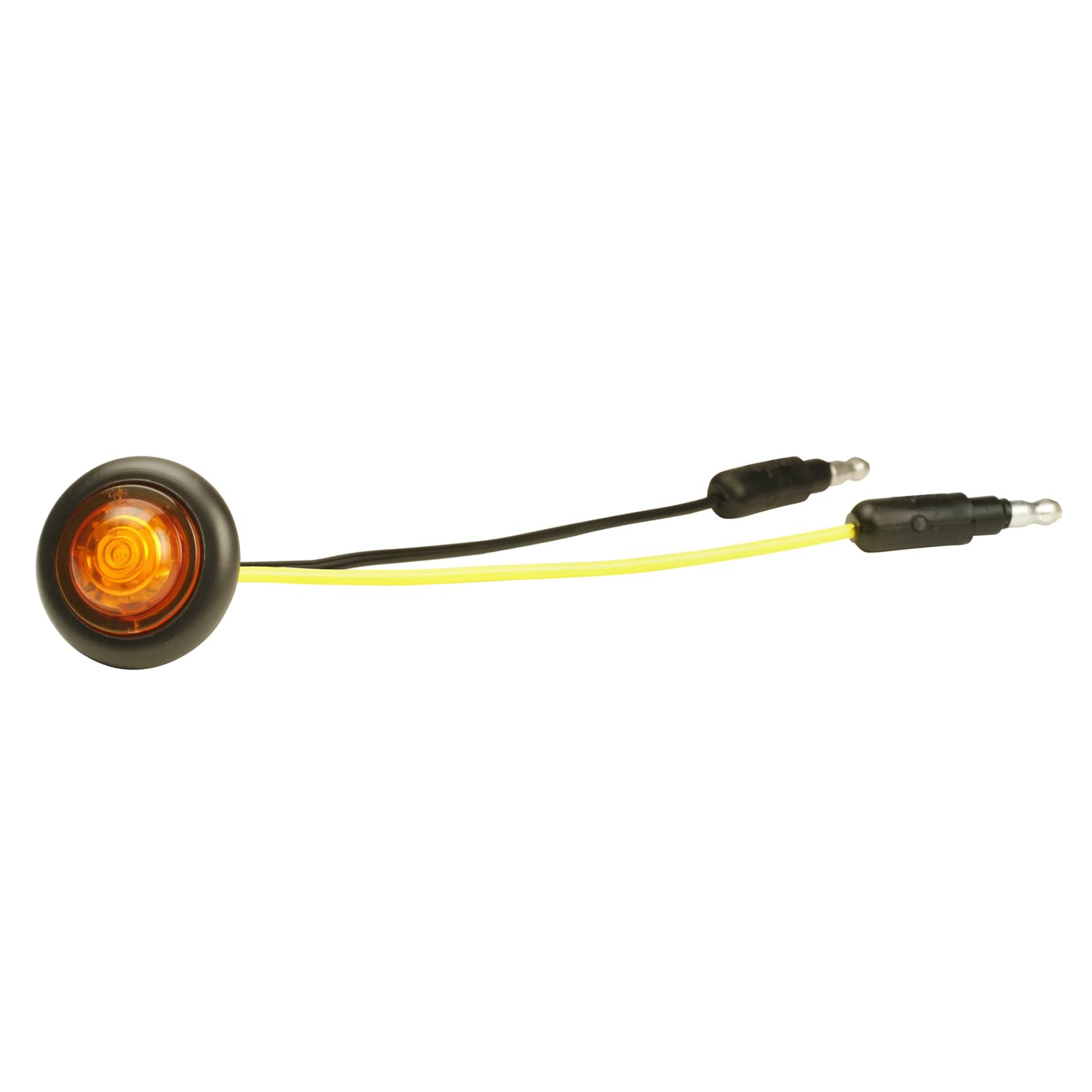
Image 1: Grote 49333-3 MicroNova Dot LED Clearance Marker Light. This image shows the amber LED light with its integrated grommet, ready for installation.
Operating Instructions
The Grote 49333-3 MicroNova Dot LED Clearance Marker Light operates automatically once correctly installed and wired to the vehicle's electrical system.
- Activation: The light will illuminate when the vehicle's clearance light circuit receives power, typically when the vehicle's headlights or parking lights are activated.
- Deactivation: The light will turn off when power is removed from the clearance light circuit.
No user interaction is required for the light's basic operation beyond ensuring the vehicle's lighting system is functioning correctly.
Maintenance
The MicroNova Dot LED Clearance Marker Light is designed for durability and minimal maintenance. Adhering to these simple guidelines will help ensure its long-term performance:
- Cleaning: Periodically clean the lens with a soft cloth and mild soap and water to remove dirt, grime, and road salt. Avoid abrasive cleaners or harsh chemicals that could damage the polycarbonate lens.
- Inspection: Regularly inspect the light and its wiring for any signs of damage, corrosion, or loose connections. Ensure the grommet remains securely in place.
- Drainage: Verify that the drain holes in the mounting bracket remain clear of obstructions to allow proper water drainage.

Image 2: An assortment of Grote LED marker and clearance lights, demonstrating the variety and quality of Grote's lighting products.
Troubleshooting
If your MicroNova Dot LED Clearance Marker Light is not functioning as expected, consider the following troubleshooting steps:
- Light Not Illuminating:
- Check the vehicle's fuse for the clearance light circuit. Replace if blown.
- Inspect wiring connections for looseness, corrosion, or damage. Ensure a proper electrical connection.
- Verify that the vehicle's headlights or parking lights are turned on, as this typically activates the clearance lights.
- Dim or Flickering Light:
- Check for poor electrical connections or corrosion at the terminals. Clean and secure connections.
- Ensure adequate voltage is supplied to the light. Low voltage can cause dimming.
- Inspect the light for any physical damage to the lens or internal components.
- Water Accumulation in Lens:
- Verify that the grommet is properly seated and sealed around the light.
- Ensure the drain holes in the mounting bracket are not clogged. Clear any debris.
If issues persist after performing these checks, professional assistance may be required.
Specifications
| Attribute | Detail |
|---|---|
| Model Number | 49333-3 |
| Brand | Grote |
| Light Source Type | LED |
| Lens Color | Amber |
| Lens Material | Polycarbonate |
| Special Feature | Waterproof |
| Item Dimensions (L x W x H) | 2.52 x 2.52 x 2.52 inches |
| Item Weight | 0.8 ounces |
| Vehicle Service Type | Car (also suitable for fleet and plant maintenance) |
| UPC | 089373152844 |
Warranty and Support
For specific warranty information regarding your Grote 49333-3 MicroNova Dot LED Clearance Marker Light, please refer to the documentation included with your purchase or visit the official Grote website. Grote products are known for their quality and durability.
For technical support, installation assistance, or to inquire about replacement parts, please contact Grote customer service directly through their official channels. Always provide your product model number (49333-3) when seeking support to ensure accurate assistance.