
1. Introduction
Thank you for choosing the Kaiser MSS-8915 Audio System. This professional 15-inch speaker is designed to deliver powerful and clear audio for various applications, including events, parties, and professional use. This manual provides essential information for safe and efficient operation, setup, maintenance, and troubleshooting.
2. Important Safety Instructions
Please read and understand all safety instructions before operating this device. Keep this manual for future reference.
- Power Source: Connect the unit only to the specified power supply voltage. Ensure the power cable is not damaged.
- Ventilation: Do not block ventilation openings. Ensure adequate airflow around the unit.
- Water and Moisture: Do not expose the unit to rain, moisture, or excessive humidity. Do not place objects filled with liquids on the unit.
- Heat: Keep the unit away from heat sources such as radiators, heat registers, stoves, or other apparatus that produce heat.
- Cleaning: Unplug the unit from the power outlet before cleaning. Use a dry cloth for cleaning.
- Servicing: Do not attempt to service this product yourself. Refer all servicing to qualified service personnel.
- Placement: Ensure the unit is placed on a stable surface or securely mounted on a stand to prevent tipping.
- Children: Keep the unit and its accessories out of reach of children.
3. Package Contents
Verify that all items are present in the package:
- Kaiser MSS-8915 Audio System Unit
- Power Cable
- User Manual (this document)
4. Product Overview
Familiarize yourself with the components and features of your Kaiser MSS-8915 Audio System.
4.1 Front View
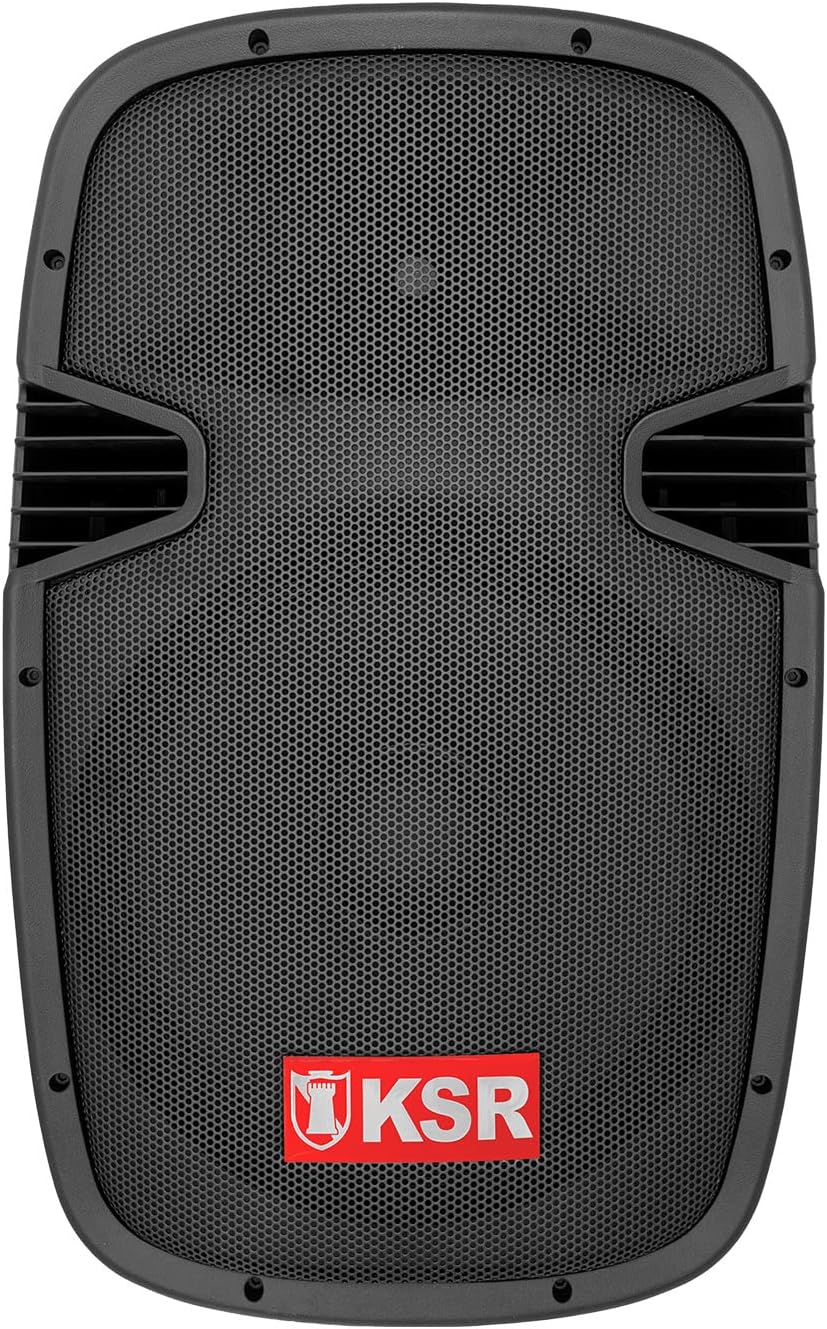
Figure 4.1: Front view of the Kaiser MSS-8915 speaker, showing the protective grille and the KSR logo.
4.2 Rear Panel and Connections

Figure 4.2: Rear panel of the Kaiser MSS-8915, featuring Speakon quick connections for audio input/output and the Kaiser branding plate.
- Speakon Connectors: For secure and reliable audio input and daisy-chaining to other speakers.
- Power Input: Connection for the main power cable.
- Control Panel: (If applicable, for Bluetooth, USB, and SD features).
4.3 Transport and Mounting Features

Figure 4.3: Side view illustrating the integrated side handle for easy transport.

Figure 4.4: Bottom view of the speaker, highlighting the integrated wheels for convenient mobility.
- Side and Top Handles: Ergonomically designed for comfortable lifting and carrying.
- Wheels: Integrated at the bottom for effortless transportation.
- Stand Mount: A rear knob and socket allow for secure mounting on a speaker stand.
5. Setup Instructions
Follow these steps to set up your Kaiser MSS-8915 Audio System.
5.1 Placement
- Choose a stable, flat surface for the speaker.
- For optimal sound dispersion, consider placing the speaker on a compatible stand using the rear mounting socket.
- Ensure there is adequate space around the speaker for ventilation.
5.2 Power Connection
- Ensure the speaker's power switch (if present) is in the OFF position.
- Connect the provided power cable to the power input on the rear panel of the speaker.
- Plug the other end of the power cable into a suitable electrical outlet.
5.3 Audio Connections
The MSS-8915 uses Speakon connectors for audio input and output.
- Connect your audio source (e.g., mixer, amplifier) to the Speakon input connector on the rear panel using a compatible Speakon cable.
- To daisy-chain multiple MSS-8915 speakers, connect a Speakon cable from the output of the first speaker to the input of the next speaker.
6. Operating Instructions
This section details how to operate your audio system. Note: While the product description mentions a "passive speaker," the product title and specifications indicate integrated Bluetooth, USB, and SD functionality, suggesting an active component. These instructions assume the presence of such active features.
6.1 Powering On/Off
- After all connections are made, switch the power button to the ON position.
- To power off, switch the power button to the OFF position and then unplug the power cable from the outlet.
6.2 Bluetooth Connectivity
- Ensure the speaker is powered on.
- Activate Bluetooth on your mobile device (smartphone, tablet, etc.).
- Search for available Bluetooth devices and select "Kaiser MSS-8915" (or similar name).
- Once paired, you can stream audio wirelessly from your device to the speaker.
6.3 USB and SD Card Playback
- Insert a USB flash drive or SD card into the respective port on the speaker's control panel.
- The speaker should automatically detect the media and begin playback.
- Use the control panel buttons (Play/Pause, Next/Previous Track, Volume) to manage playback.
6.4 Volume Control
Adjust the master volume using the dedicated volume control knob on the speaker's control panel. Start with a low volume and gradually increase it to your desired level.
7. Maintenance
Proper maintenance ensures the longevity and optimal performance of your audio system.
7.1 Cleaning
- Always unplug the speaker before cleaning.
- Use a soft, dry cloth to wipe the exterior surfaces.
- Do not use abrasive cleaners, waxes, or solvents as they may damage the finish.
- For the speaker grille, use a soft brush or vacuum cleaner with a brush attachment to remove dust.
7.2 Storage
- When not in use for extended periods, store the speaker in a cool, dry place, away from direct sunlight and extreme temperatures.
- If possible, use the original packaging or a protective cover to prevent dust accumulation and physical damage.
8. Troubleshooting
If you encounter issues with your Kaiser MSS-8915, refer to the following common problems and solutions.
| Problem | Possible Cause | Solution |
|---|---|---|
| No power | Power cable not connected; Power outlet not working; Speaker power switch off. | Ensure power cable is securely connected. Test the outlet with another device. Turn the speaker power switch ON. |
| No sound output | Volume too low; Incorrect audio input connection; Audio source issue; Damaged cable. | Increase volume. Check Speakon cable connections. Verify audio source is playing. Try a different audio cable. |
| Bluetooth pairing failure | Speaker not in pairing mode; Device too far; Interference. | Ensure speaker is discoverable. Move device closer to speaker. Avoid other wireless devices. |
| USB/SD playback not working | Unsupported file format; Corrupted media; Incorrect insertion. | Ensure files are in a supported format (e.g., MP3). Try a different USB drive/SD card. Reinsert media correctly. |
| Distorted sound | Volume too high; Input signal too strong; Damaged speaker component. | Reduce volume on speaker and audio source. Check input levels. If problem persists, contact support. |
9. Specifications
Technical specifications for the Kaiser MSS-8915 Audio System.

Figure 9.1: Rear view of the Kaiser MSS-8915, including key dimensions for reference.
| Model Name | MSS-8915 |
| Speaker Type | Professional Passive Speaker, 2-way, Surround Sound |
| Woofer Size | 15 inches (38.1 cm) |
| Driver | Titanium Driver |
| Audio Power (PMPO) | 4000 W P.M.P.O. |
| Audio Power (RMS) | 150 W RMS |
| Impedance | 8 Ohm |
| Connectivity Technology | Bluetooth, USB, SD (for active system features) |
| Wireless Communication | Bluetooth |
| Control Method | Tactile (for integrated audio system controls) |
| Power Source | Corded Electric |
| Dimensions (L x W x H) | 49 x 42 x 76 cm |
| Weight | 15 kg |
| Components Included | Power cable |
| Mounting Type | Floor Mount |
10. Warranty and Support
Kaiser products are manufactured to high-quality standards. For warranty information and technical support, please refer to the warranty card included with your product or visit the official Kaiser website.
- Warranty Period: Please consult your purchase documentation or the manufacturer's website for specific warranty terms.
- Technical Support: For assistance with setup, troubleshooting, or product inquiries, contact Kaiser customer service.
- Online Resources: Visit the Kaiser Brand Store on Amazon for additional product information and support.


